For many businesses in Uganda, getting customers is no longer limited to having a physical location, putting up a sign or relying on word of mouth. Customers increasingly use Google, social media and messaging platforms to discover businesses, compare options and decide who to contact.
This shift creates a major opportunity for small and medium-sized businesses. A company does not necessarily need a huge marketing budget to establish a strong online presence. What matters most is having the right digital foundations and using them consistently.
Here are some of the most important ways Ugandan businesses can attract more customers online in 2026.
Have a Professional Business Website
Social media is useful, but a business should not depend entirely on platforms it does not control.
A professional website gives a business its own online home. It can provide information about products and services, display previous work, answer common questions, provide contact details and make it easier for potential customers to take action.
For a local business, the website should also clearly communicate where the business operates. Including locations, service areas, phone numbers, WhatsApp contact options and other relevant information can make the website considerably more useful to local customers.
The quality of the website also influences how people perceive the company. A slow, outdated or difficult-to-use website can cause potential customers to leave before making an inquiry.
Local web design agencies such as Kico Web Design are increasingly focusing on websites that do more than look attractive. The goal is to create websites that help businesses communicate their value, build trust and generate inquiries from potential customers.
Optimize Your Google Business Profile
When someone searches for a business in Kampala, Entebbe, Jinja or another Ugandan town, Google may display local businesses directly in the search results.
A properly maintained Google Business Profile can therefore become an important source of customers.
Businesses should make sure their profile contains accurate information, including:
Business name
Phone number
Address or service area
Opening hours
Website
Business category
Photos
Products or services
Regularly adding genuine photos and responding to customer reviews can also help create a stronger first impression.
A business should also make sure that the information on its website matches the information displayed on its Google Business Profile.
Make Your Website Mobile-Friendly
A large portion of internet users access websites through smartphones.
Mobile visitors should be able to quickly read the content, navigate between pages, find contact information and send an inquiry without constantly zooming or struggling with menus.
Businesses should also pay attention to loading speed. Large images, unnecessary animations and poorly optimized website components can make a site slow, particularly for visitors using mobile networks.
A simple, fast and responsive website can often provide a better experience than an unnecessarily complicated one.
Use Social Media to Support Your Website
Facebook, Instagram and TikTok can help businesses reach potential customers, but social media works best when it is part of a broader digital strategy.
A restaurant, salon, construction company, fashion business or professional service provider can use social media to demonstrate its products, services and expertise.
The important thing is to give people somewhere to go after discovering the business.
For example, a social media post can introduce a service and direct interested customers to the company’s website for more information. This creates a connection between social media and the business’s main online presence.
WhatsApp can also play an important role in this process because many Ugandan businesses use messaging as a primary way of communicating with customers.
Invest in Local SEO
Search engine optimization is not only about ranking for broad keywords.
For a local business, appearing when people search for relevant services in a particular location can be much more valuable. Someone searching for “movie downloads” has a different intent from someone searching for “Ugandan movies download,” “VJ Emmy movies,” or “VJ Ice P movies.” Jambo Films ranks for all those keywords this enable Jambo Films to rank for translated movies search queries.
Local brands and personalities can become search terms themselves because people already associate them with a particular type of content and audience. For example, searches around VJ Emmy Movies or VJ Ice P Movies demonstrate how Ugandan users may search using familiar local names, brands, VJs, and content providers rather than only generic international keywords.
A Kampala-based business, for example, may want to appear when potential customers search for its services together with terms such as Kampala, Uganda, or a specific Ugandan neighborhood.
The goal is therefore not simply to rank for “web design” or “movies.” It is to understand how Ugandans actually search and create pages that match those search patterns.
Local SEO can involve improving website content, creating location-specific pages where appropriate, maintaining consistent business information and earning mentions from relevant websites and directories.
Businesses should avoid filling their websites with repetitive keywords. Content should primarily be written for people while naturally making it clear what the business does and where it operates.
Build Trust Before Asking for the Sale
People are more likely to contact a business when they trust it.
A website can help establish that trust by showing real examples of work, customer testimonials, company information, professional photographs, frequently asked questions and clear contact details.
Businesses can also publish useful educational content.
For example, an interior design company could publish an article explaining how to choose materials for a Ugandan home. A car rental company could publish a guide explaining what visitors should know before renting a vehicle in Uganda.
This type of content can demonstrate expertise while also creating additional opportunities for the business to appear in search results.
Make It Easy to Contact You
One of the simplest digital marketing improvements is also one of the most frequently overlooked.
If someone is interested in a product or service, they should not have to search through several pages to find out how to contact the company.
Businesses should consider placing clear calls to action throughout their websites.
Depending on the business, these might include:
Call us
Send us a WhatsApp message
Request a quote
Book an appointment
Get directions
Make an inquiry
The objective is to reduce the amount of effort required for a potential customer to take the next step.
Keep Your Online Presence Consistent
A business can have a website, Facebook page, Instagram account and Google Business Profile, but if each one contains different information, customers may become confused.
The business name, contact information, services and general branding should be reasonably consistent across platforms.
Businesses should also update outdated information. An old phone number, incorrect opening hours or broken website link can result in missed opportunities.
Digital marketing is not a one-time activity. It requires ongoing maintenance.
Measure What Is Actually Working
Businesses should not judge their online marketing only by the number of likes or followers they receive.
More useful questions include:
How many people visit the website?
How many contact the business?
Which services receive the most inquiries?
Where are customers discovering the business?
Which pages attract the most visitors?
How many people call or message after finding the business online?
Tracking these activities can help a business understand where its marketing budget and effort should be focused.
Even a small business can begin with basic analytics and gradually introduce more advanced tracking as its online presence grows.
Start With the Basics and Improve Over Time
A business does not need to implement every digital marketing strategy at once.
A practical starting point could be:
Build or improve the business website.
Create or optimize the Google Business Profile.
Make sure the website works properly on mobile devices.
Establish consistent social media activity.
Make WhatsApp or another communication channel easy to access.
Begin publishing useful content.
Collect genuine customer reviews.
Monitor website traffic and customer inquiries.
Once these foundations are working, the business can gradually explore paid advertising, advanced SEO, email marketing, ecommerce and other digital strategies.
Conclusion
The internet has created new opportunities for Ugandan businesses to compete for customers beyond their immediate physical location. A small company can now use a professional website, Google search, social media and other digital channels to reach people who may never have discovered it through traditional marketing.
The key is not simply to be online. The goal should be to create an online presence that builds trust, answers customers’ questions and makes it easy for interested people to take action.
For businesses beginning their digital journey in 2026, investing in a strong foundation can be one of the most practical steps toward generating more visibility and customer inquiries over the long term.
Imagine waking up in the morning, making yourself a cup of tea, and earning money all without leaving your house. Sounds like a dream, right? For many people in Uganda, that dream is becoming real every single day.
The internet has changed everything. Today, you do not need a university degree, a lot of money, or years of experience to start earning online. All you need is a phone or computer, an internet connection, and the willingness to learn.
Whether you are a student, a stay-at-home parent, or someone who just needs extra income, there are legitimate online earning opportunities Uganda has to offer. This guide will walk you through everything from what it means to make money online to the exact steps you need to take to get started today.
Let us dive in.
Quick Answer: How to Make Money Online in Uganda
If you only read one section, read this. The fastest realistic path depends on how much capital and time you have, not on finding a single “best” method.
• Zero capital, need money this week — Data entry, online surveys, or social media management for a local business. Start with your phone, no upfront cost.
• Small budget, want better pay — Freelance writing, selling products online, or affiliate marketing. A small data bundle and a few hours a week get you started.
• Willing to play the long game — YouTube or blog content creation. Slower to pay off, but the income compounds once an audience exists.
• Getting paid in Uganda — MTN Mobile Money and Airtel Money are the most reliable rails. Payoneer works but pays to a bank account, not mobile money directly. A Uganda-registered PayPal account cannot receive funds at all.
The rest of this guide walks through each of these in detail, plus the platforms that genuinely accept Ugandan users and the mistakes that cost beginners the most time and money.
Why Make Money Online in Uganda
Making money online simply means earning income through the internet instead of a physical office. You use your phone or computer to do tasks, sell things, or provide services, and you get paid for it the work happens online, and so does the payment. Online jobs in Uganda range from simple tasks anyone can do, like filling in forms, to advanced work like graphic design or website development. Many beginners earn their first money online doing the simplest tasks available, and it takes real effort just like any other job, but it also offers flexibility that most office jobs never will.
Uganda’s economy is growing, but many people still struggle to find stable, well-paying jobs, and the job market is competitive. That is where online work changes the game. Mobile internet is now widely available MTN and Airtel have expanded access across the country and mobile money makes payments simple, since MTN Mobile Money and Airtel Money let you receive payments from online platforms without a bank account. The cost of living is manageable, so even a modest online income goes a long way, and you can work from anywhere: Kampala, Mbarara, or a rural area, as long as you have internet.
Beyond the practical case, there are real benefits that keep people choosing online income over traditional jobs:
• Flexible schedule. You choose when to work, day or night, around other responsibilities.
• No commute. Forget boda-boda fares or Kampala traffic your workplace is wherever you are.
• Low startup cost. Most online jobs in Uganda need little to no money to begin; your phone is often enough.
• Multiple income streams. You can run two or three online gigs at once without needing another physical job.
• Global opportunities. You are not limited to Ugandan clients you can earn from employers in the UK, USA, Canada, or anywhere else.
• Skill building. Writing, marketing, and design skills grow naturally as you work, increasing your value over time.
The beauty of earning money online in Uganda is that it meets you where you are. You do not have to change your whole life to get started — you just have to start.
Requirements to Get Started
One of the best things about online work is how little you need to begin. Here is a basic checklist:
• A smartphone or computer. Most tasks can be done on an Android phone. A laptop gives you more options, but it is not always required at the start.
• Internet connection. You need a reliable data connection. Mobile data works fine for most tasks. Where possible, Wi-Fi helps reduce costs.
• Email address. You will need a Gmail or any other email account to sign up for platforms and receive communications.
• Mobile money account. MTN Mobile Money or Airtel Money is how most online earners in Uganda receive their payments. Make sure your account is active.
• Basic digital literacy. You should be comfortable browsing the internet, filling in online forms, and sending emails. If you are not yet confident here, practice for a few days before starting.
• Patience and consistency. This is arguably the most important requirement. Online income is not instantaneous for most people. Those who stay consistent are the ones who succeed.
That is honestly all you need to earn money online Uganda opportunities require. No fancy equipment. No big budget. Just you and your phone.
Start With Zero Capital
These methods need nothing more than a phone, data, and time. They will not make you rich, but they get money moving and teach you how online platforms work before you invest in anything bigger.
Data Entry Jobs
Data entry is one of the easiest and most beginner-friendly online jobs available. The work usually involves typing information into spreadsheets, databases, or online forms. It does not require any special skills just accuracy and the ability to type.
Online data entry jobs in Uganda for beginners are available on platforms like Upwork, Freelancer, and PeoplePerHour. These sites let you create a profile and bid on data entry tasks posted by clients around the world.
The pay varies. You might earn anywhere from $2 to $10 per task as a beginner. It is not a fortune, but it is a solid way to build experience and start getting paid. As you complete more jobs and build your reputation, clients will offer better-paying work.
Tip: When applying for data entry work, highlight your accuracy, attention to detail, and internet speed. These are the qualities clients care about most.
Online Surveys
Taking online surveys is probably the simplest way to start earning money with just a phone. Companies and researchers pay people to share their opinions on products, services, and ideas. You do not need any skills just honest answers.
Survey Junkie does not accept Uganda at all; it is limited to the US, UK, Canada, and Australia. Swagbucks does work in Uganda, alongside ySense, SagaPoll, Triaba, and GeoPoll. Sign up, fill in your profile, and you will start receiving surveys that match your background. Each survey typically pays a small amount, often under a dollar or two, depending on length and complexity.
Online surveys will not make you rich, but they are a great first step. Many beginners in Uganda use surveys to get comfortable with online platforms and earn their first few dollars before moving on to higher-paying tasks.
Important note: Never pay to join a survey site. All legitimate survey platforms are free to join.
Social Media Management
Businesses in Uganda and abroad need help managing their Facebook, Instagram, Twitter, and TikTok pages. If you already spend time on social media, why not get paid for it?
A social media manager creates posts, responds to comments, schedules content, and grows a brand’s online presence. This is a part-time online job Uganda opportunity that can pay between $100 and $500 per month per client, depending on the workload.
You can offer this service to small local businesses in Uganda who want to grow online but do not know how. Start by approaching shops, salons, or restaurants in your area. Show them sample posts you could create for their pages.
As you gain experience, you can manage multiple clients at once and increase your income significantly.
Start With a Small Budget
Once you have a little data, some spare hours, and are comfortable navigating a platform, these methods pay better than the zero-capital options and build skills that compound over time.
Freelance Writing
If you can write clearly in English, freelance writing can become one of your best online side hustles Uganda offers. Businesses, blogs, and websites around the world need content and they are willing to pay for it.
As a freelance writer, you could write blog posts, product descriptions, social media captions, or news articles. The pay starts at around $5 to $20 per article for beginners, but experienced writers earn much more.
To get started, create a profile on Upwork or Fiverr. Write a few sample articles to show potential clients what you can do. You do not need a degree in English you just need to be clear, informative, and reliable.
Freelance writing is one of the best online jobs for beginners because your skills only get better with time, and better skills mean higher pay.
Selling Products Online
You do not need a physical shop to sell products. With platforms like Jumia, Facebook Marketplace, and WhatsApp, you can sell almost anything from your home. This is one of the most practicalstart selling online methods for Ugandans with little startup capital.
You can sell handmade crafts, second-hand clothes, food products, or even digital items like e-books and design templates. The key is to find a product people want and make it easy for them to buy from you.
Start with what you already have or can easily access. Take clear photos, write simple descriptions, and list your items. Respond to inquiries quickly and deliver on time. Good reviews will bring more customers.
Selling products online is a great way to earn money online Uganda residents of all backgrounds can explore even those with no prior online experience.
Affiliate Marketing
Affiliate marketing means promoting someone else’s product and earning a commission every time someone buys through your link. It is like being a sales agent, but entirely online.
For example, if you promote a product from Jumia’s affiliate program and someone clicks your link and buys it, you earn a percentage of the sale. The beauty of this is that you do not need your own product, and it can generate passive income ideas. Uganda earners love money coming in even when you are sleeping.
To start, sign up for affiliate programs like Jumia Affiliate, Amazon Associates, or ClickBank. Share your affiliate links on social media, WhatsApp groups, or a blog. Every sale you generate earns you a commission.
Affiliate marketing takes time to build, but once your audience grows, it can become a steady and largely hands-off income stream.
Play the Long Game
This path takes the longest to pay off, but the income keeps compounding once an audience exists, and the ceiling is far higher than the methods above.
YouTube or Content Creation
Creating content on YouTube or a blog is one of the best long-term ways to earn money online in Uganda. It takes time to build an audience, but once you do, the earning potential is significant. You canmake money blogging and through YouTube ads, sponsorships, and affiliate links all from the same content.
You do not need expensive equipment to start. Many successful Ugandan YouTubers began with just a smartphone. Pick a topic you know or love cooking, fitness, tech reviews, local travel and start creating videos or blog posts around it.
YouTube pays through its Partner Program once you reach 1,000 subscribers and either 4,000 watch hours in the past 12 months, or 10 million views on Shorts in the past 90 days — the Shorts route is usually faster for phone-first creators who do not have editing equipment. These thresholds are set to double from February 2027 (8,000 watch hours or 20 million Shorts views), so the sooner you start building an audience, the easier the current bar is to clear. Until you qualify, focus on building your audience and monetising through affiliate links and sponsorships.
Content creation is a digital side hustle Uganda opportunity that grows over time. The more content you create, the more people find you and the more you earn.
How to Start Making Money Online (Step-by-Step)
Knowing the methods is one thing. Actually starting is another. Here is a simple, practical roadmap to get you from zero to earning.
Choose a Simple Method
Do not try to do everything at once. Pick one method from the list above that matches your current abilities and interests. If you are good with words, try freelance writing. If you just want to start immediately with no skills, try surveys or data entry.
Starting with one focused approach is like learning to ride a bicycle. You get better faster when you stop splitting your attention. Master one thing first, then expand.
Set Up Basic Tools (Phone/Computer & Internet)
Make sure your phone or computer is working properly. Clear out storage if needed to make it run smoothly. Get a reliable data bundle or find a place with free Wi-Fi if data is costly for you.
Set up a Gmail account if you do not already have one. This will be your main contact email for all platforms you join. Use a professional-sounding username, ideally your name or a combination of your name and a number.
Create Accounts on Trusted Platforms
Sign up on legitimate platforms that match the method you chose. We will list these platforms in detail in Section 8. Take your time to fill in your profile completely this builds trust with potential clients or employers.
For freelance platforms, your profile is your first impression. Use a clear photo, write a simple bio that explains what you can do, and list any relevant experience, even if it is just personal projects.
Start Small Tasks and Build Experience
When you are just starting, focus on completing tasks, not on how much you are earning. Your first goal is to build a track record. Complete jobs on time, do your best work, and ask clients for reviews.
Think of this phase as an apprenticeship. You are learning the ropes of online work. Every task you complete teaches you something new. In a few weeks, you will have the experience and confidence to take on bigger, better-paying work.
On survey sites, start by completing your profile fully this qualifies you for more and higher-paying surveys.
Withdraw Your Earnings
Once you have earnings to withdraw, make sure you understand how each platform pays. Most freelance platforms offer PayPal, Payoneer, or direct bank transfers. Survey sites often use PayPal or gift cards.
Payoneer withdraws to a local bank account rather than directly to mobile money in Uganda — you need a bank that supports the transfer (Stanbic, Centenary, Equity, and DFCU all work), which typically adds a day or two before the money reaches your account and you can move it to MoMo. Where a platform pays mobile money directly, that is the faster route, so check for it before assuming Payoneer will be the easiest option.
Always withdraw your earnings regularly rather than letting them sit in platform accounts. This motivates you to keep working and keeps your money accessible.
Best Platforms to Use in Uganda
Not all platforms work well for Ugandans. Here are the ones that are accessible, reliable, and actually pay.
Freelance Platforms
• Upwork Best for data entry, writing, and virtual assistant work. Free to sign up.
• Fiverr Great for offering services starting at $5. Good for writing, design, and social media tasks.
• Freelancer.com Similar to Upwork with a wide variety of tasks available for beginners.
• PeoplePerHour UK-based platform that works well for Ugandan freelancers offering writing or admin services.
Survey Websites
Before signing up anywhere, check the platform’s own country list. Survey Junkie only accepts the US, UK, Canada, and Australia, and Uganda is not on that list. Signing up anyway usually means an account that never gets approved. These are the ones that actually take Ugandan members:
• ySense Runs surveys, small tasks, and referral bonuses across a wide range of countries, including several in East Africa. Confirm Uganda is listed during signup, since coverage shifts over time.
• Swagbucks Pays via PayPal, gift cards, or Payoneer once you hit a small minimum balance. Available in Uganda, though most tasks pay in cents rather than dollars.
• SagaPoll Built specifically for African users, with payouts through mobile money, bank transfer, or airtime depending on where you are.
• Triaba Active in several African countries, including Uganda, with withdrawal options that include MTN, Airtel, PayPal, and Visa.
• GeoPoll Popular across East Africa, paying out in airtime or mobile money depending on your location.
• Timebucks Accepts sign-ups from most countries, but it does not pay directly to MTN or Airtel. You withdraw through Payoneer, Wise, AirTM, or a similar bridge first, so factor in that extra step and any conversion fee.
Selling Platforms
• Jumia Uganda Uganda’s biggest online marketplace. You can register as a seller and list products.
• Facebook Marketplace Completely free and widely used in Uganda for buying and selling everything.
• WhatsApp Business Use it to run a simple online shop and communicate directly with customers.
Payment Methods (Mobile Money, PayPal, etc.)
Getting paid is the most exciting part. Here is how it works in Uganda. Understandingmobile money payments is key because it is the most used and convenient method for most Ugandans online.
• MTN Mobile Money The most widely used payment method. Many platforms can pay directly to your MTN MoMo number. Uganda charges a 0.5% excise duty on every mobile money withdrawal, on top of the agent’s fee, so factor that into how you budget small payouts.
• Airtel Money Works similarly to MTN MoMo and is accepted on several platforms.
• Payoneer A global payment platform accepted by most freelance and marketplace sites. It pays into a local bank account (Stanbic, Centenary, Equity, and DFCU all work), not directly to mobile money, which typically adds a day or two before you can move the funds to MoMo. Confirm your bank supports it before you commit to a platform that only pays via Payoneer.
• PayPal A standard PayPal account registered in Uganda can send money but cannot receive it — this is a hard limit, not an inconvenience. Some freelancers work around it with a virtual PayPal account from a local provider, or by registering under a supported country, but both routes carry their own risk and cost. If a platform only offers PayPal, ask about alternatives before you start work you cannot get paid for.
• Wise (formerly TransferWise) Great for receiving international payments at low fees.
Common Mistakes and How to Avoid Scams
Many beginners lose time and money to the same avoidable mistakes. Here is what to watch for.
Falling for Scams
If someone promises you UGX 500,000 a day for doing nothing, it is a scam. Legitimate online work pays real but reasonable amounts. Never pay a “registration fee” to access online work — legitimate platforms are always free to join.
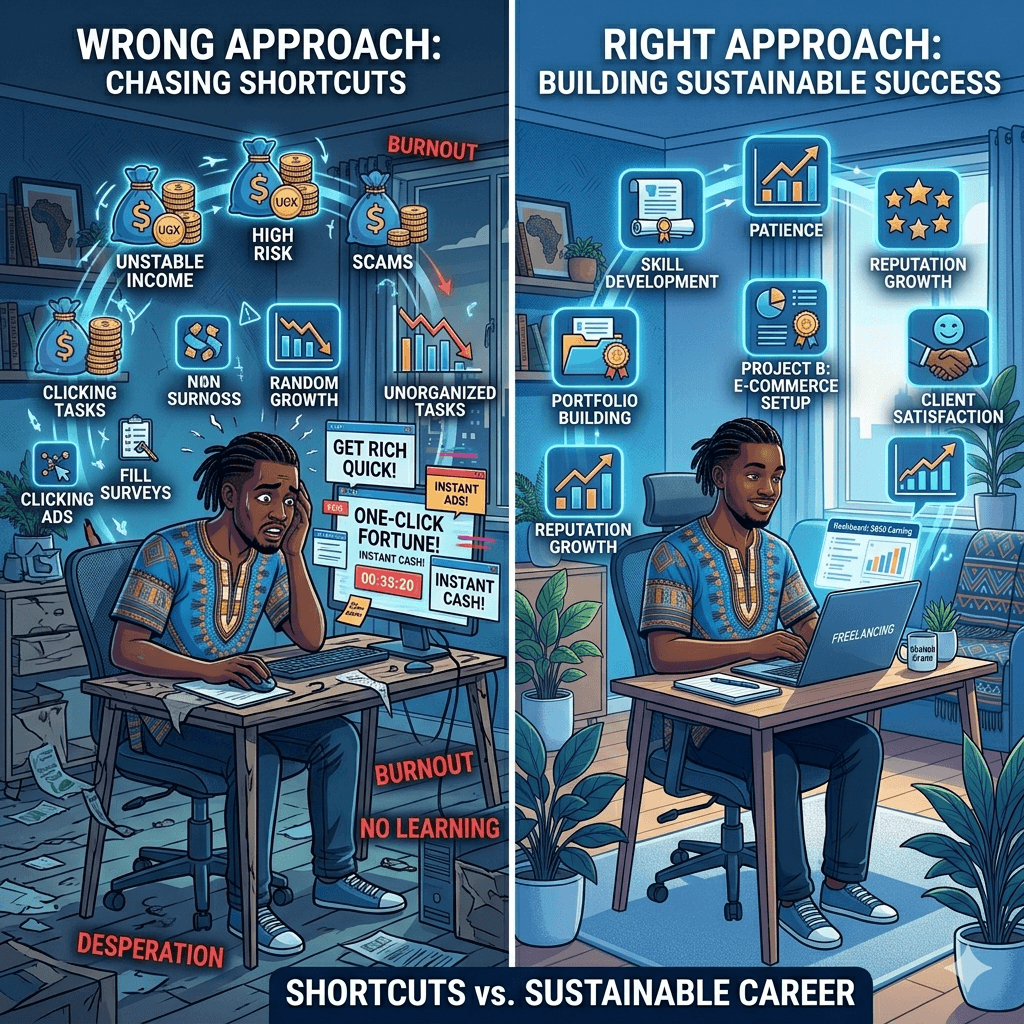
Expecting Quick Riches
Online income is real, but it rarely happens overnight. Most beginners take two to four weeks before their first payment, and content creation can take months. Set a realistic first-month goal, such as UGX 50,000, and build from there.
Ignoring Skill Development
The more skilled you are, the more you earn. Spend even 30 minutes a day on free tutorials or courses — Google Digital Garage and Coursera are good starting points. Small skill gains compound into meaningfully higher pay.
Using Unverified Platforms
Stick to well-known platforms, especially when starting out. Avoid obscure sites with no reviews, no clear ownership, or that ask for upfront payments. Search for reviews from other Ugandans before committing your time.
How to Spot a Scam Before You Lose Anything
• Never pay to join a platform. Genuine platforms are free — any site asking for a registration fee is almost certainly a scam.
• If it sounds too good to be true, it is. A listing promising $500 a day for no skills and minimal work is not real.
• Research every platform first. Search the platform name plus “review” or “scam”, and check YouTube for honest experiences from Ugandans or other Africans.
• Protect your personal information. Never share your mobile money PIN or national ID photos with anyone online outside a verified institution.
• Use trusted payment methods. Stick to platforms that pay through Payoneer, PayPal, or mobile money, and be cautious of platforms that only offer cryptocurrency payments to new users.
• Trust your instincts. If something feels off about a client, offer, or platform, that feeling is worth listening to — it is better to miss one opportunity than to lose money or personal data.
Scams are avoidable if you stay informed and take your time. Legitimate online jobs in Uganda exist in plenty — you do not need to rush into anything that feels suspicious.
Tips to Increase Your Earnings
Once you get the basics down, here is how to start earning more.
Stay Consistent
Consistency is the single biggest factor in online income success. Set a schedule of even just two hours per day and stick to it. People who treat online work casually earn casually. People who show up every day earn every day.
Track your earnings weekly. Watching your income grow, even slowly, is motivating and helps you stay on track.
Learn Basic Online Skills
You do not need to become a tech expert, but learning a few basics can double or triple your earning potential. Consider learning simple graphic design on Canva, basic copywriting, or how to use Google Sheets. These skills open up higher-paying job categories on platforms like Upwork and Fiverr.
Free courses on YouTube, Alison, and Google Digital Garage are a great place to start. You can learn at your own pace and apply what you learn immediately.
Use Multiple Income Sources
Do not rely on just one platform or one type of work. Diversifying your online income is like planting different crops if one fails, the others keep you fed.
For instance, you might do data entry on Upwork while also running surveys on Swagbucks and promoting an affiliate product on social media. You can even look into how toautomate income streams so that some of your work keeps earning even when you are not actively working.
Manage Your Time Well
Time is your most valuable resource when working online. Use a simple daily schedule to block out your work hours and protect them from distractions. Apps like Google Calendar or even a basic notebook can help.
Focus on income-generating tasks first, the tasks that actually pay you. Avoid spending hours on things that look like work but do not produce results, like endlessly tweaking your profile instead of actually applying for jobs.
Frequently Asked Questions
Can I make money online in Uganda with just a phone?
Yes, absolutely. Many Ugandans make money online with phone Uganda resources alone. Tasks like surveys, data entry, social media management, and affiliate marketing can all be done on a smartphone. You do not need a laptop to start, though having one gives you access to more types of work.
How much can beginners earn online?
Beginners typically earn between $10 and $100 per month in their first few months, depending on how much time they put in and what methods they use. As skills and experience grow, this can increase significantly. Some freelancers in Uganda earn $500 to $2,000 per month after a year or two of consistent work.
Are online jobs legit or scams?
Both exist. There are many legit online jobs Uganda offers, but there are also scams. The key is to stick to well-known, reviewed platforms and never pay money to access work. If in doubt, search for the platform’s reviews from other Ugandans before signing up.
What is the easiest way to start?
The easiest way to start making money online in Uganda for beginners is through online surveys or simple data entry tasks. They require no skills, pay within days or weeks, and are easy to access from a smartphone. Once you are comfortable, you can move on to higher-paying methods.
Do I need any skills to begin?
No many no experience online jobs Uganda platforms offer require nothing more than the ability to read, follow instructions, and use a smartphone. However, developing basic digital skills like typing, writing, or using spreadsheets will quickly open up better-paying opportunities.
How do I receive payments in Uganda?
Most online workers in Uganda receive payments through MTN Mobile Money, Airtel Money, or Payoneer paid into a supporting bank account (Stanbic, Centenary, Equity, or DFCU), then moved to MoMo. A standard PayPal account registered in Uganda cannot receive funds at all, so it is only useful if the platform pays into a supported country or you use a workaround service. Always check which payment methods a platform actually supports before you sign up, not after you have done the work.
How long does it take to earn money online?
It depends on the method. Surveys can pay within a few days once you accumulate enough points. Freelancing may take one to three weeks before you land your first client. Content creation like YouTube or blogging can take three to six months before significant earnings begin. Patience and consistency are key.
Which platform is best for beginners?
For surveys, start with ySense or SagaPoll — not Survey Junkie, which does not accept Uganda. For freelancing, Fiverr is beginner-friendly because you create your service and wait for buyers to come to you, rather than bidding against experienced competitors. For selling, Facebook Marketplace and Jumia Uganda are easy to use and widely trusted locally.
Final Thoughts
Making money online in Uganda is not a myth, it is a real, growing opportunity that thousands of Ugandans are already taking advantage of. You do not need to be rich, highly educated, or technically skilled to get started. You just need a phone, internet access, and the commitment to show up consistently.
Start small, stay focused, avoid scams, and keep learning. The internet is a big place, and there is more than enough opportunity for everyone willing to put in the effort. Your online income journey starts with one small step. Why not take it today?
If you have ever searched for web design in Uganda, you already know the landscape can feel overwhelming. There are dozens of agencies, freelancers, and one-person shops all promising beautiful websites at competitive prices. But here is the truth: not all websites are built the same, and not all agencies approach the work with the same level of care.
A great business website is not just about good looks. It needs to load fast, work perfectly on mobile phones, show up on Google, and actually turn visitors into customers. In today’s competitive Ugandan market, a website that only looks nice but fails to perform is not much better than having no website at all.
This is whereKico Web Design stands apart. While many agencies in Uganda focus on delivering a finished design and moving on, Kico takes a different path. Every project starts with strategy, runs through careful planning, and ends with a website built to grow your business. In this article, we will break down exactly how that difference plays out in real projects and why it matters for your business.
What Makes a Website Trustworthy in Uganda
Trust is everything in business. Before a potential customer picks up the phone or fills in a contact form, they make a quick judgment about your business based on your website. If it looks outdated, loads slowly, or breaks on their phone, they are gone in seconds.
So what actually makes a website trustworthy for a Ugandan audience? Let us start with the basics.
Clean and Professional Visual Design
A cluttered website sends the wrong message. When someone lands on your page and sees too many colors, mismatched fonts, and low-quality images, their brain registers it as unprofessional. Clean design, on the other hand, says: this business is organized, serious, and worth my time.
Mobile-First Responsiveness
The majority of internet users in Uganda browse on smartphones. If your website does not adapt to smaller screens, you are instantly losing a massive chunk of your potential customers. GoodUI/UX design ensures your site feels natural and easy to use on any device, whether someone is visiting from a Kampala office desktop or a phone in Gulu.
Fast Loading Speeds for Local Internet Conditions
Uganda’s internet infrastructure, while improving, still has moments of slow connectivity. A website that takes more than three seconds to load will lose visitors before they even see your homepage. Performance optimization is not optional here. It is a baseline requirement for any professional website design in Uganda.
Clear Contact Information and Credibility Signals
Trust signals matter deeply. Things like a visible phone number, a physical address, clear social media links, customer reviews, and a professional email address all tell visitors that you are a real business they can reach. A website missing these details raises instant red flags.
How Kico Web Design Approaches Website Strategy
Most web design agencies in Uganda jump straight into design. You share your logo and brand colors, they build something that looks decent, hand it over, and the job is done. Kico Web Design works differently from the very first conversation.
User-Focused Planning Before Design Begins
Before a single pixel is placed, Kico starts by asking questions about your business. Who are your customers? What actions do you want people to take on your site? What problems are you solving? This discovery phase ensures the website is built around real user needs, not just personal preferences.
Aligning Websites with Business Goals
Every business has different goals. A restaurant wants reservations and foot traffic. A consultancy wants enquiry calls and email leads. An e-commerce shop wants product purchases. Kico builds websites that are specifically designed to support your unique goals, whether that means sales, leads, brand awareness, or all three. This is professional website design Uganda businesses can actually use as a business tool.
Research into Ugandan Customer Behavior and Expectations
Understanding how Ugandan users interact with websites is a key part of Kico’s process. Local customers tend to prefer WhatsApp for quick inquiries over email. They respond well to social proof like testimonials. They need reassurance that your business is real and accessible. Kico builds these local behavioral insights directly into the website structure and content.
Emphasis on Conversion-Driven Structure
Conversion-focused website design means every element on the page has a purpose. Headlines guide attention. Buttons lead visitors to the next step. Contact forms are short and easy. Content answers the questions customers are already asking. This approach turns your website from a digital brochure into an active sales tool.
Differences Between Kico Web Design and Other Agencies
Let us get specific. When you compare Kico Web Design to many other website design companies in Uganda, several key differences stand out clearly.
Strategy-First vs Design-Only Approach
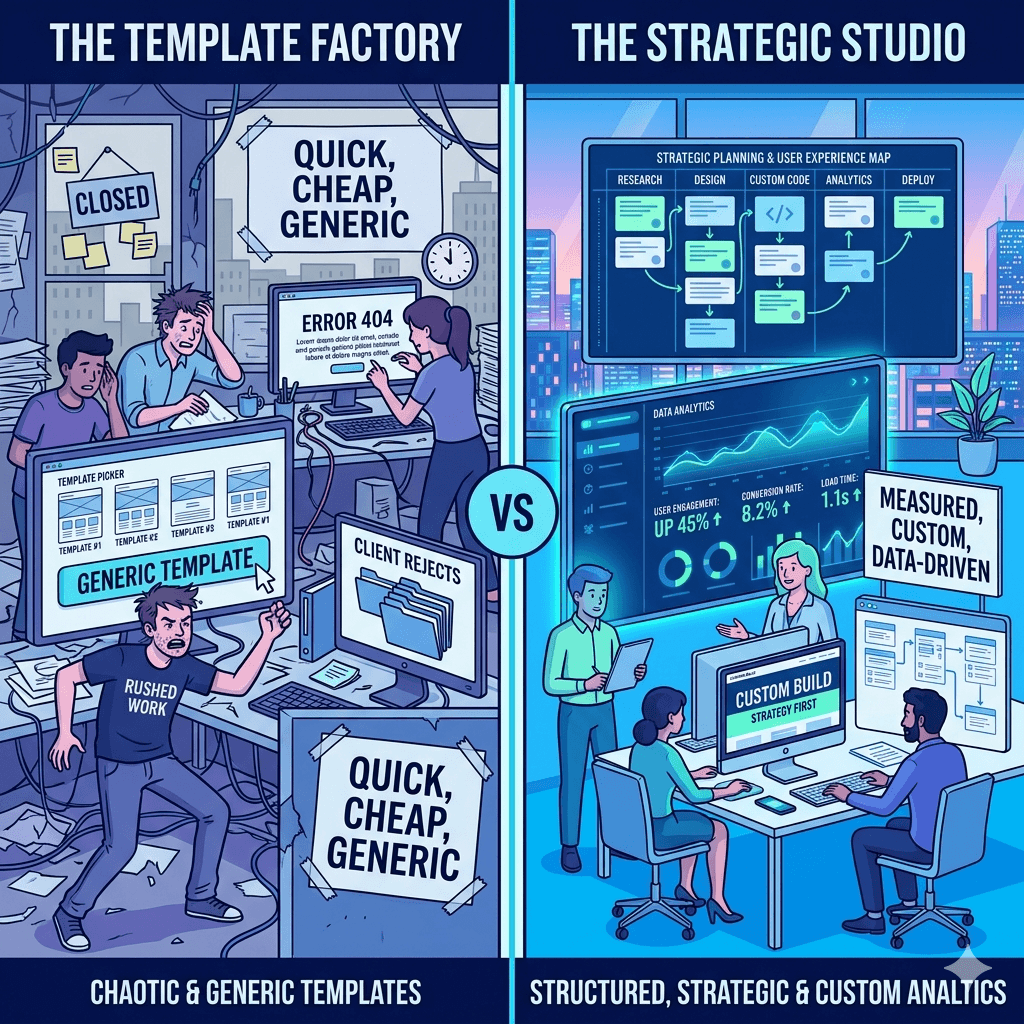
A design-only agency hands you something that looks good. A strategy-first agency like Kico hands you something that works. The difference shows up in your website analytics, your enquiry volume, and your search engine rankings. Pretty without purpose is just decoration.
Custom Solutions vs Template-Heavy Builds
Many agencies in Uganda rely heavily on pre-built templates. These are fast to set up but come with serious limitations. They are rarely optimized for performance, they look generic, and they are hard to customize as your business grows. Kico builds custom website design Uganda businesses actually own and control. For a closer look at why this matters, explore the comparison ofwebsite platforms and how each stacks up against real business needs.
Focus on Local Market Behavior vs Generic Global Designs
A website designed for a European or American audience will not automatically work in Uganda. Customer expectations, internet speeds, device types, payment preferences, and communication habits are all different here. Kico builds websites with the Ugandan market in mind from day one. This local expertise is one of the things that makes Kico one of the best web design companies in Uganda for locally-focused businesses.
Stronger Emphasis on Performance and SEO Readiness
SEO web design Uganda businesses need goes beyond just adding keywords. Kico integrates SEO best practices into the website architecture itself. This includes proper heading structures, fast-loading code, mobile responsiveness, metadata optimization, and clean URL structures. All of this helps your website show up when potential customers are searching online.
Ongoing Support and Optimization vs One-Time Delivery
Many agencies disappear after they hand over your website. Kico offers ongoing support and optimization to ensure your site continues to perform well as your business evolves. This long-term relationship approach makes a real difference for small businesses that do not have in-house technical teams.
Key Features Included in Kico Web Design Projects
When you work with Kico Web Design Uganda, you are not just getting a website. You are getting a carefully assembled set of features designed to make your online presence strong from day one.
Mobile Optimization and Responsive Layouts
Every website Kico builds is fully responsive. That means it adjusts automatically to look great on smartphones, tablets, and desktop screens. Given that most Ugandan internet users are on mobile, this is non-negotiable for any professional website design Uganda business owners should expect.
SEO-Friendly Structure and Metadata Setup
Kico sets up your website with proper on-page SEO from the start. This includes optimized page titles, meta descriptions, alt text on images, proper heading hierarchy, and schema markup where applicable. Getting this right from the beginning saves businesses significant time and money later.
Secure Hosting and Performance Optimization
A slow or insecure website is a liability. Kico recommends and sets up reliable hosting solutions, installs SSL certificates for security, and optimizes images and code for speed. If you want to understand more about the technical side of this, there is a detailed guide onwebsite speed that explains exactly what good performance looks like for Uganda’s unique internet conditions.
Conversion-Focused Landing Pages
Whether you need a product page, a service overview, or a lead capture page, Kico designs pages with conversion as the primary goal. Every section is intentional, every call to action is tested, and every form is optimized for completion.
Integration with Social Media and WhatsApp Contact Tools
Ugandan customers love WhatsApp. Kico integrates WhatsApp chat buttons, social media feeds, and sharing tools directly into your website. This makes it seamless for customers to reach you the way they prefer, which means more conversions and fewer missed opportunities.
Benefits for Ugandan Businesses Working with a Strategy-Driven Agency
Choosing a strategy-first web development Uganda partner does not just give you a better website. It gives you a business advantage.
Increased Customer Trust and Engagement
When your website looks professional, loads fast, and answers customer questions clearly, people stay longer and trust you more. That trust is the first step toward a sale.
Higher Conversion Rates from Website Traffic
A conversion-focused website design turns more of your visitors into actual leads or customers. Even a small improvement in conversion rate can have a massive impact on your revenue over time.
Better Visibility on Search Engines
A well-built website that follows SEO best practices will rank higher on Google. More visibility means more organic traffic without spending money on ads. To build on this, a solidSEO strategy alongside good web design creates a powerful combination for long-term growth.
Improved Brand Credibility in Competitive Markets
In competitive industries like finance, hospitality, real estate, and professional services, a strong online presence signals that your business is serious. It sets you apart from competitors still relying on social media alone.
Long-Term Scalability of Digital Presence
A well-architected website grows with your business. Adding new pages, products, blog posts, or services is easy when the foundation is built correctly. This is the kind of long-term thinking that defines affordable web design Uganda businesses can actually rely on for years.
Common Mistakes Ugandan Businesses Make with Websites
Understanding what not to do is just as important as knowing what to do. Here are some of the most common website mistakes we see from businesses across Uganda.
Using Outdated or Poorly Optimized Templates
Free or cheap templates might seem like a good deal upfront, but they often come loaded with bloated code, poor security, and zero customization. They look generic and rarely convert well. Custom website design Uganda businesses invest in pays for itself quickly in better results.
Ignoring Mobile Users
A website that only looks good on a desktop is leaving money on the table. With smartphone usage dominating internet access in Uganda, mobile-friendly website design Uganda businesses need is an absolute must.
Lack of Clear Calls-to-Action
Many websites are built with no clear direction for the visitor. What should they do next? If your website does not tell people to call, book, buy, or enquire, most of them will simply leave without doing anything.
Slow Hosting and Poor Performance
Budget hosting might save money upfront, but a slow-loading website frustrates users and hurts your Google rankings. Fast loading website Uganda standards require solid hosting infrastructure and proper technical optimization.
Not Optimizing for Local Search Intent
Many businesses build websites without thinking about how local customers actually search. Phrases like “web design services Kampala” or “best restaurant in Nakasero” reflect how people search in Uganda. Ignoring local SEO means missing highly relevant, ready-to-buy traffic.
How to Choose the Right Web Design Partner in Uganda
Not all web design agencies in Uganda are created equal. Here is what to look for when making your decision.
Evaluating Portfolio and Past Work Quality
Always ask to see examples of websites the agency has built. Look for clean design, fast loading, mobile responsiveness, and clear calls to action. If their own website is slow or looks dated, that tells you something.
Checking SEO and Performance Understanding
A good website design company in Uganda should be able to talk about SEO, page speed, and mobile performance without needing to look anything up. If they only talk about colors and layouts, be cautious.
Assessing Communication and Support Services
Will they be available after the website launches? Do they offer ongoing maintenance? Clear, responsive communication before the project starts is a good indicator of how things will go after.
Understanding Pricing vs Value Offered
The cheapest option is rarely the best one. Focus on value, not just price. A slightly higher investment in a strategy-driven agency can deliver returns that far outweigh the cost difference.
Looking for Local Market Experience
An agency that understands Ugandan consumers, local internet infrastructure, and regional business culture will always do better work than one using a generic global playbook. For a comprehensive guide on making this decision, read this detailed piece onchoosing agency that walks you through the full evaluation process.
Future of Website Design for Ugandan Businesses
The digital landscape in Uganda is evolving fast, and website design is changing with it. Here is what to expect in the coming years.
Rise of AI-Assisted Web Development
Artificial intelligence tools are making it easier and faster to build certain parts of websites. However, strategy, creativity, and local market understanding remain deeply human skills. Agencies that combine AI efficiency with human expertise will have a clear edge.
Increased Focus on Mobile-First and Speed Optimization
As mobile internet usage continues to grow in Uganda, mobile-first design will shift from being a best practice to an absolute baseline. Responsive website design Uganda businesses invest in now will be even more critical tomorrow.
Growth of E-Commerce and Online Service Platforms
More Ugandan businesses are moving sales and services online. Ecommerce website development Uganda is growing quickly across retail, food delivery, hospitality, and professional services. Businesses that build strong e-commerce foundations now will have a major head start.
Stronger Competition Requiring Better UX and Branding
As more businesses get online, standing out will require more than just having a website. Superior user experience, strong branding, and genuine value for visitors will separate the winners from the crowd. This is exactly why the strategy-first approach that defines Kico Web Design is only going to become more valuable over time.
Frequently Asked Questions
What makes a good business website in Uganda?
A good business website in Uganda is fast, mobile-friendly, easy to navigate, and clear about what your business offers and how to contact you. It should also be optimized for search engines so customers can find you on Google.
How long does it take to build a professional website?
A basic professional website typically takes two to four weeks. More complex websites with multiple pages, e-commerce functionality, or custom features can take six to ten weeks depending on the scope and how quickly content is provided.
Why is mobile optimization important for Ugandan users?
The majority of internet users in Uganda access websites through smartphones. If your website does not work well on mobile devices, you will lose most of your potential customers before they even read what you offer.
Do small businesses really need SEO for their website?
Yes. SEO helps your website show up when people search for the products or services you offer. Without it, your website relies entirely on word-of-mouth and social media to bring in visitors. With SEO, you get a steady stream of free, targeted traffic from people already looking for what you sell.
How much does professional website design cost in Uganda?
Costs vary depending on the complexity of the project. A basic professional website for a small business in Uganda typically ranges from a few hundred thousand to a few million Ugandan shillings. The key is to focus on the value delivered, not just the upfront price.
What is the difference between custom and template websites?
Template websites use pre-built designs that are quick to set up but limited in flexibility and originality. Custom websites are built specifically for your business, your audience, and your goals. They perform better, look more professional, and give you full ownership of your digital presence.
How can a website help increase customer trust?
A professional website with clear contact information, customer testimonials, a secure connection (https), and high-quality images sends a strong signal that your business is legitimate and serious. It removes doubt and makes people more comfortable reaching out.
Can I update my website after it is built?
Yes. Most professional websites are built on content management systems that allow you to update text, images, and pages without technical knowledge. Your agency should also provide training and ongoing support if needed.
What platforms are best for business websites?
WordPress is the most widely used platform for professional business websites in Uganda because of its flexibility, SEO capabilities, and large support community. Other options like Shopify are great for e-commerce. The best choice depends on your business type and goals.
How do I know if my website is performing well?
You can measure website performance using tools like Google Analytics and Google Search Console. Key indicators include the number of monthly visitors, how long people stay on your site, how many enquiries or sales you generate, and where your pages rank on Google.
Final Thoughts
The difference between a website that looks good and one that actually works for your business comes down to strategy, local knowledge, and technical execution. Kico Web Design Uganda brings all three together in every project.
Whether you are starting from scratch, looking for a website redesign services Uganda agency you can trust, or simply trying to make your existing website perform better, working with a team that understands your market and your goals makes all the difference.
Your website is often the first impression your business makes. Make it count.
If you own or manage a website in Uganda, you have probably noticed that some website addresses start with http:// while others start with https://. That small “s” makes a world of difference and this article is going to show you exactly why.
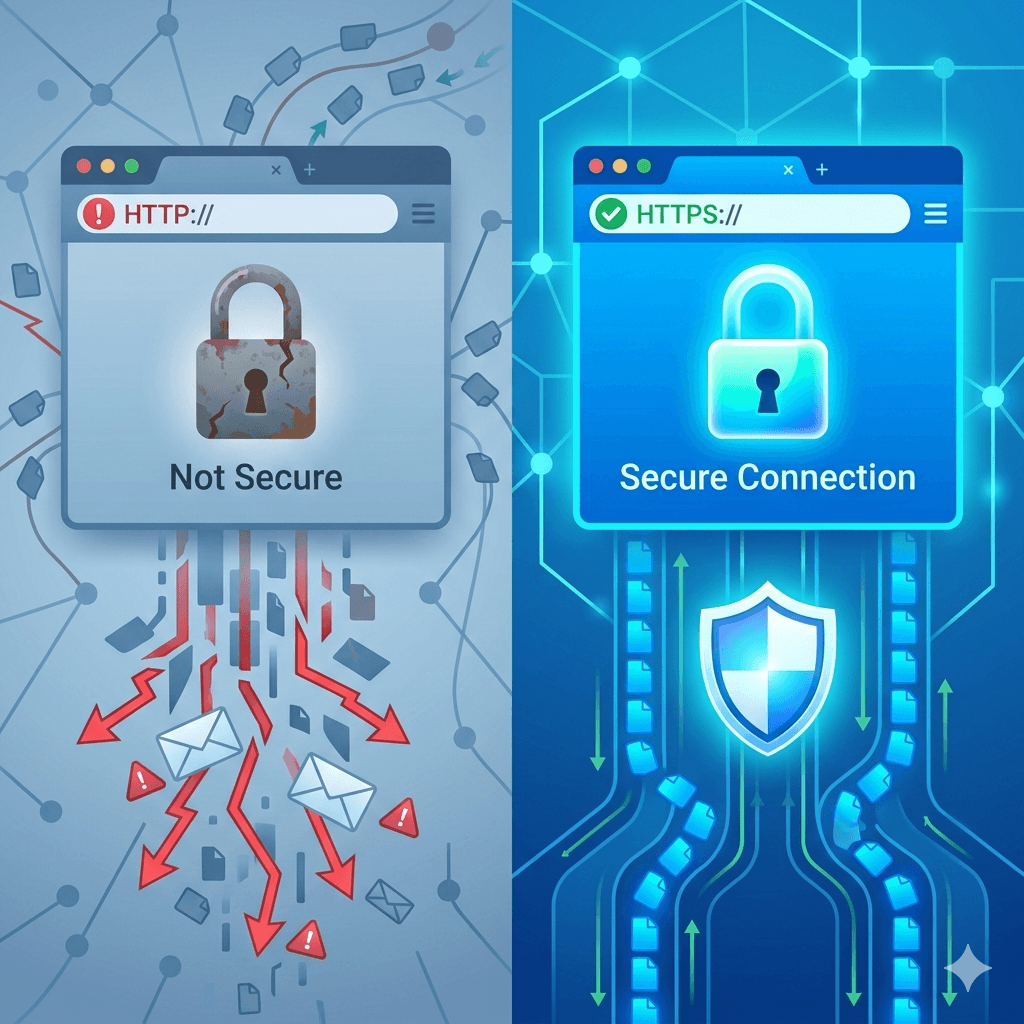
Think of it this way: sending information over HTTP is like mailing a postcard. Anyone who handles it along the way can read what’s written on it. HTTPS, on the other hand, is like sealing that message in a tamper-proof envelope that only the intended recipient can open.
Whether you run a blog, an online shop, or a corporate website, understanding the difference between HTTP and HTTPS and the role of SSL certificates in making your site secure is no longer optional. It is a basic requirement for anyone serious about their online presence.
This guide will walk you through everything you need to know, in plain, simple language.
What Is HTTP?
HTTP stands for HyperText Transfer Protocol. It is the set of rules that govern how data is transferred between your browser and a web server. When you type a web address and press Enter, HTTP is the system that fetches the page and sends it back to your screen.
HTTP has been around since the early days of the internet, and for a long time, it was the standard for all websites. It works well for delivering information quickly but there is one big problem: it has no built-in security. All the data that moves between the browser and the server travels as plain text, meaning anyone with the right tools and access to the network could potentially read it.
For basic informational websites with no user logins or payment forms, this used to be considered acceptable. Today, that standard has changed entirely and websites that still rely on plain HTTP are flagged as “Not Secure” by most modern browsers.
What Is HTTPS?
HTTPS stands for HyperText Transfer Protocol Secure. The https meaning is simple: it is the secure version of HTTP. It does everything HTTP does, but with a critical addition it encrypts the data being transferred between the browser and the server.
This encryption is made possible by an SSL certificate (or its modern successor, TLS Transport Layer Security). When a website has a valid SSL certificate installed, the connection becomes encrypted, and your browser displays a padlock icon in the address bar. That padlock is a signal to visitors that the site they are on is safe.
A secure website with HTTPS protects sensitive information like passwords, credit card numbers, and personal data from being intercepted. If you are wondering what HTTPS means in practical terms it means your users can trust you. Learn more abouthow to register a domain name in Uganda as a starting point for setting up a secure online presence.
Key Differences Between HTTP and HTTPS
Understanding the http vs https difference comes down to a few key areas:
Security: HTTP transfers data in plain text. HTTPS encrypts it using SSL/TLS technology, making it unreadable to third parties.
Trust Signals: HTTPS websites display a padlock icon in the browser address bar. HTTP sites show a “Not Secure” warning in browsers like Google Chrome.
SEO Performance: Google treats HTTPS as a ranking factor. HTTP websites are at a disadvantage in search engine results.
Data Integrity: With HTTP, data can be altered while in transit without either party knowing. HTTPS prevents this kind of tampering.
User Confidence: When visitors see the padlock, they are more likely to stay on your site, fill in forms, and make purchases.
In the https vs http security debate, HTTPS wins on every count. For any website that collects information, processes payments, or wants to rank on Google HTTPS is not optional.
What Is an SSL Certificate?
An SSL certificate (Secure Sockets Layer) is a small digital file installed on a web server that activates HTTPS and encrypts the connection between the server and a visitor’s browser. The ssl certificate meaning is essentially this: it is a digital ID card for your website.
When someone visits your site, the SSL certificate proves two things: that you are who you say you are, and that the connection is safe. It contains information about your domain, your organization (if applicable), and the certificate’s expiration date.
The term SSL is still widely used, even though the technology has evolved and modern certificates actually use TLS (Transport Layer Security). But whether people call it an SSL certificate or a TLS certificate, the function is the same to create a secure, encrypted link between a website and its visitors.
Without an ssl certificate for website security, your site is vulnerable to attacks, and modern browsers will actively warn users away from it.
How SSL Certificates Work
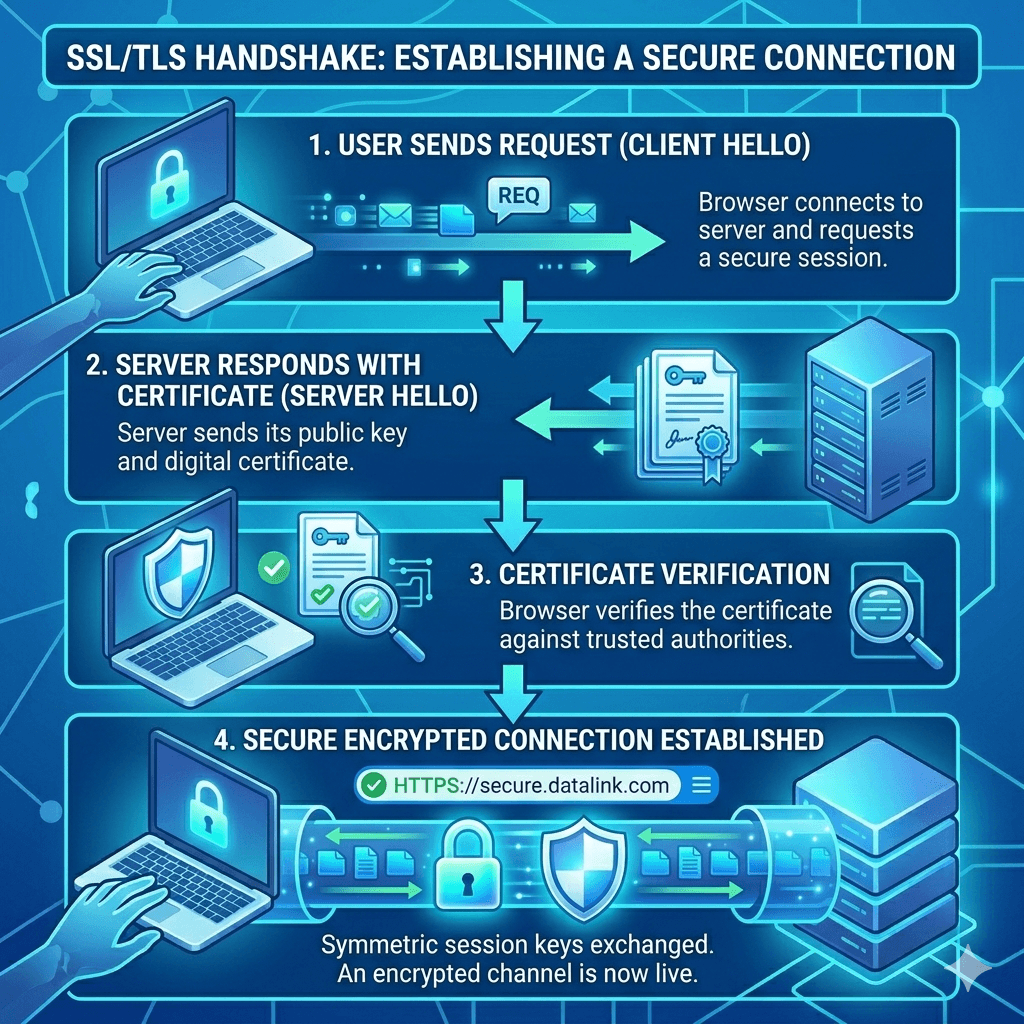
SSL certificates use a process called a “handshake” to establish a secure connection. Here is a simple breakdown of how it all works:
Data Encryption Process
When a visitor lands on your HTTPS website, their browser and your server exchange a series of messages to agree on an encryption method. This happens in milliseconds and is invisible to the user. Once agreed, all data sent between the browser and server is scrambled into an unreadable format using a unique encryption key. Even if someone intercepts the data, they see nothing but gibberish.
Authentication of Website Identity
SSL certificates are issued by trusted organizations called Certificate Authorities (CAs). When your server presents the SSL certificate to a visitor’s browser, the browser checks whether the certificate was issued by a trusted CA, whether it matches your domain name, and whether it has expired. This authentication process confirms that the visitor is actually on your legitimate website and not a fake impersonation.
Secure Data Transmission
Once the handshake is complete, secure data transmission begins. All information from login credentials to payment details to contact form submissions travels between the browser and the server in encrypted form. This is the foundation of data encryption website security and why it matters for both your business and your users.
Why HTTPS Matters for Uganda Websites
Uganda’s digital economy is growing fast. More businesses are moving online, and Ugandan consumers are increasingly comfortable shopping, banking, and communicating via the internet. In that context, website security is not just a technical issue it is a business issue.
If you run an e-commerce site and want toaccept mobile money payments on your Uganda website, HTTPS is non-negotiable. Payment processors, banks, and mobile money platforms require secure connections before they will integrate with your site.
Beyond payments, Ugandan internet users are becoming more security-aware. They check the address bar. They notice the “Not Secure” warning. A website without HTTPS sends a signal that you have not invested in your visitors’ safety and that can directly hurt your conversion rates.
There is also the issue of cart abandonment. A lack of HTTPS is one of the leading reasons online shoppers abandon purchases. Addressing this is part of a broader strategy toreduce cart abandonment on your Ugandan online store.
For https for Uganda websites to become the norm, every website owner needs to take this seriously whether you run a small NGO website or a large corporate portal.
Benefits of Using HTTPS
Switching to HTTPS is one of the best investments you can make for your website. Here is why:
Improved Website Security
HTTPS protects your website from man-in-the-middle attacks, where hackers intercept communication between your visitor and your server. It also prevents data tampering ensuring the content your visitor sees is exactly what you sent. These website security tips alone make HTTPS worth it.
The padlock icon in the address bar builds immediate confidence. According to multiple studies, users are significantly more likely to complete a purchase or fill in a form on a secure site. This ties directly intohow to design a website that builds trust with Ugandan customers HTTPS is a foundational element of that trust.
Protection of User Data
Any time a visitor submits their name, phone number, email, or payment information on your website, that data needs protection. HTTPS encrypts all of it. This is especially critical for websites that serve clients in regulated industries like healthcare, finance, or education.
Risks of Using HTTP
Still running your website on plain HTTP? Here is what you are risking:
• Browser warnings: Chrome, Firefox, and Safari all display a “Not Secure” warning for HTTP sites. Many visitors leave immediately when they see this.
• Data interception: Without encryption, any data entered by users passwords, emails, payment info can be captured by attackers on the same network.
• Lower search rankings: Google actively penalizes HTTP sites in rankings. This hurts your visibility and traffic.
• Lost credibility: Businesses that fail to secure their websites lose the trust of modern users who know what to look for.
• Legal and compliance risks: Collecting personal data over an unsecured connection can put you on the wrong side of data protection regulations.
The risks of staying on HTTP far outweigh any perceived convenience or cost savings.
How to Switch from HTTP to HTTPS
Making the switch from HTTP to HTTPS is not as complicated as it sounds. Here is a step-by-step guide for how to migrate from http to https step by step:
Choose the Right SSL Certificate
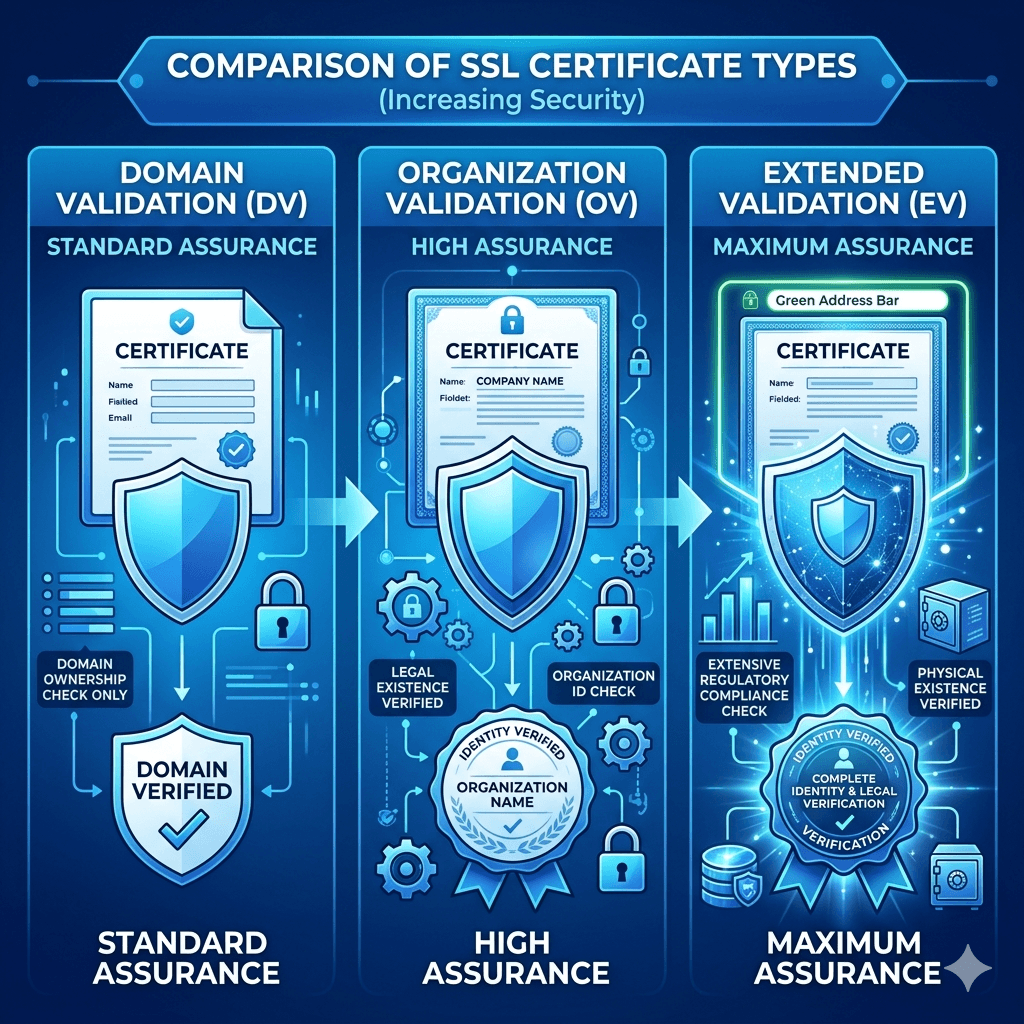
Start by selecting the type of SSL certificate that fits your needs. A basic Domain Validation (DV) certificate is fine for most small websites and blogs. Larger businesses or e-commerce sites may want Organization Validation (OV) or Extended Validation (EV). More on the types below.
Install the SSL Certificate
Most of thebest web hosting providers in Uganda offer one-click SSL installation through their control panel. If you are on cPanel, look for the “SSL/TLS” section. Many hosts also offer free SSL through Let’s Encrypt, which installs automatically.
Update Website URLs
Once SSL is installed, update all internal links, image paths, and embedded resources on your website from http:// to https://. In WordPress, you can do this through your site settings or with a plugin like Better Search Replace.
Set Up Redirects (301 Redirects)
Configure 301 redirects to automatically send visitors and search engines from your old HTTP URLs to the new HTTPS versions. This preserves your SEO rankings and ensures no one lands on an insecure page by mistake. You can do this through your .htaccess file or your hosting control panel.
Test and Verify HTTPS
After the switch, use tools like SSL Labs (ssllabs.com/ssltest) to verify that your certificate is installed correctly and your entire site loads over HTTPS. Check for any remaining HTTP resources that might trigger mixed content warnings.
Types of SSL Certificates
Not all SSL certificates are the same. Choosing the right one depends on your website’s purpose and the level of trust you need to establish:
Domain Validation (DV)
Domain Validation SSL is the most basic and most common type. It verifies that you own the domain but does not check any organizational details. DV certificates are issued quickly sometimes within minutes and are ideal for blogs, small business websites, and personal portfolios. Most free SSL certificates are DV certificates.
Organization Validation (OV)
Organization Validation SSL requires the Certificate Authority to verify your organization’s identity, including its legal existence and location. This adds a layer of credibility and is suitable for businesses that want to reassure users they are dealing with a legitimate company. OV certificates typically take a few days to issue.
Extended Validation (EV)
Extended Validation SSL is the highest level of verification available. CA checks your legal, physical, and operational existence thoroughly before issuing the certificate. EV certificates are most commonly used by banks, large e-commerce platforms, and organizations that handle highly sensitive data. They provide the highest level of user trust.
Common HTTPS Mistakes to Avoid
Switching to HTTPS is great but only if you do it properly. Here are the most common pitfalls:
Mixed Content Issues
This happens when your page loads over HTTPS, but some elements like images, scripts, or videos still load over HTTP. Browsers flag this as a security issue, and it can break your padlock icon. Always audit your pages after switching to ensure every resource loads securely.
Expired Certificates
SSL certificates have expiry dates, usually one year. An expired certificate causes browsers to display a scary security warning, driving visitors away instantly. Set calendar reminders or enable automatic renewal through your hosting provider.
Incorrect Redirects
Poorly configured redirects can create redirect loops, send users to the wrong pages, or result in duplicate content issues that hurt your SEO. Always test your redirects thoroughly after setup.
Ignoring Security Warnings
If your browser or security tools flag an issue with your SSL setup, do not ignore it. Investigate and fix it promptly. A broken or misconfigured HTTPS is sometimes worse than none at all, because it creates false confidence.
Cost of SSL Certificates in Uganda
One of the biggest barriers people cite for not switching to HTTPS is cost but the truth is, SSL certificates are more affordable than most people think.
Free SSL certificates: Let’s Encrypt offers free SSL certificates that are valid for 90 days and automatically renewable. Most reputable hosting providers offer these at no extra charge. This is the best free ssl certificate option for beginners and small websites.
Paid SSL certificates: For businesses that need OV or EV certificates, ssl certificate cost in Uganda typically ranges from a few hundred thousand to a few million Uganda shillings per year, depending on the type and provider. Checkwebsite pricing in Uganda for guidance on what to budget.
For most Ugandan websites, especially small businesses, NGOs, and bloggers a free DV certificate is perfectly adequate.
Best Practices for Maintaining HTTPS
Getting HTTPS installed is the beginning, not the end. Here is how to keep it working properly:
Regular Certificate Renewal
Whether you use a free or paid certificate, make sure it renews before expiry. Most hosting providers offer automatic renewal to enable it. If you manage your own server, set up automated renewal using tools like Certbot.
Use Strong Encryption
Ensure your server is configured to use modern, strong TLS versions (TLS 1.2 or 1.3). Disable outdated protocols like SSL 3.0 and TLS 1.0, which have known vulnerabilities.
Monitor Website Security
Use security monitoring tools to check your website for vulnerabilities regularly. Google Search Console will also alert you if it detects security issues. Pair this with knowinghow to back up your WordPress website backups are your last line of defence if something goes wrong.
Keep Software Updated
Outdated plugins, themes, and CMS versions are a common entry point for attackers. Regular updates, combined with HTTPS, significantly reduce your website’s attack surface. Consider a professional service if you need help with this our team offers dedicated
Yes. Even if your website only has a contact form or collects email addresses, HTTPS protects that data. Beyond security, Google flags all HTTP sites as “Not Secure” regardless of size. It also affects your SEO rankings. There is no good reason to avoid HTTPS in 2024, especially when free options are widely available.
Does HTTPS improve Google rankings?
Yes. HTTPS is a confirmed ranking signal for Google. While it is not the most powerful factor, it does give HTTPS sites a measurable edge over equivalent HTTP sites. Combined with good content and local SEO, it contributes to better visibility. Read our guide on local SEO for Kampala businesses to understand how all the pieces fit together.
Can I get a free SSL certificate?
Absolutely. Let’s Encrypt provides free SSL certificates that are trusted by all major browsers. Many web hosting providers in Uganda include free SSL as part of their hosting packages. If yours does not, consider switching to a host that does or install it manually using Certbot.
What happens if my SSL certificate expires?
When an SSL certificate expires, browsers display a full-page security warning that effectively blocks visitors from accessing your site. This can cause a sudden and severe drop in traffic and damage your credibility. Always ensure your certificate is renewed before it expires.
How do I know if my website is secure?
Look at your website’s address bar. If it shows a padlock icon and the URL starts with https://, your site is secure. You can also use free tools like SSL Labs (ssllabs.com/ssltest) to get a detailed report on your certificate’s configuration and security rating.
Will HTTPS slow down my website?
Not meaningfully. In the early days of SSL, there was a slight performance cost. Modern TLS and HTTP/2 technology have eliminated that concern. In fact, HTTP/2 which requires HTTPS often makes websites load faster than they would over plain HTTP.
Do I need technical skills to install SSL?
Not necessarily. Most hosting providers in Uganda offer one-click SSL installation through their control panel. If you are on WordPress, installing SSL can be as simple as clicking a button and installing a redirect plugin. If you run into trouble, our team provides professional website development services to handle it for you.
How long does it take to switch to HTTPS?
For a simple website, the technical process can take anywhere from 30 minutes to a few hours. The bulk of the time goes into updating internal links, testing for mixed content, and setting up redirects. For larger, more complex websites, allow a full day and test thoroughly before going live.
Ready to Secure Your Website?
Switching from HTTP to HTTPS is one of the smartest moves you can make for your website and it is more accessible than ever. Whether you are just starting out or looking to upgrade an existing site, the benefits are clear: better security, better rankings, and more trust from your visitors.
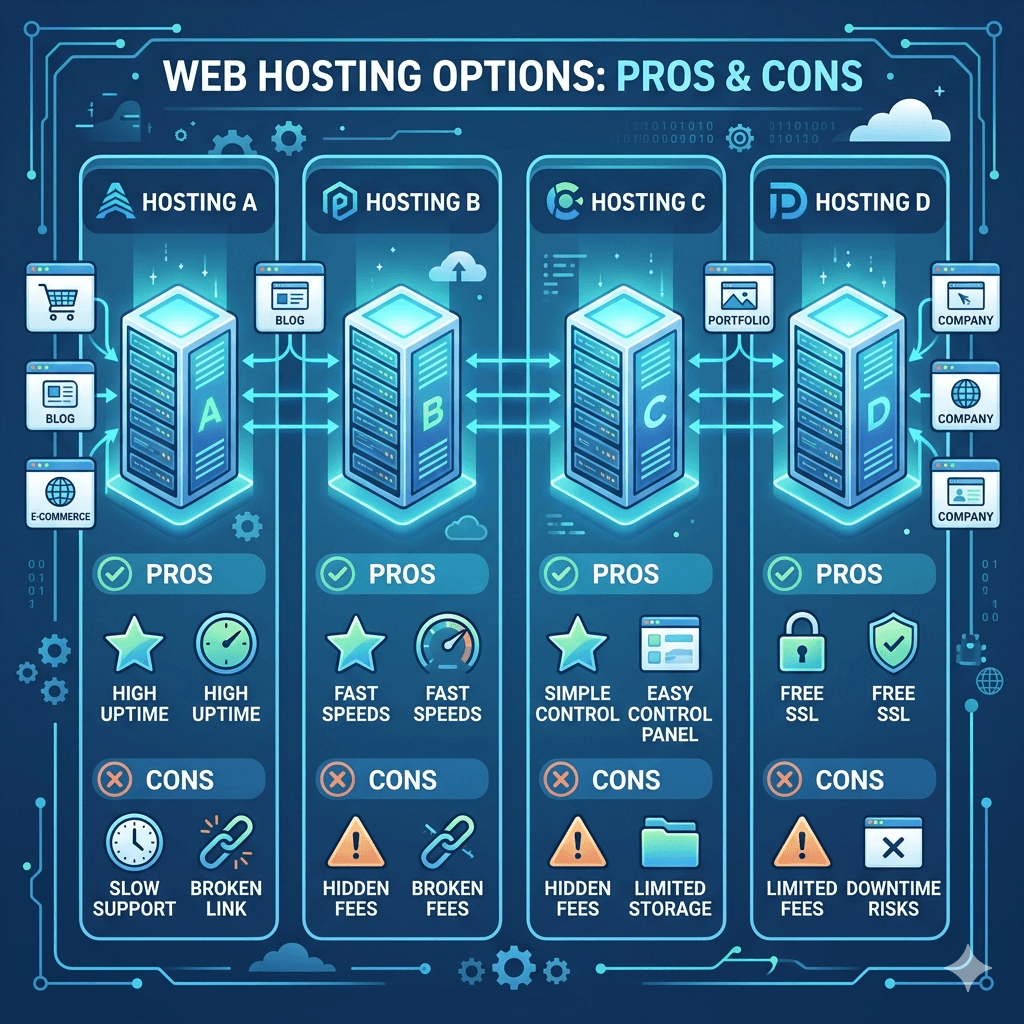
Building a website is one of the smartest moves you can make for your business or brand in Uganda today. But before anyone can find you online, you need a reliable home for your website and that is exactly what web hosting provides. Think of it like renting space in a building. The quality of that space determines how smoothly your business runs.
The challenge is that there are hundreds of web hosting providers out there. Some are fast. Some are cheap. Some are both and some are neither. Picking the wrong one can slow your site, cost you more than expected, or leave you stranded when things break down.
This guide breaks it all down for you. We will compare the best web hosting in Uganda options, explain what to look for, and help you find a plan that fits your needs and budget. Whether you are building your first website or improving an existing one, this article has you covered.
What Is Web Hosting?
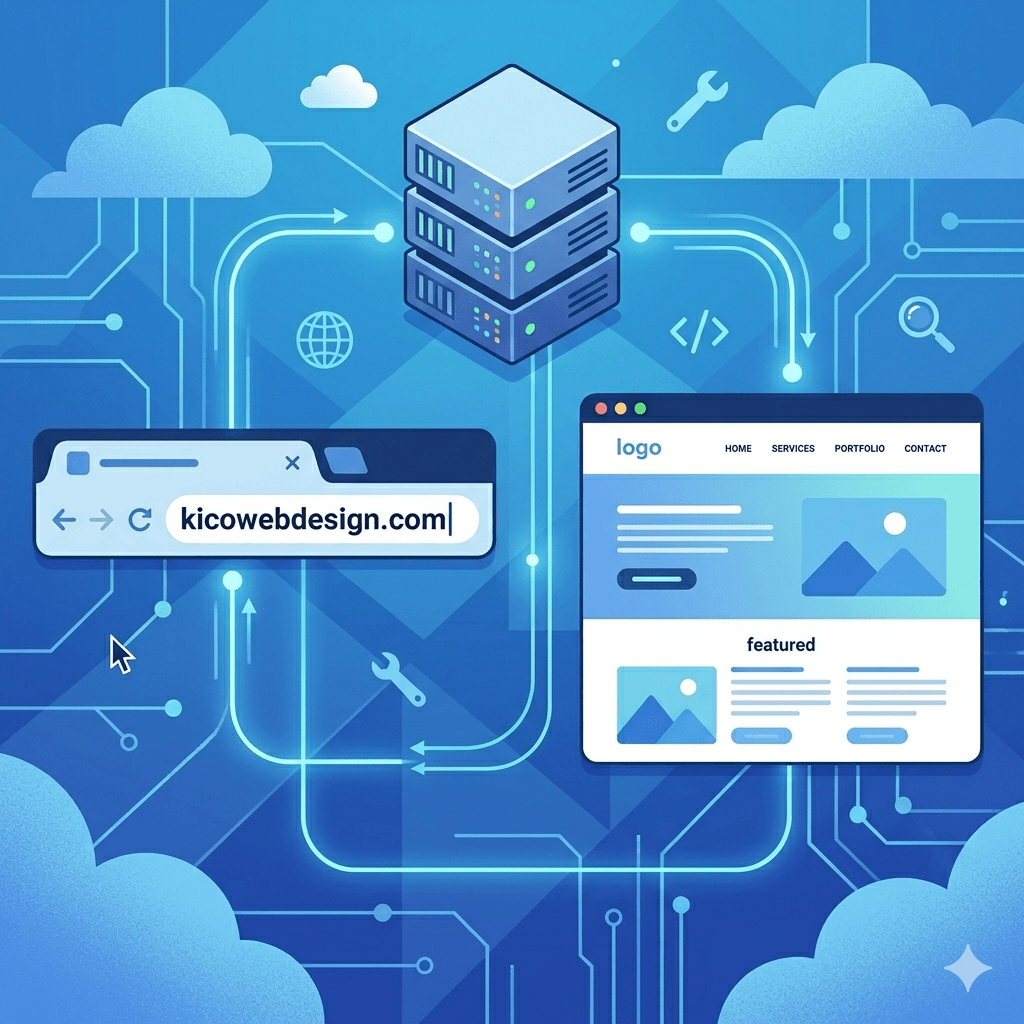
Web hosting is a service that lets you store your website’s files like pages, images, and videos on a special computer called a server. When someone types your website address into their browser, the server delivers those files so the visitor can see your site.
Without hosting, your website simply cannot exist online. It is the foundation everything else is built on. Even if you have a great domain name and beautiful design, no hosting means no website.
There are many types of hosting services, and they vary in price, performance, and features. Some plans are designed for beginners with small websites, while others are built to handle thousands of visitors a day. Understanding the basics helps you make a smarter choice from the start.
Choosing the right web hosting is not just a technical decision it is a business decision. In Uganda, where internet usage is growing fast and more people are shopping, reading, and doing business online, your website’s performance can directly affect how much money you make.
A slow website frustrates visitors. Research shows that most users leave a site that takes more than three seconds to load. If your site loads slowly because of poor hosting, you are losing potential customers before they even see what you offer.
Uganda web hosting services also affect your Google ranking. Search engines like Google factor in site speed and uptime when deciding which websites to show first. That means bad hosting can hurt your SEO, which is why hosting reliability connects directly to yourSEO services strategy.
Good hosting also means your site stays up and running even during traffic spikes. Whether you run a blog, an online store, or a service business, downtime means lost opportunities. Pair your hosting with solidweb maintenance services to keep everything running smoothly.
In short, your hosting choice shapes your entire online presence. It affects speed, reliability, security, and growth potential all things that matter deeply in a competitive market like Uganda.
Types of Web Hosting Explained
Not all hosting plans are created equal. Here are the four main types you will come across, explained in simple terms.
Shared Hosting
Shared hosting is the most popular and affordable option, especially for beginners. Your website shares a server with hundreds of other websites. Think of it like living in an apartment building where you share resources like electricity and water with other tenants.
It is cheap, easy to set up, and works well for small websites with moderate traffic. The downside? If another site on the same server gets a flood of visitors, it can slow yours down too. Still, for most beginners, shared hosting is the best starting point for website hosting for beginners.
VPS Hosting
VPS stands for Virtual Private Server. It gives you a dedicated portion of a server’s resources, even though you still technically share the physical machine with others. It is like having your own apartment instead of just a room.
VPS hosting offers more power, flexibility, and control than shared hosting. It is a great middle-ground option for growing websites that need more performance but are not ready for a dedicated server.
Dedicated Hosting
With dedicated hosting, you rent an entire server for your website alone. This means maximum performance, full control, and no sharing. It is ideal for large businesses or high-traffic websites.
The trade-off is cost. Dedicated hosting is significantly more expensive and usually requires some technical knowledge to manage properly.
Cloud Hosting
Cloud hosting uses a network of multiple servers to host your website. If one server has issues, another takes over instantly. This makes it extremely reliable and scalable.
Cloud hosting Uganda options are growing in popularity because they offer great uptime and flexible pricing. You typically pay for what you use, making it a smart choice for growing businesses.
Key Features to Look for in a Hosting Provider
Before you compare prices, you need to know what features actually matter. Here is what to look for when evaluating any hosting provider.
Uptime and Reliability
Uptime is the percentage of time your website is live and accessible. A good hosting provider should guarantee at least 99.9% uptime. That small 0.1% still translates to about 9 hours of downtime per year, anything worse than that is a problem.
Always check if the host offers an uptime guarantee in their terms. Providers that back their promises with compensation or refunds take reliability seriously.
Website Speed and Performance
Speed is everything online. Look for hosts that use SSD (Solid State Drive) storage, because SSDs load websites much faster than traditional hard drives. Also check if they offer built-in caching, a Content Delivery Network (CDN), and server locations close to Africa for faster load times.
Website speed optimization hosting should be a priority, especially if you want to rank well on Google and keep your visitors happy.
Pricing and Renewal Costs
Many hosts offer very low introductory prices but charge much more when you renew. Always check the renewal rates before signing up. Affordable web hosting Uganda options exist, but you need to read the fine print.
Compare what each plan includes at the renewal price, not just the first-year discount.
Customer Support Availability
Good support can save you hours of frustration. Look for providers that offer 24/7 support via live chat, email, or phone. Hosting with good customer support means you are never stuck alone when something goes wrong.
Test their response time before committing. Many providers offer pre-sales chat, which is a great way to see how responsive their team actually is.
Ease of Use and Control Panel
If you are not a developer, you need a hosting control panel that is easy to navigate. cPanel is the most popular and beginner-friendly option. Web hosting with cPanel Uganda options are widely available and let you manage your files, databases, and email accounts with ease.
Security Features
Your hosting provider should offer basic security features including a free SSL certificate (the padlock icon in your browser), regular backups, malware scanning, and a firewall. Secure web hosting services protect both your website and your visitors’ data.
This is especially important for e-commerce sites where customers enter payment or personal information.
Top Web Hosting Providers for Ugandan Websites Compared
Here is a look at some of the most popular and reliable hosting providers used by Ugandan websites, along with what makes each one stand out.
Overview of Each Provider
Bluehost One of the most recommended hosts worldwide, particularly for WordPress users. It offers beginner-friendly tools, a free domain for the first year, and solid performance.
Hostinger Known for some of the lowest prices available while still delivering good speed and uptime. It has strong servers across Europe that serve African users reasonably well.
SiteGround A premium option with excellent customer support, advanced caching, and strong security. It is more expensive but worth it for serious businesses.
Namecheap Offers affordable domain and hosting Uganda packages. Great for beginners who want a simple, no-fuss experience.
Afrihost / African providers Some regional providers are emerging with server infrastructure closer to East Africa, which can improve speed for local visitors.
Pricing Comparison
Pricing varies significantly across providers. Here is a rough guide to web hosting prices in Uganda (converted to USD as most plans are priced globally):
• Hostinger: Starts from around $1.99–$2.99/month (introductory). Renewal is around $6–8/month.
• Namecheap: Starts from around $2.88/month. Renewal rates are relatively stable.
• Bluehost: Starts from $2.95/month introductory. Renewal rates can jump to $8–10/month.
• SiteGround: Starts from $3.99/month introductory. Renewal is around $14–18/month.
For cheap web hosting in Uganda on a tight budget, Hostinger and Namecheap offer the most value for money, especially for new websites.
Performance and Speed Comparison
When it comes to the fastest web hosting Africa options, server location matters a lot. Most global hosts have servers in Europe or the US, which adds some latency for Ugandan visitors. However, providers that offer CDN integration can significantly reduce this gap.
SiteGround consistently ranks among the fastest in independent tests. Hostinger has improved its speeds dramatically in recent years and offers great performance relative to its price point. Bluehost is reliable but can feel slower on shared plans during peak hours.
Pros and Cons of Each
Bluehost:
• Pros: Beginner-friendly, free domain, great WordPress integration, strong uptime
• Pros: Very affordable, fast load times, easy to use, good beginner tools
• Cons: Support can be slower on lower-tier plans, no phone support
SiteGround:
• Pros: Excellent customer support, fast servers, strong security, great for WordPress
• Cons: Higher price point, storage limits on entry plans
Namecheap:
• Pros: Affordable, transparent pricing, good for domain and hosting bundles
• Cons: Fewer advanced features on basic plans, support can vary
Best Hosting for Different Needs
Different websites have different hosting needs. Here is a quick guide to help match you with the right choice.
Best for Beginners
If you are just starting out and this is your first website, Hostinger or Bluehost are excellent choices. Both offer one-click WordPress installs, drag-and-drop tools, and easy-to-understand dashboards. They take care of the technical side so you can focus on building your site.
Website hosting for beginners should feel simple from day one; these two deliver exactly that.
Best for Small Businesses
For the best web hosting for small business Uganda, you want a balance of reliability, speed, and support. SiteGround ticks all those boxes with its managed hosting and daily backups. If budget is a concern, Namecheap’s business plans are also solid.
Small business websites need to stay online and load quickly. Combining your hosting with goodweb design services ensures everything works together seamlessly.
Best for Bloggers and Content Creators
The best hosting for bloggers in Uganda is one that supports WordPress well, loads fast, and does not break the bank. Hostinger and Bluehost are both excellent for this. Hostinger especially gives you strong value you get speed, storage, and simplicity at a low monthly cost.
For content-heavy sites, CDN integration is a bonus that helps your images and videos load quickly for readers across Uganda.
Best for E-commerce Websites
The best web hosting for ecommerce Uganda needs to be secure, fast, and always online. SiteGround is the top pick here, with its advanced security tools and excellent uptime. WooCommerce-optimized plans from Bluehost are also a strong option.
E-commerce sites handle customer data and payments, so you cannot afford downtime or slow load speeds. Check out how others have built successful stores throughecommerce website design Uganda for inspiration and reference.
How to Choose the Right Hosting Provider
Choosing hosting can feel overwhelming, but breaking it down into clear steps makes it manageable. Here is a simple process to follow.
Define Your Website Needs
Start by asking yourself: What kind of website am I building? A personal blog has very different needs from an online shop. How many pages will you have? Do you expect a lot of traffic right away, or are you starting small?
Knowing your needs upfront saves you from overpaying for features you will not use or underpaying and regretting it later.
Set Your Budget
Be honest about what you can afford monthly and annually. Remember to factor in renewal costs, not just the first-year price. Affordable hosting for startups in Uganda is available, but make sure the price stays manageable as your site grows.
You can always check apricing page to see what services and hosting packages cost in your local context.
Compare Features and Plans
Do a side-by-side web hosting comparison Uganda style look at storage, bandwidth, number of websites allowed, SSL certificates, and email accounts. Do not just look at the headline price. Dig into what each plan actually includes.
Check Reviews and Reputation
Read real user reviews on platforms like Trustpilot, G2, or Reddit. Look for patterns if many people complain about the same issues, that is a red flag. Reliable hosting providers Uganda users trust tend to have consistently positive feedback over time.
Test Customer Support
Before you commit, chat with the support team. Ask a technical question and see how quickly and clearly they respond. This gives you a preview of what to expect when you actually need help.
If you are unsure about what to ask, you can always reach out to local experts through acontact page for personalized hosting guidance.
Common Mistakes to Avoid When Choosing Hosting
Even smart people make these mistakes. Knowing them in advance puts you ahead of the game.
Choosing Based on Price Alone
Cheap web hosting in Uganda can be tempting, but the lowest price is not always the best deal. Some ultra-cheap hosts cut corners on server quality, support, and security. If your website goes down or loads slowly, you lose visitors and revenue that costs more than a few extra dollars per month.
Ignoring Renewal Costs
This catches many people off guard. You sign up for hosting at $2/month, then after a year, the renewal bill arrives at $12/month. Always read the renewal pricing before you commit. Look at web hosting prices in Uganda across providers at the renewal rate, not just the promotional one.
Overlooking Support Quality
Poor support is one of the biggest complaints about hosting providers. If something breaks on your website and you cannot reach anyone for hours or get a helpful response it is a nightmare. Prioritize hosting with good customer support from day one.
Not Considering Scalability
Your website will grow over time. If your hosting plan cannot grow with you, you will have to go through the hassle of migrating to a new host later. Choose scalable web hosting solutions that let you easily upgrade when the time comes. It is much easier to start with a provider that has higher tiers available.
Tips to Improve Website Performance with Hosting
Even with great hosting, there are extra steps you can take to make your website faster and more reliable.
Use a Content Delivery Network (CDN)
A CDN stores copies of your website’s content on servers around the world. When someone in Kampala visits your site hosted on a US server, the CDN delivers the content from the closest possible location, cutting load times dramatically. Many hosts include free CDN access through Cloudflare.
Optimize Images and Files
Large image files are one of the biggest causes of slow websites. Before uploading images, compress them using free tools like TinyPNG or Squoosh. Also minimize your CSS and JavaScript files. This reduces how much data the browser needs to load, improving website speed optimization hosting performance.
Enable Caching
Caching stores a version of your web page so it does not have to be rebuilt every time someone visits. Most good hosts support caching plugins or have it built in. For WordPress sites, plugins like WP Rocket or LiteSpeed Cache are excellent options.
Choose Server Locations Wisely
The closer your server is to your visitors, the faster your site loads. While Uganda does not yet have major hosting data centers, choosing a server in Europe (especially the UK or Netherlands) is generally faster for East African users than one in the US. Server location Africa hosting options are emerging, but Europe-based servers remain the practical choice for now.
Pairing smart hosting with professionalweb maintenance services ensures your site stays fast and secure over time.
Frequently Asked Questions
What is the best web hosting for beginners in Uganda?
For beginners, Hostinger and Bluehost are the top recommendations. Both offer simple dashboards, one-click installs for WordPress, and helpful support. They are beginner-friendly hosting options that make getting started easy without needing any technical background.
How much does web hosting cost in Uganda?
Web hosting prices in Uganda generally range from about $2 to $15 per month depending on the provider and plan. Entry-level shared hosting starts as low as $1.99/month with some providers like Hostinger. More premium options like SiteGround start around $4/month. Always check the renewal rate, as promotional pricing often increases after the first term.
Can I host a website locally in Uganda?
Yes, it is technically possible to host a website on a local server in Uganda, but it comes with challenges including power reliability, bandwidth costs, and maintenance. For most businesses, using an established international hosting provider is more practical, reliable, and affordable.
Which hosting provider is fastest for African users?
For the fastest web hosting Africa option, look for providers with CDN integration and servers in Europe (UK, Netherlands, or Germany). SiteGround and Cloudways consistently perform well for African users. Providers that support Cloudflare CDN help bridge the gap regardless of where the server is located.
Do I need technical skills to use web hosting?
Not at all. Most modern hosting providers offer beginner-friendly control panels like cPanel and one-click installers. You can set up WordPress and launch a website without writing a single line of code. If you need help, your provider’s support team or a localweb design team can assist you.
What is the difference between domain and hosting?
A domain is your website’s address like yourname.com. Hosting is the service that stores your website’s files. Think of the domain as your street address and hosting as the actual house. You need both to have a working website. Many providers offer domain and hosting Uganda packages together at a discount.
Is free web hosting a good option?
Free hosting might seem attractive, but it comes with serious limitations. Most free hosts display ads on your site, offer very little storage, and have poor uptime. They also often lack SSL certificates, which makes your site insecure. For anything professional, investing in affordable web hosting Uganda is worth every shilling.
How do I migrate my website to a new host?
Migrating a website involves moving your files and database from one host to another. Many premium hosts like SiteGround offer free migration services. If you are on WordPress, there are plugins that make migration straightforward. Alternatively, a professionalweb maintenance service can handle the entire process for you with zero downtime.
Final Thoughts
Choosing the right web hosting is one of the most important decisions you will make for your online presence. It affects how fast your site loads, how often it stays online, and how secure your visitors’ data is. The good news is that you do not need to be a tech expert to make a smart choice.
Start by understanding your needs, set a realistic budget, compare providers on the features that matter most, and do not let a low introductory price fool you into ignoring renewal costs. Whether you go with Hostinger for affordability, SiteGround for performance, or Bluehost for beginner-friendliness, the right answer depends on your specific goals.
And remember great hosting is just the foundation. Pair it with a well-designed website and solid digital marketing to get the best results. If you need help putting it all together, explore ourdigital marketing services or reach out through ourcontact page to get started today.
Starting a business or building a personal brand in Uganda today means one thing is non-negotiable: you need an online presence. And every solid online presence starts with a domain name. Think of it as your home address on the internet. Without it, people simply cannot find you.
Whether you’re launching a new business, a blog, a nonprofit, or a side hustle, registering a domain name in Uganda is one of the first steps you need to take. The good news is that the process is simpler than most people think and you don’t need any technical background to get it done.
In this guide, we’ll walk you through everything you need to know about domain registration in Uganda, from understanding what a domain name is, to choosing the right one, to completing the registration process step by step. If you’re ready to claim your space online, let’s get started.
A domain name is the unique web address people type into their browser to visit your website. For example, in the URL www.kicowebdesign.com, the domain name is kicowebdesign.com. It’s the digital identity of your business or brand online.
You can think of a domain name like a phone number for your website. Just like people dial your number to reach you on the phone, they type your domain name to reach you on the internet. The only difference is that a domain name is easier to remember and much more professional.
Every domain name has two key parts: the name itself (like “kicowebdesign”) and the extension (like “.com” or “.ug”). Together, they form a complete web address. Once you register a domain name, no one else can use that exact name for as long as you keep it active.
Why You Need a Domain Name in Uganda
Uganda’s digital economy is growing fast. More consumers are searching for products and services online every day. If your business doesn’t have a website with a proper domain name, you’re essentially invisible to a large part of your potential market.
Here’s why registering a domain name matters for your business or personal brand:
• Professionalism: A custom domain name like www.yourbusiness.com or www.yourbusiness.co.ug looks far more credible than a free subdomain from a website builder.
• Brand identity: Your domain name is part of your brand. It tells people who you are and what you do at a glance.
• Better SEO: A good domain name that includes relevant keywords can help your website rank higher on Google.
• Control: Owning your domain means no one can take it away from you or shut it down arbitrarily.
• Customer trust: People are more likely to trust a business with its own domain name and professional email address.
If you’re serious about growing your digital presence Uganda, securing a domain name is the logical first step.
Types of Domain Extensions in Uganda
When you buy a domain name in Uganda, you’ll come across several types of domain extensions. Each serves a slightly different purpose, and choosing the right one matters for your brand and SEO strategy.
Country Code Domains (.ug)
The .ug domain is Uganda’s official country code top-level domain (ccTLD). It signals to visitors and search engines that your website is specifically associated with Uganda. If your target audience is primarily in Uganda, a .ug domain extension is a strong choice. It also tends to rank well in local search results.
Under the .ug umbrella, there are several second-level domain extensions that are used for different purposes:
• .co.ug Designed for commercial businesses operating in Uganda. This is the most popular choice for local companies.
• .ac.ug Reserved for academic institutions like universities and colleges.
• .go.ug Used exclusively by government entities.
• .or.ug Intended for organizations and NGOs.
• .sc.ug For schools and educational institutions at the secondary level.
Understanding the difference between .ug and .co.ug will help you pick the one that best fits your purpose.
International Domains (.com, .org, .net)
These are global domain extensions not tied to any country. A .com domain is the most widely recognized and trusted worldwide. If your audience extends beyond Uganda or you have international ambitions, a .com domain makes sense. The .org extension is commonly used by nonprofits and NGOs, while .net is often associated with tech and network-focused companies.
Benefits of Registering a .ug Domain
Choosing a .ug domain registration comes with some real advantages, especially if your business operates primarily within Uganda.
• Local SEO advantage: Google uses the domain extension as one of the signals to determine which region a website is most relevant to. A .ug domain helps your website appear in Ugandan search results.
• Brand relevance: It immediately tells your audience that you are a Uganda-based business, which builds trust with local customers.
• Availability: Because .ug domains are newer and less saturated than .com domains, you’re more likely to find your preferred name still available.
• Credibility: A .ug domain can make your brand appear more established and locally committed.
• Supports the local internet ecosystem: Registering a .ug domain contributes to the growth of Uganda’s digital infrastructure.
If you’re building a business that serves Ugandan customers primarily, a .ug domain is definitely worth considering.
Requirements for Registering a Domain in Uganda
Before you proceed to register a domain name in Uganda, it’s important to know what you need. The requirements vary slightly depending on whether you’re registering as an individual or a business.
Personal vs Business Registration
Individuals can register domain names just as easily as businesses can. You don’t need to be a registered company to own a domain. However, if you’re registering a business domain, having your business registration documents ready is good practice, especially for extensions like .co.ug which are meant for commercial entities.
Required Information and Documents
For most domain registrations, you’ll need:
• Your full name or business name
• A valid email address
• A phone number
• A physical address (for billing and contact purposes)
• Payment method (mobile money, credit/debit card, or bank transfer depending on the registrar)
For second-level domains, some registrars may require additional verification. It’s always a good idea to check with your chosen registrar for their specific requirements before starting the process.
How to Choose the Right Domain Name
Choosing the right domain name is almost like naming your business. Get it right, and it becomes one of your most powerful branding assets. Get it wrong, and it can create confusion and cost you visitors. Here are some practical tips for choosing a domain name for business.
Keep It Short and Simple
A domain name that’s easy to type and remember is worth its weight in gold. Aim for something between 6 and 15 characters if possible. Shorter names are less prone to typos and easier to share verbally. Would you prefer to direct someone to “yourbrand.com” or “youramazingbrand2024.co.ug”? Exactly.
Use Keywords for SEO
Including a relevant keyword in your domain name can give your website a small SEO boost. For example, if you run a bakery in Kampala, something like “kampalachoicebakery.com” signals to both users and search engines what your site is about. For more on this, read our guide on
Avoid Numbers and Hyphens
Numbers and hyphens create confusion. If you tell someone your website is “best-deals-4-you.com”, they may not be sure whether to type the number 4 or the word “for”, or whether to include hyphens. Keep it clean and straightforward.
Make It Brandable and Memorable
The best domain names are unique, catchy, and aligned with your brand personality. Think about big names like Google, Amazon, or Jumia. None of these are dictionary words, yet they’re unforgettable. Try to create something distinct that sticks in people’s minds long after they’ve visited your site once.
How to Register a Domain Name in Uganda (Step-by-Step)
Here’s the part you’ve been waiting for the actual domain name registration process. Follow these steps and you’ll have your domain secured within minutes.
Choose a Domain Registrar
A domain registrar is a company authorized to sell domain names. When looking for the best domain registrar Uganda has to offer, consider factors like pricing, customer support, ease of use, and renewal costs. Some popular registrars you can use in Uganda include:
• REGISTRY.CO.UG the official registrar for .ug domains
• Namecheap great for international domains like .com
• GoDaddy globally known with competitive pricing
• Afriregister focuses on African domain extensions
For .ug domains specifically, registering through REGISTRY.CO.UG or an accredited local registrar is the most reliable route.
Search for Domain Availability
Once you’ve chosen a registrar, use their domain search tool to check if your desired name is available. This is how you check domain availability. Simply type in your preferred name and the tool will tell you instantly whether it’s taken or free. If your first choice is unavailable, the registrar will usually suggest alternatives.
Select Your Domain Extension
Decide whether you want a .ug, .co.ug, .com, or another extension. As discussed earlier, your choice should depend on your target audience and the nature of your website.
Add to Cart and Proceed to Checkout
Once you’ve found an available domain, add it to your cart. At this stage, you may also be offered optional add-ons like web hosting, SSL certificates, or privacy protection. We’ll talk more about what to do after registration shortly.
Provide Registration Details
Fill in your personal or business information accurately. This information goes into a database called WHOIS, which records who owns every registered domain. Make sure your email address is correct; you’ll need it to verify ownership.
Make Payment
Choose your preferred payment method. Many registrars in Uganda accept mobile money (MTN MoMo or Airtel Money), Visa or Mastercard, and sometimes bank transfers. Cheap domain names Uganda can start as low as UGX 60,000 per year for a .co.ug domain.
Verify Ownership and Activate
After payment, check your email for a verification link. Click it to confirm your email address and activate your domain. Once confirmed, your domain is live and officially yours. The whole process typically takes less than 30 minutes.
Cost of Registering a Domain in Uganda
The domain name cost in Uganda varies depending on the extension and registrar you choose. Here’s a rough estimate to guide your budget:
• .co.ug domain: Approximately UGX 60,000 – 120,000 per year
• .ug domain: Approximately UGX 100,000 – 200,000 per year
• .com domain: Approximately UGX 45,000 – 90,000 per year (around USD 10–20)
• .org or .net domain: Similar range to .com
Keep in mind that some registrars offer discounted first-year pricing, then charge the full renewal rate from year two. Always check the renewal price before committing. If you want to understand the cost of building a full website, visit our
Common Mistakes to Avoid When Registering a Domain
Many first-time domain owners make avoidable mistakes that cause headaches later. Here’s what to watch out for:
Choosing Complicated Names
A domain name with unusual spelling, multiple hyphens, or a string of random words is hard to type and even harder to remember. Stick to something clean and intuitive. If you have to explain how to spell your domain name every time you share it verbally, it’s probably too complicated.
Ignoring Renewal Dates
Your domain is only yours for as long as you keep renewing it. Missing your renewal deadline can result in losing your domain sometimes permanently. Set a reminder at least 30 days before your renewal date, or enable auto-renewal with your registrar.
Not Checking Availability on Social Media
Before finalizing your domain name, check if the same username is available on major social media platforms like Facebook, Instagram, and X (Twitter). Brand consistency across platforms matters for building a recognizable online identity.
Registering the Wrong Extension
Choosing the wrong domain extension can confuse your audience. If you’re a government agency registering a .co.ug instead of a .go.ug domain, or a school using .com instead of .sc.ug, it sends mixed signals. Pick the extension that best represents what your organization does.
What to Do After Registering Your Domain
Congratulations! You’ve secured your domain name. But your work isn’t quite done yet. Here’s what to do next to make the most of your new domain.
Connect to Web Hosting
Your domain name is just an address you still need hosting to store your website’s files. Web hosting is like the actual building that sits at your address. Read our guide on
Create a Professional Email Address
One of the best things about having your own domain is the ability to create a professional email address like info@yourbusiness.co.ug. This looks far more credible than a generic Gmail or Yahoo address and strengthens your brand every time you send an email.
Build Your Website
With your domain and hosting in place, it’s time to build your website. If you need expert help, our
Secure Your Domain
Enable domain privacy protection if your registrar offers it. This hides your personal contact details from the public WHOIS database, reducing spam and protecting your privacy. Also make sure your domain registrar account is protected with a strong password and two-factor authentication.
Tips for Managing and Renewing Your Domain
Once your domain is live, here are a few tips to keep it in good shape:
• Enable auto-renewal so you never accidentally let your domain expire.
• Keep your contact details up to date with your registrar, especially your email address.
• Log in to your registrar account at least once every few months to check for any alerts or notifications.
• Consider registering your domain for multiple years upfront many registrars offer discounts for multi-year registrations.
• Lock your domain against unauthorized transfers through your registrar’s control panel.
• If you have a popular brand name, consider registering multiple extensions (.com, .ug, .co.ug) to protect your brand from competitors or domain squatters.
Managing your domain doesn’t have to be complicated. With auto-renewal on and your details current, your domain will keep running smoothly in the background while you focus on growing your business.
Frequently Asked Questions
How long does it take to register a domain in Uganda?
The process is usually very fast. Once you complete payment and verify your email, your domain can be active within minutes to a few hours. In some cases, especially for .ug domains with additional verification steps, it can take up to 24–48 hours.
Can I register a domain without a business?
Yes, absolutely. You don’t need to own a registered business to buy a domain name in Uganda. Individuals can register domain names for personal websites, blogs, portfolios, and more. The only exception is for specific second-level domains like .go.ug (reserved for government) or .ac.ug (reserved for academic institutions).
What is the difference between .ug and .co.ug?
A .ug domain is the country-level extension for Uganda and is very broad in its use. A .co.ug domain is a second-level domain specifically designed for commercial businesses. Both signal that you are Uganda-based, but .co.ug is more appropriate for business websites, while .ug can be used for a wider range of purposes.
How much does a .ug domain cost?
A .ug domain typically costs between UGX 100,000 and UGX 200,000 per year, while a .co.ug domain can start from around UGX 60,000 per year. Prices vary between registrars, so it pays to shop around for cheap domain names Uganda has to offer.
Can I transfer my domain to another registrar?
Yes. If you’re unhappy with your current registrar or find a better deal elsewhere, you can transfer your domain. Most registrars require that the domain has been registered for at least 60 days before a transfer is allowed. You’ll need an authorization code (also called an EPP code) from your current registrar to initiate the transfer.
What happens if my domain expires?
If you miss your renewal date, your domain will enter a grace period (usually 30–90 days) during which you can still renew it often at a higher fee. After the grace period, it may be released back to the public or placed in an auction. In the worst case, someone else could register it and your website address becomes lost to you permanently.
Can I own multiple domain names?
Yes, there’s no limit to how many domain names you can own. Many businesses register multiple versions of their name, different extensions, common misspellings, and related keywords to protect their brand and redirect all traffic to their main website.
Do I need technical skills to register a domain?
Not at all. Registering a domain name is a straightforward process that anyone can complete online, even without any technical knowledge. The step-by-step guide above covers everything you need. If you still feel unsure, you can always
Ready to Build Your Online Presence?
Registering your domain name is just the first step. The real journey begins when you pair it with great web design and solid SEO. At Kico Web Design, we help Ugandan businesses build professional websites that don’t just look good they rank on Google and convert visitors into customers.See examples of websites we’ve built or explore ourSEO services in Uganda to take your digital presence to the next level. Have questions? We’re always happy to help.
Why Law Firms in Uganda Need a Professional Website in 2026
Introduction
Imagine a potential client in Kampala searching for a lawyer to handle a land dispute. They pull out their phone, type a quick search, and start scrolling. If your law firm doesn’t show up, you’ve already lost that client and you didn’t even know they were looking.
That’s the reality of doing business in Uganda today. The internet has changed how people find services, including legal help. A professional law firm website is no longer a luxury for big firms with deep pockets. It’s a basic business tool that every legal practice needs, whether you’re a solo advocate or managing a growing firm.
This article breaks down exactly why your law firm needs a professional website in 2026, what it should include, and how it can bring in more clients without you having to make a single cold call.
What Is a Professional Law Firm Website?
A professional law firm website is more than just a page on the internet with your firm’s name and phone number. Think of it as your firm’s digital office one that’s open 24 hours a day, seven days a week, ready to answer questions, showcase your expertise, and connect with clients.
A well-built legal website clearly explains what areas of law your firm handles, who your lawyers are, and how clients can reach you. It looks polished, loads quickly, and works just as well on a mobile phone as it does on a desktop computer.
More importantly, a professional website builds trust before a client ever walks through your door. It tells visitors, “We take our work seriously, and we’ll take your case seriously too.” That first impression can be the deciding factor between a client calling you or calling your competitor.
The Digital Landscape in Uganda in 2026
Uganda’s internet penetration has been growing steadily over the last decade. With mobile internet access spreading across cities and rural areas alike, millions of Ugandans now rely on their smartphones to search for products, services, and professional help. According to recent data, Uganda has over 22 million internet users, and that number keeps climbing.
In Kampala and other urban centres, online searches have become the first stop for people looking for legal help. Whether someone needs help with a property transaction, a business contract, or a family matter, the first thing many of them do is search online.
At the same time, social media platforms like WhatsApp, Facebook, and X (formerly Twitter) are widely used. But social media alone isn’t enough. Profiles on these platforms don’t carry the same professional weight as a dedicated, well-designed website. If your firm doesn’t have one, you might be invisible to a large and growing segment of potential clients. Understanding why your website is not showing on Googleis the first step toward fixing that gap.
The legal market in Uganda is also becoming more competitive. Firms that embrace digital tools now will have a significant head start.
Why Law Firms in Uganda Need a Professional Website
Uganda’s legal market is becoming more competitive every year. New law firms are opening, and clients are becoming more selective about who they hire. In this environment, your reputation and visibility matter more than ever.
Here’s the honest truth: most people looking for a lawyer will search online before making a call. If they can’t find you or if what they find looks outdated or unprofessional, they’ll move on to someone else. A law firm without a website in 2026 is like an office with no signboard people walk right past without knowing you’re there.
A professional website for lawyers does several things at once. It introduces your firm to new clients, explains your services clearly, and gives people a reason to trust you before they’ve even met you. It also makes it easy for satisfied clients to refer others to you, since they can simply share a link instead of trying to remember your phone number.
Beyond visibility, a website supports your entire marketing strategy. From search engine optimization to content marketing, your website is the foundation of your law firm online presence. Without it, every other digital effort you make is much harder to sustain.
Key Benefits of Having a Professional Website
Increased Visibility on Search Engines
When someone searches for advocate or lawyer services in Kampala, Google decides which firms to show based on how well their websites are built. A professionally designed website, optimized with the right keywords and structure, gives your firm a real chance to appear in those results. Without a website, you’re simply not in the game. Learninghow to get your business on the first page of Google can make a dramatic difference for your firm.
Builds Trust and Credibility
People hire lawyers they trust. A clean, professional website signals that your firm is legitimate, established, and serious. It gives visitors a place to read about your team, learn about your track record, and understand your approach to legal work. Knowing how to design a website that builds trust is especially important for law firms, where clients are often dealing with sensitive and high-stakes matters.
Attracts More Qualified Clients
A well-structured legal website doesn’t just bring in more visitors, it brings in the right ones. When your service pages clearly explain what you do and who you help, people who need exactly what you offer are more likely to reach out. This means fewer wasted consultations and more cases that are a genuine fit for your practice.
24/7 Accessibility for Clients
Your office closes at 5 PM. Your website never does. A potential client going through a stressful situation at 11 PM on a Friday can still visit your site, learn about your services, read client testimonials, and fill out a contact form. By morning, you have a warm lead waiting in your inbox, no effort required on your part.
Competitive Advantage in the Legal Market
Many law firms in Uganda still haven’t built a proper online presence. That’s actually good news for you. Every day you have a professional website and your competitors don’t, you’re ahead. And as more firms eventually catch up, the quality of your website will become the differentiator. Getting started now puts you in a strong position for years to come.
Common Mistakes Law Firms Make Without a Website
Relying Only on Referrals
Referrals are valuable, but they have limits. If your entire client pipeline depends on word of mouth, you’re vulnerable. What happens during a slow period? What if a key referral source moves away or retires? A website creates a second, always-on channel for new client acquisition that works even when your network goes quiet.
Using Outdated or Free Platforms
Some firms try to solve the website problem by using free website builders or directory listings. While these can help a little, they don’t give you the control, the credibility, or the search engine performance of a proper, custom-designed site. Clients can tell the difference, and Google’s algorithms can too.
Poor Online Branding
A law firm’s brand is built on trust and professionalism. If your online presence is scattered a Facebook page here, a WhatsApp number there it sends mixed signals. A unified website gives your firm a consistent, professional face that reinforces your brand every time someone finds you online.
Lack of Contact Information
This one seems obvious, but it’s surprisingly common. Law firms without a website are often hard to reach online. Even when someone hears about your firm and wants to get in touch, they may struggle to find a current address, phone number, or email. A website solves this instantly and makes it easy for any interested client to take the next step.
Essential Features of a High-Performing Law Firm Website
Clear Service Pages
Each area of law your firm handles should have its own dedicated page. Whether it’s conveyancing, family law, commercial litigation, or employment matters spell it out clearly. Don’t make visitors guess what you do. Use plain, everyday language so that non-lawyers can understand what help you offer and whether it fits their situation.
Mobile-Friendly Design
More than half of web traffic in Uganda comes from mobile phones. If your website doesn’t work well on a small screen if text is tiny, buttons are hard to tap, or pages load slowly you’ll lose visitors before they even see what your firm has to offer. A mobile-responsive design is non-negotiable in 2026.
Fast Loading Speed
Website speed isn’t just a technical issue it’s a user experience issue. Research consistently shows that visitors abandon pages that take more than three seconds to load. For law firms competing for attention online, a slow website is like a slow receptionist: it creates a bad impression before the relationship even starts.
Easy Navigation
Visitors should be able to find what they’re looking for in two or three clicks. A clear menu, logical structure, and well-organized content keep people on your site longer and make them more likely to get in touch. Think of your navigation like a well-organized filing system everything in its place, easy to find.
Contact Forms and Calls-to-Action
Every page on your website should make it easy for visitors to take the next step. That means visible phone numbers, clickable email addresses, and simple contact forms. A strong call-to-action something like Book a Free Consultation or Get Legal Advice Today removes any friction between a visitor’s interest and their decision to reach out.
Client Testimonials and Case Results
Testimonials from satisfied clients are among the most powerful trust-building tools on a law firm website. When a potential client reads that someone in a similar situation was helped by your firm and walked away happy, it reduces their hesitation significantly. Where possible and appropriate within professional guidelines, share case outcomes that demonstrate your firm’s track record.
How a Website Helps Generate More Clients
Search Engine Optimization (SEO)
SEO is the process of making your website easier for search engines to find and rank. When done right, it means that someone searching for “land dispute lawyer Kampala” is more likely to find your firm on the first page of results. Investing inSEO services for law firms is one of the most cost-effective long-term strategies for growing your client base.
Local Search Visibility (Google Maps)
Setting up a Google Business Profile and linking it to your website helps your firm appear in local map results. When someone nearby searches for legal help, your firm can show up with your address, phone number, and star rating right there on the map. This is especially powerful for attracting clients in your immediate area. A solid foundation inlocal SEO for Kampala businesses will help you dominate these local search results.
Content Marketing (Blogs and Articles)
Publishing helpful articles on legal topics is a smart way to attract visitors who are already looking for information related to your services. When someone reads your article on “how to handle a tenancy dispute in Uganda” and finds it useful, they’re far more likely to contact your firm when they need legal help. It builds authority and trust at the same time.
Lead Capture Strategies
Your website can do the work of a receptionist by capturing visitor information even before they call. A well-placed form offering a free case review, a downloadable legal guide, or a newsletter signup can turn an anonymous browser into an identifiable lead. With the right follow-up system in place, these leads can become paying clients.
How to Create a Professional Law Firm Website
Define Your Target Audience
Before designing anything, get clear on who your ideal clients are. Are you focused on individual clients dealing with family or property matters? Or do you serve businesses with commercial and employment needs? Knowing your audience shapes every decision from the tone of your content to the design of your pages.
Choose a Domain Name and Hosting
Your domain name is your web address. Choose something that includes your firm’s name and is easy to spell and remember. Avoid hyphens and complicated words. For hosting, choose a reliable provider with strong uptime guarantees and local support if possible.
Design with User Experience in Mind
Good design isn’t just about looking nice it’s about making things easy for visitors. Work with a team that understandsprofessional web design services and can create a layout that guides users naturally from landing on your site to reaching out for help.
Add Essential Pages
At a minimum, your website should include a homepage, an about page, individual service pages, a contact page, and a blog section. Each page should have a clear purpose and guide visitors toward making contact with your firm.
Optimize for SEO
Use relevant keywords on each page, write clear meta descriptions, add your location to your content, and make sure your site loads quickly and works on mobile. These technical steps are what help search engines understand what your site is about and who it should be shown to.
Launch and Test
Before going live, test your website on multiple devices and browsers. Click every link, submit every form, and make sure all phone numbers and email addresses are correct. Ask a colleague to navigate the site and tell you if anything is confusing. A clean, error-free launch builds confidence in your brand from day one.
Cost of Building a Law Firm Website in Uganda
The cost of building a law firm website in Uganda varies depending on the complexity of the site, the features required, and the team you hire. A basic professional website might start from around UGX 1,500,000 to UGX 4,000,000. More complex sites with custom features, advanced SEO, and content creation can go higher. Check out currentwebsite pricing in Uganda to get a clearer picture of what to budget.
It’s worth comparing the cost of a professional website against alternatives. Before committing to a free builder, read about the real difference between
Think of your website as a long-term investment. A well-built site that consistently brings in one or two new clients per month pays for itself many times over in the first year alone. The real question isn’t whether you can afford a website, it’s whether you can afford not to have one.
Tips for Maintaining and Updating Your Website
Regular Content Updates
A website that hasn’t been updated in a year sends a quiet message to visitors: nobody’s home. Adding new blog posts, updating your service pages, and refreshing your team bios regularly shows that your firm is active, engaged, and keeping up with changes in the law.
Security and Backups
Your website holds sensitive information, contact details, inquiry forms, and client-facing content. Make sure your site is protected with an SSL certificate (the padlock that appears in the browser), that software is kept up to date, and that regular backups are made so nothing is lost if something goes wrong.
Performance Monitoring
Use tools like Google Analytics and Google Search Console to track how people are finding and using your website. These free tools show you which pages are popular, how long people stay, and where they’re dropping off. This information helps you improve your site over time.
Updating Legal Information
Laws change. Regulations are updated. Court procedures evolve. Make it a habit to review your website’s legal content at least twice a year to make sure everything is accurate and current. Outdated information can mislead potential clients and harm your firm’s credibility.
Future Trends in Law Firm Websites (2026 and Beyond)
AI Chatbots for Client Support
More law firm websites are now integrating AI-powered chatbots that can answer basic questions, qualify leads, and book consultations automatically. These tools work around the clock, reducing the burden on your administrative staff while keeping potential clients engaged.
Voice Search Optimization
As voice assistants become more common, more people are searching by speaking rather than typing. Optimizing your website content for natural, conversational queries the kind someone would speak aloud will become increasingly important for maintaining search visibility.
Video Content Integration
Short explainer videos, attorney introductions, and client testimonial videos are becoming powerful tools on legal websites. Video content builds a personal connection faster than text alone and can significantly increase the time visitors spend on your site.
Enhanced Mobile Experiences
Mobile design will continue to evolve beyond simple responsiveness. Expect to see more law firm websites designed with a mobile-first philosophy prioritizing touch-friendly navigation, fast mobile load times, and features like click-to-call buttons that make it effortless for smartphone users to reach out.
Conclusion
Building a professional website isn’t just a trend, it’s a foundational step for any law firm that wants to grow in Uganda’s increasingly digital marketplace. A well-designed site gives your firm visibility, builds trust, attracts the right clients, and works for you around the clock.
Whether you’re just starting out or looking to upgrade an outdated online presence, now is the right time to act. Your competitors are waking up to this reality, and the firms that invest in their digital presence today will have the edge tomorrow.
The cost typically ranges from UGX 1,500,000 to UGX 6,000,000 or more, depending on the size of the site, features included, and whether you need ongoing SEO and content services. A basic but professional site is affordable for most small and mid-sized firms.
How long does it take to build a professional website?
A professional law firm website usually takes between two to six weeks to design and launch, depending on how quickly content and feedback are provided. More complex sites with custom features may take longer.
Can I create a law firm website without technical skills?
Yes. You don’t need to know how to code. You just need to provide the content information about your services, team bios, and your contact details. A professional web design team handles all the technical work, from design to launch and beyond.
What pages should a law firm website include?
At a minimum, your site should have a homepage, an about page, individual pages for each service area you offer, a contact page with a form, and a blog section for publishing helpful legal content.
How do I get clients through my website?
Combine SEO to rank higher in search results, compelling content that answers client questions, clear calls-to-action, and lead capture forms. Over time, a consistent content strategy and local SEO work will bring a steady stream of qualified inquiries.
Is SEO necessary for law firms in Uganda?
Absolutely. Without SEO, your website is like a beautiful office in a building with no signs hard to find.Digital marketing for law firms that includes SEO ensures that people who need your services can actually find you online.
How often should I update my website?
Aim to publish a new blog post or update your content at least once a month. Review your service pages and legal information every three to six months to make sure everything is accurate and current.
What makes a law firm website trustworthy?
A trustworthy legal website has a clean professional design, clearly states who the lawyers are and what they specialize in, includes real client testimonials, shows professional credentials, has clear contact information, and uses an SSL certificate (shown as a padlock in the browser). You can also learn more about our team at
learn more about our team to see how we approach building credible, trust-focused websites for legal professionals in Uganda.
Uganda is one of Africa’s most remarkable travel destinations. From gorilla trekking in Bwindi to wildlife safaris in Queen Elizabeth National Park, the country offers experiences that travelers around the world are actively searching for. Yet many tour operators are missing out on bookings simply because potential clients cannot find them online.
This is where Uganda tours SEO comes in. Search engine optimization is one of the most powerful and cost-effective tools available to small and medium-sized tour businesses. When done right, SEO helps your website show up when someone in London, New York, or Nairobi types “best Uganda wildlife tours” or “book safari tours Uganda” into Google.
This article walks you through practical, proven SEO strategies designed specifically for Uganda tour operators and travel businesses. Whether you run Uganda safari tour packages, cultural tours, or eco-tourism experiences, these insights will help you attract more visitors to your website and turn them into paying customers.
What Is SEO and Why It Matters for Tour Operators
SEO, or search engine optimization, is the process of making your website more visible on search engines like Google. Think of Google as a massive travel directory. When someone searches for “Uganda gorilla trekking tours” or “Uganda cultural tours booking,” Google scans millions of websites and ranks the most relevant ones at the top. SEO is how you earn that top spot.
For tour operators, online visibility directly drives bookings. Studies consistently show that the majority of travelers research and book trips online. If your business does not appear on the first page of search results, you are essentially invisible to most potential clients. Paid ads can help in the short term, but organic search for travel bookings through SEO delivers long-term, sustainable traffic without paying for every click.
Uganda’s tourism industry has a genuine competitive advantage here. Many local operators are not yet investing heavily in SEO for tour operators in East Africa, which means there is still a window of opportunity to rank well for high-value searches. Getting in early and doing it right can put your business miles ahead of competitors.
Benefits of SEO for Uganda’s Tourism Industry
Increase Website Traffic and Leads
Every day, thousands of people search for phrases like “wildlife safari tours in Uganda,” “family friendly Uganda tours,” and “private Uganda safari packages.” Good SEO puts your website directly in front of these potential clients at the exact moment they are looking to book. More relevant traffic means more inquiries and ultimately more confirmed bookings.
Build Brand Credibility and Trust
Websites that rank highly on Google are automatically perceived as more trustworthy. Most travelers associate a top search ranking with legitimacy and expertise. When your site consistently appears for searches related to Uganda adventure travel experiences or eco-tourism experiences in Uganda, it builds brand authority that no paid ad can replicate. People trust organic results more than sponsored links.
Improve Cost Efficiency Compared to Paid Ads
Running Google Ads or Facebook campaigns gets expensive fast, especially for small and medium-sized businesses with tight marketing budgets. SEO requires an upfront investment of time and effort, but once your pages rank, they continue attracting visitors without you paying for each click. Over time, the cost per booking through organic search is significantly lower than through paid advertising, making SEO a smart long-term investment for tour operators across East Africa.
Key SEO Strategies for Tour Operators
Optimizing Your Website for Search Engines
Your website is your most important digital asset, and it needs to be built for both users and search engines. A well-structured, fast-loading website is the foundation of any strong tour operator SEO strategy.
Mobile-friendly design is non-negotiable. More than half of all travel searches now happen on smartphones. Google prioritizes mobile-optimized websites in its rankings, so if your site is hard to navigate on a phone, you are losing both rankings and bookings. Fast page loading speeds are equally critical. A slow website frustrates visitors and signals poor quality to Google.
Clear navigation and a great user experience keep visitors on your site longer, which signals to Google that your content is valuable. Make it easy for visitors to find tours, read descriptions, see pricing, and book directly. If you need help building a site that checks all these boxes, a professionally built
Keyword research is the process of finding the exact phrases your ideal customers type into Google. It is one of the most important steps in any travel SEO keyword research strategy.
Start with high-intent travel keywords that show someone is ready to book, such as “book safari tours Uganda,” “Uganda safari tour packages,” or “Uganda gorilla trekking tours.” These phrases attract visitors who are not just browsing but are actively looking to make a purchase.
Do not overlook long-tail travel keywords Uganda. These are longer, more specific phrases like “best time to visit Uganda safari,” “Uganda safari itineraries SEO,” or “eco-tourism experiences in Uganda.” They may have lower search volumes individually, but they attract highly targeted visitors who know exactly what they want and convert at higher rates.
Destination keywords Uganda tourism are also powerful. Phrases like “wildlife safari tours in Uganda” or “Uganda adventure travel experiences” help you capture travelers who are researching specific regions or activities. Use free tools like Google Keyword Planner or Ubersuggest to identify the best opportunities for your specific offerings.
Creating Engaging, SEO-Friendly Content
Content is the engine that drives SEO. Think of each blog post, tour page, and destination guide as a door that opens onto your website. The more high-quality doors you have, the more people can find their way in.
Travel content marketing SEO works best when you create genuinely useful content. Write blog posts about Uganda tour blog ideas such as “Top 10 Things to Do in Bwindi,” “How to Plan a Uganda Safari Itinerary,” or “Uganda Cultural Tours: What to Expect.” These articles answer real questions travelers have and help you rank for dozens of additional keywords.
Visual content is equally important. Use high-quality images and videos of your tours and destinations, and always include descriptive alt text for every image. Alt text like “gorilla trekking guide in Bwindi Impenetrable Forest Uganda” helps search engines understand your visuals and improves your chances of appearing in image searches. See examples of how effective visual storytelling looks in action by exploring our
On-page SEO involves optimizing the individual elements of each page on your website. Every page should have a unique, keyword-rich meta title and meta description. For example, a page about gorilla trekking might have a meta title like “Uganda Gorilla Trekking Tours | Book Now with [Your Company].” These elements appear in search results and directly influence whether someone clicks on your link.
Use clear header tags (H1, H2, H3) to structure your pages, and include your target keywords naturally within them. A clean URL structure also matters. A URL like yoursite.com/uganda-gorilla-trekking-tours is far better for SEO than yoursite.com/page?id=47.
Structured data, also called schema markup, helps Google understand what type of content your page contains, such as a tour product, review, or FAQ. Internal linking connects your pages to each other, spreading SEO authority across your site and helping visitors discover more of what you offer. Professional
SEO services can handle the more technical aspects of this if you are not confident doing it yourself.
Building Quality Backlinks
A backlink is when another website links to yours. Google treats backlinks like votes of confidence. The more quality websites that link to you, the more authoritative your site appears in Google’s eyes.
For Uganda tour operators, some of the best backlink opportunities come from partnering with established travel blogs, working with Uganda Tourism Board, and listing your business on reputable travel directories like TripAdvisor, SafariBookings, and Lonely Planet. Getting featured in articles like “Best Uganda Safari Companies” or “Top Tour Operators in East Africa” can earn you powerful links.
You can also request backlinks from complementary businesses such as hotels, lodges, and airlines that serve your clients. Even listing your
travel agency website on local business directories and tourism associations provides a steady stream of legitimate backlinks that boost your overall domain authority.
Leveraging Local SEO to Attract Tourists
Local SEO for tour operators is about making sure your business shows up when people search for services in your specific area. This is especially important because many travelers search for tour operators by destination, using phrases like “tour operators in Kampala” or “safari companies near Entebbe.”
The single most impactful thing you can do is claim and fully optimize your Google Business Profile. Fill in every detail: business name, phone number, address, website, operating hours, photos, and a compelling description that includes relevant keywords. A complete, well-maintained profile dramatically improves your chances of appearing in Google’s local map pack, the section that shows up prominently at the top of local search results.
Encourage every satisfied client to leave a review on Google. Reviews are a major ranking signal for local SEO and they also build social proof that converts new visitors into bookings. User-generated content such as photos your clients share on their profiles and tag your business in also helps boost local visibility.
Create location-specific landing pages for major destinations you serve. For example, a dedicated page titled “Bwindi Impenetrable Forest Gorilla Trekking Tours” or “Queen Elizabeth National Park Safari Packages” helps you rank for those specific destination searches. Pair this with a well-designed
hotel booking website if you also offer accommodation bookings, and you create a seamless online experience that captures travelers at multiple stages of their planning journey.
Measuring SEO Success for Tour Operators
One of the great things about digital marketing is that everything is measurable. You do not have to guess whether your SEO efforts are working. You just need to know which metrics to track.
Start with website traffic. Google Analytics shows you how many people are visiting your site, where they come from, which pages they view, and how long they stay. Pay particular attention to organic traffic, visits that come directly from search engines, as this is the clearest indicator of SEO performance.
Track your keyword rankings using tools like Google Search Console, SEMrush, or Ahrefs. Are you moving up for searches like “Uganda tours SEO” or “Uganda travel packages SEO”? Improving rankings for high-intent keywords directly correlates with more inquiries and bookings.
Conversions are the most important metric of all. A conversion could be a completed booking, an inquiry form submission, or a call to your business. Google Analytics lets you set up goals to track these actions, so you can see exactly which pages and keywords are driving real revenue.
Review your data at least once a month. Look for what is working and invest more effort there, and identify what is not working so you can adjust. SEO is not a set-and-forget strategy; it rewards consistent attention. Your
digital marketing strategy should be built around these insights, continuously refining your approach based on real-world performance data.
Common SEO Mistakes to Avoid
Even well-intentioned SEO efforts can backfire if you fall into common traps. Here are the most frequent mistakes tour operators make and how to avoid them.
Keyword stuffing is one of the biggest offenders. This means cramming keywords unnaturally into your content in an attempt to rank higher. Google’s algorithms are sophisticated enough to detect this, and it results in penalties that push your site down in rankings rather than up. Always write for humans first and let keywords flow naturally.
Publishing low-quality content is equally damaging. Thin, generic pages that do not genuinely help travelers will not rank and will not convert visitors. Every piece of content you publish should answer a real question or provide genuine value.
Ignoring mobile optimization is a critical error in 2025. With the majority of travel searches now happening on mobile devices, a site that is not mobile-responsive will lose both rankings and bookings.
Overlooking local SEO opportunities is perhaps the most common missed opportunity for Uganda tour operators. What is local SEO for travel? It is the combination of Google Business Profile optimization, local keywords, location-specific landing pages, and review management that helps you appear in searches for tours and operators in specific areas of Uganda. Neglecting this means leaving a steady stream of high-intent, locally-relevant searches unanswered.
Frequently Asked Questions
8.1 How long does it take to see results from SEO?
SEO is a long-term strategy, not a quick fix. Most tour businesses start seeing meaningful improvements in traffic and rankings within three to six months of consistent effort. Highly competitive keywords may take longer, while local and long-tail keywords often show results faster. The key is consistency. Businesses that stick with SEO for twelve months or more typically see compounding returns as their domain authority grows.
8.2 What is the best way to choose keywords for a tour business?
Start by thinking like your customer. What phrases would they type into Google when looking for what you offer? Then use tools like Google Keyword Planner, Ubersuggest, or Google’s autocomplete suggestions to validate and expand that list. Prioritize a mix of high-intent commercial keywords like “book safari tours Uganda” and specific long-tail phrases like “best time to visit Uganda safari” that have lower competition but highly qualified search intent.
8.3 Should I focus more on content or technical SEO?
You need both, but if you are just starting out, content often delivers quicker visible wins. Great content with the right keywords can rank even on a technically imperfect site. That said, technical issues like slow loading speeds or a non-mobile-friendly design can cap how well even excellent content performs. Aim to get the technical foundations solid early, then invest heavily in ongoing content creation.
8.4 How can I get local tourists to find my tours online?
Focus on local SEO. Claim your Google Business Profile, optimize it fully, and actively encourage reviews. Create pages on your website targeting specific destinations and activities within Uganda. Use location-specific keywords in your content and meta tags. Being listed on local business directories and local tourism association websites also helps local visitors find you through organic search.
8.5 Are backlinks really important for small tourism businesses?
Yes, backlinks remain one of Google’s most important ranking signals. Even a small number of high-quality backlinks from reputable travel blogs, tourism boards, or travel directories can significantly boost your rankings. Focus on earning links naturally by creating genuinely useful content, reaching out to travel writers, and ensuring your business is listed on the major travel platforms. You do not need hundreds of backlinks to make a real difference.
8.6 Can social media affect SEO for my tours?
Social media does not directly influence Google rankings, but it plays an important supporting role. Active social profiles help drive traffic to your website, increase brand awareness, and can lead to earned backlinks when people share your content. Platforms like Instagram and Facebook are also where many travelers discover destinations and tour operators, so strong social presence complements your overall travel booking trends in East Africa and SEO strategy.
8.7 How often should I update my website content?
Aim to publish new content at least two to four times per month. This could be blog posts, updated tour pages, destination guides, or travel tips. Google favors websites that are regularly updated, as it signals that the site is active and current. Beyond adding new content, revisit and refresh your existing pages at least once or twice a year to ensure information is accurate and to incorporate new keywords you want to target.
8.8 Do I need to hire an SEO expert or can I do it myself?
Many of the foundational SEO practices covered in this article can be implemented without hiring an expert, especially if you are comfortable with basic digital tools. However, technical SEO, in-depth keyword research, and building a structured content strategy can be complex. If you want to accelerate results or tackle more competitive keywords, partnering with a professional who understands how to rank a travel business on Google and the specific dynamics of tourism SEO best practices can deliver a strong return on investment. For businesses serious about growing their online bookings, professional SEO support is often worth the investment.
Uganda’s tourism industry is full of extraordinary experiences just waiting to be discovered by travelers worldwide. SEO is the bridge that connects those travelers to your business. Start with the fundamentals, stay consistent, and keep learning from your data. The tour operators who invest in SEO today are the ones who will be filling their calendars with bookings tomorrow. If you are ready to take your online presence to the next level, explore how
Think about the last time you were looking for a school for your child. What was the first thing you did? Chances are, you typed the school’s name into Google. And if the website you landed on was slow, confusing, or looked like it hadn’t been touched in years, you probably moved on to the next option.
That’s the reality schools in Uganda face today. Parents are more informed and more selective than ever before. They research before they visit. They judge before they call. And more often than not, a school’s website is where that judgment begins.
This article walks you through everything you need to know about school website design in Uganda what parents expect to see, the features that matter most, how to build one the right way, and how to avoid the mistakes that could cost you enrollment.
What Is a School Website?
A school website is your institution’s digital front door. It’s the first place most parents, students, and even teachers go to learn about your school before they ever step foot on the compound.
A good school website is more than just a page with your school’s name on it. It’s a complete online resource that tells your school’s story, shares key information, and helps visitors take the next step whether that’s booking a visit, downloading an admission form, or simply calling your office.
Think of it like your school’s brochure, notice board, and reception desk all rolled into one available 24 hours a day, 7 days a week. Unlike a printed flyer, a website can be updated instantly, reach hundreds of people at once, and work for you even when your offices are closed.
In short, a school website is one of the most powerful tools a modern school can have. It builds credibility, improves communication, and helps you attract the right students.
Why School Websites Matter in Uganda
Uganda’s education sector is growing fast, and so is competition between schools. Private schools, government-aided schools, international schools parents have more choices than ever, and they’re using the internet to help them decide.
According to data from the Uganda Communications Commission, internet penetration in Uganda has been rising steadily, with more households accessing the internet via smartphones. This means more parents are online and they’re using that access to research schools, compare programs, and make enrollment decisions.
A school without a website in this environment is practically invisible to a large segment of potential parents. Even word-of-mouth referrals often lead to an online search. If someone hears about your school from a neighbor and searches for it online but finds nothing or worse, finds an outdated site you’ve likely lost that enrollment opportunity.
Beyond enrollment, a well-maintained website for schools helps with day-to-day communication. Parents can check announcements, review the school calendar, and get contact details without calling the front desk every time. It reduces pressure on your staff and keeps parents informed and engaged.
A strong online presence also positions your school as professional, organized, and forward-thinking qualities every parent looks for.
What Parents Expect from a School Website
Parents come to a school website with specific questions in mind. They want to know: Is this school right for my child? Can I trust this institution? What will my child experience here? Your website needs to answer these questions clearly and quickly.
Here’s what most parents look for in a school website:
• Clear and honest information. Parents want to know your school’s name, location, type, and level primary, secondary, or both. They don’t want to hunt for basic facts.
• Fees and admission details. This is often the first practical question parents have. If your website doesn’t mention fees or how to apply, many parents will move on.
• Academic programs. What curriculum do you follow? Uganda National Examinations Board (UNEB)? Cambridge? IB? Parents want to know what their children will be studying.
• School culture and values. Photos, videos, and stories help parents understand what life at your school looks like which matters as much as academics.
• Evidence of results. PLE results, UCE results, or any national rankings build confidence and trust.
• Easy ways to get in touch. A working phone number, email, and map location are non-negotiable.
Simply put, parents want a website that respects their time, answers their questions, and makes the school feel trustworthy and approachable.
Key Features Every School Website Should Have
Not all school websites are created equal. Some look great but have no useful information. Others have great content but are so hard to navigate that visitors give up. The best school websites strike a balance between design and substance. Here are the must-have features:
Clear School Information
Start with the basics. Your website should clearly state your school’s full name, location, type (private, government-aided), levels offered (nursery, primary, secondary), and year of establishment. This sounds obvious, but many schools skip it leaving parents confused about whether they’ve even landed on the right site.
Academic Programs and Curriculum
Parents want to understand what their children will learn. List the subjects offered, the curriculum followed (UNEB, Cambridge, etc.), any special programs like science clubs, arts, or sports, and details about teaching methods. You can also explore howschool management systems in Uganda can complement your website by streamlining admissions and communication.
Admissions and Fees Details
One of the most visited pages on any school website is the admissions page. Include the application process, entry requirements, intake dates, fees structure (even a general range helps), and any scholarships or bursaries available. The more transparent you are, the more trust you build.
Contact Information and Location
Make it effortless for parents to reach you. Include a working phone number, email address, physical address, a Google Maps embed, and office hours. If you have multiple campuses, list them all. Never make a parent search three pages deep to find a phone number.
Photo Gallery and School Life
Humans are visual. A gallery of real photos showing classrooms, students in activities, sports days, and graduation ceremonies helps parents imagine their child at your school. Keep photos recent and authentic, avoid stock images that look nothing like your campus.
News and Announcements Section
A news or updates section shows that your school is active and communicates regularly. Post about upcoming events, exam schedules, school holidays, achievements, and any important notices. Even a short monthly update keeps the website feeling alive and relevant.
Design Elements That Build Trust with Parents
The way your website looks and feels sends a powerful message. A poorly designed site can make even a great school look unprofessional. When it comes to education website design, trust is everything. Here’s how good design builds it.
A cluttered website is like a messy classroom; it creates anxiety and makes it hard to focus. Use white space generously, keep fonts readable, and organize information into clear sections. Parents shouldn’t need to zoom in or squint to read your content.
Mobile-Friendly Design
In Uganda, most people browse the internet on their phones. A mobile-friendly school website isn’t optional it’s essential. Your site must look and function properly on smartphones of all sizes. If it doesn’t, you’re losing visitors before they even read your first sentence.
Fast Loading Speed
A website that takes more than three seconds to load will lose most visitors. Compress your images, use a reliable hosting provider, and avoid overloading your pages with unnecessary plugins or scripts. Speed is a silent trust signal when your site loads quickly, it communicates that your school is efficient and well-managed.
Consistent Branding and Colors
Your school has a brand, its name, logo, colors, and motto. Your website should reflect that consistently. Use your school colors, display your logo prominently, and make sure the overall look matches the image you want to project. Consistency creates familiarity, and familiarity builds trust.
How to Structure a School Website for Easy Navigation
A great school website layout is one where visitors never get lost. Think of navigation like the corridors of your school clear, well-labeled, and leading people exactly where they need to go.
Homepage Essentials
Your homepage is your first impression. It should instantly communicate who you are, what you offer, and why parents should choose you. School website homepage content should include your school name and tagline, a strong hero image or banner, a brief welcome message, quick links to admissions and contact, and highlights of recent news or achievements.
Menu and Page Organization
Keep your main navigation simple and logical. Recommended pages include: Home, About Us, Academics, Admissions, Gallery, News, and Contact. Avoid cramming too many items into the menu if a visitor has to think about where to click, they might click away entirely.
Clear Call-to-Action Buttons
Every page should guide visitors toward an action. Common call-to-action (CTA) buttons include “Apply Now,” “Book a School Visit,” “Download Prospectus,” and “Contact Us.” These buttons should be easy to spot use a contrasting color and place them where the eye naturally lands.
Content That Engages and Informs Parents
Good design draws people in, but it’s content that keeps them there and convinces them to take action. Knowing how to write website content that ranks on Google can give your school website a significant advantage in search visibility.
School Mission and Values
Parents want to know what your school stands for. Share your mission statement, core values, and educational philosophy in plain language. Avoid generic statements like “we nurture excellence” without backing them up. Be specific about what makes your school’s approach different and valuable.
Teacher Profiles and Qualifications
One of the most underused school website content ideas is teacher profiles. Parents care deeply about who will be teaching their children. A short bio for each teacher, their qualifications, experience, and what they love about teaching adds a human face to your institution and builds enormous trust.
Student Achievements and Testimonials
Nothing sells a school better than its own results and happy families. Share exam result highlights, awards won at competitions, student projects, and testimonials from current parents and alumni. Real quotes from real people carry more weight than any marketing copy you could write.
Blog or Updates Section
A blog or news section keeps your website dynamic and supports school website SEO. Write about topics parents care about: study tips, upcoming school events, curriculum changes, or highlights from the school term. Even posting once a month makes a big difference in search visibility and parent engagement.
Common Mistakes to Avoid When Building a School Website
Many schools build websites with good intentions but make avoidable mistakes that undermine the effort. Here are the most common pitfalls in school website development and how to sidestep them.
Outdated Information
Nothing damages trust faster than a website that still shows last year’s fees, old staff names, or events that happened three terms ago. Assign someone on your team to review and update the website at least once per term. Treat it like a notice board and keep it current.
Poor Mobile Experience
As mentioned earlier, most Ugandan parents will visit your site from a phone. If buttons are too small to tap, text runs off the screen, or images don’t load they’ll leave. Always test your website on a smartphone before launching it.
Lack of Clear Contact Details
It’s surprisingly common to visit a school website and struggle to find a phone number. Don’t make parents work for this. Your contact information should be visible on every page ideally in the header or footer not buried in a hard-to-find contact page.
Overcomplicated Design
More is not always better. Flashing animations, too many fonts, and cluttered layouts make a website hard to use and harder to trust. Keep it clean, focused, and professional. Your website should be easy to navigate for a first-time visitor with no technical background.
How to Build a School Website in Uganda (Step-by-Step)
Ready to get started? Here’s a straightforward step-by-step guide to building a school website in Uganda, whether you’re doing it yourself or working with a professional.
Define Your Goals
Before you touch a single design tool, know what you want your website to achieve. Is it primarily for attracting new students? Communicating with parents? Showcasing achievements? Your goals will shape every decision that follows.
Choose a Domain Name and Hosting
Your domain name is your website’s address for example, www.yourschoolname.ac.ug. Choose something simple, memorable, and close to your school’s actual name. For hosting, look for a reliable provider with servers that load quickly in Uganda. Hosting costs in Uganda typically range from UGX 100,000 to UGX 500,000 per year depending on the package.
Select a Website Platform
The most popular platforms for school websites include WordPress (highly flexible and widely supported), Wix and Squarespace (easier for beginners), and custom-built sites (best for unique needs). WordPress is generally the top recommendation for schools because of its flexibility, large community support, and SEO capabilities.
Design and Add Content
Start with a professional template or theme designed for education. Then populate it with your school’s information, photos, and pages. Ourweb design services can help you create a custom design that reflects your school’s identity and meets modern standards. If you’d rather useprofessional website development services, working with an expert saves time and ensures a polished final result.
Test and Launch the Website
Before going live, test everything. Check that all links work, pages load quickly on both desktop and mobile, forms submit correctly, and information is accurate. Ask a few people staff, parents to navigate the site and give feedback. Then launch confidently.
Cost of Building a School Website in Uganda
The cost of school website design in Uganda varies widely depending on what you need.
A basic school website with four to six pages typically costs between UGX 800,000 and UGX 2,000,000. A more comprehensive site with custom design, a gallery, admissions forms, and a blog can range from UGX 2,000,000 to UGX 5,000,000 or more. Ongoing hosting and maintenance adds an additional UGX 200,000 to UGX 600,000 per year.
You can also explorefree website builders vs paid web designers to understand the real long-term cost of each route. Free tools seem appealing but often come with limitations that hurt your school’s image and SEO performance.
For a clearer picture of what to budget, visit ourwebsite design pricing page. And if you want to see examples of what we’ve built for schools and other organisations,view our portfolio to get inspired.
Investing in a professionally built site is genuinely worthwhile. A well-designed website that attracts even one or two additional students per term pays for itself many times over.
Tips to Maintain and Update Your School Website
Building the website is only half the job. Keeping it updated and performing well is what delivers long-term value. Here are the most important school website maintenance tips to follow.
Regular Content Updates
Assign a dedicated person an administrator or a tech-savvy teacher to update the website regularly. This includes posting news, updating the events calendar, refreshing photos, and reviewing fees or contact details each term. A stale website sends the wrong message.
Monitoring Performance
Use free tools like Google Analytics to understand how many people visit your site, which pages they spend the most time on, and where they drop off. This data helps you improve the site over time and understand what parents care about most.
Ensuring Security and Backups
A hacked or crashed website is both embarrassing and disruptive. Make sure your hosting provider takes regular backups. Keep your website platform and plugins updated. If you’re using WordPress, consider a basic security plugin to block common threats. A secure site also signals to parents that your school takes data and privacy seriously.
Benefits of a Well-Designed School Website
Let’s step back and look at the big picture. What do you actually gain from investing in a quality school website?
• Increased enrollment. Parents who find your school online and like what they see are more likely to book a visit and eventually enroll their children.
• Better first impressions. A professional website positions your school as credible and well-managed before a parent ever meets you in person.
• Improved communication. Parents stay informed through news updates, event announcements, and direct contact options reducing phone call volumes to your office.
• Stronger brand identity. A consistent, well-designed site reinforces your school’s reputation and sets you apart from competitors.
• 24/7 visibility. Your website works for you around the clock even when your offices are closed, parents can access information, download forms, and get in touch.
• Higher search ranking. A well-structured website with good content improves your visibility on Google, helping more parents discover your school organically.
Whether you run a nursery school nursery school website design is a specialty we offer or a secondary school, these benefits apply across the board. And if you’re part of a larger institution,university website design follows many of the same principles at a larger scale.
Frequently Asked Questions
How much does it cost to build a school website in Uganda?
Costs vary based on the size and complexity of the site. A basic school website typically starts around UGX 800,000, while a fully featured site with custom design, forms, and a blog can cost UGX 2,000,000 to UGX 5,000,000 or more. Annual hosting and maintenance adds to this. Check ourwebsite design pricing for a detailed breakdown.
What information should be on a school website?
At a minimum: school name and location, levels offered, academic programs, admissions details, fees structure, contact information, a photo gallery, and a news or updates section. The goal is to answer the questions parents ask most frequently before they even call.
Can a school website help increase enrollment?
Absolutely. A well-designed school website makes a strong first impression, answers parents’ key questions, and makes it easy to take the next step whether that’s booking a visit or downloading an application form. Schools with professional websites consistently attract more inquiries than those without.
How often should a school website be updated?
At minimum, review and update your website once per term. More frequent updates such as posting news monthly or updating the events calendar regularly improve both parent engagement and Google ranking.
Do we need a professional to build a school website?
Not necessarily, but it helps significantly. Free website builders can get you started, but a professional brings expertise in design, SEO, mobile optimization, and user experience that’s hard to replicate on your own. If you want a site that truly represents your school well and performs in search results, a professional is worth the investment. Our guide onhow to choose the best website design company can help you make that decision.
Is it necessary for a school website to be mobile-friendly?
Yes without exception. Most parents in Uganda access the internet through their smartphones. A website that isn’t mobile-friendly will be hard to read, slow to load, and frustrating to navigate on a phone. It will also rank lower on Google, reducing your visibility in search results.
What pages are most important for parents?
The pages parents visit most are: Home (first impressions), Admissions (how to apply and fees), About Us (school values and history), Contact (how to reach you), and Gallery (to see the school environment). These should be your highest priority when building or improving your site.
How long does it take to build a school website?
A basic school website can be ready in two to four weeks. A more complex site with custom design, multiple pages, and integrated features may take six to eight weeks. The timeline also depends on how quickly you can provide content photos, text, and information to your designer.
Conclusion
Building a school website in Uganda isn’t just a technical project it’s an investment in your school’s reputation, reach, and future. When parents can find you easily online, trust what they see, and take action without friction, you’re one step closer to filling your classrooms with the right students.
The good news is, getting there doesn’t have to be complicated. Start with the right features, keep the design clean and mobile-friendly, and commit to keeping your content fresh. Whether you’re building from scratch or improving an existing site, every step in the right direction makes a difference.
At Kico Web Design, we specialize in creating professional, parent-friendly school websites across Uganda. From primary schools to secondary institutions, we understand what your audience needs and how to deliver it.Contact us today to discuss your school’s website, or explorehow to choose the best website design company so you can make the most informed decision for your institution.
How Churches in Uganda Can Use Websites to Grow Their Congregation
Introduction
If you lead a church in Uganda, you already know that reaching people takes more than Sunday services. The world has changed. People search for answers online before they walk through any door, including a church door.
A church website is no longer a luxury. It is one of the most powerful tools you can use to grow your congregation, share your message, and connect with people who are searching for a faith community.
Think of your website as your church’s open door, available 24 hours a day, seven days a week. Whether someone is looking for a place to worship in Kampala or Gulu, your website can be the first thing they see. In this guide, you will learn exactly how to build and use a church website to attract new visitors, engage your existing members, and expand your ministry online. For help getting started, explore our church website design in Uganda services.
What Is a Church Website?
A church website is simply a set of web pages on the internet that represents your church. It tells people who you are, what you believe, when and where you meet, and how they can get involved.
It is different from a social media page. While Facebook or WhatsApp lets you share updates, a website gives you a permanent, professional home online that you fully control. You can publish sermons, list events, accept donations, and share your church’s story, all in one place.
A good church website works like a well-organised church notice board, except it never gets rained on and anyone in the world can read it at any time. It is your digital front door, and it deserves the same care and attention you give to your physical building.
Why Churches in Uganda Need a Website
Uganda has one of the fastest-growing internet user populations in East Africa. Millions of Ugandans access the internet every day, many using mobile phones. That means your potential congregation is already online and searching.
When someone moves to a new town, experiences a personal crisis, or simply wants to find a church near them, the first thing they do is search on Google. If your church does not have a website, you are invisible to those people.
A church website Uganda gives you a direct channel to reach those seekers. It also helps you stay connected with members who travel, live far away, or cannot attend services in person. Online ministry Uganda has become a real and growing part of church life, especially since more people now expect digital engagement from the organisations they trust.
Beyond new visitors, a website builds credibility. It shows your community that your church is organised, active, and serious about its mission. Church outreach Uganda is no longer limited to flyers and word of mouth. Your website multiplies your reach every single day.
Benefits of Using a Website to Grow Your Church
A church website does much more than just look good. Here are the key benefits:
• Reach new people: Anyone searching for a church in your area can find you through Google and other search engines.
• Stay connected with members: Post updates, sermons, and announcements so your congregation never misses important information.
• Share your message beyond your walls: Your teachings can reach people who cannot physically attend church.
• Accept donations online: Make it easy for members and supporters to give, even when they are not physically present.
• Promote events: Advertise crusades, youth programs, prayer nights, and other activities to a wider audience.
• Grow your congregation: Church growth strategies that include digital tools consistently outperform those that rely on offline methods alone.
In short, a website is one of the highest-return investments a church can make in its growth and outreach efforts.
Key Features Every Church Website Should Have
Not all church websites are created equal. If you want your website to actually work for you, it needs to have the right features. Here are the most important ones:
Clear Service Times and Location
This is the first thing a visitor wants to know. When do you meet? Where are you located? Make these details easy to find on your homepage. Include a map if possible. Nothing frustrates a potential visitor more than having to search through a whole website just to find out your Sunday service time.
Sermons and Teachings Online
Uploading your sermons, whether as audio, video, or written summaries, is one of the most powerful things you can do. It lets people experience your teaching before they visit. It also keeps members engaged during the week and allows those who missed a service to catch up.
Contact Information and Forms
Make it easy for people to reach you. Include a phone number, email address, and a simple contact form. When visitors feel they can easily communicate with your church, they are more likely to take the next step and actually come in person.
Mobile-Friendly Design
Most Ugandans browse the internet on their mobile phones. If your website does not look good and work well on a phone screen, you are losing a huge portion of your potential audience. A mobile-friendly design is not optional, it is essential. This is a core part of good church website design.
Online Giving Options
Allow members to give tithes and offerings through your website using mobile money or other payment options popular in Uganda. This makes it convenient for members and can significantly increase your church’s income.
How to Create a Church Website
Creating a church website might sound complicated, but it does not have to be. Here is a simple step-by-step guide. If you would prefer professional help, you can always work with a team that offersprofessional web design services tailored for churches.
Choose a Domain Name
Your domain name is your web address, for example, www.gracechurchkampala.ug. Choose something short, easy to remember, and clearly connected to your church’s name. Try to get a .ug domain if you can, as it signals that your church is locally based.
Select a Website Platform
A website platform is the tool you use to build and manage your site. WordPress is the most popular and flexible option for churches. Other platforms like Wix or Squarespace are easier for beginners. The best website builder for churches is one that your team can actually learn to use and update regularly.
Pick a Simple Design
You do not need a complicated design. Choose a clean, welcoming template that reflects your church’s identity. Use your church’s colours and include real photos of your congregation. Authentic imagery builds trust far better than stock photos.
Add Essential Pages
At minimum, your website should have these pages: Home, About Us, Services (times and location), Sermons, Events, Contact, and Give. Each page should have a clear purpose and be easy to navigate.
Launch Your Website
Once you have added your content, review every page carefully. Check that all links work, all information is correct, and the website looks good on both a computer and a mobile phone. Then publish it and start sharing the link everywhere.
How to Use Your Website to Attract New Visitors
Having a website is just the start. You also need to actively use it to bring in new people. Here is how:
Share Helpful Content
Write blog posts or articles that answer questions people in your community are asking. Topics like “How to find peace during hard times” or “What the Bible says about family” attract people who may not yet be churchgoers. Think of it as acontent marketing strategy that serves your mission. Learninghow to write website content that ranks on search engines will help your articles reach a much wider audience.
Optimize for Search Engines (SEO)
Search Engine Optimisation, or SEO, is the process of making your website more visible on Google. When someone searches “church in Kampala” or “Sunday service near me”, you want your website to appear in the results. Use relevant keywords on your pages, write clear page titles, and make sure your website loads quickly. OurSEO services can help your church appear where people are already searching. You can also learn aboutlocal SEO strategies to reach people in your specific area.
Use Clear Calls-to-Action
A call-to-action is simply an invitation for the visitor to do something next. Examples include: “Join us this Sunday”, “Watch our latest sermon”, or “Send us a prayer request”. Every page should have at least one clear next step for the visitor to take.
Highlight Community Activities
Show visitors that your church is a vibrant, active community. Share photos and stories from outreach programs, community events, youth groups, and charity work. People are attracted to churches where they can see real, positive impact in the community.
How to Engage Your Congregation Online
Your website is not just for attracting new visitors. It is also a powerful tool for keeping your existing members connected, informed, and spiritually nourished during the week.
Post Sermons and Updates Regularly
Make it a habit to upload sermons shortly after each service. Members who missed a service can catch up, and those who attended can revisit key points. Regular updates also signal to Google that your website is active, which helps with search rankings.
Create Event Announcements
Use your website to announce upcoming events: crusades, fasting programs, fellowship meetings, youth camps, and more. Include dates, times, locations, and registration links where relevant. This keeps your congregation informed and excited about what is coming.
Add Prayer Request Forms
A prayer request form is a simple but deeply meaningful feature. It invites members and visitors to share their needs privately and feel the support of their faith community. It also gives your prayer team a structured way to intercede for others.
Use Blogs or Devotionals
A short weekly devotional or blog post keeps members spiritually engaged between services. It also gives them something to share with friends and family, which brings more people to your website organically. Consider building this into youremail marketing strategy by sending weekly devotionals directly to subscribers’ inboxes.
How to Promote Your Church Website
A great website only works if people know it exists. Here is how to get the word out:
Share on Social Media
Every time you post a new sermon, blog post, or event announcement, share the link on your church’s Facebook, Instagram, and Twitter pages. This drives traffic back to your website. You can also consider running targetedFacebook ads to reach people in your local area who are searching for a church community.
Announce During Church Services
Remind your congregation about your website during services. Tell them what they can find there: sermons, events, the offering link. Encourage them to visit and share it with others. A simple weekly mention from the pulpit can dramatically increase traffic.
Use WhatsApp Groups and SMS
WhatsApp is one of the most popular communication tools in Uganda. Share your website link in your church’s WhatsApp groups whenever you post new content. You can also send SMS messages to members with links to important pages. Learn more aboutWhatsApp marketing strategies that work in the Ugandan context.
Add Website to Printed Materials
Include your website address on all printed materials: flyers, bulletins, banners, business cards, and letterheads. Every physical touchpoint should point people to your digital home.
Encourage Members to Share
Your congregation is your greatest marketing team. Encourage them to share your website link with friends, neighbours, and family members. Word of mouth, now digital, remains one of the most powerful forms of church outreach Uganda has ever known.
Common Mistakes to Avoid
Even well-intentioned church websites can fall into these common traps. Knowing them in advance will save you time and frustration.
Outdated Information
Nothing drives a visitor away faster than finding that your website still shows events from two years ago or wrong service times. Outdated information signals that your church is disorganised. Commit to keeping your content fresh and accurate.
Complicated Navigation
If visitors cannot find what they are looking for within a few clicks, they will leave. Keep your menus simple and your most important information easy to find. Think about it from the perspective of someone visiting for the first time.
Ignoring Mobile Users
With so many Ugandans browsing on mobile phones, a website that does not work well on small screens is a serious problem. Always test your website on a mobile phone before and after making any changes.
Lack of Clear Purpose
Every page on your website should have a clear goal. What do you want the visitor to do after reading this page? If you cannot answer that question, the page needs more work. Keep your church online presence focused and purposeful.
Simple Tools to Manage Your Church Website
You do not need to be a tech expert to manage a church website. Here are some simple tools to help:
Website Builders
Platforms like WordPress, Wix, and Squarespace give you drag-and-drop tools to build and update your site without writing code. WordPress is generally the best choice for churches that want flexibility and long-term control.
Content Management Systems
A Content Management System, or CMS, lets you add new pages, blog posts, and updates without any technical knowledge. WordPress is the most widely used CMS in the world and has many free and affordable templates specifically designed as church website examples.
Analytics Tools
Google Analytics is a free tool that shows you how many people are visiting your website, which pages they read most, and where they come from. This information helps you understand what is working and where to improve. Tracking this data is part of a smartdigital marketing strategies approach. If you notice that your sermon page gets many visits but people leave quickly, that is a signal to improve the page.
Tips for Keeping Your Website Updated
A church website that is not updated regularly quickly becomes useless. Here is how to stay on top of it:
Set a Weekly Update Schedule
Decide on a specific day each week to update your website. This could be every Monday morning after Sunday service. Routine is the key to consistency. Treat it like any other church responsibility.
Assign Responsibility to a Team Member
Do not leave website updates to chance. Identify one person in your church, perhaps a young, tech-savvy member, whose responsibility it is to keep the site updated. Give them clear guidelines and check in with them regularly.
Reuse Content from Sermons
You are already producing valuable content every Sunday. Turn sermon points into short blog posts. Use quotes from your pastor’s message as social media posts that link back to the website. This approach makes content creation much easier and more sustainable for busy ministry teams.
Conclusion
Growing your church congregation in Uganda today means meeting people where they already are, and they are online. A well-built, regularly updated church website is one of the most effective tools you have for reaching new people, nurturing your current members, and expanding your ministry beyond your local community.
You do not have to do it all at once. Start simple. Get the basics right: your service times, location, a few sermons, and a contact form. Then build from there. Every small step you take online is a step toward a larger, more connected congregation.
Whether you are just starting out or looking to improve an existing site, the resources and guidance you need are available. Check out ourwebsite design pricing to find an option that fits your church’s budget, viewour recent website projects for inspiration, orcontact us to discuss how we can help your church grow online.
Frequently Asked Questions
How much does it cost to build a church website in Uganda?
The cost varies depending on the features you need and whether you build it yourself or hire a professional. Basic websites can cost anywhere from a few hundred thousand shillings to several million. Affordable church website design options are available for small churches on tight budgets. Visit ourwebsite design pricing page for specific options.
Can I create a church website without technical skills?
Yes, absolutely. Website builders like WordPress and Wix are designed for people with no coding experience. However, if you want a more polished, customised result, working with a professional team will save you time and produce a better outcome.
How often should a church website be updated?
Ideally, at least once a week. At minimum, update your events calendar monthly and upload a new sermon after every service. Regular updates keep visitors coming back and also help with search engine rankings.
What content should a church website include?
Church website content ideas include: service times and location, sermon recordings, event announcements, a church history or about page, a statement of faith, a contact form, a giving page, and a blog or devotional section.
How can a website help attract new members?
When people search for a church online, your website is what they find first. A clear, welcoming, and informative website encourages them to take the next step and visit in person. Good church SEO tips and regular content help you appear in more searches. You can also learn how toget on the first page of Google to maximise your visibility.
Is social media better than a website for churches?
Social media and a website serve different purposes. Social media is great for quick updates and community interaction. A website is your permanent, professional home online that you own and control. Both work best when used together. Think of social media as the invitation and your website as the house people enter.
How do I get people to visit our church website?
Share it on social media, announce it during services, add it to all printed materials, and use WhatsApp groups to distribute links. Investing in church SEO also helps people find you through Google searches. Goodkeyword research ensures your content appears when people search relevant topics. If your site is not showing up, read aboutwhy your website is not showing on Google for practical solutions.
Can we collect donations through our website?
Yes. You can integrate mobile money options such as MTN Mobile Money and Airtel Money, as well as bank payments, directly into your website. This makes it easy for members to give tithes and offerings from anywhere at any time, and for supporters abroad to contribute to your ministry.