
Tag: Hosting Comparison

  • Best Web Hosting Providers for Ugandan Websites Compared

    Best Web Hosting Providers for Ugandan Websites Compared

    Introduction

    Building a website is one of the smartest moves you can make for your business or brand in Uganda today. But before anyone can find you online, you need a reliable home for your website   and that is exactly what web hosting provides. Think of it like renting space in a building. The quality of that space determines how smoothly your business runs.

    The challenge is that there are hundreds of web hosting providers out there. Some are fast. Some are cheap. Some are both   and some are neither. Picking the wrong one can slow your site, cost you more than expected, or leave you stranded when things break down.

    This guide breaks it all down for you. We will compare the best web hosting in Uganda options, explain what to look for, and help you find a plan that fits your needs and budget. Whether you are building your first website or improving an existing one, this article has you covered.

    1. What Is Web Hosting?

    Web hosting is a service that lets you store your website’s files   like pages, images, and videos   on a special computer called a server. When someone types your website address into their browser, the server delivers those files so the visitor can see your site.

    Without hosting, your website simply cannot exist online. It is the foundation everything else is built on. Even if you have a great domain name and beautiful design, no hosting means no website.

    There are many types of hosting services, and they vary in price, performance, and features. Some plans are designed for beginners with small websites, while others are built to handle thousands of visitors a day. Understanding the basics helps you make a smarter choice from the start.

    If you are working with a team to build your site professionally, pairing good hosting with professional website development services makes a huge difference.

    2. Why Web Hosting Matters for Ugandan Websites

    Vector scene of a website growing traffic, with charts, graphs

    Choosing the right web hosting is not just a technical decision   it is a business decision. In Uganda, where internet usage is growing fast and more people are shopping, reading, and doing business online, your website’s performance can directly affect how much money you make.

    A slow website frustrates visitors. Research shows that most users leave a site that takes more than three seconds to load. If your site loads slowly because of poor hosting, you are losing potential customers before they even see what you offer.

    Uganda web hosting services also affect your Google ranking. Search engines like Google factor in site speed and uptime when deciding which websites to show first. That means bad hosting can hurt your SEO, which is why hosting reliability connects directly to your SEO services strategy.

    Good hosting also means your site stays up and running even during traffic spikes. Whether you run a blog, an online store, or a service business, downtime means lost opportunities. Pair your hosting with solid web maintenance services to keep everything running smoothly.

    In short, your hosting choice shapes your entire online presence. It affects speed, reliability, security, and growth potential   all things that matter deeply in a competitive market like Uganda.

    3. Types of Web Hosting Explained

    Not all hosting plans are created equal. Here are the four main types you will come across, explained in simple terms.

    3.1 Shared Hosting

    Shared hosting is the most popular and affordable option, especially for beginners. Your website shares a server with hundreds of other websites. Think of it like living in an apartment building where you share resources like electricity and water with other tenants.

    It is cheap, easy to set up, and works well for small websites with moderate traffic. The downside? If another site on the same server gets a flood of visitors, it can slow yours down too. Still, for most beginners, shared hosting is the best starting point for website hosting for beginners.

    3.2 VPS Hosting

    VPS stands for Virtual Private Server. It gives you a dedicated portion of a server’s resources, even though you still technically share the physical machine with others. It is like having your own apartment instead of just a room.

    VPS hosting offers more power, flexibility, and control than shared hosting. It is a great middle-ground option for growing websites that need more performance but are not ready for a dedicated server.

    3.3 Dedicated Hosting

    With dedicated hosting, you rent an entire server for your website alone. This means maximum performance, full control, and no sharing. It is ideal for large businesses or high-traffic websites.

    The trade-off is cost. Dedicated hosting is significantly more expensive and usually requires some technical knowledge to manage properly.

    3.4 Cloud Hosting

    Cloud hosting uses a network of multiple servers to host your website. If one server has issues, another takes over instantly. This makes it extremely reliable and scalable.

    Cloud hosting Uganda options are growing in popularity because they offer great uptime and flexible pricing. You typically pay for what you use, making it a smart choice for growing businesses.

    4. Key Features to Look for in a Hosting Provider

    Illustration showing a server in a digital dashboard with clock

    Before you compare prices, you need to know what features actually matter. Here is what to look for when evaluating any hosting provider.

    4.1 Uptime and Reliability

    Uptime is the percentage of time your website is live and accessible. A good hosting provider should guarantee at least 99.9% uptime. That small 0.1% still translates to about 9 hours of downtime per year, anything worse than that is a problem.

    Always check if the host offers an uptime guarantee in their terms. Providers that back their promises with compensation or refunds take reliability seriously.

    4.2 Website Speed and Performance

    Speed is everything online. Look for hosts that use SSD (Solid State Drive) storage, because SSDs load websites much faster than traditional hard drives. Also check if they offer built-in caching, a Content Delivery Network (CDN), and server locations close to Africa for faster load times.

    Website speed optimization hosting should be a priority, especially if you want to rank well on Google and keep your visitors happy.

    4.3 Pricing and Renewal Costs

    Many hosts offer very low introductory prices but charge much more when you renew. Always check the renewal rates before signing up. Affordable web hosting Uganda options exist, but you need to read the fine print.

    Compare what each plan includes at the renewal price, not just the first-year discount.

    4.4 Customer Support Availability

    Good support can save you hours of frustration. Look for providers that offer 24/7 support via live chat, email, or phone. Hosting with good customer support means you are never stuck alone when something goes wrong.

    Test their response time before committing. Many providers offer pre-sales chat, which is a great way to see how responsive their team actually is.

    4.5 Ease of Use and Control Panel

    If you are not a developer, you need a hosting control panel that is easy to navigate. cPanel is the most popular and beginner-friendly option. Web hosting with cPanel Uganda options are widely available and let you manage your files, databases, and email accounts with ease.

    4.6 Security Features

    Your hosting provider should offer basic security features including a free SSL certificate (the padlock icon in your browser), regular backups, malware scanning, and a firewall. Secure web hosting services protect both your website and your visitors’ data.

    This is especially important for e-commerce sites where customers enter payment or personal information.

    5. Top Web Hosting Providers for Ugandan Websites Compared
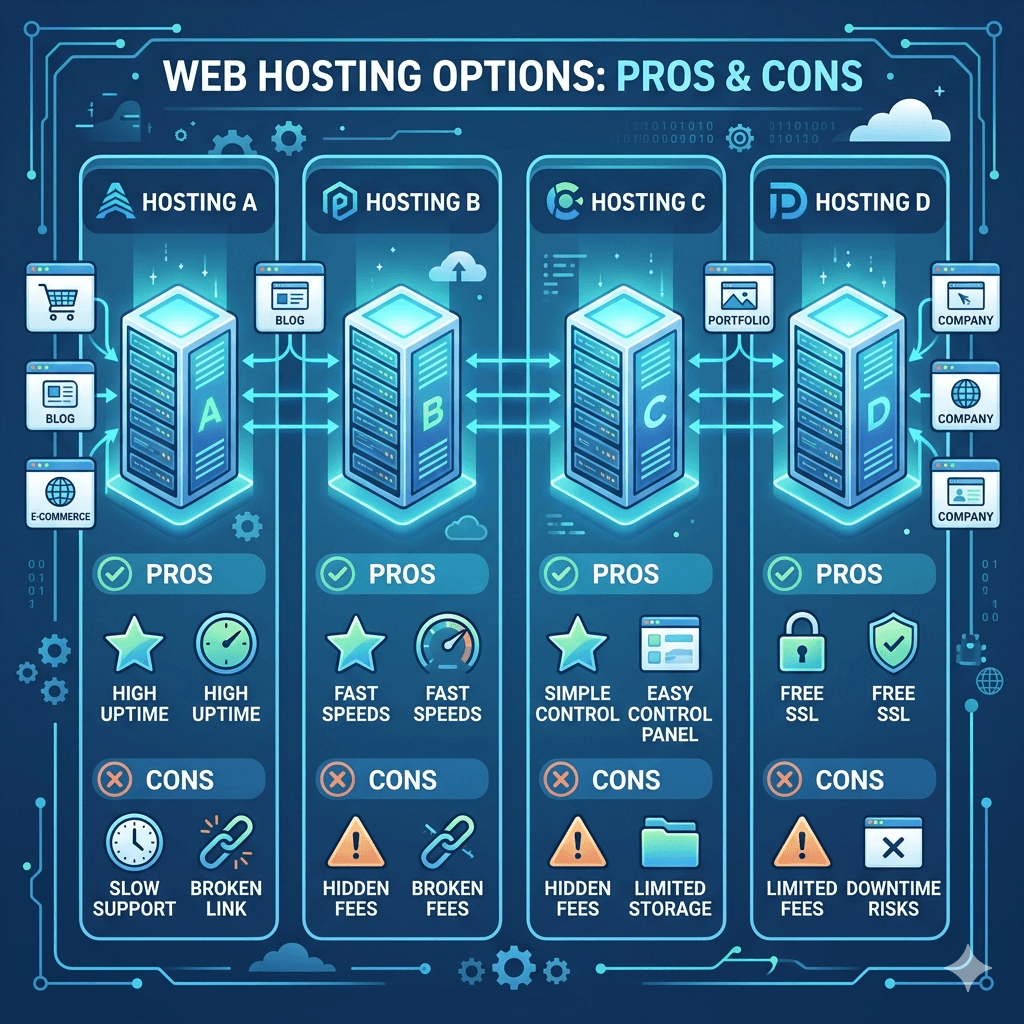
    Vector illustration showing multiple web hosting providers represented as glowing servers

    Here is a look at some of the most popular and reliable hosting providers used by Ugandan websites, along with what makes each one stand out.

    5.1 Overview of Each Provider

    Bluehost   One of the most recommended hosts worldwide, particularly for WordPress users. It offers beginner-friendly tools, a free domain for the first year, and solid performance.

    Hostinger   Known for some of the lowest prices available while still delivering good speed and uptime. It has strong servers across Europe that serve African users reasonably well.

    SiteGround   A premium option with excellent customer support, advanced caching, and strong security. It is more expensive but worth it for serious businesses.

    Namecheap   Offers affordable domain and hosting Uganda packages. Great for beginners who want a simple, no-fuss experience.

    Afrihost / African providers   Some regional providers are emerging with server infrastructure closer to East Africa, which can improve speed for local visitors.

    5.2 Pricing Comparison

    Pricing varies significantly across providers. Here is a rough guide to web hosting prices in Uganda (converted to USD as most plans are priced globally):

    • Hostinger: Starts from around $1.99–$2.99/month (introductory). Renewal is around $6–8/month.

    • Namecheap: Starts from around $2.88/month. Renewal rates are relatively stable.

    • Bluehost: Starts from $2.95/month introductory. Renewal rates can jump to $8–10/month.

    • SiteGround: Starts from $3.99/month introductory. Renewal is around $14–18/month.

    For cheap web hosting in Uganda on a tight budget, Hostinger and Namecheap offer the most value for money, especially for new websites.

    5.3 Performance and Speed Comparison

    When it comes to the fastest web hosting Africa options, server location matters a lot. Most global hosts have servers in Europe or the US, which adds some latency for Ugandan visitors. However, providers that offer CDN integration can significantly reduce this gap.

    SiteGround consistently ranks among the fastest in independent tests. Hostinger has improved its speeds dramatically in recent years and offers great performance relative to its price point. Bluehost is reliable but can feel slower on shared plans during peak hours.

    5.4 Pros and Cons of Each

    Bluehost:

    • Pros: Beginner-friendly, free domain, great WordPress integration, strong uptime

    • Cons: Renewal prices increase significantly, US-based servers

    Hostinger:

    • Pros: Very affordable, fast load times, easy to use, good beginner tools

    • Cons: Support can be slower on lower-tier plans, no phone support

    SiteGround:

    • Pros: Excellent customer support, fast servers, strong security, great for WordPress

    • Cons: Higher price point, storage limits on entry plans

    Namecheap:

    • Pros: Affordable, transparent pricing, good for domain and hosting bundles

    • Cons: Fewer advanced features on basic plans, support can vary

    6. Best Hosting for Different Needs

    Different websites have different hosting needs. Here is a quick guide to help match you with the right choice.

    6.1 Best for Beginners

    If you are just starting out and this is your first website, Hostinger or Bluehost are excellent choices. Both offer one-click WordPress installs, drag-and-drop tools, and easy-to-understand dashboards. They take care of the technical side so you can focus on building your site.

    Website hosting for beginners should feel simple from day one; these two deliver exactly that.

    6.2 Best for Small Businesses

    For the best web hosting for small business Uganda, you want a balance of reliability, speed, and support. SiteGround ticks all those boxes with its managed hosting and daily backups. If budget is a concern, Namecheap’s business plans are also solid.

    Small business websites need to stay online and load quickly. Combining your hosting with good web design services ensures everything works together seamlessly.

    6.3 Best for Bloggers and Content Creators

    The best hosting for bloggers in Uganda is one that supports WordPress well, loads fast, and does not break the bank. Hostinger and Bluehost are both excellent for this. Hostinger especially gives you strong value   you get speed, storage, and simplicity at a low monthly cost.

    For content-heavy sites, CDN integration is a bonus that helps your images and videos load quickly for readers across Uganda.

    6.4 Best for E-commerce Websites

    The best web hosting for ecommerce Uganda needs to be secure, fast, and always online. SiteGround is the top pick here, with its advanced security tools and excellent uptime. WooCommerce-optimized plans from Bluehost are also a strong option.

    E-commerce sites handle customer data and payments, so you cannot afford downtime or slow load speeds. Check out how others have built successful stores through ecommerce website design Uganda for inspiration and reference.

    7. How to Choose the Right Hosting Provider

    Vector illustration showing a checklist floating above servers, including budget, features

    Choosing hosting can feel overwhelming, but breaking it down into clear steps makes it manageable. Here is a simple process to follow.

    7.1 Define Your Website Needs

    Start by asking yourself: What kind of website am I building? A personal blog has very different needs from an online shop. How many pages will you have? Do you expect a lot of traffic right away, or are you starting small?

    Knowing your needs upfront saves you from overpaying for features you will not use   or underpaying and regretting it later.

    7.2 Set Your Budget

    Be honest about what you can afford monthly and annually. Remember to factor in renewal costs, not just the first-year price. Affordable hosting for startups in Uganda is available, but make sure the price stays manageable as your site grows.

    You can always check a pricing page to see what services and hosting packages cost in your local context.

    7.3 Compare Features and Plans

    Do a side-by-side web hosting comparison Uganda style   look at storage, bandwidth, number of websites allowed, SSL certificates, and email accounts. Do not just look at the headline price. Dig into what each plan actually includes.

    7.4 Check Reviews and Reputation

    Read real user reviews on platforms like Trustpilot, G2, or Reddit. Look for patterns   if many people complain about the same issues, that is a red flag. Reliable hosting providers Uganda users trust tend to have consistently positive feedback over time.

    7.5 Test Customer Support

    Before you commit, chat with the support team. Ask a technical question and see how quickly and clearly they respond. This gives you a preview of what to expect when you actually need help.

    If you are unsure about what to ask, you can always reach out to local experts through a contact page for personalized hosting guidance.

    8. Common Mistakes to Avoid When Choosing Hosting

    Even smart people make these mistakes. Knowing them in advance puts you ahead of the game.

    8.1 Choosing Based on Price Alone

    Cheap web hosting in Uganda can be tempting, but the lowest price is not always the best deal. Some ultra-cheap hosts cut corners on server quality, support, and security. If your website goes down or loads slowly, you lose visitors and revenue   that costs more than a few extra dollars per month.

    8.2 Ignoring Renewal Costs

    This catches many people off guard. You sign up for hosting at $2/month, then after a year, the renewal bill arrives at $12/month. Always read the renewal pricing before you commit. Look at web hosting prices in Uganda across providers at the renewal rate, not just the promotional one.

    8.3 Overlooking Support Quality

    Poor support is one of the biggest complaints about hosting providers. If something breaks on your website and you cannot reach anyone for hours   or get a helpful response   it is a nightmare. Prioritize hosting with good customer support from day one.

    8.4 Not Considering Scalability

    Your website will grow over time. If your hosting plan cannot grow with you, you will have to go through the hassle of migrating to a new host later. Choose scalable web hosting solutions that let you easily upgrade when the time comes. It is much easier to start with a provider that has higher tiers available.

    9. Tips to Improve Website Performance with Hosting

    Even with great hosting, there are extra steps you can take to make your website faster and more reliable.

    9.1 Use a Content Delivery Network (CDN)

    A CDN stores copies of your website’s content on servers around the world. When someone in Kampala visits your site hosted on a US server, the CDN delivers the content from the closest possible location, cutting load times dramatically. Many hosts include free CDN access through Cloudflare.

    9.2 Optimize Images and Files

    Large image files are one of the biggest causes of slow websites. Before uploading images, compress them using free tools like TinyPNG or Squoosh. Also minimize your CSS and JavaScript files. This reduces how much data the browser needs to load, improving website speed optimization hosting performance.

    9.3 Enable Caching

    Caching stores a version of your web page so it does not have to be rebuilt every time someone visits. Most good hosts support caching plugins or have it built in. For WordPress sites, plugins like WP Rocket or LiteSpeed Cache are excellent options.

    9.4 Choose Server Locations Wisely

    The closer your server is to your visitors, the faster your site loads. While Uganda does not yet have major hosting data centers, choosing a server in Europe (especially the UK or Netherlands) is generally faster for East African users than one in the US. Server location Africa hosting options are emerging, but Europe-based servers remain the practical choice for now.

    Pairing smart hosting with professional web maintenance services ensures your site stays fast and secure over time.

    10. Frequently Asked Questions

    10.1 What is the best web hosting for beginners in Uganda?

    For beginners, Hostinger and Bluehost are the top recommendations. Both offer simple dashboards, one-click installs for WordPress, and helpful support. They are beginner-friendly hosting options that make getting started easy without needing any technical background.

    10.2 How much does web hosting cost in Uganda?

    Web hosting prices in Uganda generally range from about $2 to $15 per month depending on the provider and plan. Entry-level shared hosting starts as low as $1.99/month with some providers like Hostinger. More premium options like SiteGround start around $4/month. Always check the renewal rate, as promotional pricing often increases after the first term.

    10.3 Can I host a website locally in Uganda?

    Yes, it is technically possible to host a website on a local server in Uganda, but it comes with challenges   including power reliability, bandwidth costs, and maintenance. For most businesses, using an established international hosting provider is more practical, reliable, and affordable.

    10.4 Which hosting provider is fastest for African users?

    For the fastest web hosting Africa option, look for providers with CDN integration and servers in Europe (UK, Netherlands, or Germany). SiteGround and Cloudways consistently perform well for African users. Providers that support Cloudflare CDN help bridge the gap regardless of where the server is located.

    10.5 Do I need technical skills to use web hosting?

    Not at all. Most modern hosting providers offer beginner-friendly control panels like cPanel and one-click installers. You can set up WordPress and launch a website without writing a single line of code. If you need help, your provider’s support team or a local web design team can assist you.

    10.6 What is the difference between domain and hosting?

    A domain is your website’s address   like yourname.com. Hosting is the service that stores your website’s files. Think of the domain as your street address and hosting as the actual house. You need both to have a working website. Many providers offer domain and hosting Uganda packages together at a discount.

    10.7 Is free web hosting a good option?

    Free hosting might seem attractive, but it comes with serious limitations. Most free hosts display ads on your site, offer very little storage, and have poor uptime. They also often lack SSL certificates, which makes your site insecure. For anything professional, investing in affordable web hosting Uganda is worth every shilling.

    10.8 How do I migrate my website to a new host?

    Migrating a website involves moving your files and database from one host to another. Many premium hosts like SiteGround offer free migration services. If you are on WordPress, there are plugins that make migration straightforward. Alternatively, a professional web maintenance service can handle the entire process for you with zero downtime.

    Final Thoughts

    Choosing the right web hosting is one of the most important decisions you will make for your online presence. It affects how fast your site loads, how often it stays online, and how secure your visitors’ data is. The good news is that you do not need to be a tech expert to make a smart choice.

    Start by understanding your needs, set a realistic budget, compare providers on the features that matter most, and do not let a low introductory price fool you into ignoring renewal costs. Whether you go with Hostinger for affordability, SiteGround for performance, or Bluehost for beginner-friendliness, the right answer depends on your specific goals.

    And remember   great hosting is just the foundation. Pair it with a well-designed website and solid digital marketing to get the best results. If you need help putting it all together, explore our digital marketing services or reach out through our contact page to get started today.

  • Managed vs Unmanaged Hosting: Which One Do You Really Need?

    Managed vs Unmanaged Hosting: Which One Do You Really Need?

    Choosing between managed and unmanaged hosting can feel like standing at a crossroads without a map. You know both paths lead somewhere, but which one gets you where you need to go? The truth is, there’s no universal “right” answer only the right answer for your specific situation. This guide breaks down everything you need to know about managed vs unmanaged hosting so you can make a confident, informed decision that aligns with your skills, budget, and project goals.

    What Is Web Hosting?

    Before diving into the managed or unmanaged hosting debate, let’s establish what web hosting actually means. Think of web hosting as renting space on the internet. Just like you need a physical location to open a store, your website needs a home on a server a powerful computer that stays online 24/7, making your site accessible to visitors worldwide.

    When you purchase hosting, you’re essentially leasing server resources: storage space, processing power, memory, and bandwidth. The hosting provider maintains the physical infrastructure, but how much additional support and management they provide varies dramatically. That’s where the distinction between managed and unmanaged hosting becomes critical. Some hosts hand you the keys and say “good luck,” while others act more like a full-service concierge, handling the technical heavy lifting so you can focus on your content and business.

    What Is Managed Hosting?

    Managed hosting is like hiring a property manager for your apartment building. You own the space, but someone else handles maintenance, repairs, security updates, and the day-to-day technical tasks that keep everything running smoothly.

    With managed hosting, your provider takes responsibility for server setup, software updates, security patches, performance optimization, backups, and monitoring. If something breaks at 3 AM, their technical team handles it you don’t need to wake up or scramble to fix it yourself. Most managed hosting plans include expert support staff who can troubleshoot issues, offer configuration advice, and resolve problems quickly.

    The hosting with server management approach means you can launch and maintain a website without deep technical knowledge of server administration. Your hosting provider typically handles operating system updates, security hardening, malware scanning, and even application-specific optimizations (like caching for WordPress sites). This level of support comes at a premium, but for many, the peace of mind and time savings justify the additional cost. Managed hosting lets you focus on what you do best creating content, serving customers, or building your business while experts handle the technical infrastructure that makes it all possible.

    What Is Unmanaged Hosting?

    Unmanaged hosting is the exact opposite: you get server access and resources, but everything else is your responsibility. Think of it as buying raw land instead of a finished house. You have complete freedom to build whatever you want, but you’re also responsible for every aspect of construction and maintenance.

    With unmanaged hosting (sometimes called self managed hosting), the provider ensures the physical server stays online and connected to the internet that’s typically where their responsibility ends. You handle the operating system installation, security configurations, software updates, firewall setup, monitoring, backups, and troubleshooting. When something goes wrong, there’s no support team to call for help with server-level issues.

    This approach gives you maximum control and customization. You can install any software, configure the server exactly how you want, and optimize every setting for your specific needs. However, it requires solid technical skills and ongoing time investment. You need to understand command-line interfaces, server administration, security best practices, and troubleshooting methodologies. For developers and system administrators who want complete control or have specific technical requirements, unmanaged hosting offers the flexibility and cost efficiency that managed solutions can’t match. But that freedom comes with significant responsibility.

    Key Differences Between Managed and Unmanaged Hosting

    A side-by-side comparison layout showing managed hosting with automation and support versus unmanaged hosting with tools and manual controls.

    The difference between managed and unmanaged hosting extends far beyond who installs updates. These two approaches represent fundamentally different philosophies about control, convenience, and responsibility. Understanding these distinctions helps clarify which option aligns with your situation.

    Level of Technical Responsibility

    With managed hosting, the provider shoulders most technical responsibilities. They’re accountable for server health, security, and performance. You might manage your website content and applications, but the underlying infrastructure isn’t your concern. Unmanaged hosting flips this entirely you’re responsible for everything except the physical hardware and network connectivity. Every configuration, every security setting, every backup is your job. This distinction matters enormously: managed hosting lets non-technical users run websites confidently, while unmanaged hosting requires genuine technical expertise or a willingness to learn through trial and error.

    Server Management and Maintenance

    Managed providers proactively handle server maintenance: applying patches, updating software, monitoring performance, and addressing potential issues before they become problems. This includes routine tasks like log rotation, disk space management, and service restarts. With unmanaged hosting, these tasks fall squarely on your shoulders. You’ll need to schedule and perform updates, monitor server health, troubleshoot performance bottlenecks, and maintain documentation of your configurations. Miss a critical security patch, and your server could be compromised. The managed hosting meaning includes this proactive maintenance; the unmanaged hosting meaning explicitly excludes it.

    Performance and Reliability

    Both hosting types can deliver excellent performance, but managed hosting typically includes performance optimization as part of the package. Providers often implement caching layers, content delivery networks, and database optimizations tailored to specific applications. They monitor uptime and respond to issues immediately. With unmanaged hosting, performance optimization is entirely your responsibility. You can potentially achieve better performance through custom configurations, but you need the expertise to implement and maintain those optimizations. If something causes performance degradation, you’re the one who needs to diagnose and fix it.

    Security and Updates

    Security represents one of the biggest distinctions. Managed hosts implement security best practices, install patches promptly, configure firewalls, run malware scans, and monitor for threats. They respond to vulnerabilities as they’re discovered. Unmanaged hosting leaves all security responsibilities with you. You must stay informed about vulnerabilities, apply patches quickly, configure security tools properly, and monitor for intrusions. A single missed update can leave your server vulnerable to attacks. For those without security expertise, this represents a significant risk.

    Cost and Pricing Structure

    Unmanaged hosting is substantially cheaper sometimes 50-70% less than comparable managed plans. You’re essentially paying only for raw server resources. Managed hosting costs more because you’re paying for expertise, monitoring, support, and peace of mind. When evaluating managed hosting cost vs unmanaged options, remember to factor in the value of your time and the potential cost of downtime or security breaches. What looks expensive upfront might be cost-effective when you calculate the hours you’d spend on server administration or the business impact of technical problems.

    Benefits of Managed Hosting

    Managed hosting benefits extend beyond convenience they fundamentally change how you interact with your web infrastructure. The primary advantage is time: instead of spending hours on server maintenance, you can invest that time in your actual business or project. For non-technical users, managed hosting removes intimidating barriers, making professional-grade hosting accessible without years of Linux administration experience.

    Expert support is another major benefit. When issues arise, you have knowledgeable professionals available to help. This support often extends beyond basic troubleshooting to include advice on configurations, optimizations, and best practices. Many managed hosting providers also offer enhanced security, implementing multiple layers of protection that would require significant expertise to configure independently. Automatic backups, proactive monitoring, and guaranteed uptime levels provide additional peace of mind. Is managed hosting worth it? For most website owners, the answer is yes the combination of time savings, expert support, and reduced stress justifies the premium pricing, especially when the alternative involves steep learning curves and potential costly mistakes.

    Benefits of Unmanaged Hosting

    Unmanaged hosting benefits center on control and cost efficiency. The most obvious advantage is price: unmanaged hosting typically costs significantly less than managed alternatives with similar resources. For budget-conscious projects or developers managing multiple servers, these savings add up quickly.

    Complete control represents the other major benefit. You can install any software, configure any setting, and optimize the server precisely for your needs. Want to use a specific version of PHP? Need custom firewall rules? Want to experiment with different caching strategies? With unmanaged hosting, you’re not constrained by the provider’s management stack or policies. This flexibility is invaluable for development environments, specialized applications, or situations where you have specific technical requirements.

    Learning represents an often-overlooked benefit. Managing your own server builds valuable skills in system administration, security, troubleshooting, and performance optimization. These skills are highly marketable and deepen your understanding of how web infrastructure works. For developers looking to expand their expertise, unmanaged hosting provides hands-on learning opportunities that managed environments don’t offer. The unmanaged hosting requirements might seem daunting initially, but overcoming those challenges builds genuine technical competence.

    Who Should Choose Managed Hosting?

    Non-technical users confidently running websites with supportive hosting systems behind the scenes.

    Managed hosting makes sense for several specific situations. If you lack server administration experience and don’t have time or interest in learning, managed hosting removes technical barriers that might otherwise prevent you from launching a website. Small business owners, bloggers, and content creators who need to focus on their core activities rather than server maintenance benefit enormously from the time savings.

    Even technical professionals often choose managed hosting for production websites. When uptime and security are critical like for e-commerce sites or business applications having a dedicated team monitoring and maintaining your infrastructure reduces risk. If your time is better spent on development, marketing, or customer service rather than server administration, the higher cost of managed hosting becomes a worthwhile investment.

    Managed hosting also suits situations where compliance or security requirements are strict. Many managed providers offer configurations that meet specific regulatory standards, along with documentation and support for audits. For anyone who values peace of mind over absolute control, or who wants guaranteed support when problems arise, managed hosting provides a safety net that unmanaged hosting simply can’t match.

    Who Should Choose Unmanaged Hosting?

    Unmanaged hosting is ideal for experienced system administrators, developers with strong Linux skills, or anyone comfortable working with command-line interfaces and troubleshooting server issues independently. If you’ve configured web servers before, understand security principles, and know how to diagnose and resolve technical problems, unmanaged hosting gives you the control and cost savings you need.

    Development and testing environments are perfect candidates for unmanaged hosting. When experimenting with configurations, testing applications, or learning new technologies, the ability to break things without consequences (or costs) is valuable. You don’t need the same uptime guarantees or support levels for development servers that production sites require.

    Unmanaged hosting also suits projects with very specific technical requirements that managed hosting can’t accommodate. Custom software stacks, specialized applications, or situations requiring unusual configurations benefit from the complete flexibility unmanaged hosting provides. For hosting multiple sites or reselling hosting services, the lower cost of unmanaged plans can significantly impact profitability. Finally, if you’re looking to build genuine system administration skills whether for career development or personal growth the hands-on experience of managing your own server is irreplaceable.

    How to Decide Which Hosting You Need

    Making the right choice between managed or unmanaged hosting requires honest self-assessment across several dimensions. Rather than picking based on price alone or what seems most appealing, evaluate your actual situation, skills, and needs. The wrong choice can lead to wasted money, unnecessary stress, or websites that don’t perform as expected.

    Assess Your Technical Skills

    Start with brutal honesty about your technical capabilities. Can you navigate a Linux command line comfortably? Do you understand how to configure web servers, manage databases, and troubleshoot network issues? Have you ever secured a server, configured firewalls, or responded to security incidents? If these questions make you uncomfortable, managed hosting is probably your best bet. There’s no shame in choosing the option that matches your skill level attempting unmanaged hosting without adequate expertise creates security risks and potential downtime. Conversely, if you have solid system administration experience, paying premium prices for services you could handle yourself might not make financial sense.

    Define Your Project Requirements

    Consider what your project actually needs. A simple blog or portfolio site has very different requirements than an e-commerce platform handling sensitive customer data. Production websites serving paying customers or generating revenue need higher reliability and better security than personal projects or experiments. If uptime, security, and performance are critical to your business, managed hosting’s guaranteed service levels and expert monitoring justify the cost. For development environments, hobby projects, or situations where occasional downtime won’t cause significant problems, unmanaged hosting’s lower costs might be more appropriate. Match your hosting choice to the actual stakes involved.

    Consider Time vs. Control

    Time is money, even when you’re not directly billing hours. Calculate honestly how much time you’re willing to spend on server administration. Routine maintenance might take 2-5 hours monthly, but troubleshooting problems could consume entire days. Can you respond to server issues at 2 AM? Do you want to spend weekends applying security patches? If your time is better spent on core business activities, managed hosting’s convenience becomes extremely valuable. However, if you enjoy technical challenges, have flexible schedules, or need the deep control that comes from managing every aspect of your infrastructure, unmanaged hosting’s hands-on nature might be appealing rather than burdensome.

    Evaluate Budget and Long-Term Costs

    Look beyond the monthly hosting bill to total cost of ownership. Unmanaged hosting appears cheaper initially, but factor in your time (valued at your hourly rate), potential revenue loss from downtime, costs of security breaches, and any additional tools or services you’ll need. Managed hosting’s higher upfront cost often proves more economical when you calculate these hidden expenses. However, if you’re managing multiple servers or already possess the necessary skills, unmanaged hosting’s lower per-server costs can generate real savings. Consider also that you can start with one option and switch later your initial choice doesn’t have to be permanent, allowing you to adjust as your skills, budget, or requirements change.

    Common Mistakes When Choosing Hosting

    A cluttered server environment with warning symbols, representing poor hosting decisions.

    Even with clear information, people make predictable mistakes when choosing between hosting types. The most common error is underestimating the technical complexity of unmanaged hosting. New server administrators often discover that “just install a web server” actually involves dozens of configuration decisions, security considerations, and potential pitfalls. What seems straightforward in tutorials becomes confusing when errors appear or things don’t work as expected.

    Another mistake is choosing based solely on price. The cheapest option isn’t always the best value. Saving $20 monthly on hosting makes little sense if you spend 10 hours troubleshooting issues at even modest hourly rates, you’ve lost money. Similarly, paying for managed hosting when you have unused system administration skills wastes resources that could be invested elsewhere.

    Many people also fail to consider scalability and growth. What works for a low-traffic blog might not suit an e-commerce site with thousands of daily visitors. Starting with unmanaged hosting to save money can create problems later when you lack the expertise to optimize for growth. Conversely, new projects sometimes over-invest in managed hosting features they don’t yet need.

    Finally, some choose based on what they think they “should” do rather than what actually fits their situation. Developers might feel they “should” use unmanaged hosting to prove technical competence, while non-technical users might think managed hosting is “cheating.” Ignore these mental traps choose what works for your actual skills, time, and requirements, not what you think you’re supposed to choose.

    Frequently Asked Questions

    Is managed hosting worth the extra cost?

    For most website owners, yes. The value isn’t just in the services provided but in the time and stress you avoid. If your time is worth $50/hour and you save even 5 hours monthly on server maintenance, that’s $250 in value likely more than the price difference between managed and unmanaged plans. Add the reduced risk of security breaches, downtime, and technical problems, and managed hosting often delivers excellent return on investment. However, if you already possess system administration skills and enjoy working with servers, or if you’re running very cost-sensitive projects where every dollar matters, unmanaged hosting’s lower costs might make more sense for your specific situation.

    Can I switch from unmanaged to managed hosting later?

    Yes, though the process requires some effort. Most managed hosting providers offer migration assistance, either free or for a nominal fee. You’ll typically need to transfer your files, databases, and configurations to the new environment. The complexity depends on your current setup straightforward WordPress sites migrate easily, while custom-configured applications might require more planning. Some providers offer automated migration tools that handle much of the process. The key is ensuring minimal downtime during the transition. You can also move in the opposite direction (managed to unmanaged), though this requires more technical knowledge to properly configure the unmanaged server to match your previous environment.

    Do I need server administration skills for unmanaged hosting?

    Absolutely. Unmanaged hosting isn’t suitable for beginners who’ve never worked with servers. At minimum, you need comfort with Linux command line, understanding of file permissions and ownership, ability to install and configure web servers (Apache or Nginx), database setup and management, basic security practices, troubleshooting skills, and knowledge of how to read log files and diagnose problems. You don’t need to be an expert, but attempting unmanaged hosting without these foundational skills creates security risks and frustrating experiences. If you’re willing to learn, unmanaged hosting can be educational, but expect a steep learning curve initially. Starting with managed hosting while building skills, then transitioning to unmanaged later, often works better than jumping directly into unfamiliar technical waters.

    Which option is better for WordPress websites?

    For most WordPress users, managed WordPress hosting (a specialized form of managed hosting) is ideal. WordPress-specific managed hosting providers optimize their entire stack for WordPress performance, handle updates, implement caching, offer expert WordPress support, and include security measures targeting common WordPress vulnerabilities. This specialized approach delivers better performance and security than generic hosting configurations. However, experienced developers who need complete control over their WordPress environment, want to use custom server configurations, or manage multiple WordPress sites might prefer unmanaged hosting for the flexibility and lower per-site costs. The best hosting for developers often depends more on technical comfort level than the specific CMS being used.

    Is unmanaged hosting more secure than managed hosting?

    Not inherently security depends more on configuration and maintenance than hosting type. Well-managed unmanaged hosting can be extremely secure, but only if you have the expertise to implement proper security measures and stay current with patches. Poorly managed unmanaged hosting, however, is often less secure because users miss updates, misconfigure firewalls, or don’t follow security best practices. Managed hosting provides consistent security because professionals handle patches, monitoring, and threat response. For users without security expertise, managed hosting is typically more secure because it’s professionally maintained. However, security-conscious experts might achieve better security with unmanaged hosting through custom configurations, assuming they invest the necessary time and effort.

    What happens if my site crashes on unmanaged hosting?

    You’re responsible for diagnosing and fixing the problem. The hosting provider ensures the physical server and network connection work, but application-level issues are entirely your problem to solve. You’ll need to identify whether the issue is configuration-related, resource-based, software bugs, or something else, then implement the appropriate fix. This might involve checking error logs, restarting services, investigating resource usage, or modifying configurations. If you can’t resolve the issue, you’ll need to research solutions independently or hire outside help. This is why hosting technical responsibility matters so much when problems arise, you’re on your own without expert support to guide you through resolution.

    Does managed hosting limit customization?

    To some extent, yes. Managed hosting providers implement standardized configurations that work well for most users but limit deep customization. You typically can’t install certain software, modify core server configurations, or make changes that might affect security or stability. However, most managed hosting offers sufficient flexibility for standard use cases. You can still install applications, configure your website, and customize within the parameters the provider allows. For specialized needs requiring unusual configurations, unmanaged hosting provides the flexibility managed hosting can’t offer. The question becomes whether you need that flexibility most websites function perfectly well within managed hosting’s constraints, and the tradeoff (convenience and support for limited customization) works favorably for the majority of users.

    Choosing between managed and unmanaged hosting ultimately comes down to matching the right tool to your specific situation. There’s no universally correct answer, only the correct answer for your skills, time, budget, and project requirements. Managed hosting offers convenience, expert support, and peace of mind at a premium price. Unmanaged hosting provides control, flexibility, and cost savings in exchange for technical responsibility and time investment.

    The best decision is the honest one the choice that acknowledges your actual capabilities, available time, and real needs rather than what you wish were true or think you should choose. Whether you need the hosting control vs convenience of managed hosting or prefer the hands-on approach of unmanaged hosting, understanding these differences ensures your hosting supports rather than hinders your online goals.