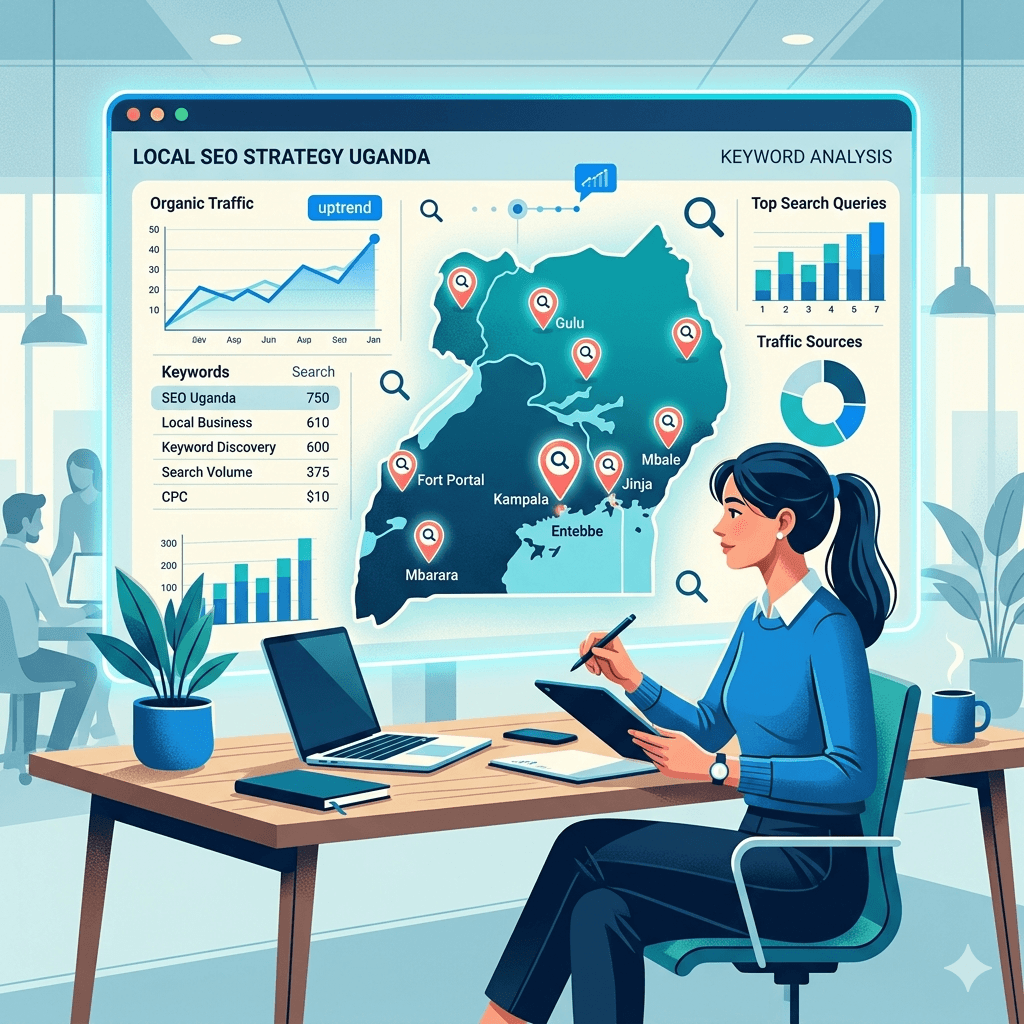
Tag: Local SEO Uganda

  •  How to Do Keyword Research for a Ugandan Audience 

     How to Do Keyword Research for a Ugandan Audience 

    How to Do Keyword Research for a Ugandan Audience

    1. Introduction

    If you have ever created content, launched a website, or run an online ad in Uganda and wondered why nobody showed up   keyword research might be the missing piece. It is the foundation of every successful SEO strategy, and without it, you are basically guessing what your audience wants.

    Keyword research tells you exactly what people are typing into Google, how often they search for it, and how hard it would be to show up for that search. Done right, it helps you create content your audience is already looking for   which means more traffic, more leads, and more business.

    In this guide, you will learn how to do keyword research specifically for a Ugandan audience. We will cover the tools to use, the local search behaviors to understand, and the step-by-step process to find keywords that actually work in the Ugandan market. Whether you are just starting out or want to sharpen your existing strategy, this guide has you covered.

    2. What Is Keyword Research?

    Keyword research is the process of finding and analyzing the words and phrases that people type into search engines like Google. In SEO, those words are called keywords   and they are the bridge between what your audience wants and the content you create.

    Think of it like a map. Before you start a journey, you need to know where you are going. Keyword research gives you that direction. Instead of writing random blog posts or building pages based on guesses, you use data to find out what your audience is actually searching for.

    For example, if you run a pharmacy in Kampala, people might be searching for terms like “buy medicine online Uganda” or “pharmacy near me in Kampala.” If you know that, you can create content or pages that match exactly what they need   and Google will reward you with higher rankings.

    SEO keyword research is not just about traffic. It is about finding the right traffic   people who are genuinely interested in what you offer. That is why keyword research for SEO is one of the most valuable skills you can develop for your online marketing strategy.

    3. Why Keyword Research Matters for a Ugandan Audience

    A map of Uganda with search signals radiating outward

    Uganda’s digital market is growing fast. More people are getting online every day   mostly through smartphones   and they are searching for local products, services, and information. If your business or content is not showing up in those searches, you are invisible to a large and growing audience.

    Here is the thing: keyword research Uganda is different from keyword research in, say, the United States or the UK. The search volumes are smaller, the competition is lower in many niches, and the language and intent are often uniquely local. That is actually good news for you   there are real opportunities to rank for keywords that bigger global players are ignoring.

    Good keyword research helps you understand exactly how your Ugandan audience searches. It reveals their language patterns, their most pressing questions, and the gaps in existing content. When you align your content or ads with what people are already looking for, you drive more relevant traffic to your site.

    The ultimate goal of all this effort is to rank on Google and get your business in front of the right people. Keyword research is what makes that possible. Without it, even the best-written content can go unnoticed.

    4. Understanding the Ugandan Search Landscape

    Before you dive into tools and tactics, you need to understand how people in Uganda actually search online. This is the foundation of any smart local keyword research strategy.

    4.1 Popular Search Behaviors in Uganda

    Ugandan internet users tend to search for practical, everyday things: job listings, school fees, health information, real estate, and product prices. Service-based searches   like “plumber in Kampala” or “web designer Uganda”   are also very common. People want quick answers, and they often search with strong buying or decision-making intent.

    Searches around mobile money, agriculture, education, and government services are particularly high in Uganda. If your business or content touches any of these areas, there is a ready audience waiting for you.

    4.2 Language Use (English, Luganda, Local Terms)

    Most online searches in Uganda are done in English, since it is the official language and the default for most platforms and schools. However, Luganda and other local languages like Runyankole, Lusoga, and Acholi appear in social media, forums, and increasingly in Google searches too.

    This means your keyword strategy should be rooted in English but should also consider common local terms, slang, and bilingual phrases. For example, someone might search “bodaboda insurance Uganda” or mix local terms into longer phrases. Being aware of this gives you a competitive edge in Ugandan audience search trends.

    4.3 Mobile-First Search Trends

    A huge majority of Ugandan internet users access the web on mobile phones. This shapes how they search   they often use shorter, conversational queries, and they rely heavily on Google’s autocomplete and “People Also Ask” features. Voice search is also slowly growing.

    This mobile-first reality means your content and your keyword choices need to account for how people search on small screens with limited data. Short, clear, intent-focused keywords tend to work well in this environment.

    5. Types of Keywords to Target

    A side-by-side comparison of generic vs specific search queries

    Not all keywords are equal. Understanding the different types helps you build a well-rounded keyword strategy that reaches people at every stage of their journey   from research to purchase.

    5.1 Short-Tail Keywords

    Short-tail keywords are broad, one- to two-word search terms like “shoes Uganda” or “web design.” They attract high search volume but are also highly competitive. For most small businesses and blogs in Uganda, ranking for short-tail keywords alone is very difficult. Use them to guide your topic themes, not as your only focus.

    5.2 Long-Tail Keywords

    Long-tail keywords are longer, more specific phrases   for example, “how to find keywords for a blog in Uganda” or “best keyword research tools for beginners free.” They have lower search volume, but the people searching them know exactly what they want. These are some of the best keywords for local SEO Uganda because competition is lower and conversion rates are higher.

    Long tail keywords examples like “affordable web designer in Kampala” or “how to register a business online in Uganda” show that specificity beats volume when you want the right visitors, not just any visitors.

    5.3 Local Keywords (Geo-Targeted)

    Local keywords include a geographic modifier   a city, district, or country name. Examples include “catering services Entebbe” or “best school in Mukono.” These are essential for any business with a physical location or a service tied to a specific area. They help you reach people who are ready to act, not just browse.

    5.4 Informational vs Transactional Keywords

    Informational keywords are used when someone is learning   like “what is keyword research in SEO” or “how do I do keyword research step by step.” Transactional keywords signal buying intent   like “buy laptop Kampala” or “hire SEO services Uganda.”

    A smart keyword strategy targets both. Informational content builds trust and drives traffic. Transactional content converts that traffic into customers.

    6. How to Do Keyword Research Step by Step

    Now let us get into the actual process. This is a practical, keyword research step by step guide you can follow even if you are just starting out.

    6.1 Define Your Niche and Audience

    Start by getting clear on what you do and who you serve. Are you a local restaurant in Jinja? A financial consultant in Kampala? A blogger writing about Ugandan travel? Your niche shapes every keyword decision you make.

    Ask yourself: What does my ideal audience care about? What problems do they have that I can solve? What are they likely to search for on Google? The clearer your picture of your audience, the better your keywords will be.

    6.2 Brainstorm Seed Keywords

    Seed keywords are the basic terms that describe your business or content. They are your starting point. For example, if you run a salon in Kampala, your seed keywords might include “hair salon Kampala,” “natural hair Uganda,” or “bridal makeup Uganda.”

    Write down ten to twenty seed keywords without overthinking them. You will expand these using tools in the next step.

    6.3 Use Keyword Research Tools

    This is where your list grows. Take your seed keywords and plug them into keyword research tools like Google Keyword Planner, Ubersuggest, or Ahrefs. These tools show you related keywords, monthly search volumes, and competition levels.

    For example, typing “web design Uganda” into a tool might reveal related searches like “affordable web design Kampala,” “website developer Uganda price,” or “how to build a website in Uganda.” Each of these is a potential opportunity.

    For a broader SEO framework that shows where keyword research fits in your overall strategy, check out this comprehensive SEO guide for small businesses.

    6.4 Analyze Search Intent

    For every keyword on your list, ask: Why is someone searching this? Are they looking for information, comparing options, or ready to buy? This is called search intent, and it is one of the most important factors in keyword research for SEO.

    If you create a product page for an informational keyword, Google will not rank it well because the content does not match what the searcher needs. Always align your content type with the intent behind the keyword.

    6.5 Check Keyword Difficulty and Competition

    Keyword difficulty explained simply: it is a score that tells you how hard it will be to rank for a given keyword. A high difficulty score means many strong websites are already competing for that keyword. A low score means there is an opening for you.

    For keyword research Uganda, many local keywords have low difficulty   especially long-tail ones with location modifiers. This is a real advantage for newer websites. Focus on how to find low competition keywords in your niche first, then work your way up.

    6.6 Select and Group Keywords

    Once you have a list of researched keywords, narrow it down. Choose keywords that have a reasonable search volume, manageable competition, and clear intent that matches your content. Then group related keywords together   these groups will guide your content topics and page structure.

    For instance, keywords like “keyword research Uganda,” “how to find keywords for a blog in Uganda,” and “SEO keyword research tips for beginners” could all be grouped under one comprehensive blog post   like this one.

    7. Best Keyword Research Tools to Use

    A digital workspace with multiple tool dashboards open, showing keyword metrics

    Choosing the right tools makes keyword research much faster and more accurate. Here is a breakdown of what is available, whether you are on a budget or ready to invest.

    7.1 Free Tools

    If you are just starting out, these free keyword research tools will take you a long way:

    • Google Keyword Planner – Built into Google Ads, it shows search volumes and keyword ideas based on real Google data. It is one of the best keyword research tools for beginners free.

    • Ubersuggest – Neil Patel’s tool offers keyword suggestions, SEO difficulty scores, and content ideas with a free tier that is very generous.

    • Google Search Console – Once your site is live, this shows you which keywords your pages are already ranking for.

    • AnswerThePublic – Great for finding question-based keywords that your audience is asking.

    7.2 Paid Tools

    For deeper keyword analysis and competitor research, these paid SEO tools for beginners and pros alike are worth considering:

    • Ahrefs – One of the most powerful keyword analysis tools on the market. It shows keyword difficulty, backlink data, and competitor rankings.

    • SEMrush – Another all-in-one platform with excellent keyword research features, keyword gap analysis, and local SEO Uganda tools.

    • Moz Keyword Explorer – Clean interface with solid data on keyword difficulty and organic click-through rates.

    7.3 Local Insights Tools (Google Trends, Search Suggestions)

    Google Trends is a must-use for anyone doing keyword research for African markets. It shows how search interest changes over time and across regions   so you can see if a keyword is trending up or dying out in Uganda specifically.

    Also, never underestimate Google’s own autocomplete feature. Start typing a keyword in Google and pay attention to the suggestions that drop down   those are real searches people are making right now. The “People Also Ask” and “Related Searches” sections at the bottom of results pages are gold mines for keyword ideas.

    8. How to Find Local Keywords for Uganda

    Local keyword research is where many businesses in Uganda miss out on easy wins. Here is how to do it right.

    8.1 Using Location Modifiers (e.g., Kampala, Entebbe)

    The simplest way to target local keywords is to add location names to your seed keywords. Instead of just “restaurant,” try “restaurant in Kampala” or “restaurant Entebbe.” You can go even deeper with neighborhoods or districts   like “pizza delivery Bukoto” or “dentist Ntinda Kampala.”

    Kampala SEO strategies almost always involve layering location modifiers onto service or product keywords. The more specific you get, the less competition you face and the more relevant your traffic becomes.

    8.2 Leveraging “Near Me” Searches

    “Near me” searches have exploded globally, and Uganda is no exception. When someone types “supermarket near me” or “hospital near me in Kampala,” they are looking for immediate, local results. To capture this traffic, your Google Business Profile needs to be set up and optimized, and your website content should include location-specific language.

    8.3 Exploring Local Forums and Social Media

    Some of the best keyword ideas come from listening to real conversations. Ugandan Facebook groups, Twitter (now X) discussions, WhatsApp communities, and even local Reddit-style forums reveal the exact language people use when asking questions or looking for recommendations. Pay attention to how people phrase their needs   those are keyword opportunities in plain sight.

    8.4 Checking Competitors Targeting Uganda

    If another business is ranking well for local searches in your niche, they have likely done some keyword work you can learn from. Use tools like Ubersuggest or Ahrefs to analyze their top-ranking pages and see what keywords are driving their traffic.

    For a detailed walkthrough of implementing local keywords in practice, this local SEO guide covers how businesses in Kampala and similar markets can put these tactics to work.

    9. Analyzing Competitor Keywords

    One of the smartest shortcuts in SEO keyword research is studying what already works for your competitors. Instead of starting from zero, you can build on insights they have already validated.

    9.1 Identify Top Competitors

    Your competitors are not just businesses you know by name. In SEO, they are whoever ranks on the first page of Google for your target keywords. Search for your main keyword   for example, “SEO services Uganda”   and take note of who appears on page one. These are your real SEO competitors, even if you have never heard of them.

    9.2 Extract Their Keywords

    Once you know who your competitors are, use keyword analysis tools like Ahrefs, SEMrush, or Ubersuggest to analyze their websites. These tools show you which keywords are sending them the most organic traffic. You will often find dozens of keyword ideas you had not considered yet.

    Look at their top-performing blog posts, product pages, and service pages. What topics are they covering? What questions are they answering? This research gives you a solid shortlist of proven keywords worth targeting.

    9.3 Find Gaps and Opportunities

    A keyword gap is a keyword your competitor ranks for but you do not. These are opportunities waiting to be claimed. Most keyword tools have a dedicated “gap analysis” or “keyword gap” feature that makes this easy to spot. Focus especially on gaps where the competitor is ranking but their content is thin or outdated   those are pages you can outperform with better, more complete content.

    10. Mapping Keywords to Content

    A structured content map where keywords are assigned to different pages

    Finding keywords is only half the job. The other half is knowing what to do with them. Mapping keywords to content is how your research turns into real rankings.

    10.1 Assign Keywords to Pages

    Every page on your website should target a specific primary keyword, plus a handful of related secondary keywords. Your homepage might target your main service and location   like “web design company Kampala.” A blog post might target “how to do keyword research for local businesses.” This one-page-per-keyword-theme approach keeps things organized and focused.

    When you map keywords to content strategically, Google can clearly understand what each page is about   and that leads to better rankings. If you want to see how this works in practice, read our guide on creating content that ranks on Google in Uganda.

    10.2 Avoid Keyword Cannibalization

    Keyword cannibalization happens when two or more pages on your site target the same keyword. Instead of helping each other, they compete against each other   and both end up ranking lower than they could. The fix is simple: make sure each important keyword has exactly one dedicated page. If you have overlap, consider combining pages or redirecting one to the other.

    10.3 Align Keywords with Content Types

    Informational keywords belong in blog posts, guides, and how-to articles. Transactional keywords belong on service pages, product pages, and landing pages. Local keywords belong on location-specific pages or your Google Business Profile. Matching the keyword type to the right content type is how you satisfy both the searcher’s intent and Google’s expectations.

    11. Common Keyword Research Mistakes to Avoid

    Even experienced marketers make mistakes with keyword research. Here are the most common ones   especially in the context of digital marketing Uganda   and how to avoid them.

    11.1 Ignoring Local Context

    One of the biggest mistakes is copy-pasting keyword strategies from the US or UK without adapting them to Uganda. Search behaviors, language, and buying habits here are different. A keyword that works in London might get zero searches in Kampala. Always validate keywords using tools with local data, and prioritize Ugandan search trends when building your strategy.

    11.2 Targeting Overly Competitive Keywords

    Going after high-volume, globally competitive keywords when you are just starting out is like entering a marathon without any training. You will not win. Instead, use keyword research for beginners strategies   start with long-tail, low-competition keywords where you can actually rank and build authority over time.

    11.3 Skipping Search Intent

    Ignoring search intent keywords is a costly mistake. If your content does not match what the searcher is actually looking for, they will bounce off your page quickly   and Google will notice. Always ask: what does this person actually want when they search this keyword?

    11.4 Not Updating Your Keyword Strategy

    Search trends change. New terms emerge, old ones fade, and competitors shift their content. If you do keyword research once and never revisit it, your strategy will grow stale. Make it a habit to review and refresh your keyword list at least every six months   or whenever you notice a drop in traffic.

    12. Tips for Better Results in the Ugandan Market

    A growth chart powered by consistent tracking and adaptation,

    Here are some practical keyword research tips for small businesses and content creators looking to make the most of online marketing in Uganda.

    12.1 Focus on Mobile Optimization

    Since most Ugandan users search on mobile, your website and content need to load fast and display cleanly on small screens. Google considers mobile-friendliness as a ranking factor, so this is both a user experience win and an SEO win. Keep pages lightweight, use readable font sizes, and make sure buttons and links are easy to tap.

    12.2 Use Simple, Clear Language

    Write the way your audience speaks and searches. Avoid complex jargon or overly formal language. The goal is to match your content to the real phrases and questions your audience types into Google. Plain, clear English   and occasionally relevant local terms   will serve you much better than academic-sounding copy.

    12.3 Track Performance Regularly

    Keyword research does not end when you publish a page. You need to monitor how your content performs over time. Set up Google Analytics and Google Search Console on your site to see which keywords are driving traffic, how long people stay on your pages, and where there is room to improve. Data tells you what is working and what needs adjustment.

    12.4 Adapt to Trends Quickly

    Online marketing in Uganda is still evolving, which means trends can shift faster than in more saturated markets. When a new topic, product category, or local event starts gaining search interest, being early to create quality content around it can earn you significant traffic before the competition catches up. Use Google Trends regularly to stay ahead of the curve.

    13. Conclusion

    Keyword research is not a one-time task   it is an ongoing process that sits at the heart of every successful SEO and content strategy. For anyone working in the Ugandan market, it is especially powerful because the competition is still relatively low in many niches, and the opportunity to rank well with the right keywords is very real.

    Start with a clear understanding of your audience and what they search for. Use the tools available   both free and paid   to find keywords with real search demand and manageable competition. Build your content around those keywords with clear intent, and keep refining your strategy as the market evolves.

    The Ugandan digital space is growing fast, and the businesses and content creators who invest in solid keyword research today will be the ones leading the rankings tomorrow. You now have the knowledge to be one of them. Start small, stay consistent, and let the data guide your next move.

    14. Frequently Asked Questions

    14.1 What is the best keyword research tool for beginners?

    For those just starting out, Google Keyword Planner is the best free option because it pulls data directly from Google. Ubersuggest is another great beginner-friendly tool with a clean interface and helpful keyword suggestions. Both are among the best keyword research tools for beginners free and require no prior experience to use effectively.

    14.2 How do I find keywords specific to Uganda?

    Use Google Trends and filter results by Uganda to see what is trending locally. Add location modifiers like “Kampala,” “Entebbe,” or “Uganda” to your seed keywords and run them through Google Keyword Planner. Also, pay attention to Google’s autocomplete suggestions when searching from a Ugandan IP address   those are real, location-specific queries.

    14.3 Are long-tail keywords better for local SEO?

    Yes, especially when you are starting out. Long-tail keywords are more specific, have lower competition, and attract visitors who are closer to making a decision. For local SEO Uganda, a phrase like “affordable accountant in Kampala” will drive more qualified traffic than just “accountant” because it targets someone with a clear, local need.

    14.4 How often should I update my keyword research?

    At minimum, review your keyword strategy every six months. However, if you notice a significant drop in traffic or rankings, investigate sooner. Seasonal trends, new competitors, and changes in search behavior can all affect which keywords work for your site.

    14.5 Can I rank without paid tools?

    Absolutely. Many sites rank well using only free keyword research tools like Google Keyword Planner, Google Search Console, Ubersuggest’s free tier, and Google Trends. Paid tools give you more data and deeper insights, but they are not essential   especially when you are building your strategy from scratch.

    14.6 What is search intent and why does it matter?

    Search intent is the reason behind a search query. Is the person looking for information, comparing options, or ready to buy? It matters because Google ranks content that best matches what the searcher actually wants. If you target the right keyword but create the wrong type of content for it, you will struggle to rank   no matter how well-optimized your page is.

    14.7 How do I know if a keyword is too competitive?

    Most keyword tools assign a keyword difficulty score   usually from 0 to 100. A score above 60 to 70 is typically very competitive and hard to crack for newer sites. For keyword difficulty explained in practical terms: if page one of Google is full of established, high-authority websites for a keyword, it is too competitive to start with. Focus on keywords with scores below 30 to 40 while you build authority.

    14.8 Should I target English or local languages in Uganda?

    English should be your primary focus since it dominates online searches in Uganda. However, do not ignore local language terms entirely. Incorporating commonly used Luganda words, local slang, or bilingual phrases where relevant can help you connect more naturally with certain audiences and capture searches that competitors in English-only mode are missing. A blended approach works best.

  • Google My Business Setup Guide for Ugandan Entrepreneurs

    Google My Business Setup Guide for Ugandan Entrepreneurs

    1. Introduction

    Imagine a potential customer in Kampala searching for exactly what you sell   and your business doesn’t show up. That sale goes to your competitor instead. The good news? You can fix that today, for free.

    Google My Business, now officially called Google Business Profile, is one of the most powerful tools any local business owner can use. It puts your business right where customers are looking   on Google Search and Google Maps.

    This guide walks you through everything: how to create your profile, how to set it up properly, and how to keep it working for you long after launch. Whether you run a salon in Ntinda, a boutique in Kisementi, or a hardware shop in Jinja, this guide is built for you.

    Let’s get your business found.

    2. What is Google My Business (Google Business Profile)?

    Google My Business rebranded as Google Business Profile in 2021   is a free tool from Google that lets business owners manage how their business appears in Google Search and Google Maps.

    Think of it like your business’s digital storefront on Google. When someone searches for your business name, or looks for the type of service you offer nearby, your profile is what shows up. It displays your business name, location, phone number, hours, photos, customer reviews, and more   all at a glance.

    This profile also powers what’s known as the Local Pack   the three business listings that appear near the top of Google results when someone searches for something like “pharmacies near me” or “best restaurants in Kampala.”

    Before this tool existed, getting this kind of visibility required expensive advertising or complex technical work. Today, any business owner with a Google account can create a local business listing on Google for free. You don’t need a website, a developer, or a big marketing budget.

    If your business serves local customers, this is your starting point.

    3. Why Ugandan Entrepreneurs Need a Business Profile

    A local Ugandan street scene with multiple small businesses, one highlighted with glowing digital indicators

    The internet has changed how Ugandans find businesses. More people are using smartphones to search for products and services near them before they ever step out of their homes. If your business isn’t showing up in those searches, you’re invisible   no matter how good your products or services are.

    Uganda’s internet penetration continues to grow rapidly. Mobile internet use is especially high, with millions of Ugandans using Google every day to find everything from mechanics to caterers to legal services. This means the opportunity to reach new customers through Google has never been greater.

    But here’s the challenge: most small businesses in Uganda still don’t have a Google Business Profile. That means there’s a window open right now for you to get ahead of your competition simply by showing up where they’re not.

    Setting up a Google Business Profile in Kampala or anywhere else in Uganda puts you on the map   literally. Customers can find your location, call you directly, visit your website, read reviews, and get directions   all from one search. It’s the kind of visibility that used to cost a lot of money, and now it’s free.

    If you want to grow your local customer base without a heavy advertising spend, a Google Business Profile is one of the smartest moves you can make right now.

    4. Benefits of Using a Business Profile

    Setting up a Google Business Profile for small business owners isn’t just about being “on Google.” The real benefits go deeper than that.

    Increased Local Visibility. When someone nearby searches for your type of business, your profile can appear in the Local Pack   the top three map results. This is premium digital real estate, and it’s free to claim.

    More Website Traffic and Phone Calls. Your profile includes a direct link to your website and a click-to-call button. Customers can contact you in seconds without hunting for your details elsewhere.

    Build Trust with Reviews. A profile filled with genuine customer reviews builds trust fast. People are far more likely to choose a business with visible, positive reviews than one with no online presence at all.

    Free Insights and Analytics. Google gives you data   how many people found your profile, how they found it, what actions they took, and more. This helps you make smarter decisions without hiring an analyst.

    Post Updates Like Social Media. You can share offers, events, product updates, and announcements directly on your profile. It acts like a mini social feed tied directly to your search listing.

    Compete with Larger Businesses. A well-optimized profile can help a small local shop appear alongside or even above bigger competitors in local search results. In local SEO, effort often beats budget.

    Showcase What Makes You Different. Add your logo, cover photo, interior shots, product photos, and even a virtual tour. Give customers a real feel for your business before they arrive.

    In short, a Google Business Profile is your 24/7 marketing tool   one that works while you sleep, costs nothing to run, and gets better the more you invest in it.

    5. Requirements Before You Get Started

    A checklist-style illustration with icons for email, phone, business name,

    Before you jump into the setup process, make sure you have a few things ready. This will make the whole experience smoother and faster.

    A Google Account. You’ll need a Gmail address to create or manage your profile. If you don’t have one, you can create one for free at gmail.com. It’s best to use a business email address if you have one, but a regular Gmail account works too.

    A Real, Legitimate Business. Google only allows listings for real, operating businesses. You need to offer a genuine product or service, and your business must have a physical location or a defined service area.

    Your Business Details Ready. Have the following information on hand before you begin:

    • Official business name

    • Business category (e.g., bakery, accountant, clothing store)

    • Physical address or service area

    • Phone number

    • Website URL (if you have one)

    • Business hours

    A Verification Method. Google requires you to verify your business to confirm it’s real. Verification methods include postcard by mail, phone, email, video recording, or live video call. In Uganda, postcard verification is common but can take a few weeks. We’ll cover this in detail in Step 6.

    Once you have all this ready, you’re set to create your Google My Business listing.

    6. How to Set Up a Business Profile (Step-by-Step)

    Setting up your profile is simpler than most people expect. Follow these steps carefully to get it right the first time.

    6.1 Create or Sign In to a Google Account

    Start by going to business.google.com and signing in with your Google account. If you don’t have one, click “Create account” and follow the prompts to set one up. Use an email address you check regularly, since Google will send verification and notification emails here. If you’re managing a business on behalf of someone else, make sure you use the business owner’s account   or one specifically created for the business   rather than a personal Gmail account.

    6.2 Enter Your Business Name

    Once signed in, click “Manage now” or “Add your business.” Type your business name exactly as it appears in the real world   on your signboard, receipts, or letterhead. Don’t add keywords or extra words to your business name (e.g., “Kampala Best Salon” when your actual name is “Lena’s Salon”). Google’s guidelines prohibit this, and it can get your listing flagged or removed. Keep it clean and accurate.

    6.3 Choose the Right Business Category

    This step is more important than most people realize. Your business category tells Google what type of business you are, and Google uses it to match you with relevant search queries. Be as specific as possible. If you run a hair salon, choose “Hair Salon” rather than just “Beauty.” You’ll also be able to add secondary categories later to capture a wider range of searches. Choosing the right primary category is one of the biggest factors in how well you appear in local search results, so take your time here.

    6.4 Add Your Location or Service Area

    Google will ask whether customers can visit your business at a physical location. If yes, enter your full address. Try to be as accurate as possible   this is how your pin gets placed on Google Maps. If your business doesn’t have a fixed storefront (for example, you’re a mobile caterer or a home-based service), you can set a service area instead. You can define your service area by city, district, or radius. You can also do both   show an address AND define a service area   if you serve customers at your location and visit clients.

    6.5 Enter Contact Details

    Add your business phone number and website URL. Use a number that customers can actually reach during your business hours. If you don’t have a website yet, you can skip this for now, but having one will significantly boost your profile’s performance. Google also offers a free, basic website builder within the profile setup   it’s a simple option if you have nothing at all. Make sure your contact details match what’s listed on any other directories, social media pages, or your website, as consistency helps with local search rankings.

    6.6 Verify Your Business

    Verification is the step that proves to Google that your business is real. Google may offer several options depending on your location and business type. The most common methods in Uganda are:

    • Postcard by mail: Google sends a physical postcard to your business address with a 5-digit verification code. This can take 5–14 days. When it arrives, log in and enter the code.

    • Phone or SMS: Some accounts can verify immediately via a code sent to their phone.

    • Email: Some businesses can verify via email.

    • Video recording: You may be asked to submit a short video showing your business location, signage, and equipment.

    Once verified, your profile goes live and becomes visible on Google Search and Maps.

    7. How to Optimize Your Business Profile for Local SEO

    A magnifying glass hovering over a business listing with keywords and stars appearing brighter

    Completing the basic setup is just the beginning. To actually rank well in local searches and attract customers consistently, you need to optimize your profile. Think of it like keeping a shop clean, well-stocked, and easy to find   the effort you put in directly affects how many customers walk through the door.

    For a deeper understanding of ranking strategies, check out this local SEO guide specifically written for Kampala businesses. You’ll also find it helpful to read this guide on writing

    SEO content that performs well in Ugandan search results.

    7.1 Add High-Quality Photos

    Profiles with photos receive significantly more clicks and direction requests than those without. Add a clear, professional-looking profile photo (usually your logo), a compelling cover photo, and several interior/exterior shots of your business. For restaurants or retailers, show your products. For service businesses, show your team at work. Photos don’t need to be professionally shot   good lighting and a steady phone camera are often enough. Aim for at least 10 photos when you start, and keep adding new ones regularly.

    7.2 Write a Clear Business Description

    Your business description is your elevator pitch. You have up to 750 characters to tell potential customers who you are, what you do, and why they should choose you. Write in plain language. Be specific about what makes your business different. Mention your location and key services naturally   don’t stuff it with keywords. A well-written description builds trust and helps Google understand your business better. Avoid making claims like “best in Kampala” without backing them up. Keep it honest, warm, and direct.

    7.3 Use Relevant Keywords Naturally

    Keywords help Google connect your profile to the right search queries. Naturally include terms that customers might search for   things like your service type, location, and the specific problems you solve. For example, a plumber in Wakiso might mention “plumbing repairs in Wakiso” or “emergency pipe fixes near Kampala.” Don’t force keywords in awkward ways   write naturally, and the right phrases will appear organically. This applies to your business description, your post updates, and your responses to reviews.

    7.4 Keep Business Information Updated

    Outdated information frustrates customers and hurts your rankings. Make it a habit to update your profile whenever something changes   new phone number, updated hours, new location, change in services. This is especially important around public holidays in Uganda, when many businesses change their hours. Google may also suggest edits to your profile based on user input. Review these suggestions and accept or reject them based on accuracy. Keeping your profile current signals to Google that your listing is active and trustworthy.

    7.5 Enable Messaging and Booking Features

    Google Business Profile lets customers send you messages directly from your profile   similar to a WhatsApp chat but from Google Search. Turn this feature on and respond promptly. Quick responses signal to Google that you’re an active, engaged business. If you offer appointments or bookings (salons, clinics, consultants), you can also enable a booking button that lets customers schedule directly through Google. This removes friction from the customer journey and can meaningfully increase your conversion rate.

    8. How to Get More Customer Reviews

    Reviews are the social proof that convinces strangers to trust your business. They’re also one of the most important factors Google uses to rank businesses in local search. More positive reviews usually means higher visibility and more customers. Here’s how to build your review base the right way.

    You can also explore a detailed breakdown of how to get reviews specifically for Ugandan businesses.

    8.1 Ask Customers at the Right Time

    The best time to ask for a review is immediately after a positive experience   when the customer is still happy and engaged. If you run a restaurant, ask as they’re finishing their meal. If you’re a mechanic, ask when you hand back the keys. If you run an online service, send a follow-up message a day or two after delivery. Timing matters more than most people realize. A customer who’s still riding the wave of a good experience is far more likely to take 60 seconds to leave a review than one you contact a week later.

    8.2 Share Your Review Link

    Make it as easy as possible for customers to leave a review. Go to your Google Business Profile dashboard, find your review link, and share it directly with customers via WhatsApp, SMS, or email. You can even add a QR code to your receipt, menu, business card, or shop counter. The fewer clicks between “yes, I’ll leave a review” and “review submitted,” the more reviews you’ll actually get. Remove every possible barrier.

    8.3 Respond to All Reviews

    Responding to reviews   both good and bad   shows that you value your customers and are actively engaged with your business. For positive reviews, a brief, warm thank-you goes a long way. For longer, more detailed reviews, personalise your response so it doesn’t feel automated. When you respond regularly, Google sees your profile as active and engaged, which can positively influence your local rankings. It also shows potential customers that there’s a real person behind the business.

    8.4 Handle Negative Reviews Professionally

    Negative reviews happen to every business. How you respond is what matters. Never argue, get defensive, or dismiss the customer’s concern. Instead, acknowledge the experience, apologise sincerely if appropriate, and offer to resolve the issue offline. Something like: “We’re sorry to hear about your experience. We’d love the chance to make it right   please reach out to us directly.” This kind of response shows maturity and professionalism. Future customers reading your reviews will notice how you handle criticism, and it often leaves a stronger positive impression than the negative review itself.

    9. Common Mistakes to Avoid

    A warning-themed illustration showing incorrect business details and low ratings

    Even business owners who set up a Google Business Profile can undermine their results with a few common errors. Avoid these pitfalls to protect your listing and your visibility.

    Using an Inconsistent Business Name. Your business name on Google should match exactly what’s on your signboard, receipts, and website. Variations confuse both Google and customers and can lead to a lower-ranked or even suspended profile.

    Choosing the Wrong Business Category. Picking a broad or inaccurate category is one of the biggest lost opportunities in local SEO. Take time to research the most specific and accurate category for your business.

    Leaving the Profile Incomplete. An incomplete profile   missing photos, no description, no hours   signals to Google that your listing is low-quality. Fill in every field you can.

    Ignoring Reviews. Not responding to reviews (especially negative ones) makes your business look unengaged and can damage trust. Respond to every review within a few days.

    Adding Keywords to Your Business Name. This violates Google’s guidelines and can get your listing suspended. Stick to your actual business name.

    Not Verifying Your Profile. An unverified profile has very limited visibility. Make sure you complete the verification process all the way to the end.

    Posting Infrequently or Not at All. Google rewards active profiles. Businesses that never post updates, photos, or offers gradually lose visibility to more active competitors.

    Using a P.O. Box Instead of a Real Address. Google requires a real physical address. P.O. boxes are not accepted and can trigger a suspension.

    Avoiding these mistakes keeps your listing clean, compliant, and competitive.

    10. Tips for Ugandan Businesses to Stand Out

    Setting up a basic profile is table stakes. To truly stand out in competitive markets like Kampala, you need to go a step further. These tips are designed specifically for the Ugandan business context.

    For broader strategies on how to rank on Google, this resource covers everything from content to backlinks.

    10.1 Use Local Language and Context

    Ugandan customers respond to businesses that speak their language   both literally and culturally. In your business description, posts, and review responses, don’t be afraid to reference local landmarks, neighbourhoods, or even a phrase or two in Luganda if it fits naturally. Saying “We’re just a two-minute walk from Owino Market” or “Serving Kampala families since 2015” instantly makes your business feel local and relatable. It builds a connection that generic, formal language rarely achieves.

    10.2 Highlight Location-Specific Offers

    Local customers are often looking for convenience and value. If you offer free delivery within Rubaga, a discount for walk-in customers in Mukono, or a special deal around Uganda’s national holidays, put that front and centre in your posts and description. Tying offers to specific locations also helps your profile rank for location-based searches. A post that says “20% off all school uniforms this term in Nansana” is more compelling   and more searchable   than a generic promotion.

    10.3 Stay Active with Posts and Updates

    Google Business Profile lets you create posts directly on your listing   similar to a Facebook update, but tied to your search results. Use this feature consistently. Share product updates, new arrivals, behind-the-scenes photos, seasonal offers, or tips relevant to your industry. Even one post per week is enough to keep your profile looking fresh and active. Active profiles are rewarded by Google with better visibility. Think of each post as a free mini-advertisement that appears when someone searches for businesses like yours.

    11. Tools to Help Manage Your Business Profile

    A dashboard with multiple tools like analytics

    Managing your profile doesn’t have to be time-consuming once you have the right tools in place.

    Google Business Profile App (Mobile). Google has a dedicated mobile app that lets you manage your profile from your phone. You can update information, respond to reviews, post updates, and view insights   all without logging into a computer. This is perfect for busy business owners who are always on the move.

    Google Search (Direct Management). You can now manage your profile directly from Google Search. Just search your business name while logged into your Google account, and management options will appear directly in the results. It’s quick and convenient for small updates.

    Google Analytics. If you have a website linked to your profile, connect it to Google Analytics. This lets you see exactly how much traffic is coming from your Google Business Profile and what those visitors do on your site.

    Canva. While not a Google tool, Canva is excellent for creating attractive post images, cover photos, and product banners that you can upload to your profile. It has a free plan and is very easy to use, even without a design background.

    WhatsApp Business. Pairing your Google profile with WhatsApp Business lets customers reach you instantly. Add your WhatsApp number as your contact number on your profile for seamless communication.

    12. How to Track Performance and Insights

    One of the most underused features of Google Business Profile is the Insights dashboard   a built-in analytics tool that shows you exactly how your profile is performing.

    Here’s what you can track:

    Search Queries. See the actual words people are typing into Google to find your business. This is gold for understanding what your customers are looking for and which keywords you should be using more.

    How Customers Find Your Profile. Google breaks this down into “Direct searches” (people who searched for your business name) and “Discovery searches” (people who found you by searching for a category or service). A high discovery rate means your local SEO is working.

    Customer Actions. Track what people do after finding your profile: click to call, visit your website, request directions, or send a message. These are your most valuable metrics because they show real intent.

    Photo Views. See how many times your photos have been viewed versus competitor photos. If your photo views are low, that’s a signal to upload better, more relevant images.

    Direction Requests. A rising number of direction requests is a strong indicator that your profile is driving real foot traffic   not just clicks.

    Check your insights at least once a month. Use the data to refine your strategy: update photos that aren’t getting views, add keywords from popular search queries, and double down on what’s already working.

    13. Conclusion

    Setting up a Google Business Profile is one of the most impactful things a small business owner in Uganda can do right now. It’s free, it works, and it puts you in front of customers who are already searching for exactly what you offer.

    We’ve covered everything from the initial Google My Business setup and verification, through to optimization, reviews, and performance tracking. None of it requires a technical background or a big budget   just a little time and consistency.

    The businesses showing up at the top of local search results in Kampala aren’t there by accident. They’ve claimed their space, kept their profiles updated, and engaged with their customers online. You can do the same.

    Start today. Create your profile, verify it, and build from there. Every update, every photo, and every review response is a small investment that compounds over time.

    If you’d like hands-on professional help taking your online presence to the next level, our SEO services are designed specifically for Ugandan businesses ready to grow.

    14. Frequently Asked Questions

    14.1 Is a Business Profile Free to Use?

    Yes, completely. Creating and managing a Google Business Profile is 100% free. Google does not charge businesses to create a listing, add photos, post updates, receive reviews, or access insights. There are paid advertising options available through Google Ads, but the core Business Profile itself   including everything covered in this guide   costs nothing. This makes it one of the best returns on investment available to any small business, since the only cost is your time.

    14.2 How Long Does Verification Take in Uganda?

    Verification timelines in Uganda vary depending on the method Google offers you. If verification is available via phone call or SMS, it can happen within minutes. Email verification is also usually quick   often within a few hours. However, the most common method for many Ugandan businesses remains postcard verification by mail, which typically takes between 5 and 14 days. In some cases it can take longer, especially in more rural areas. When the postcard arrives, log in to your Google Business Profile dashboard and enter the 5-digit code. Until you verify, your profile will have limited visibility.

    14.3 Can I Manage My Profile from My Phone?

    Absolutely. Google offers a Google Business Profile app for both Android and iOS that lets you manage everything on the go. Through the app you can respond to reviews, post updates, edit business information, upload photos, and check your performance insights. You can also manage your profile directly by searching your business name in the Google app while signed in   Google now surfaces management tools right in the search results. For most day-to-day tasks, a phone is all you need.

    14.4 What if My Business Does Not Have a Physical Location?

    You can still create a Google Business Profile. Google accommodates service-area businesses   businesses that travel to customers rather than having a fixed shopfront. Examples include mobile tailors, event photographers, plumbers, delivery services, and consultants who work from home or visit clients. During setup, choose the option to define a service area instead of a specific address. You can list your service area by district, city, or a radius around your location. Just keep in mind that your actual address may still be needed for verification purposes, even if it’s not shown publicly.

    14.5 How Do I Rank Higher in Local Search Results?

    Ranking higher in Google’s local results comes down to three core factors: relevance (does your business match the search?), distance (how close are you to the searcher?), and prominence (how well-known and trusted is your business?). To improve your ranking: choose the most accurate business category, keep your profile fully complete, gather consistent positive reviews, post regular updates, and make sure your business details are consistent across all online platforms. Building local citations   mentions of your business name, address, and phone number on other websites   also helps. The more complete and active your profile, the better you’ll rank.

    14.6 Can I Have Multiple Business Locations Under One Account?

    Yes. If you run multiple business locations   for example, a salon with branches in Ntinda, Nakasero, and Entebbe   you can manage all of them under a single Google account. Each location gets its own individual profile, with its own address, phone number, photos, and reviews. Google offers a bulk location management feature for businesses with four or more locations, which makes managing them at scale much easier. Each profile still needs to be individually verified, and it’s a good idea to tailor the description and photos for each location rather than using identical content across all of them.

    14.7 What Should I Do if My Profile Gets Suspended?

    A suspended Google Business Profile can feel alarming, but it’s not uncommon   and it’s often fixable. Google suspends profiles that appear to violate its guidelines. Common reasons include using a keyword-stuffed business name, having an inaccurate address, operating from a virtual office or P.O. box, or having multiple duplicate listings. First, review Google’s Business Profile guidelines carefully to identify what may have triggered the suspension. Then submit a reinstatement request through the Google Business Profile Help Centre, providing any documentation that proves your business is legitimate   photos of your premises, utility bills, or business registration documents. Most honest, legitimate businesses can get their profiles reinstated with the right evidence.

    14.8 How Often Should I Update My Business Profile?

    As a general rule, update your profile whenever something changes   new hours, new phone number, new services, or a new location. Beyond that, try to post at least once or twice a week to keep your profile fresh and active. Update your photos every few months to keep things current. Respond to new reviews within 24–48 hours. Check your business information thoroughly at least once a quarter to ensure everything is still accurate. Google favours active, up-to-date profiles in its local rankings, so treating your profile like a living marketing tool   rather than a one-time setup   will pay off in the long run.

  • How to Write Website Content That Ranks on Google in Uganda

    How to Write Website Content That Ranks on Google in Uganda

    Introduction

    You built a website. Maybe you spent a good amount of money on it. It looks clean, loads fast, and you’re proud of it. But here’s the problem   no one is visiting. You’re not showing up on Google, and your competitors are somehow sitting right at the top of the search results.

    That’s frustrating. And it’s more common than you think, especially for business owners and marketers in Uganda trying to grow their online presence.

    The good news? You don’t need a massive budget or a tech degree to fix this. What you need is a solid understanding of SEO content writing   and that’s exactly what this guide will walk you through.

    By the end of this article, you’ll know how to write website content that ranks on Google, attract the right visitors, and turn those visitors into real customers. Let’s get into it.

    1. What Is SEO Content Writing?

    SEO content writing is the process of creating website content that is designed to rank high on search engines like Google. It’s not just about writing well   it’s about writing strategically.

    Think of it this way: Google is like a librarian for the internet. When someone searches for something, Google’s job is to find the most relevant, trustworthy, and helpful content and show it first. SEO content writing is how you make your content stand out in that library.

    This means using the right keywords, structuring your content properly, answering real questions your audience is asking, and making sure your writing is easy to read and genuinely useful. It’s a mix of good writing and smart strategy   and when done right, it’s one of the most powerful tools you have to grow your online visibility.

    2. Why SEO Content Matters in Uganda

    A map of Uganda with multiple small business icons connected to search engine icons

    Uganda’s internet usage has grown significantly in recent years. More people are using smartphones to search for products, services, and information online every single day. Whether someone is looking for a digital marketing agency in Kampala, a plumber in Entebbe, or a hotel in Jinja   they’re going to Google first.

    If your website content isn’t optimized for search engines, you’re invisible to these potential customers. Meanwhile, businesses that have invested in SEO services in Uganda are capturing that traffic and converting it into revenue.

    Local SEO in Uganda is still an emerging space, which means there’s a real opportunity right now. The competition isn’t as fierce as it is in markets like the US or UK. A focused, consistent SEO content strategy can help you climb Google rankings faster   and hold that position longer. That’s a major advantage for small business marketing in Uganda.

    3. How Google Ranks Website Content

    Before you write a single word, it helps to understand what Google actually looks for when deciding which pages to rank. Google’s algorithm considers hundreds of factors, but most of them boil down to a few core signals.

    3.1 Relevance and Search Intent

    Google’s primary goal is to match search queries with the most relevant content. If someone searches for laptops for students in Uganda, Google wants to show results that directly answer that query. This is called search intent   understanding what the user is really looking for. Your content needs to match that intent clearly and completely.

    3.2 Content Quality and Originality

    Google rewards original, in-depth, and well-written content. Thin pages with little value or copied content from other websites will be penalized or ignored. You need to create content that is better than what’s already ranking   more detailed, more helpful, and easier to read.

    3.3 User Experience Signals

    How users interact with your content matters. If people click on your page and immediately leave (this is called a high bounce rate), Google interprets that as a signal that your content isn’t satisfying. Things like page speed, mobile-friendliness, and clear formatting all affect how long users stay on your site.

    3.4 Backlinks and Authority

    For a deeper breakdown of all the major Google ranking factors, check out this comprehensive SEO guide that covers everything from backlinks to technical SEO in detail.

    Backlinks   links from other websites pointing to yours   are one of Google’s strongest trust signals. When reputable websites link to your content, it tells Google that your page is credible and worth recommending. Building quality backlinks takes time, but it’s an essential part of any long-term website optimization strategy.

    4. How to Do Keyword Research for Uganda

    A marketer analyzing keyword data on a dashboard with search bars,

    Keyword research is the foundation of SEO content writing. It’s the process of finding out exactly what words and phrases your target audience is typing into Google. Get this right, and everything else becomes easier.

    4.1 Finding Local Keywords

    For businesses in Uganda, local keyword research is especially important. You want to find keywords that reflect how Ugandans actually search. This means including city names, local terminology, and region-specific phrases. For example, instead of targeting just web design, you might target web design services in Kampala or affordable website design Uganda.

    4.2 Using Keyword Tools

    Several tools can help you discover the right keywords. Google Keyword Planner is a free option that shows search volumes and competition levels. Ubersuggest and Ahrefs are also popular for keyword research for SEO. Even Google’s autocomplete feature   where it suggests searches as you type   can give you real insight into what people are looking for.

    4.3 Choosing the Right Keywords

    Not all keywords are equal. You want to target keywords that have decent search volume (people are actually searching for them), manageable competition (you have a realistic chance of ranking), and clear intent (the searcher knows what they want). Long-tail keywords   longer, more specific phrases   tend to convert better because they attract users who know exactly what they need.

    4.4 Understanding Search Intent

    Every keyword falls into one of four intent categories: informational (the user wants to learn something), navigational (they’re looking for a specific website), commercial (they’re researching before buying), and transactional (they’re ready to buy). Matching your content type to the search intent is critical for ranking and for satisfying your audience.

    5. How to Plan Your Website Content

    Writing without a plan is like building a house without blueprints. Good content planning saves you time, keeps you focused, and ensures you create content that your audience actually wants to read.

    5.1 Choosing Content Topics

    Start with your audience’s most pressing questions and problems. What do they Google before they find a business like yours? What information would help them make a decision? Use your keyword research to guide topic selection   the best topics are those that align with high-value keywords and real user needs.

    5.2 Creating a Content Outline

    Before you write, create an outline. This means deciding what sections your article will have, what key points each section will cover, and what questions you’ll answer. A well-structured outline makes writing faster and ensures your content flows logically from start to finish.

    5.3 Matching Content to User Needs

    Your content should solve a problem, answer a question, or help the reader make a decision. Ask yourself: if someone reads this article, will they feel like they got what they came for? If the answer is yes, you’re on the right track. If not, go back and refine your outline before you start writing.

    6. How to Write SEO-Friendly Content

    A writer creating content with highlighted keywords, headings

    Writing SEO-friendly content isn’t about gaming the system, it’s about writing for humans first and optimizing for search engines second. Here’s how to do it well. For more on creating content that truly resonates with Ugandan audiences, this guide on content creation is a great companion resource.

    6.1 Writing Clear and Simple Content

    Avoid jargon and technical language unless your audience expects it. Write the way you’d explain something to a smart friend who isn’t an expert in your field. Short sentences work better than long, complicated ones. Simple words work better than fancy ones. The easier your content is to read, the longer people will stay on your page   and the better Google will rank it.

    6.2 Using Keywords Naturally

    Include your primary keyword in the first 100 words of your article, in at least one subheading, and a few times throughout the body. But never force it. If a sentence sounds awkward because you’re trying to fit in a keyword, rewrite it. Google is smart enough to understand context and related terms so you don’t need to repeat the exact phrase over and over.

    6.3 Writing Engaging Introductions

    Your introduction determines whether someone keeps reading or hits the back button. Hook the reader immediately with a relatable problem, a surprising fact, or a bold statement. Then quickly tell them what they’ll get from reading the article. Think of your intro as a promise   and then deliver on that promise in the body of the content.

    6.4 Keeping Content Easy to Read

    Use short paragraphs   two to four sentences at most. Break up the text with subheadings every few paragraphs. Use bullet points for lists. Add bold text to highlight key points. White space is your friend. When your content is visually easy to scan, readers are more likely to stay and actually read it.

    7. How to Optimize On-Page SEO Elements

    On-page SEO refers to everything you can optimize directly on your page to improve its ranking. These are the technical and structural elements that tell Google what your content is about. For a deeper dive into these techniques, here are some practical SEO tips for small businesses.

    7.1 Writing SEO Titles and Meta Descriptions

    Your page title (also called the title tag) is one of the most important on-page SEO elements. It should include your primary keyword and be no more than 60 characters long. The meta description   the short summary that appears under the title in search results   should be around 150–160 characters and include a compelling reason to click.

    7.2 Using Headings Correctly (H1, H2, H3)

    Every page should have one H1 tag   your main headline. Use H2 tags for main sections and H3 tags for sub-sections within those. This hierarchy helps Google understand the structure of your content. It also makes your article easier to skim, which improves the overall user experience.

    7.3 Optimizing Images and Alt Text

    Images make your content more engaging, but they need to be optimized. Compress images before uploading so they don’t slow down your page. Add alt text   a brief description of what the image shows   to every image. Alt text helps visually impaired users and also tells Google what the image is about, giving you an extra opportunity to include relevant keywords.

    7.4 Internal Linking Strategies

    Internal links connect different pages on your website. They help Google discover and index more of your content, and they keep visitors on your site longer by pointing them to related articles or pages. Whenever it makes sense, link to other relevant posts or pages using descriptive anchor text that reflects what the linked page is about.

    8. How to Write Content for Local SEO in Uganda

    A business profile page with reviews, ratings, and local search visibility indicators increasing

    If you’re running a business that serves customers in Uganda, local SEO is non-negotiable. It’s what helps you show up when someone nearby searches for what you offer.

    8.1 Using Location-Based Keywords

    Include specific location names in your content   cities like Kampala, Entebbe, Jinja, Gulu, and Mbarara. For example, instead of plumbing services, write plumbing services in Kampala or affordable plumbers in Entebbe. These location-based keywords are what connect your content to local search queries.

    8.2 Creating Content for Local Audiences

    Write about topics that matter to your local audience. This could include local events, community issues, Uganda-specific regulations, or advice tailored to the Ugandan market. When your content speaks directly to your local community, it builds trust and relevance   both with readers and with Google.

    8.3 Optimizing for Google Business Profile

    Your Google Business Profile is a powerful local SEO tool. Make sure it’s fully set up with your correct business name, address, phone number, website, hours, and a clear description of what you do. Add photos, keep your information updated, and actively respond to reviews. This directly influences your visibility in local Google Search and Maps results.

    8.4 Getting Local Backlinks

    Getting links from other Ugandan websites, local blogs, news sites, business directories, and community organizations   significantly boosts your local authority. You can also encourage your customers to leave Google reviews, which play a powerful role in local rankings and help build trust with potential customers who find you online.

    9. Common Mistakes to Avoid

    Even well-meaning website owners make SEO mistakes that hurt their rankings. Here are the most common ones to watch out for.

    9.1 Keyword Stuffing

    Repeating your target keyword every other sentence doesn’t help   it hurts. Google penalizes keyword stuffing, and it makes your content painful to read. Use keywords naturally and let the context do the work.

    9.2 Duplicate Content

    Copying content from other websites or even repeating the same content on multiple pages of your own site confuses Google and dilutes your rankings. Always write original content. If you’re updating an old article, rewrite it rather than duplicating it.

    9.3 Ignoring Mobile Users

    The majority of internet users in Uganda access the web via smartphone. If your website isn’t mobile-friendly, you’re losing a huge portion of your potential audience   and Google will rank your site lower because of it. Always check how your content looks and performs on mobile devices.

    9.4 Poor Content Structure

    Walls of unbroken text, no subheadings, missing images, and confusing layouts all contribute to poor readability. If your content is hard to scan, people leave quickly. Structure your content with clear headings, short paragraphs, and visual breaks to keep readers engaged.

    10. Tools to Help You Write SEO Content

    Whether you’re just starting out or refining an existing strategy, the right tools can make your SEO content writing much more effective. For more hand-picked resources, check out these curated SEO articles covering tools, strategies, and best practices for Uganda.

    10.1 Keyword Research Tools

    Google Keyword Planner (free), Ubersuggest (free tier available), and Ahrefs or Semrush (paid) are all excellent options for finding and analyzing keywords. These tools show you how often keywords are searched, how competitive they are, and what related terms people are using.

    10.2 Content Writing Tools

    Grammarly helps you catch grammar and spelling errors and improves overall readability. Hemingway App highlights overly complex sentences and passive voice. Both are free to use and can significantly improve the quality of your content before you publish.

    10.3 SEO Analysis Tools

    Google Search Console is a free tool from Google that shows you how your site performs in search results   what keywords you’re ranking for, how many clicks you’re getting, and any technical issues you need to fix. Yoast SEO (for WordPress) is also a popular plugin that guides you through on-page optimization as you write.

    11. How to Measure Content Performance

    Analytics dashboard showing traffic growth, ranking improvements

    Writing and publishing content is only half the job. You also need to track how it’s performing so you can improve over time.

    11.1 Tracking Rankings

    Use Google Search Console or a tool like Ubersuggest to monitor where your pages rank for target keywords. Rankings fluctuate   especially for new content   so give it at least three to six months before drawing strong conclusions. Look for upward trends over time.

    11.2 Monitoring Traffic

    Google Analytics (free) shows you how many people are visiting your site, which pages they’re reading, how long they’re staying, and where they’re coming from. Set it up from day one so you have baseline data to compare against as your SEO efforts grow.

    11.3 Analyzing User Behavior

    Beyond traffic numbers, look at how users behave on your site. High bounce rates, low average session durations, and low page views per session can indicate that your content isn’t meeting user expectations. Tools like Microsoft Clarity (free) offer heatmaps and session recordings that show you exactly how visitors interact with your pages.

    12. Conclusion

    Ranking on Google in Uganda is not a mystery. It comes down to creating useful, well-structured, keyword-optimized content that genuinely serves your audience. Yes, it takes time. Yes, it requires consistency. But it’s one of the most cost-effective ways to grow your online presence and attract customers who are already looking for what you offer.

    Start with solid keyword research. Plan your content around real search intent. Write clearly and simply. Optimize your on-page elements. And keep building your local presence through community-focused content and genuine backlinks.

    You don’t have to do it all at once. Pick one page, apply these SEO writing tips, and see what happens. Small, consistent steps add up to big results over time. The businesses showing up at the top of Google in Uganda today started exactly where you are now.

    13. Frequently Asked Questions

    13.1 How long should SEO content be?

    There’s no one-size-fits-all answer, but most well-ranking blog posts are between 1,000 and 2,500 words. The key is to cover the topic thoroughly. If a topic only needs 800 words to be fully answered, don’t pad it just to hit a word count. Quality and completeness matter more than length.

    13.2 How many keywords should I use in an article?

    Focus on one primary keyword and three to five related secondary keywords per article. Use them naturally throughout the content   in your title, introduction, subheadings, and body text. Avoid forcing keywords where they don’t fit, and never sacrifice readability for keyword frequency.

    13.3 How often should I update my website content?

    Aim to audit your content every six to twelve months. Update outdated information, add new insights, and refresh your keyword targeting if needed. Regularly updated content signals to Google that your site is active and authoritative, which can positively impact your rankings.

    13.4 Can I rank on Google without backlinks?

    Yes, especially for low-competition local keywords in Uganda. Fresh, high-quality content targeting specific local search terms can rank without any backlinks   particularly in less crowded niches. That said, building even a few quality backlinks over time will strengthen your position and make your rankings more durable.

    13.5 What is the best free SEO tool?

    Google Search Console is arguably the most valuable free SEO tool available. It gives you direct data from Google about how your site is performing in search   including which queries are bringing visitors, your average ranking positions, and any indexing issues. Pair it with Google Analytics and you have a powerful free SEO stack.

    13.6 How long does it take to rank on Google?

    For most new websites and content, expect to wait three to six months before seeing meaningful results. Competitive keywords can take even longer. Factors like your website’s age, existing authority, content quality, and backlink profile all play a role. Patience and consistency are essential. SEO is a long-term investment, not a quick fix.

    13.7 Should I focus on local or global keywords?

    If your business serves customers in Uganda, local keywords should be your primary focus   at least in the beginning. They’re less competitive, more specific to your actual customers, and more likely to convert. As your site grows in authority, you can gradually expand to target broader, more competitive terms.