Tag: Small Business Websites

  • How Kico Web Design Builds Websites Differently from Other Uganda Agencies 

    How Kico Web Design Builds Websites Differently from Other Uganda Agencies 

    If you have ever searched for web design in Uganda, you already know the landscape can feel overwhelming. There are dozens of agencies, freelancers, and one-person shops all promising beautiful websites at competitive prices. But here is the truth: not all websites are built the same, and not all agencies approach the work with the same level of care.

    A great business website is not just about good looks. It needs to load fast, work perfectly on mobile phones, show up on Google, and actually turn visitors into customers. In today’s competitive Ugandan market, a website that only looks nice but fails to perform is not much better than having no website at all.

    This is where Kico Web Design stands apart. While many agencies in Uganda focus on delivering a finished design and moving on, Kico takes a different path. Every project starts with strategy, runs through careful planning, and ends with a website built to grow your business. In this article, we will break down exactly how that difference plays out in real projects and why it matters for your business.

    1. What Makes a Website Trustworthy in Uganda

    Trust is everything in business. Before a potential customer picks up the phone or fills in a contact form, they make a quick judgment about your business based on your website. If it looks outdated, loads slowly, or breaks on their phone, they are gone in seconds.

    So what actually makes a website trustworthy for a Ugandan audience? Let us start with the basics.

    Clean and Professional Visual Design

    A cluttered website sends the wrong message. When someone lands on your page and sees too many colors, mismatched fonts, and low-quality images, their brain registers it as unprofessional. Clean design, on the other hand, says: this business is organized, serious, and worth my time.

    Mobile-First Responsiveness

    The majority of internet users in Uganda browse on smartphones. If your website does not adapt to smaller screens, you are instantly losing a massive chunk of your potential customers. Good UI/UX design ensures your site feels natural and easy to use on any device, whether someone is visiting from a Kampala office desktop or a phone in Gulu.

    Fast Loading Speeds for Local Internet Conditions

    Uganda’s internet infrastructure, while improving, still has moments of slow connectivity. A website that takes more than three seconds to load will lose visitors before they even see your homepage. Performance optimization is not optional here. It is a baseline requirement for any professional website design in Uganda.

    Clear Contact Information and Credibility Signals

    Trust signals matter deeply. Things like a visible phone number, a physical address, clear social media links, customer reviews, and a professional email address all tell visitors that you are a real business they can reach. A website missing these details raises instant red flags.

    2. How Kico Web Design Approaches Website Strategy

    A strategic planning session showing UX designers mapping user journeys on a large digital board

    Most web design agencies in Uganda jump straight into design. You share your logo and brand colors, they build something that looks decent, hand it over, and the job is done. Kico Web Design works differently from the very first conversation.

    User-Focused Planning Before Design Begins

    Before a single pixel is placed, Kico starts by asking questions about your business. Who are your customers? What actions do you want people to take on your site? What problems are you solving? This discovery phase ensures the website is built around real user needs, not just personal preferences.

    Aligning Websites with Business Goals

    Every business has different goals. A restaurant wants reservations and foot traffic. A consultancy wants enquiry calls and email leads. An e-commerce shop wants product purchases. Kico builds websites that are specifically designed to support your unique goals, whether that means sales, leads, brand awareness, or all three. This is professional website design Uganda businesses can actually use as a business tool.

    Research into Ugandan Customer Behavior and Expectations

    Understanding how Ugandan users interact with websites is a key part of Kico’s process. Local customers tend to prefer WhatsApp for quick inquiries over email. They respond well to social proof like testimonials. They need reassurance that your business is real and accessible. Kico builds these local behavioral insights directly into the website structure and content.

    Emphasis on Conversion-Driven Structure

    Conversion-focused website design means every element on the page has a purpose. Headlines guide attention. Buttons lead visitors to the next step. Contact forms are short and easy. Content answers the questions customers are already asking. This approach turns your website from a digital brochure into an active sales tool.

    3. Differences Between Kico Web Design and Other Agencies
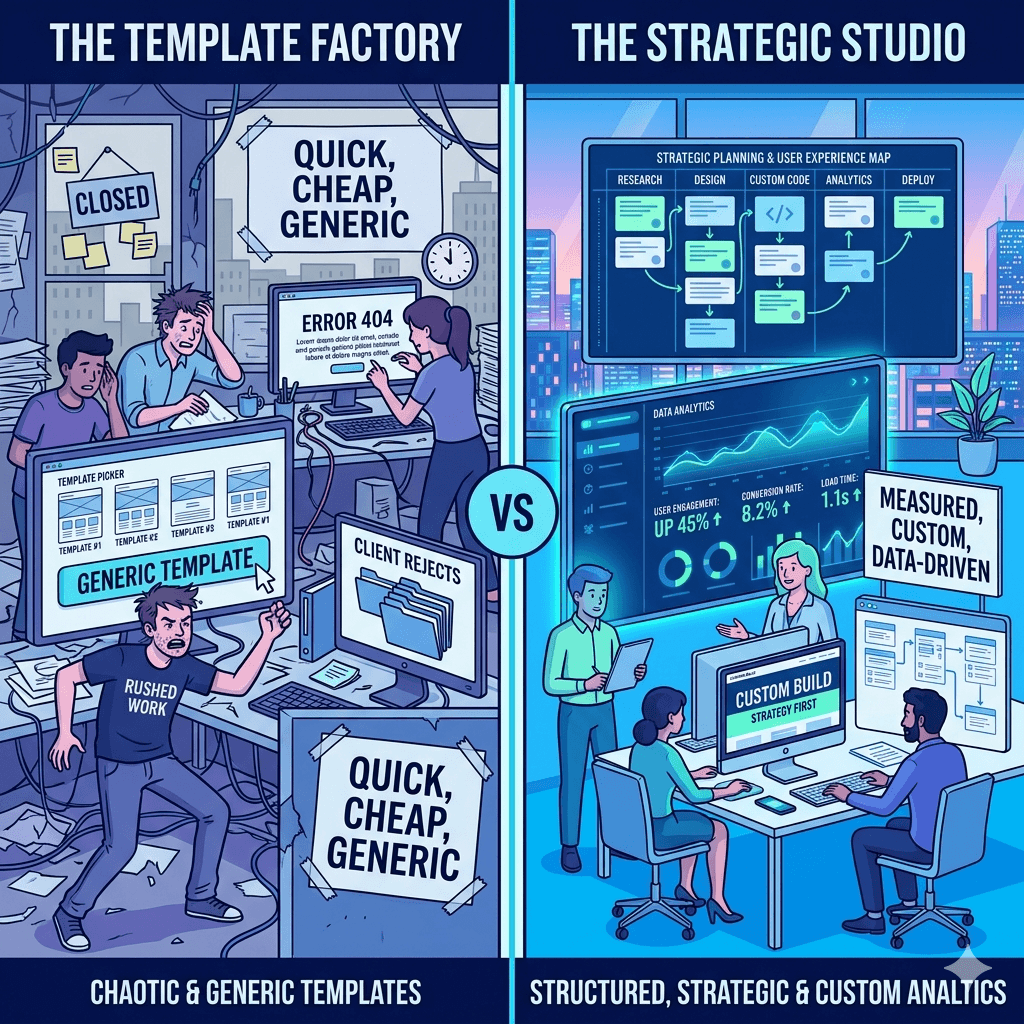
    A comparison split screen showing two web agencies one chaotic with generic templates

    Let us get specific. When you compare Kico Web Design to many other website design companies in Uganda, several key differences stand out clearly.

    Strategy-First vs Design-Only Approach

    A design-only agency hands you something that looks good. A strategy-first agency like Kico hands you something that works. The difference shows up in your website analytics, your enquiry volume, and your search engine rankings. Pretty without purpose is just decoration.

    Custom Solutions vs Template-Heavy Builds

    Many agencies in Uganda rely heavily on pre-built templates. These are fast to set up but come with serious limitations. They are rarely optimized for performance, they look generic, and they are hard to customize as your business grows. Kico builds custom website design Uganda businesses actually own and control. For a closer look at why this matters, explore the comparison of website platforms and how each stacks up against real business needs.

    Focus on Local Market Behavior vs Generic Global Designs

    A website designed for a European or American audience will not automatically work in Uganda. Customer expectations, internet speeds, device types, payment preferences, and communication habits are all different here. Kico builds websites with the Ugandan market in mind from day one. This local expertise is one of the things that makes Kico one of the best web design companies in Uganda for locally-focused businesses.

    Stronger Emphasis on Performance and SEO Readiness

    SEO web design Uganda businesses need goes beyond just adding keywords. Kico integrates SEO best practices into the website architecture itself. This includes proper heading structures, fast-loading code, mobile responsiveness, metadata optimization, and clean URL structures. All of this helps your website show up when potential customers are searching online.

    Ongoing Support and Optimization vs One-Time Delivery

    Many agencies disappear after they hand over your website. Kico offers ongoing support and optimization to ensure your site continues to perform well as your business evolves. This long-term relationship approach makes a real difference for small businesses that do not have in-house technical teams.

    4. Key Features Included in Kico Web Design Projects

    When you work with Kico Web Design Uganda, you are not just getting a website. You are getting a carefully assembled set of features designed to make your online presence strong from day one.

    Mobile Optimization and Responsive Layouts

    Every website Kico builds is fully responsive. That means it adjusts automatically to look great on smartphones, tablets, and desktop screens. Given that most Ugandan internet users are on mobile, this is non-negotiable for any professional website design Uganda business owners should expect.

    SEO-Friendly Structure and Metadata Setup

    Kico sets up your website with proper on-page SEO from the start. This includes optimized page titles, meta descriptions, alt text on images, proper heading hierarchy, and schema markup where applicable. Getting this right from the beginning saves businesses significant time and money later.

    Secure Hosting and Performance Optimization

    A slow or insecure website is a liability. Kico recommends and sets up reliable hosting solutions, installs SSL certificates for security, and optimizes images and code for speed. If you want to understand more about the technical side of this, there is a detailed guide on website speed that explains exactly what good performance looks like for Uganda’s unique internet conditions.

    Conversion-Focused Landing Pages

    Whether you need a product page, a service overview, or a lead capture page, Kico designs pages with conversion as the primary goal. Every section is intentional, every call to action is tested, and every form is optimized for completion.

    Integration with Social Media and WhatsApp Contact Tools

    Ugandan customers love WhatsApp. Kico integrates WhatsApp chat buttons, social media feeds, and sharing tools directly into your website. This makes it seamless for customers to reach you the way they prefer, which means more conversions and fewer missed opportunities.

    5. Benefits for Ugandan Businesses Working with a Strategy-Driven Agency

    Ugandan business owner celebrating increased online sales as a website dashboard shows rising traffic, leads, and conversions represented by upward glowing graphs and icons

    Choosing a strategy-first web development Uganda partner does not just give you a better website. It gives you a business advantage.

    Increased Customer Trust and Engagement

    When your website looks professional, loads fast, and answers customer questions clearly, people stay longer and trust you more. That trust is the first step toward a sale.

    Higher Conversion Rates from Website Traffic

    A conversion-focused website design turns more of your visitors into actual leads or customers. Even a small improvement in conversion rate can have a massive impact on your revenue over time.

    Better Visibility on Search Engines

    A well-built website that follows SEO best practices will rank higher on Google. More visibility means more organic traffic without spending money on ads. To build on this, a solid SEO strategy alongside good web design creates a powerful combination for long-term growth.

    Improved Brand Credibility in Competitive Markets

    In competitive industries like finance, hospitality, real estate, and professional services, a strong online presence signals that your business is serious. It sets you apart from competitors still relying on social media alone.

    Long-Term Scalability of Digital Presence

    A well-architected website grows with your business. Adding new pages, products, blog posts, or services is easy when the foundation is built correctly. This is the kind of long-term thinking that defines affordable web design Uganda businesses can actually rely on for years.

    6. Common Mistakes Ugandan Businesses Make with Websites

    A chaotic website dashboard showing slow loading symbols, broken layouts, and confusing navigation elements

    Understanding what not to do is just as important as knowing what to do. Here are some of the most common website mistakes we see from businesses across Uganda.

    Using Outdated or Poorly Optimized Templates

    Free or cheap templates might seem like a good deal upfront, but they often come loaded with bloated code, poor security, and zero customization. They look generic and rarely convert well. Custom website design Uganda businesses invest in pays for itself quickly in better results.

    Ignoring Mobile Users

    A website that only looks good on a desktop is leaving money on the table. With smartphone usage dominating internet access in Uganda, mobile-friendly website design Uganda businesses need is an absolute must.

    Lack of Clear Calls-to-Action

    Many websites are built with no clear direction for the visitor. What should they do next? If your website does not tell people to call, book, buy, or enquire, most of them will simply leave without doing anything.

    Slow Hosting and Poor Performance

    Budget hosting might save money upfront, but a slow-loading website frustrates users and hurts your Google rankings. Fast loading website Uganda standards require solid hosting infrastructure and proper technical optimization.

    Not Optimizing for Local Search Intent

    Many businesses build websites without thinking about how local customers actually search. Phrases like “web design services Kampala” or “best restaurant in Nakasero” reflect how people search in Uganda. Ignoring local SEO means missing highly relevant, ready-to-buy traffic.

    7. How to Choose the Right Web Design Partner in Uganda

    Not all web design agencies in Uganda are created equal. Here is what to look for when making your decision.

    Evaluating Portfolio and Past Work Quality

    Always ask to see examples of websites the agency has built. Look for clean design, fast loading, mobile responsiveness, and clear calls to action. If their own website is slow or looks dated, that tells you something.

    Checking SEO and Performance Understanding

    A good website design company in Uganda should be able to talk about SEO, page speed, and mobile performance without needing to look anything up. If they only talk about colors and layouts, be cautious.

    Assessing Communication and Support Services

    Will they be available after the website launches? Do they offer ongoing maintenance? Clear, responsive communication before the project starts is a good indicator of how things will go after.

    Understanding Pricing vs Value Offered

    The cheapest option is rarely the best one. Focus on value, not just price. A slightly higher investment in a strategy-driven agency can deliver returns that far outweigh the cost difference.

    Looking for Local Market Experience

    An agency that understands Ugandan consumers, local internet infrastructure, and regional business culture will always do better work than one using a generic global playbook. For a comprehensive guide on making this decision, read this detailed piece on choosing agency that walks you through the full evaluation process.

    8. Future of Website Design for Ugandan Businesses

    A futuristic cityscape of Kampala with glowing digital websites floating above buildings, representing the rise of online business ecosystems and digital transformation

    The digital landscape in Uganda is evolving fast, and website design is changing with it. Here is what to expect in the coming years.

    Rise of AI-Assisted Web Development

    Artificial intelligence tools are making it easier and faster to build certain parts of websites. However, strategy, creativity, and local market understanding remain deeply human skills. Agencies that combine AI efficiency with human expertise will have a clear edge.

    Increased Focus on Mobile-First and Speed Optimization

    As mobile internet usage continues to grow in Uganda, mobile-first design will shift from being a best practice to an absolute baseline. Responsive website design Uganda businesses invest in now will be even more critical tomorrow.

    Growth of E-Commerce and Online Service Platforms

    More Ugandan businesses are moving sales and services online. Ecommerce website development Uganda is growing quickly across retail, food delivery, hospitality, and professional services. Businesses that build strong e-commerce foundations now will have a major head start.

    Stronger Competition Requiring Better UX and Branding

    As more businesses get online, standing out will require more than just having a website. Superior user experience, strong branding, and genuine value for visitors will separate the winners from the crowd. This is exactly why the strategy-first approach that defines Kico Web Design is only going to become more valuable over time.

    9. Frequently Asked Questions

    What makes a good business website in Uganda?

    A good business website in Uganda is fast, mobile-friendly, easy to navigate, and clear about what your business offers and how to contact you. It should also be optimized for search engines so customers can find you on Google.

    How long does it take to build a professional website?

    A basic professional website typically takes two to four weeks. More complex websites with multiple pages, e-commerce functionality, or custom features can take six to ten weeks depending on the scope and how quickly content is provided.

    Why is mobile optimization important for Ugandan users?

    The majority of internet users in Uganda access websites through smartphones. If your website does not work well on mobile devices, you will lose most of your potential customers before they even read what you offer.

    Do small businesses really need SEO for their website?

    Yes. SEO helps your website show up when people search for the products or services you offer. Without it, your website relies entirely on word-of-mouth and social media to bring in visitors. With SEO, you get a steady stream of free, targeted traffic from people already looking for what you sell.

    How much does professional website design cost in Uganda?

    Costs vary depending on the complexity of the project. A basic professional website for a small business in Uganda typically ranges from a few hundred thousand to a few million Ugandan shillings. The key is to focus on the value delivered, not just the upfront price.

    What is the difference between custom and template websites?

    Template websites use pre-built designs that are quick to set up but limited in flexibility and originality. Custom websites are built specifically for your business, your audience, and your goals. They perform better, look more professional, and give you full ownership of your digital presence.

    How can a website help increase customer trust?

    A professional website with clear contact information, customer testimonials, a secure connection (https), and high-quality images sends a strong signal that your business is legitimate and serious. It removes doubt and makes people more comfortable reaching out.

    Can I update my website after it is built?

    Yes. Most professional websites are built on content management systems that allow you to update text, images, and pages without technical knowledge. Your agency should also provide training and ongoing support if needed.

    What platforms are best for business websites?

    WordPress is the most widely used platform for professional business websites in Uganda because of its flexibility, SEO capabilities, and large support community. Other options like Shopify are great for e-commerce. The best choice depends on your business type and goals.

    How do I know if my website is performing well?

    You can measure website performance using tools like Google Analytics and Google Search Console. Key indicators include the number of monthly visitors, how long people stay on your site, how many enquiries or sales you generate, and where your pages rank on Google.

    Final Thoughts

    The difference between a website that looks good and one that actually works for your business comes down to strategy, local knowledge, and technical execution. Kico Web Design Uganda brings all three together in every project.

    Whether you are starting from scratch, looking for a website redesign services Uganda agency you can trust, or simply trying to make your existing website perform better, working with a team that understands your market and your goals makes all the difference.

    Your website is often the first impression your business makes. Make it count.

  • Wix vs WordPress vs Custom Design: Which is Right for Uganda? 

    Wix vs WordPress vs Custom Design: Which is Right for Uganda? 

    1. Introduction

    Building a website for your business today feels both exciting and overwhelming. There are so many options out there that choosing the right one can feel like picking a phone from a hundred models on a shelf. Do you go with something quick and easy, something powerful and flexible, or something built just for you?

    In Uganda, more businesses are going online every day. Whether you run a salon in Kampala, a logistics company in Mbarara, or a startup with big dreams, your website is often the first place customers find you. So the platform you choose matters more than most people think.

    The three most common options you will hear about are Wix, WordPress, and custom website design. Each one has its strengths, its weaknesses, and the right audience. This guide breaks down what each option is, what it costs, and which one makes the most sense for your situation right here in Uganda.

    2. What Is Wix?

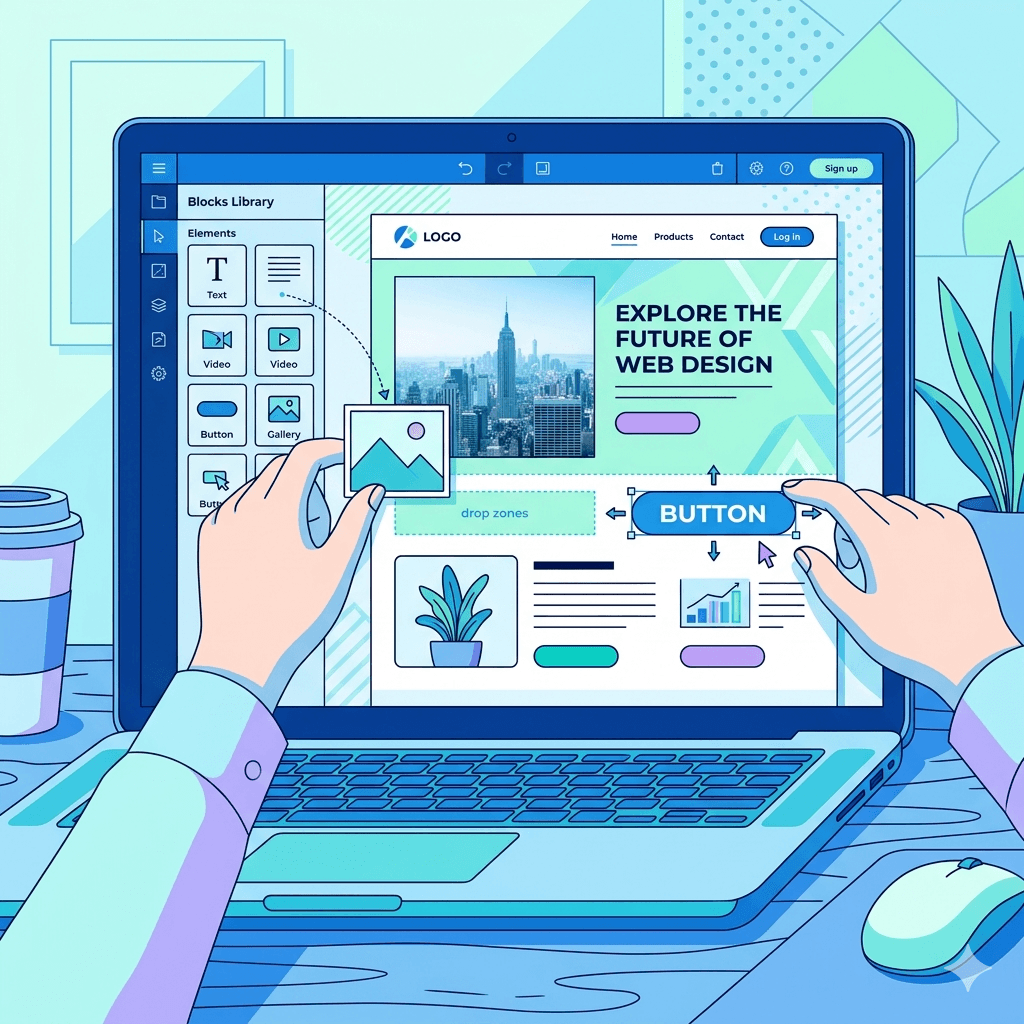
    A drag-and-drop website builder interface displayed on a laptop screen

    Wix is a cloud-based website builder that lets you create a website without writing a single line of code. Think of it like building with LEGO blocks. You pick a template, drag elements where you want them, and your site is live within hours.

    Wix was launched in 2006 and has grown to serve over 230 million users globally. It handles everything for you, including hosting, security updates, and technical maintenance. All you need to do is sign up, choose a plan, and start designing.

    For small businesses, bloggers, and entrepreneurs who want a professional online presence without hiring a developer, Wix is a popular starting point. It offers hundreds of templates, built-in apps for bookings, eCommerce, and contact forms, and a beginner-friendly interface that most people can figure out in a single afternoon.

    In short, Wix is the drag-and-drop website builder that trades deep flexibility for ease of use.

    3. What Is WordPress?

    WordPress is the world’s most popular content management system, or CMS. It powers over 43% of all websites on the internet, from personal blogs to major news outlets. Unlike Wix, WordPress is not a hosted platform. You download the software, install it on your own web hosting server, and build from there.

    WordPress comes in two versions. WordPress.com is a hosted version similar to Wix. WordPress.org is the self-hosted, open-source version that gives you full control over your website. Most developers and serious website owners use WordPress.org.

    The power of WordPress lies in its flexibility. With thousands of free and premium themes, plus over 59,000 plugins, you can build almost anything, from a simple blog to a complex online store.

    That flexibility comes with a learning curve, though. WordPress requires a bit more technical know-how than Wix, but it rewards that effort with scalability and control that Wix simply cannot match.

    4. What Is Custom Website Design?

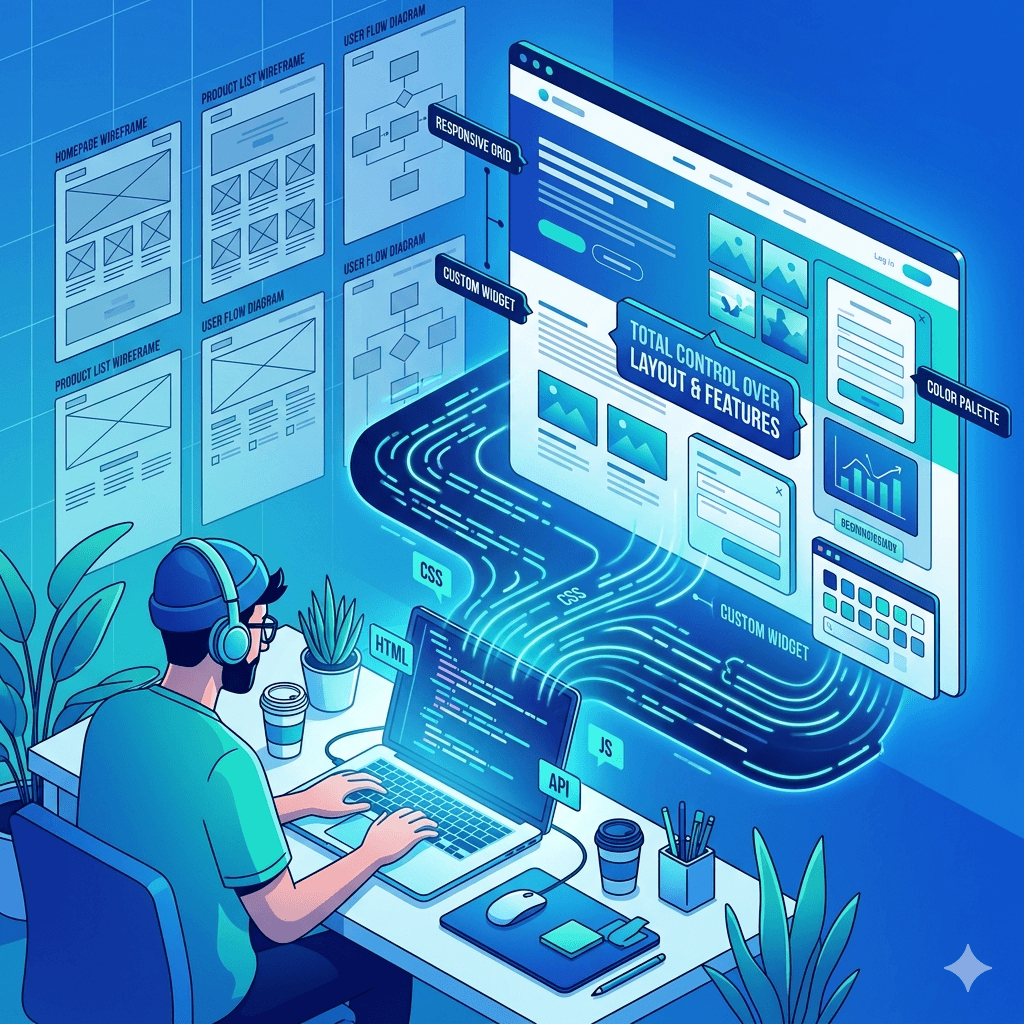
    A developer working on a laptop with code flowing into a fully designed website interface

    Custom website design means hiring a professional web designer or development team to build a website specifically for your business from scratch. There are no templates or pre-built frameworks to limit what you can create. Every element, from the layout to the color scheme to the database structure, is designed to meet your exact needs.

    Custom websites are often built using technologies like HTML, CSS, JavaScript, PHP, or frameworks like React or Laravel. The process usually involves a discovery phase, wireframing, design mockups, development, testing, and finally launch.

    This approach gives you complete control over how your website looks, performs, and grows. It also means you are not locked into any platform’s rules or pricing structure.

    Custom design is typically the most expensive option upfront, but for businesses with specific needs, complex workflows, or ambitious growth plans, it can be the most cost-effective long-term investment. Many web design services in Uganda offer this kind of tailored development at competitive rates.

    5. Key Differences Between Wix, WordPress, and Custom Design

    At a glance, these three platforms might seem to do the same thing, but they are actually quite different animals.

    Wix is a closed, all-in-one platform. Everything, including hosting, design tools, and updates, lives inside Wix’s ecosystem. You do not own the platform; you rent space on it. That is convenient, but it limits how far you can take your site.

    WordPress is open-source and self-hosted. You own your data and your website. You can move it to any host, customize it endlessly, and scale it however you need. But that freedom means you are also responsible for security, updates, and maintenance.

    Custom design sits in its own category entirely. You are not using anyone else’s platform. You own 100% of everything, and the site is built exactly to your specifications. The trade-off is time and cost.

    Here is a simple comparison:

    • Ease of Use: Wix wins for beginners, WordPress is moderate, custom design requires professionals

    • Cost: Wix has low entry cost, WordPress is moderate, custom design has higher upfront cost

    • Flexibility: Custom design wins, followed by WordPress, then Wix

    • Ownership: WordPress and custom design give full ownership; Wix does not

    • Scalability: Custom design and WordPress scale better than Wix

    6. Pros and Cons of Wix

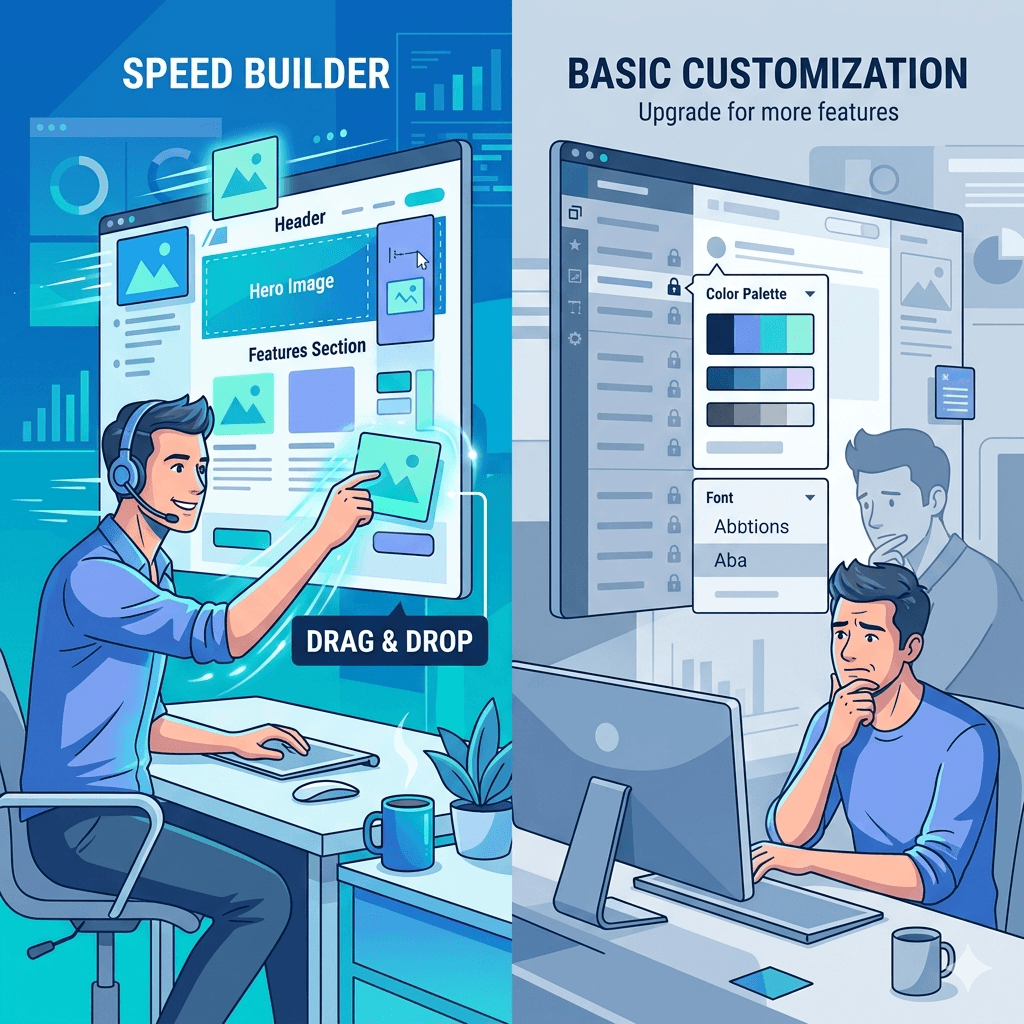
    A user quickly building a website on one side while another panel shows limited customization options

    6.1 Advantages of Wix

    The biggest advantage of Wix is how fast you can go from zero to a live website. You do not need any technical skills. The drag-and-drop editor is intuitive, and hundreds of professionally designed templates mean your site can look great without any design experience.

    Wix also handles all the behind-the-scenes work. Hosting, SSL certificates, automatic updates, and security patches all happen without you lifting a finger. For someone running a business and juggling ten other tasks, that is a huge relief.

    Other advantages include:

    • Built-in tools for bookings, eCommerce, blogging, and contact forms

    • A large library of apps through the Wix App Market

    • 24/7 customer support

    • No coding required at any stage

    • Free plan available for testing before committing

    6.2 Limitations of Wix

    The trade-off for all that convenience is limited control. Once you pick a template on Wix, you cannot switch to a different one without rebuilding your site. That is a frustrating constraint as your brand evolves.

    Wix also struggles with advanced SEO compared to WordPress. While it covers the basics, serious search engine optimization requires more control than Wix allows. Page speed can also be an issue, especially in Uganda where internet bandwidth is often limited.

    Additionally:

    • Your site is locked into Wix’s platform. You cannot migrate it elsewhere easily

    • The free plan includes Wix-branded ads on your site

    • Wix pricing can add up when you add premium apps

    • Not ideal for large, complex websites

    7. Pros and Cons of WordPress

    7.1 Advantages of WordPress

    WordPress gives you power and flexibility that Wix simply cannot match. Because it is open-source, there is a massive global community of developers building themes, plugins, and tutorials for it. Whatever feature you need, there is almost certainly a plugin that does it.

    From an SEO perspective, WordPress is superior. Plugins like Yoast SEO and Rank Math give you detailed control over how your site appears in search results, which is critical if you want customers in Uganda to find you on Google.

    Other advantages include:

    • Full ownership of your website and data

    • Thousands of free and premium themes to choose from

    • Highly scalable, from a simple blog to a large eCommerce store

    • Better long-term SEO capabilities

    • Large developer community for support and customization

    7.2 Limitations of WordPress

    WordPress requires more technical involvement. You need to manage your own hosting, handle software updates, and keep plugins up to date. Security is also your responsibility, which is why practices like regular WordPress backup are essential. Neglecting these things can leave your site vulnerable to hacks or crashes.

    Other limitations include:

    • Steeper learning curve for complete beginners

    • Costs can add up when purchasing premium themes, plugins, and hosting

    • Plugin conflicts can sometimes break your site

    • Ongoing maintenance is your responsibility

    8. Pros and Cons of Custom Website Design

    A premium, fully customized website interface being crafted from scratch

    8.1 Advantages of Custom Design

    A custom-built website is like having a suit tailored specifically for your body. It fits perfectly because it was made for you. Nothing is borrowed, templated, or compromised.

    Custom websites load faster because the code is lean and purpose-built. There is no bloated theme code or unused plugin features slowing things down. For businesses in Uganda where internet speed matters, this performance advantage is significant.

    Other advantages include:

    • Complete creative and functional control

    • Unique design that stands out from template-based competitors

    • Built to your exact business processes and workflows

    • Better performance and faster loading speeds

    • No platform dependency or lock-in

    • Scales precisely as your business grows

    8.2 Limitations of Custom Design

    The most obvious limitation is cost. A custom website requires hiring designers and developers, which means a higher upfront investment compared to Wix or WordPress. It also takes more time, often weeks or months, before your site is live.

    Other limitations include:

    • You depend on the development team for major changes

    • Ongoing costs for maintenance, updates, and support

    • Not practical for businesses that need a site up within days

    • Requires a clear brief and good communication with your team

    9. Cost Comparison in Uganda

    9.1 Initial Setup Costs

    Understanding the true website cost in Uganda means looking beyond the advertised price.

    Wix: A free plan exists but is very limited. Paid plans start at around $17 per month (roughly UGX 63,000). Business plans with full eCommerce features start at $36 per month or more.

    WordPress: The software itself is free, but you need to pay for hosting. Good hosting in Uganda typically costs between UGX 50,000 and UGX 200,000 per month. A premium theme might add another UGX 150,000 to UGX 500,000. Add a domain, and your initial setup might run between UGX 300,000 and UGX 1,500,000.

    Custom Design: This varies widely based on complexity. Simple brochure websites built by Kampala web designers might cost between UGX 1,500,000 and UGX 5,000,000. Complex eCommerce or business systems can reach UGX 10,000,000 to UGX 30,000,000 or more.

    9.2 Ongoing Maintenance Costs

    Wix ongoing costs are predictable. You pay your monthly subscription and that is mostly it. Hosting, security, and updates are included.

    WordPress ongoing costs include hosting renewals, domain renewals, plugin license renewals, and the time or money to keep things updated and secure.

    Custom website ongoing costs typically include hosting, domain renewal, and retainer or ad-hoc fees for any updates or fixes your developer handles.

    9.3 Hidden Costs to Consider

    With Wix, hidden costs often come from premium apps in the Wix App Market. Each app adds to your monthly bill. With WordPress, costs can creep up through premium plugin renewals, security tools, and backup services. With custom websites, rushing the project or poor planning often leads to extra development hours and increased costs.

    The honest truth is that no platform is truly cheap if you want it done right. Budget for quality, not just the lowest price.

    10. Ease of Use and Learning Curve

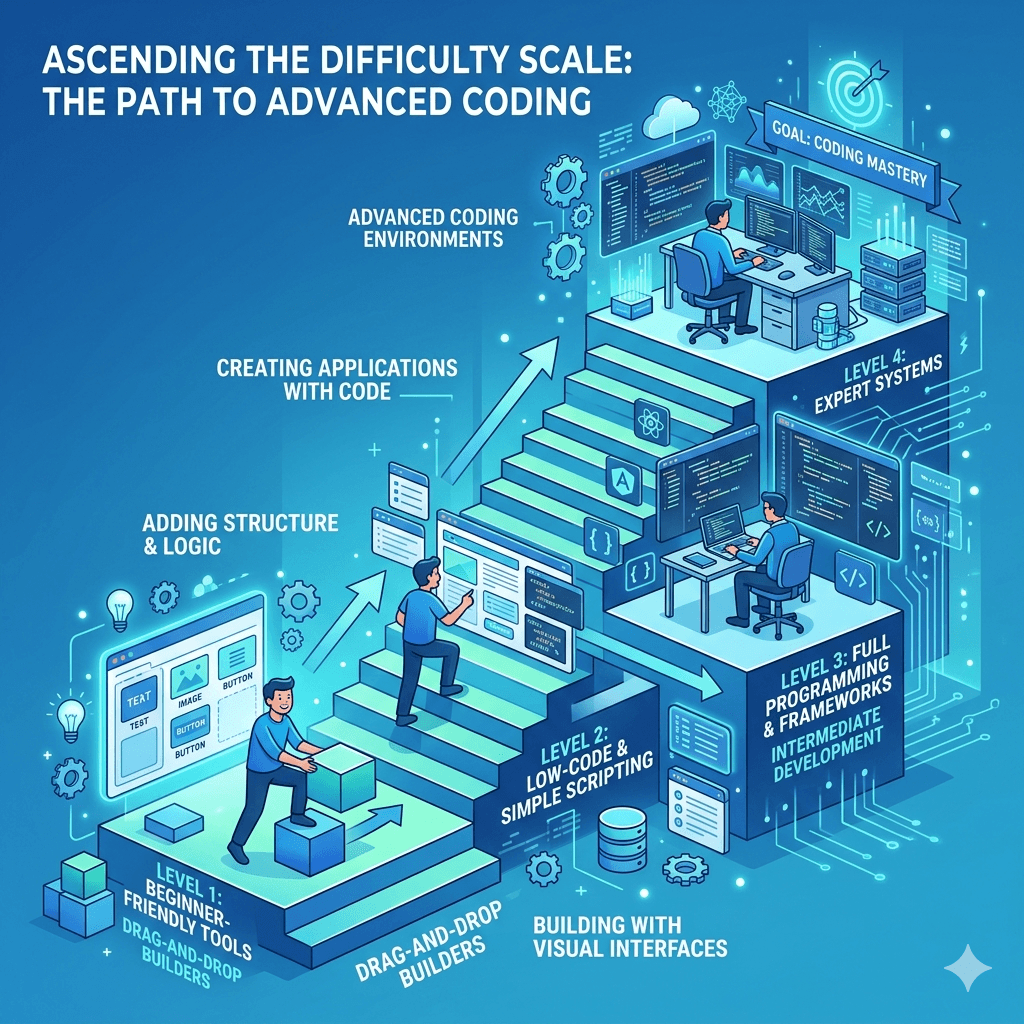
    A staircase illustration showing increasing difficulty levels from beginner-friendly tools to advanced coding environments

    10.1 Beginner Friendliness

    Wix is the clear winner for absolute beginners. You can have a functional website live in a few hours with no prior experience. The interface is visual and intuitive. If you can drag a file into a folder on your computer, you can use Wix.

    WordPress has a moderate learning curve. Setting up hosting, installing WordPress, choosing a theme, and installing plugins takes more effort. But once you get past that initial setup, it becomes much easier to manage. Thousands of video tutorials and guides make the learning process accessible even without technical training.

    Custom design requires no hands-on effort from you during the build process, since professionals handle everything. However, you need strong communication skills to convey your vision clearly to the team.

    10.2 Technical Skills Required

    Wix requires zero technical skills to get started. WordPress requires basic technical understanding but no coding. Custom design is handled entirely by developers, so technical skills are not required from the business owner, only clear communication and decision-making.

    11. Design Flexibility and Customization

    Design flexibility is where the three options truly separate themselves.

    Wix offers hundreds of templates, and you can customize them using the visual editor. However, there are limits to what you can change. The underlying code is not accessible, which means a developer cannot come in and make deep structural changes. What you see in the editor is what you get.

    WordPress offers significantly more design flexibility. You can install any theme, modify it with CSS, use page builder tools like Elementor or Beaver Builder, and add virtually any functionality through plugins. With a developer’s help, you can make WordPress look and work almost exactly as you imagine.

    Custom design offers unlimited flexibility. Every pixel is intentional. There are no template constraints, no platform limitations, and no workarounds needed. If you can design it, a skilled development team can build it. For businesses in Uganda with strong brand identities or unique workflow requirements, this level of control is invaluable.

    12. SEO and Performance Comparison

    12.1 Built-in SEO Features

    All three platforms support basic SEO practices, but they do so at different levels of depth.

    Wix has improved its SEO tools significantly over the years. You can edit meta titles, descriptions, alt text, and URLs. However, it still lacks some of the advanced control that WordPress provides.

    WordPress, especially with plugins like Yoast SEO or Rank Math, gives you granular control over every SEO element. Schema markup, canonical tags, XML sitemaps, and breadcrumb navigation are all manageable through free tools. This is why most serious businesses and bloggers choose WordPress when search engine visibility is a priority.

    Custom websites can be built with SEO best practices baked in from the very first line of code, which often gives them an edge in performance and structure.

    12.2 Speed and Performance

    Page speed affects both user experience and search rankings. Slow websites lose visitors. In Uganda, where bandwidth can be inconsistent, website speed is not just a technical concern. It is a business concern.

    Wix websites can be slow due to the platform’s code structure. Custom design and well-optimized WordPress sites generally perform better, especially when hosted on quality servers with content delivery networks.

    12.3 Mobile Optimization

    All three platforms support responsive web design and mobile-friendly websites. Wix automatically adjusts your layout for mobile, though the result is sometimes imperfect and requires manual tweaking. WordPress themes designed with responsive web design in mind perform well on all screen sizes. Custom websites can be built mobile-first, ensuring flawless performance across devices, which is especially important in Uganda where most users access websites on smartphones.

    13. Best Option for Different Types of Users

    Different user personas (business owner, blogger, startup founder

    13.1 Small Business Owners

    If you own a small business in Uganda and need a clean, professional website without the complexity, Wix or WordPress on a managed hosting plan is a solid starting point. Wix works well for service businesses like salons, restaurants, and retail shops that need simple pages and a booking or contact feature. WordPress suits those who plan to grow and need better SEO capabilities from day one.

    13.2 Startups and Entrepreneurs

    Startups often need speed and flexibility simultaneously. WordPress is a strong choice here because it can grow with your business. If your startup plans to build an online store, comparing the right eCommerce platform options early saves you from costly migrations later. Custom design becomes worth considering when your startup has a product or service that requires a truly unique digital experience to compete.

    13.3 Bloggers and Content Creators

    WordPress was built for content publishing and it remains the best platform for bloggers and content creators. The editorial tools, content scheduling, category and tag systems, and SEO plugins make it ideal for anyone who publishes regularly. Wix can handle simple blogging, but for serious content strategies, WordPress wins every time.

    13.4 Established Businesses

    Established businesses with serious revenue, complex workflows, and long-term digital strategies are usually best served by either a custom website or a heavily customized WordPress build. At this level, investing in quality web design services in Uganda pays dividends in brand perception, performance, and conversion rates. The extra cost is justified by the results.

    14. How to Choose the Right Platform for Your Needs

    14.1 Define Your Goals

    Start by asking yourself what the website needs to do. Is it a digital business card? An online store? A content hub? A booking platform? Different goals point to different platforms. A brochure site is fine on Wix. A content-heavy blog is better on WordPress. A complex store or application benefits from custom development.

    14.2 Set Your Budget

    Be honest about what you can afford both upfront and on an ongoing basis. Wix has the lowest barrier to entry but recurring monthly fees. WordPress has moderate setup costs with ongoing hosting and maintenance. Custom design has higher upfront investment but can be the most cost-efficient over a five-year horizon for growing businesses.

    14.3 Consider Your Technical Skills

    If you have no technical background and no plans to hire a developer, Wix is the safest bet. If you are willing to learn or have a tech-savvy team member, WordPress offers far more reward for the effort. If you want to focus entirely on running your business and let experts handle the website, partnering with a reliable web design company in Uganda for a custom build makes the most sense.

    14.4 Think Long-Term

    Whatever platform you choose today, think about where your business will be in three to five years. Switching platforms later is possible but painful. Choose something that grows with you rather than something you outgrow quickly. If you need help evaluating your options, working with an experienced web design company in Uganda can save you time, money, and frustration in the long run.

    15. Common Mistakes to Avoid

    15.1 Choosing Based Only on Price

    The cheapest option today can become the most expensive option tomorrow. Choosing Wix because the free plan is available, then realizing you need features that require upgrades and add-ons, often costs more than a well-planned WordPress site from the start. Always calculate total cost of ownership, not just the entry price.

    15.2 Ignoring Scalability

    Your website needs to grow with your business. A platform that works perfectly for 100 visitors a month may buckle under 10,000. Choose a scalable website solution from the beginning, especially if you have growth ambitions. Rebuilding your site from scratch in two years is a costly and disruptive mistake many Uganda businesses make.

    15.3 Overlooking SEO and Performance

    Many business owners focus entirely on how the website looks and forget about how it performs. A beautiful site that loads slowly or ranks nowhere on Google will not generate leads. Before you launch, make sure your chosen platform supports solid SEO-friendly website design, fast load times, and mobile-friendly websites. These are not optional extras. They are baseline requirements for any website that wants to compete online in Uganda today.

    16. Final Verdict: Which Is Right for Uganda?

    There is no single answer that works for everyone, but there are clear patterns.

    Choose Wix if you are just starting out, have a tight budget, need a simple website quickly, and do not plan to do heavy SEO or complex functionality.

    Choose WordPress if you are serious about growing online, need strong SEO capabilities, want to scale your website over time, and are willing to invest a bit more effort or money into setup and maintenance.

    Choose custom website design if you have a clear business need that templates cannot meet, want a website that truly represents your brand, have a bigger budget, or are running an established business that requires a competitive digital edge.

    For most small business owners and entrepreneurs in Uganda, WordPress is the sweet spot. It offers the best balance of flexibility, cost, SEO, and long-term scalability. But whatever you choose, building your website with intention and a clear strategy will always beat picking randomly and hoping for the best.

    17. Frequently Asked Questions

    17.1 Is Wix good for small businesses in Uganda?

    Yes, Wix is a solid option for small businesses in Uganda that need a simple, attractive website without technical complexity. It works well for service businesses, local shops, and solo entrepreneurs. However, if SEO and long-term growth are priorities, WordPress may serve you better.

    17.2 Is WordPress better than Wix for SEO?

    Yes. WordPress gives you significantly more control over SEO elements, especially when combined with plugins like Yoast or Rank Math. For businesses that rely on organic search traffic in Uganda, WordPress is the stronger choice.

    17.3 How much does it cost to build a website in Uganda?

    Costs vary widely. A basic Wix website might cost UGX 50,000 to UGX 200,000 per month depending on your plan. A WordPress website setup can range from UGX 300,000 to UGX 1,500,000 initially, with ongoing hosting fees. Custom websites start from UGX 1,500,000 and can go much higher depending on complexity.

    17.4 Do I need coding skills for WordPress or Wix?

    No. Wix requires zero coding. WordPress requires no coding for basic setups, especially when using page builders like Elementor. Coding becomes helpful when you need advanced customizations, but most everyday tasks can be done without writing a single line of code.

    17.5 When should I choose custom website design?

    Choose custom design when your business has unique requirements that templates cannot meet, when brand differentiation is critical, when you need specific integrations with business systems, or when you are an established business investing in a serious digital presence.

    17.6 Which platform is best for eCommerce in Uganda?

    WordPress with WooCommerce is the most popular and powerful eCommerce solution for Uganda businesses at most price points. Wix also supports online stores but with more limitations. Custom eCommerce solutions make sense for high-volume or complex online businesses.

    17.7 Can I switch platforms later?

    Yes, but it is not easy. Moving from Wix to WordPress, for example, requires rebuilding your site almost entirely since Wix does not allow direct data export. Moving between WordPress and custom design is more manageable. The safest approach is to choose the right platform from the start.

    17.8 Which option is fastest to launch?

    Wix is the fastest option. You can have a basic website live within a single day. WordPress typically takes a few days to a couple of weeks, depending on the setup. Custom website design takes the longest, usually several weeks to a few months, depending on the project scope.

  • Common Mistakes to Avoid in Professional Web Development Projects in Uganda

    Common Mistakes to Avoid in Professional Web Development Projects in Uganda

    Building a website for your business should be exciting, not frustrating. Yet many Ugandan entrepreneurs find themselves stuck with websites that don’t deliver results slow pages, confusing layouts, or designs that look great but don’t bring in customers. The truth is, most of these problems come from avoidable mistakes made during development. Whether you’re launching your first business website or planning a redesign, knowing what can go wrong helps you get it right. In this guide, we’ll walk through the most common web development mistakes happening in Uganda right now and show you practical ways to avoid them, so your website becomes the business asset it should be.

    What Professional Web Development Means in a Ugandan Business Context

    Professional web development isn’t just about having a pretty website. In Uganda’s competitive business environment, it means creating a digital presence that actually works for your customers and drives your business forward. A professional website loads quickly even on slower internet connections, works smoothly on mobile phones (where most of your customers will find you), and guides visitors to take action whether that’s calling you, making a purchase, or requesting a quote.

    Unfortunately, many local businesses confuse professional development with expensive templates or flashy animations. Real professional web development focuses on solving business problems: helping customers find you online, building trust through clear messaging, and making it easy for people to do business with you. It means choosing the right technology for your needs, not just what’s trendy, and planning for growth as your business expands. When you understand this difference, you’re already ahead of most businesses making their first website.

    Why Many Web Projects Fail or Underperform Locally

    Walk through any business district in Kampala, Entebbe, or Jinja, and you’ll find countless companies with websites that barely get visited. These web development errors often start before a single line of code is written. Many Ugandan business owners rush into website projects without clear goals, or they hand everything to a developer without staying involved in the process.

    Another major reason for failure is the disconnect between international web development trends and local realities. A website built following Western best practices might look impressive but fail completely if it doesn’t account for Uganda’s mobile-first internet users or slower connection speeds in some areas. Add to this the tendency to see websites as one-time projects rather than ongoing business tools, and you have a recipe for underperformance.

    Cost pressures also play a role. When businesses focus only on getting the cheapest option, they often end up with rushed work, copied content, or poor technical foundations. Then there’s the communication gap business owners who don’t fully explain their needs, and developers who don’t ask the right questions. The result? Websites that technically work but don’t serve the business or its customers well. Understanding these root causes helps you avoid falling into the same traps.

    Common Planning Mistakes Before Development Starts

    A Ugandan entrepreneur surrounded by scattered sticky notes and spreadsheets

    The biggest website mistakes to avoid happen before your developer writes a single line of code. Getting the planning stage wrong sets your entire project on a shaky foundation, and fixing these issues later costs more time and money than doing it right from the start.

    Skipping Clear Business Goals

    Many Ugandan business owners start web projects with vague aims like “I need an online presence” or “Everyone has a website, so I should too.” But without specific goals, how do you know if your website succeeds? Your goals might include generating 20 qualified leads per month, reducing customer support calls by enabling online bookings, or increasing product awareness in a specific region. When you define these objectives clearly, every design and development decision can be measured against them. Without goals, you’ll approve features that look nice but don’t serve your business, and you won’t know what to prioritize in your budget.

    Not Defining the Target Customer

    Your website should speak directly to the people who’ll use it, but too many businesses build websites that try to appeal to everyone and end up connecting with no one. Are you targeting corporate clients in Kampala who browse during office hours, or retail customers across Uganda who primarily use smartphones in the evening? Understanding your customer’s habits, challenges, and preferences shapes everything from your site’s language to its layout. When you skip this step, you might build a desktop-heavy site for an audience that’s 90% mobile, or use technical language when your customers need simple explanations.

    Ignoring Budget and Timeline Realities

    Unrealistic expectations about cost and time create frustration for everyone involved. Some business owners expect a fully custom, feature-rich website for a budget that barely covers a basic template setup. Others assume their site can launch in two weeks when proper development, content creation, and testing need at least two months. These web development pitfalls lead to rushed work, cut corners, or projects that stall halfway through when the money runs out. Being honest about your budget from the start and discussing what’s achievable within it prevents these problems. Hiring a developer with a clear understanding of local market rates helps set proper expectations.

    Failing to Plan for Content Early

    Your website needs words, images, and information, but many businesses treat content as an afterthought. They approve the design, build the site structure, and only then realize they need to write pages of compelling copy, take professional photos, and organize their service descriptions. This delay pushes back launches and often results in rushed, low-quality content just to fill space. Start gathering your content early: write about your products or services, collect customer testimonials, and take quality photos. If you’re not confident writing yourself, budget for a content writer from the beginning. Good content isn’t just filling in blanks it’s how you convince visitors to become customers.

    Design and User Experience Mistakes to Avoid

    Your website’s design determines whether visitors stay to learn about your business or click away within seconds. In Uganda, where many potential customers browse on mobile data or slower connections, these design choices matter even more. Let’s explore the most damaging design and user experience mistakes local businesses make.

    Designing for Appearance Instead of Usability

    We’ve all seen those websites that look like digital art galleries beautiful graphics, elaborate animations, and impressive visual effects. But when you actually try to find a phone number or understand what the business does, you’re lost. This common web design mistake happens when businesses prioritize looking modern over being useful. Your website should certainly look professional and reflect your brand, but every design choice should serve your customer’s needs first. Can visitors find your contact information in under five seconds? Does your homepage clearly explain what you do and for whom? These practical questions matter more than having the trendiest color scheme. Remember, impressive design that confuses people is just expensive decoration.

    Poor Mobile Responsiveness

    Over 80% of internet users in Uganda access websites through their phones, yet countless business websites still look broken or unusable on mobile screens. Text becomes microscopic, buttons overlap, images get cut off, and navigation menus disappear. These mobile responsiveness mistakes in web design cost you customers directly people simply leave and find a competitor with a mobile-friendly site. Your website must adapt seamlessly to any screen size, with text that’s readable without zooming, buttons large enough to tap easily, and content that reorganizes itself logically on smaller screens. Testing your site on actual mobile phones, not just desktop browsers in “mobile view,” reveals the real user experience. Currentweb design trends emphasize mobile-first thinking, and for good reason.

    Slow Page Load Speeds

    Nothing frustrates Ugandan internet users more than websites that take forever to load, especially when they’re using mobile data. Slow website loading problems typically come from oversized images, too many scripts running in the background, or poorly optimized code. Every second your page takes to load, you lose potential customers. Research shows that if your site takes more than three seconds to appear, over half of mobile visitors will give up and leave. Optimizing images before uploading them, choosing efficient code practices, and selecting proper hosting all contribute to faster speeds. Don’t assume everyone has the same internet connection you do test your site’s speed on a typical mobile connection to see what your customers actually experience.

    Confusing Navigation and Layout

    Your website’s navigation should be so intuitive that visitors never have to think about where to find something. Yet many sites feature unclear menu labels, hidden navigation items, or illogical page organization. When someone lands on your homepage, can they immediately understand how to explore your products, read about your company, or get in touch? Poor website navigation issues often stem from organizing information the way you think about your business rather than how customers think about their needs. You might have a menu item labeled “Solutions” that makes perfect sense internally, but “Our Services” would be clearer to visitors. Keep your navigation simple, use familiar labels, and place important actions (like “Contact Us” or “Buy Now”) where people expect them. Additional website design tips can help you create layouts that work for Uganda’s market.

    Technical Development Mistakes That Hurt Performance

    A Ugandan business office with a server rack showing security warnings,

    Behind every website’s visible design lies the technical infrastructure that determines how well it actually works. These technical web development errors might not be obvious at first, but they’ll come back to haunt you through security breaches, constant crashes, or mounting maintenance costs.

    Using the Wrong Platform or Technology

    Not every business needs a custom-coded website from scratch, and not every business should use the same template platform everyone else uses. The mistake happens when there’s a mismatch between your business needs and the technology chosen to meet them. For instance, building a simple informational website on complex enterprise software wastes money and creates unnecessary complications. Conversely, trying to run a sophisticated online shop on a basic blogging platform leads to endless frustration. WordPress works well for many Ugandan businesses, but it’s not always the right choice especially if you need specific functionality or plan to scale significantly. Discuss with your developer what you actually need now and might need in two years, then choose technology that fits both. Understanding various online platforms available helps inform this decision.

    Poor Hosting Choices

    Your web hosting is like the land your business building sits on cheap, unreliable hosting means your site goes down frequently, loads slowly, and creates security vulnerabilities. Many Ugandan businesses choose hosting purely based on price, going for the cheapest option without considering performance or reliability. Then they wonder why their site crashes during busy periods or loads painfully slowly for customers. Quality hosting doesn’t have to break your budget, but it requires some investment. Look for providers with servers in or near Uganda or at least in nearby regions, as this improves loading speeds for local visitors. Check their uptime guarantees, support responsiveness, and whether they offer automatic backups. Your hosting affects everything from site speed to security, so cutting corners here undermines your entire web investment.

    Lack of Security Measures

    Cybersecurity might seem like a concern only for large corporations, but small Ugandan businesses face real threats too. Websites without proper security measures get hacked, infected with malware, or used to distribute spam. These breaches damage your reputation and can result in sensitive customer information being stolen. Basic security starts with keeping your website platform and plugins updated, using strong passwords, and installing an SSL certificate (that little padlock in the browser bar). Many businesses skip these fundamentals, assuming they’re too small to be targeted. Hackers use automated tools that attack vulnerable sites regardless of size your small business website is just as exposed as larger ones if not properly secured. Budget for security from the beginning; it’s far cheaper than recovering from a breach.

    No Backup or Maintenance Strategy

    Imagine investing thousands of shillings and weeks of work into your website, only to have it crash or get hacked with no way to restore it. This nightmare happens to businesses without backup strategies more often than you’d think. Regular automated backups mean you can restore your site quickly if something goes wrong. Beyond backups, websites need ongoing maintenance: updating software, fixing broken links, optimizing performance, and adding new content. Treating your website as a one-time project that needs no attention after launch is one of the most damaging web development mistakes. Plan from the start who will handle maintenance, how often it happens, and what it will cost. Some developers offer maintenance packages; others train you to handle basic updates yourself. Either way, have a clear plan before you launch.

    SEO and Visibility Mistakes During Development

    A Ugandan business owner looking at search results on a laptop

    Even the best-designed website is useless if your potential customers can’t find it online. Search engine optimization (SEO) should be built into your website from the ground up, not added as an afterthought. Yet many Ugandan businesses launch websites that are essentially invisible to search engines, then wonder why nobody finds them.

    Ignoring On-Page SEO Basics

    On-page SEO refers to the elements on your actual website pages that help search engines understand what you offer. Many developers build beautiful sites without implementing basic SEO fundamentals: descriptive page titles, proper heading structures, image alt text, or meta descriptions. These aren’t just technical details they’re how Google and other search engines figure out whether to show your site when someone searches for your products or services. For example, if you run a printing business in Kampala but your homepage title just says “Home” with no mention of printing or location, search engines have no reason to display your site to people searching for “printing services Kampala.” These website SEO mistakes Uganda businesses make are easily preventable when SEO is considered during development rather than after launch.

    Not Optimizing for Local Search

    If your business serves customers in specific Ugandan locations, local SEO is crucial. Yet many websites fail to include location information properly, don’t claim their Google Business Profile, or neglect to list their business in local directories. When someone in Jinja searches for “web design services near me,” will your business appear if you’re based there? Probably not, if you haven’t optimized for local search. This means including your city or region in key places on your site, creating location-specific content, and ensuring your business name, address, and phone number are consistent everywhere online. Local SEO best practices also involve getting reviews from Ugandan customers and building connections with other local websites. These local SEO web design best practices help you compete effectively in your actual service area rather than getting lost in global search results.

    Missing Analytics and Tracking Setup

    How will you know if your website works if you’re not measuring anything? Too many Ugandan businesses launch websites without installing Google Analytics or any tracking system. This means they have no idea how many people visit, which pages they view, how they found the site, or whether they complete important actions like filling out contact forms. Without this data, you’re flying blind you can’t improve what you don’t measure. Setting up analytics before launch takes minutes and costs nothing, but it provides invaluable insights into your website’s performance. You can see whether your marketing efforts drive traffic, which content interests visitors most, and where people leave your site. This information guides smart improvements rather than guesswork. Make analytics setup a non-negotiable part of your development process.

    Content and Messaging Mistakes Businesses Commonly Make

    Two versions of a website side by side one with generic, repetitive text and one with engaging, local-content messaging, showing the impact of poor content choices

    Your website’s content the actual words, images, and messages determines whether visitors become customers. Yet content often receives the least attention during web development, leading to websites that technically function but fail to persuade or inform effectively.

    Using Generic or Copied Content

    The fastest way to undermine your website’s credibility is filling it with generic stock phrases or, worse, content copied from competitors. “We are a leading provider of quality services” says nothing about your actual business. When every company claims to be “the best” or “most trusted,” these words become meaningless. Some businesses even copy entire paragraphs from competitor websites, either out of laziness or uncertainty about what to write. This creates legal risks, hurts your search rankings (search engines penalize duplicate content), and makes you indistinguishable from everyone else. Your website content should reflect your unique value: what you specifically do better, how you’ve helped real customers, and why someone should choose you over alternatives. This website content mistakes to avoid guidance applies especially when you’re tempted to take shortcuts with writing.

    Not Speaking to Local Customer Needs

    Many Ugandan business websites use language and examples that don’t resonate locally. They might reference international case studies, use currency references that don’t apply here, or miss cultural nuances that Ugandan customers expect. For instance, emphasizing certain business values that matter deeply in Uganda like personal relationships, community involvement, or local understanding connects more effectively than generic corporate speak. Small business website errors often include failing to address the specific concerns Ugandan customers have about doing business online, such as payment security, delivery reliability, or customer support accessibility. When your content acknowledges and addresses these local realities, it builds trust. Speak directly to the challenges your Ugandan customers face and demonstrate that you understand their world.

    Weak Calls to Action

    After a visitor reads about your business, what should they do next? Many websites leave this unclear, with weak or hidden calls to action. Your call to action (CTA) is the specific step you want visitors to take “Call us today,” “Get a free quote,” “Download our guide,” or “Shop now.” Beginner web development pitfalls include making these CTAs too subtle, using vague language like “Learn more,” or placing them where visitors won’t notice them. Every important page should have a clear, compelling CTA that stands out visually and uses direct language. Don’t make visitors hunt for how to contact you or buy from you. If they need to scroll through multiple pages and search for your phone number, most won’t bother they’ll just leave and find a competitor who makes it easier.

    How to Avoid These Mistakes in Future Projects

    Now that you understand the common web development mistakes, let’s focus on practical steps to ensure your next website project succeeds. These strategies help whether you’re building your first site or redesigning an existing one.

    Choosing the Right Web Development Partner

    Your choice of developer or development agency largely determines whether you’ll encounter the mistakes we’ve discussed. Don’t just go with the cheapest option or your cousin who “knows computers.” Look for developers with relevant local experience, a portfolio of websites that actually work well (test them on your phone), and clear communication skills. A good developer asks questions about your business goals, challenges your assumptions when necessary, and explains technical decisions in language you understand. They should show you examples of how they’ve handled security, SEO, and mobile optimization for previous clients. Check references and talk to their past customers about not just the initial build but the ongoing relationship. Professional web development tips include getting detailed proposals, establishing clear contracts, and ensuring you’ll own your website and all its elements once completed. Hiring a developer becomes much easier when you know what to look for.

    Creating a Simple Website Project Checklist

    A checklist keeps your project organized and ensures nothing important gets forgotten. Start with business fundamentals: documented goals, target customer profiles, and budget parameters. Then move to content requirements: which pages you need, what each page should communicate, and who’s responsible for creating text and images. Include technical specifications: required functionality, SEO requirements, security measures, and hosting decisions. Don’t forget practical details: who approves what at each stage, how you’ll communicate with your developer, what happens if timelines shift, and who handles maintenance after launch. This checklist becomes your project roadmap, helping you avoid web design mistakes by catching potential issues before they become expensive problems. Review it with your developer before work begins and check off items as you complete them.

    Testing Before and After Launch

    Never launch a website without thorough testing, yet many businesses do exactly this, only discovering broken features or poor usability after customers have already encountered problems. Test everything: click every link, submit every form, try every feature on both desktop and mobile devices. Ask friends or employees unfamiliar with the project to use the site and watch where they get confused or stuck. Check loading speeds on actual mobile connections, not just fast office WiFi. After launch, testing doesn’t stop regularly check your site for broken links, outdated content, or new compatibility issues as browsers and devices update. Set a schedule: perhaps a quick check monthly and a more thorough review quarterly. This ongoing attention catches small issues before they become significant problems.

    Planning for Ongoing Improvements

    The best websites evolve continuously based on how real customers use them and what your business needs. From the beginning, plan how you’ll improve your site over time. Will you add new products or services that need new pages? Can you easily update pricing or contact information? How will you incorporate customer feedback? Budget for these ongoing improvements even if it’s just a few hours of developer time each quarter to make updates based on what you’ve learned. Use your analytics data to identify which pages perform well and which need work. Pay attention to customer questions or complaints that might signal confusing website content. This mindset of continuous improvement, rather than “done and forgotten,” is what separates businesses whose websites actually drive growth from those whose websites gather digital dust.

    Frequently Asked Questions

    How much should a professional website cost in Uganda?

    Professional website costs in Uganda vary significantly based on complexity and requirements. A basic informational website for a small business typically ranges from 1.5 to 3 million shillings, including design, development, and initial setup. More complex sites with custom features, e-commerce functionality, or extensive content management needs might cost 4 to 10 million shillings or more. These ranges include proper mobile optimization, basic SEO setup, and security measures cutting corners to get cheaper prices often means sacrificing these essentials. Remember that the cheapest option usually creates problems that cost more to fix later, while the most expensive doesn’t guarantee quality. Focus on value: what you’re getting for the price, the developer’s track record, and whether the solution fits your specific business needs. Get detailed quotes from several providers and compare what’s actually included before making your decision.

    How long does it take to build a business website?

    A professional business website typically takes six to twelve weeks from initial planning to launch, though this varies based on project complexity and content readiness. Simple sites with straightforward requirements might be completed in four to six weeks, while larger projects with custom features need several months. The timeline includes discovery and planning, design approvals, development, content creation, testing, and revisions. Delays usually happen when businesses aren’t ready with content, take long to approve designs, or keep requesting major changes mid-project. You can speed things up by preparing your content before development starts, being available for timely feedback, and having clear decision-making processes. Rushing the timeline typically leads to exactly the kind of mistakes we’ve discussed throughout this article, so realistic scheduling serves your long-term interests better than artificial urgency.

    Is a website still important if my business uses social media?

    Yes, your website remains crucial even with an active social media presence, because you control your website completely while social platforms can change their rules, algorithms, or even shut down your account without warning. Social media excels at engagement and discovery, but websites provide credibility, detailed information, and long-term stability. When potential customers search for your business or industry, your website ranks in search results while social posts typically don’t. Your website also lets you present information exactly as you want, create detailed product pages, and guide visitors through specific customer journeys things difficult to achieve on social platforms. The most effective strategy combines both: social media to build awareness and engage audiences, and a website as your permanent home base where people learn more and take action. For a deeper exploration of this balance, read more about website vs social media for Ugandan businesses.

    What features are essential for a small business website?

    Every small business website needs certain core features regardless of industry. Start with clear contact information on every page phone number, email, and physical location if relevant. Include a compelling homepage that immediately explains what you do and for whom. Essential features for Ugandan SMEs typically include mobile-friendly design, fast loading speeds, and secure HTTPS connection. You’ll want an about page that builds trust by showing your team, story, or credentials. Service or product pages should detail what you offer with clear pricing or a path to request quotes. Customer testimonials or case studies provide social proof. A contact form or easy way for visitors to reach you helps capture leads. Beyond these basics, only add features that directly serve your business goals avoid feature bloat just because something seems impressive. Simple execution of essential features beats complex implementation of unnecessary ones.

    How do I know if my website needs a redesign?

    Several signs indicate your website needs updating or complete redesign. If it doesn’t work properly on mobile phones or loads very slowly, that’s an immediate red flag affecting your ability to reach customers. High bounce rates (people leaving immediately) or low engagement in your analytics suggest your content or design isn’t connecting with visitors. Outdated visual design that makes your business look behind the times hurts credibility. If you struggle to update content yourself or adding new features requires developer intervention for simple changes, your platform might be limiting you. Security vulnerabilities or outdated technology that no longer receives support create serious risks. Finally, if your business has evolved but your website still reflects what you did five years ago, a refresh ensures your online presence matches your current reality. Not every issue requires a complete redesign sometimes targeted improvements address specific problems more cost-effectively.

    Can I update my website myself after it’s built?

    Yes, if your website is built on a content management system like WordPress, you can typically update text, images, and other content yourself without needing a developer for every small change. Your developer should provide training on these basic updates during handover. However, there’s a difference between content updates (changing text, uploading photos, adding blog posts) and structural changes (modifying design, adding new features, altering functionality). Content updates you can usually handle yourself after some initial learning. Deeper changes typically require developer expertise to avoid breaking things or introducing security vulnerabilities. The key is choosing a platform that matches your technical comfort level and ensuring your developer sets it up in a user-friendly way. Many businesses find a hybrid approach works best: they handle routine content updates themselves and hire their developer for periodic larger improvements or technical maintenance.

    What should I ask a web developer before hiring them?

    Start by asking about their experience with businesses similar to yours and request portfolio examples you can actually view and test on mobile. Ask how they approach mobile optimization, security, and SEO their answers reveal whether they build these essentials in from the start or treat them as optional extras. Discuss their development process: how they gather requirements, handle approvals, and manage revisions. Clarify what exactly is included in their quote and what costs extra. Find out about post-launch support: do they offer maintenance packages, how quickly do they respond to urgent issues, and what happens if something breaks shortly after launch? Ask about ownership will you own your website files, design elements, and content, or are you locked into their platform? Questions about timeline expectations, communication methods, and how they’ve handled challenging projects reveal their professionalism and compatibility with your working style. A developer who can’t answer these questions clearly or gets defensive isn’t the right partner for your business.

    Building a successful business website in Uganda doesn’t require technical expertise, but it does require awareness of common pitfalls and a commitment to doing things properly from the start. The mistakes we’ve covered from poor planning and weak design to technical shortcuts and invisible SEO all stem from treating websites as simple projects rather than important business investments. Your website represents your business to thousands of potential customers, often providing their first impression of your professionalism and capability.

    By avoiding these common web development mistakes, you set your business up for online success. Choose your development partner carefully, plan thoroughly before work begins, insist on mobile-friendly design and proper security, and commit to ongoing improvement based on real user data. Your website should work as hard for your business as you do, bringing in leads, building credibility, and making it easy for customers to choose you.

    The Ugandan business landscape increasingly demands strong digital presence, and your website sits at the center of that presence. Get it right, and you have a 24/7 marketing tool that grows your business. Get it wrong by repeating these common mistakes, and you’ve wasted money on digital decoration that serves no real purpose. Make the smart choice invest the time and resources to build a website that truly works for your business and your customers.

  • The Complete Guide to Hiring a Professional Web Developer in Uganda: Cost Estimates Included

    The Complete Guide to Hiring a Professional Web Developer in Uganda: Cost Estimates Included

    If you’re a business owner in Uganda thinking about getting a website built, one of the first questions running through your mind is probably, “How much is this going to cost me?” You’re not alone. Understanding the cost of website development in Uganda can feel like trying to solve a puzzle without all the pieces. Some developers quote you UGX 500,000, others ask for UGX 5,000,000, and you’re left wondering what the difference really is.

    Here’s the truth: hiring a professional web developer doesn’t have to be a shot in the dark. When you understand what goes into building a website, what influences pricing, and what you should actually be paying for, you can make a smart investment that grows your business instead of draining your budget.

    This guide walks you through everything you need to know about hiring a web developer in Uganda from realistic cost breakdowns to avoiding common mistakes, so you can confidently move forward with a website that works for your business.

    What Hiring a Professional Web Developer Means

    Hiring a professional web developer means bringing in someone with the technical skills, design knowledge, and business understanding to build a website that actually serves your goals. It’s not just about putting up a few pages with your contact information. A professional takes time to understand your business, your audience, and what you want your website to accomplish.

    Think of it like hiring a builder to construct a house. You wouldn’t just hand over money and hope for the best. You’d want someone who asks questions, shows you blueprints, uses quality materials, and follows through until the job is done right. That’s what professional web development services in Uganda should look like.

    A real professional will offer more than coding skills. They’ll guide you on user experience, help you think through navigation, suggest features that make sense for your industry, and deliver a site that looks polished and functions smoothly. When you work with someone who knows what they’re doing, you’re not just buying a website you’re investing in a tool that can generate leads, build credibility, and support your business growth for years to come.

    Why Businesses in Uganda Need Professional Web Development

    Your website is often the first impression potential customers get of your business. In Uganda’s growing digital economy, showing up online with a professional presence isn’t optional anymore it’s essential. Whether someone searches for your services on Google or clicks a link from social media, your website either builds trust or sends them straight to your competitor.

    Professional web development gives you that competitive edge. A well-designed site loads quickly, works on mobile phones (where most Ugandans browse), and makes it easy for visitors to find what they need. It positions your business as credible and established, which matters when customers are deciding who to trust with their money.

    Beyond first impressions, a professional website actually works for your business around the clock. It can capture leads through contact forms, showcase your products or services with high-quality images, integrate payment systems for online sales, and provide valuable information that answers customer questions before they even call you. That’s leverage you simply can’t get from a Facebook page alone.

    For small and mid-sized businesses especially, investing in a professional web developer in Uganda levels the playing field. You don’t need a massive marketing budget to look professional online you just need a website built right. When your site is fast, functional, and designed with your customers in mind, it becomes one of your most powerful business assets. And in a market where more people are shopping and researching online every year, that asset only becomes more valuable over time.

    Types of Websites Commonly Built in Uganda

    A grid of different website types displayed on screens

    Not all websites serve the same purpose, and understanding the different types helps you figure out what you actually need and what you should expect to pay. Let’s break down the most common categories.

    Business and Corporate Websites

    These are the digital storefronts for established businesses. Think law firms, consulting companies, real estate agencies, and service providers. A business website typically includes pages like Home, About Us, Services, Portfolio or Case Studies, and Contact. The goal is straightforward: build credibility, explain what you do, and make it easy for clients to reach you. Most business website cost Uganda estimates fall into this category because they’re the bread and butter of professional web development.

    E-commerce Websites

    If you’re selling products online clothing, electronics, food delivery, handmade crafts you need an e-commerce site. These are more complex because they require shopping carts, secure payment gateways (like mobile money integration), product catalogs, inventory management, and order tracking. The ecommerce website cost in Uganda is higher than a standard business site because of these additional features, but the return on investment can be significant when you’re reaching customers across the country without needing a physical store in every location.

    Portfolio and Personal Brand Websites

    Freelancers, photographers, designers, consultants, and creative professionals often need a portfolio site to showcase their work. These tend to be visually driven, with galleries, case studies, and testimonials front and center. They’re usually smaller in scope than full business sites but require strong design to make the right impression. If you’re building a personal brand, this type of site helps you stand out and attract the right clients or opportunities.

    Blogs and Content-Based Websites

    Content sites focus on publishing articles, news, or educational material. They might generate revenue through ads, affiliate marketing, or subscriptions. These sites need solid content management systems, good SEO structure, and often integrations with social media or email marketing tools. While they might seem simple on the surface, a well-built blog that handles traffic and ranks in search engines requires thoughtful development and planning.

    Factors That Affect Website Development Costs in Uganda

    When you’re comparing quotes from different developers, it helps to know what’s driving those numbers. Website development cost in Uganda isn’t random it’s based on specific factors that directly impact how much time, skill, and resources go into building your site.

    Website Size and Complexity

    A five-page informational website takes less time to build than a 50-page e-commerce platform with custom features. More pages mean more content to organize, more design work, and more coding. Complexity also matters if you need custom functionality like booking systems, membership areas, or integration with third-party software, that adds layers of work. Think of it like cooking: a simple meal takes an hour, but a five-course dinner takes all day.

    Design Customization Level

    You can choose a pre-made template and customize it slightly, or you can have a designer create something completely unique for your brand. Templates are faster and cheaper, but they might look similar to other sites. Custom design means your website reflects your brand identity exactly, but it requires more design hours and rounds of revisions. The level of design polish you want fonts, colors, layouts, animations directly affects the website design cost Uganda developers will quote you.

    Features and Functionality

    Basic features like contact forms and image galleries are standard. But when you start adding e-commerce, live chat, appointment scheduling, customer portals, video backgrounds, or advanced search filters, you’re adding development time. Each feature needs to be coded, tested, and integrated properly. The more specialized or unique your features, the more you’ll pay but also the more value you might get if those features directly serve your business goals.

    Content Creation Needs

    Some businesses come prepared with written content, professional photos, and brand materials. Others need the developer to handle everything writing copy, sourcing or creating images, and organizing information. Content creation is a separate skill set, and if your developer or their team is producing original content for you, that adds to the cost. Quality content also improves user experience and SEO, so it’s worth budgeting for if you don’t have it ready.

    Hosting, Domain, and Maintenance

    Your website needs a domain name (like yourbusiness.ug) and hosting (the server where your site lives online). These are recurring costs, usually paid annually. Developers might include the first year in their quote or charge separately. Ongoing website maintenance like security updates, backups, and technical support also factors into long-term costs. Some developers offer maintenance packages, while others expect you to handle it yourself or hire someone else later.

    Average Cost Estimates for Web Development in Uganda

    Tiered pricing ladder showing basic, standard, and advanced websites with corresponding icons.

    Now for the numbers you’ve been waiting for. Keep in mind these are general ranges your actual quote will depend on the factors we just covered. But this gives you a realistic starting point for budgeting.

    Basic Informational Websites

    A simple 5-7 page website for a small business website Uganda typically costs between UGX 800,000 and UGX 2,500,000. This includes a clean, professional design using a customized template, basic pages (Home, About, Services, Contact), mobile responsiveness, and a contact form. It’s perfect if you just need an online presence to establish credibility and make it easy for customers to find your information. This range usually covers the initial build but not advanced features or extensive custom design work.

    Standard Business Websites

    For a more robust business site with 8-15 pages, custom design elements, SEO optimization, blog functionality, and some interactive features, expect to pay between UGX 2,500,000 and UGX 6,000,000. This tier is where most established businesses land. You’re getting a site that looks professional, performs well, and gives you room to grow. It’s a solid investment for companies serious about their online presence and ready to use their website as a real marketing and sales tool.

    E-commerce and Advanced Websites

    If you need e-commerce functionality, custom web applications, membership systems, or complex integrations, costs typically start at UGX 6,000,000 and can go up to UGX 15,000,000 or more. These projects require significant development time, testing, and often ongoing support. The investment makes sense when your website is central to your revenue model like an online store or booking platform. For detailed pricing considerations, check out our guide on website costs.

    Ongoing Maintenance and Support Costs

    Don’t forget about keeping your site running smoothly after launch. Monthly website maintenance typically costs between UGX 100,000 and UGX 500,000, depending on what’s included. Basic plans cover hosting, security updates, and backups. More comprehensive plans include content updates, performance monitoring, technical support, and regular optimization. Maintenance isn’t optional it protects your investment and keeps your site secure and functional.

    Freelancers vs Web Development Agencies in Uganda

    When you’re ready to hire, you’ll face a choice: work with a freelance web developer Uganda or go with a web development company Uganda. Both have their place, and understanding the trade-offs helps you make the right call for your situation.

    Cost Differences

    Freelancers generally charge less than agencies because they have lower overhead. You might find a talented freelancer who can build a solid website for 30-50% less than an agency would quote. This makes freelancers attractive if you’re budget-conscious and your project is relatively straightforward. Agencies cost more because you’re paying for a team designers, developers, project managers and established processes. The higher price often reflects more resources, faster turnaround, and built-in quality control.

    Quality and Reliability Considerations

    Quality varies widely with freelancers. Some are exceptional professionals with years of experience; others are still learning. You’ll need to carefully vet portfolios and references. Agencies typically offer more consistent quality because they have multiple people reviewing work and established standards. Reliability is another factor if a freelancer gets sick or takes on too many projects, your timeline might suffer. Agencies have backup resources. The trade-off is personal attention: freelancers often provide more direct, hands-on communication.

    Communication and Project Management

    Working with a freelancer usually means simpler, more direct communication. You’re dealing with one person who handles everything, which can be efficient if they’re organized and responsive. However, you might experience delays if they’re juggling multiple clients. Agencies offer structured project management, dedicated timelines, and clear processes. You’ll have meetings, progress updates, and formalized workflows. This can feel more professional and predictable but sometimes less flexible than working one-on-one with a freelancer who can pivot quickly.

    How to Choose the Right Web Developer in Uganda

    Business owner evaluating multiple developer portfolios using a checklist and magnifying glass.

    Choosing the right developer isn’t just about finding the lowest price it’s about finding the right fit for your project and business goals. Here’s how to navigate the decision confidently.

    Define Your Business Goals Clearly

    Before you even start reaching out to developers, get crystal clear on what you want your website to accomplish. Are you looking to generate leads? Sell products online? Provide information? Build brand awareness? When you know your goals, you can have more productive conversations with developers and evaluate whether their approach aligns with what you need. A developer who asks about your goals and challenges your assumptions in constructive ways is worth their weight in gold.

    Review Portfolios and Past Work

    Always look at a developer’s previous projects. Check out their portfolio to see if their design style matches what you’re envisioning. But don’t just look at aesthetics visit the actual live websites. Do they load quickly? Do they work well on your phone? Are they easy to navigate? Reading client testimonials and case studies also gives you insight into how they work and what kind of results they deliver. If possible, reach out to a few past clients directly to ask about their experience.

    Ask the Right Questions Before Hiring

    Don’t be shy about asking detailed questions. Here are a few to start with: How long will the project take? What’s included in the quoted price? Who owns the website after it’s built? What happens if I need changes after launch? How do you handle revisions during development? What’s your process for testing and quality assurance? A professional developer welcomes these questions because they want you to feel confident and informed. Hesitation or vague answers are red flags. For more guidance, see our article on choosing a developer.

    Understand Contracts and Deliverables

    Get everything in writing. A proper contract should outline the scope of work, timeline, payment terms, revision policy, and what exactly you’ll receive at the end (source files, training, documentation, etc.). Understanding deliverables prevents misunderstandings later. For example, does the quote include stock photos or do you need to provide them? Is SEO setup included? Will they train you on updating content? Clear contracts protect both you and the developer and set the foundation for a smooth project.

    Common Mistakes to Avoid When Hiring a Web Developer

    Even with the best intentions, business owners sometimes make mistakes that cost them time, money, or both. Here are the big ones to watch out for.

    Choosing based on price alone. The cheapest option almost always comes with compromises whether it’s quality, support, or reliability. Yes, budget matters, but the lowest bid often means cutting corners. Focus on value instead of just cost.

    Not checking references or portfolios. Skipping this step is like hiring someone without seeing their resume. Always verify past work and talk to previous clients when possible. It’s the easiest way to avoid working with someone who overpromises and underdelivers.

    Unclear project scope. If you and your developer aren’t aligned on exactly what’s being built, you’re headed for frustration. Scope creep where projects grow beyond the original agreement drives up costs and delays. Define everything upfront.

    Ignoring mobile responsiveness. In Uganda, most of your visitors will come from smartphones. If your developer isn’t prioritizing mobile design, your website will fail to serve your audience. This should be non-negotiable.

    Forgetting about ongoing costs. Too many business owners budget for the initial build but forget about domain renewals, hosting, maintenance, and updates. Plan for these expenses from the start so you’re not caught off guard.

    Not asking about ownership and access. Make sure you’ll own your website, domain, and hosting accounts after the project wraps up. Some developers hold these hostage, making it difficult or expensive to move to another provider later.

    How to Get the Best Value for Your Web Development Budget

    Getting good value doesn’t mean spending the least it means spending smart. Here’s how to maximize what you get from your investment in web development services in Uganda.

    Prioritizing Essential Features

    Start with what you absolutely need to launch. You don’t have to build everything at once. A website with five strong pages is better than a rushed site with 20 mediocre ones. Focus on core functionality first clear messaging, easy navigation, contact forms, mobile optimization. You can always add features like blogs, customer portals, or advanced integrations in later phases. This approach keeps initial costs manageable and lets you launch faster, then improve based on real user feedback.

    Planning for Future Growth

    Think beyond launch day. Will you need to add more products later? Do you want to start a blog eventually? Might you need multilingual content down the road? Choose a platform and structure that makes growth easy. Ask your developer about scalability. A site built with expansion in mind costs slightly more upfront but saves you from expensive rebuilds later. It’s like buying a house with extra rooms you’ll grow into rather than one you’ll outgrow in two years.

    Balancing Cost and Long-Term Value

    The cheapest website might need a complete rebuild in a year because it’s slow, insecure, or hard to update. That’s expensive. The most expensive website might include features you’ll never use, which is wasteful. The sweet spot is investing in quality where it matters clean code, good hosting, strong design, mobile optimization while keeping features aligned with your actual business needs. Quality web design services deliver lasting value because they’re built right from the start, saving you headaches and costs down the road.

    Timeline: How Long Website Development Usually Takes

    Progress bar moving from planning → development → testing → launch.

    Understanding typical timelines helps you plan your launch and set realistic expectations. Website development pricing breakdown Uganda often correlates with time invested, so knowing how long things take gives you context for quotes.

    A basic informational website usually takes 2-4 weeks from start to finish. This includes initial planning, design mockups, development, content input, and testing. If you’re responsive with feedback and have your content ready, you’ll hit the shorter end of that range.

    Standard business websites with more pages and custom features typically take 4-8 weeks. This accounts for more complex design work, additional functionality, rounds of revisions, and thorough testing across devices and browsers.

    E-commerce or advanced websites can take 8-12 weeks or longer, depending on complexity. Custom integrations, payment gateway setup, extensive product catalogs, and testing require significant time to get right. Rushing these projects usually leads to problems later.

    Remember that timelines also depend on you. Delays often happen when clients are slow to provide feedback, content, or approvals. The more organized and responsive you are, the faster your project moves. Good developers will give you a realistic timeline upfront and communicate clearly if anything changes along the way.

    Frequently Asked Questions

    How much does a basic website cost in Uganda?

    A basic 5-7 page informational website in Uganda typically costs between UGX 800,000 and UGX 2,500,000. This includes professional design, mobile responsiveness, basic pages, and a contact form. The exact price depends on your specific needs, the developer’s experience, and whether you need additional services like content writing or SEO setup.

    Is it cheaper to hire a freelancer or an agency?

    Freelancers generally charge 30-50% less than agencies because they have lower overhead costs. However, agencies often provide more comprehensive services, faster turnaround, and better reliability because they have full teams. Choose based on your project complexity and how much support you’ll need simple projects often work well with freelancers, while complex projects benefit from agency resources.

    What should be included in a web development quote?

    A complete quote should break down design costs, development hours, content creation (if needed), number of pages, specific features and functionality, revision rounds, testing and launch support, and first-year domain and hosting. It should also clarify what’s NOT included like ongoing maintenance, additional content, or future feature additions. Clear quotes prevent surprises later.

    Do I need to pay for website maintenance separately?

    Yes, maintenance is almost always a separate cost. Most developers charge between UGX 100,000 and UGX 500,000 monthly depending on what’s included hosting, security updates, backups, content updates, and technical support. Some include the first few months in the initial quote, but ongoing maintenance is necessary to keep your site secure, fast, and functioning properly.

    How long does it take to build a business website?

    Most standard business websites take 4-8 weeks from initial consultation to launch. Basic sites might be done in 2-4 weeks, while e-commerce or custom platforms can take 8-12 weeks or more. Your timeline also depends on how quickly you provide feedback, content, and approvals. Clear communication and preparation speed things up significantly.

    Can I update the website myself after delivery?

    Most professional developers build sites on content management systems (like WordPress) that let you update text, images, and basic content without coding knowledge. Your developer should provide training on how to make these updates. However, major design changes or new features typically require developer assistance. Ask about this during the hiring process to ensure you’ll have the level of control you want.

    What features increase website costs the most?

    E-commerce functionality, custom web applications, payment gateway integrations, membership or user login systems, and complex third-party integrations add the most to development costs. These features require significantly more development time, security considerations, and testing. Custom design work (versus template-based) also increases costs, as does professional content creation like copywriting and photography.

    How do I avoid being overcharged for web development?

    Get multiple quotes from different developers to compare pricing and what’s included. Research average cost of website development in Uganda so you know what’s reasonable. Ask detailed questions about what’s included and verify portfolios to ensure quality. Be wary of prices that seem too good to be true they usually are. A transparent developer who clearly explains their pricing and process is more trustworthy than one who’s vague or defensive about costs.

    Ready to move forward with your website project? Understanding the costs and process is the first step. The next step is choosing a developer who aligns with your goals, communicates clearly, and delivers quality work. Don’t rush the decision your website is an investment that should serve your business for years to come. Take time to review portfolios, ask questions, and make sure you’re comfortable before signing any contracts. When you find the right fit, you’ll have a powerful online presence that grows with your business.