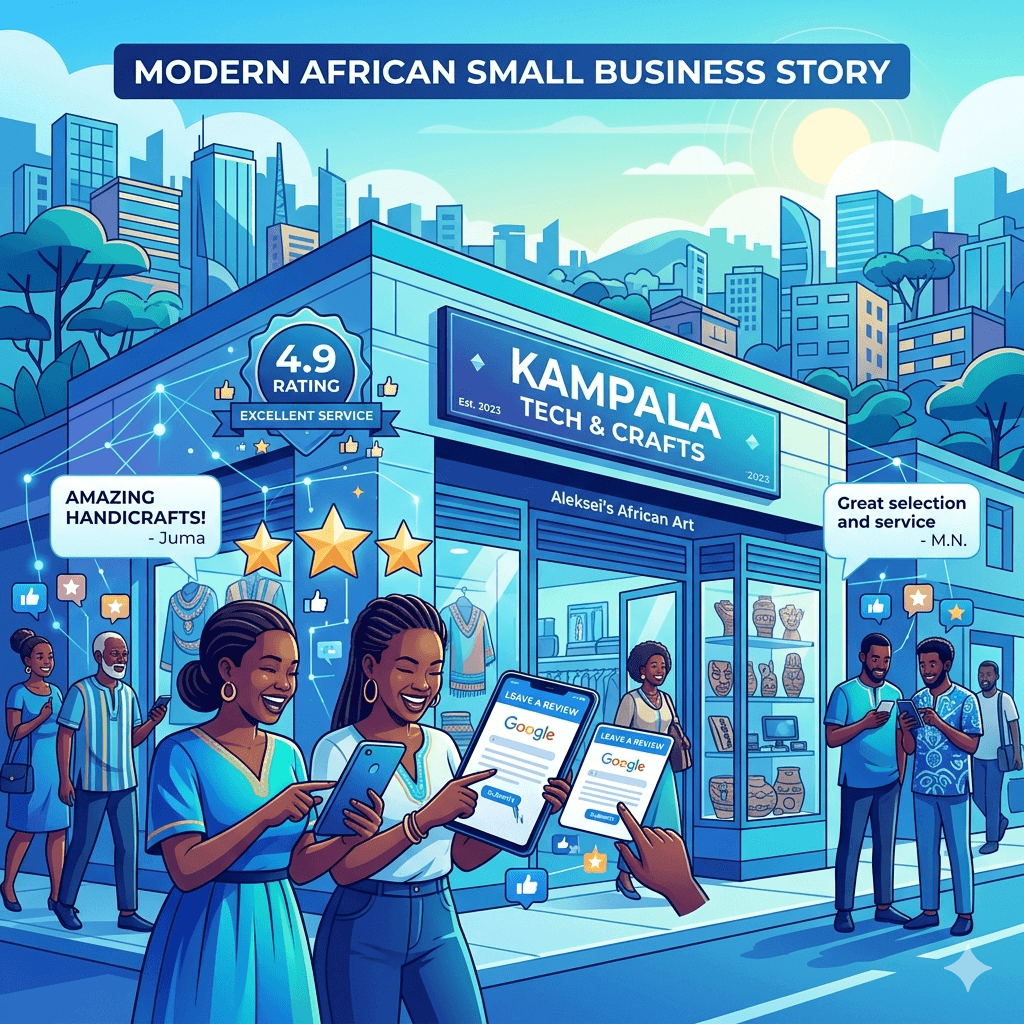
You built a website. Maybe you spent a good amount of money on it. It looks clean, loads fast, and you’re proud of it. But here’s the problem no one is visiting. You’re not showing up on Google, and your competitors are somehow sitting right at the top of the search results. Content works alongside the technical and local pieces covered in our complete guide to SEO in Uganda.
That’s frustrating. And it’s more common than you think, especially for business owners and marketers in Uganda trying to grow their online presence.
The good news? You don’t need a massive budget or a tech degree to fix this. What you need is a solid understanding of SEO content writing and that’s exactly what this guide will walk you through.
By the end of this article, you’ll know how to write website content that ranks on Google, attract the right visitors, and turn those visitors into real customers. Let’s get into it.
What Is SEO Content Writing?
SEO content writing is the process of creating website content that is designed to rank high on search engines like Google. It’s not just about writing well it’s about writing strategically.
Think of it this way: Google is like a librarian for the internet. When someone searches for something, Google’s job is to find the most relevant, trustworthy, and helpful content and show it first. SEO content writing is how you make your content stand out in that library.
This means using the right keywords, structuring your content properly, answering real questions your audience is asking, and making sure your writing is easy to read and genuinely useful. It’s a mix of good writing and smart strategy and when done right, it’s one of the most powerful tools you have to grow your online visibility.
Why SEO Content Matters in Uganda
Uganda’s internet usage has grown significantly in recent years. More people are using smartphones to search for products, services, and information online every single day. Whether someone is looking for a digital marketing agency in Kampala, a plumber in Entebbe, or a hotel in Jinja they’re going to Google first.
If your website content isn’t optimized for search engines, you’re invisible to these potential customers. Meanwhile, businesses that have invested in SEO services in Uganda are capturing that traffic and converting it into revenue.
Local SEO in Uganda is still an emerging space, which means there’s a real opportunity right now. The competition isn’t as fierce as it is in markets like the US or UK. A focused, consistent SEO content strategy can help you climb Google rankings faster and hold that position longer. That’s a major advantage for small business marketing in Uganda.
How Google Ranks Website Content
Before you write a single word, it helps to understand what Google actually looks for when deciding which pages to rank. Google’s algorithm considers hundreds of factors, but most of them boil down to a few core signals.
Relevance and Search Intent
Google’s primary goal is to match search queries with the most relevant content. If someone searches for laptops for students in Uganda, Google wants to show results that directly answer that query. This is called search intent understanding what the user is really looking for. Your content needs to match that intent clearly and completely.
Content Quality and Originality
Google rewards original, in-depth, and well-written content. Thin pages with little value or copied content from other websites will be penalized or ignored. You need to create content that is better than what’s already ranking more detailed, more helpful, and easier to read.
User Experience Signals
How users interact with your content matters. If people click on your page and immediately leave (this is called a high bounce rate), Google interprets that as a signal that your content isn’t satisfying. Things like page speed, mobile-friendliness, and clear formatting all affect how long users stay on your site.
Backlinks and Authority
For a deeper breakdown of all the major Google ranking factors, check out this comprehensive SEO guide that covers everything from backlinks to technical SEO in detail.
Backlinks links from other websites pointing to yours are one of Google’s strongest trust signals. When reputable websites link to your content, it tells Google that your page is credible and worth recommending. Building quality backlinks takes time, but it’s an essential part of any long-term website optimization strategy.
How to Do Keyword Research for Uganda
Keyword research is the foundation of SEO content writing. It’s the process of finding out exactly what words and phrases your target audience is typing into Google. Get this right, and everything else becomes easier.
Finding Local Keywords
For businesses in Uganda, local keyword research is especially important. You want to find keywords that reflect how Ugandans actually search. This means including city names, local terminology, and region-specific phrases. For example, instead of targeting just web design, you might target web design services in Kampala or affordable website design Uganda.
Using Keyword Tools
Several tools can help you discover the right keywords. Google Keyword Planner is a free option that shows search volumes and competition levels. Ubersuggest and Ahrefs are also popular for keyword research for SEO. Even Google’s autocomplete feature where it suggests searches as you type can give you real insight into what people are looking for.
Choosing the Right Keywords
Not all keywords are equal. You want to target keywords that have decent search volume (people are actually searching for them), manageable competition (you have a realistic chance of ranking), and clear intent (the searcher knows what they want). Long-tail keywords longer, more specific phrases tend to convert better because they attract users who know exactly what they need.
Understanding Search Intent
Every keyword falls into one of four intent categories: informational (the user wants to learn something), navigational (they’re looking for a specific website), commercial (they’re researching before buying), and transactional (they’re ready to buy). Matching your content type to the search intent is critical for ranking and for satisfying your audience.
How to Plan Your Website Content
Writing without a plan is like building a house without blueprints. Good content planning saves you time, keeps you focused, and ensures you create content that your audience actually wants to read.
Choosing Content Topics
Start with your audience’s most pressing questions and problems. What do they Google before they find a business like yours? What information would help them make a decision? Use your keyword research to guide topic selection the best topics are those that align with high-value keywords and real user needs.
Creating a Content Outline
Before you write, create an outline. This means deciding what sections your article will have, what key points each section will cover, and what questions you’ll answer. A well-structured outline makes writing faster and ensures your content flows logically from start to finish.
Matching Content to User Needs
Your content should solve a problem, answer a question, or help the reader make a decision. Ask yourself: if someone reads this article, will they feel like they got what they came for? If the answer is yes, you’re on the right track. If not, go back and refine your outline before you start writing.
How to Write SEO-Friendly Content
Writing SEO-friendly content isn’t about gaming the system, it’s about writing for humans first and optimizing for search engines second. Here’s how to do it well. For more on creating content that truly resonates with Ugandan audiences, this guide on content creation is a great companion resource.
Writing Clear and Simple Content
Avoid jargon and technical language unless your audience expects it. Write the way you’d explain something to a smart friend who isn’t an expert in your field. Short sentences work better than long, complicated ones. Simple words work better than fancy ones. The easier your content is to read, the longer people will stay on your page and the better Google will rank it.
Using Keywords Naturally
Include your primary keyword in the first 100 words of your article, in at least one subheading, and a few times throughout the body. But never force it. If a sentence sounds awkward because you’re trying to fit in a keyword, rewrite it. Google is smart enough to understand context and related terms so you don’t need to repeat the exact phrase over and over.
Writing Engaging Introductions
Your introduction determines whether someone keeps reading or hits the back button. Hook the reader immediately with a relatable problem, a surprising fact, or a bold statement. Then quickly tell them what they’ll get from reading the article. Think of your intro as a promise and then deliver on that promise in the body of the content.
Keeping Content Easy to Read
Use short paragraphs two to four sentences at most. Break up the text with subheadings every few paragraphs. Use bullet points for lists. Add bold text to highlight key points. White space is your friend. When your content is visually easy to scan, readers are more likely to stay and actually read it.
How to Optimize On-Page SEO Elements
On-page SEO refers to everything you can optimize directly on your page to improve its ranking. These are the technical and structural elements that tell Google what your content is about. For a deeper dive into these techniques, here are some practical SEO tips for small businesses.
Writing SEO Titles and Meta Descriptions
Your page title (also called the title tag) is one of the most important on-page SEO elements. It should include your primary keyword and be no more than 60 characters long. The meta description the short summary that appears under the title in search results should be around 150–160 characters and include a compelling reason to click.
Using Headings Correctly (H1, H2, H3)
Every page should have one H1 tag your main headline. Use H2 tags for main sections and H3 tags for sub-sections within those. This hierarchy helps Google understand the structure of your content. It also makes your article easier to skim, which improves the overall user experience.
Optimizing Images and Alt Text
Images make your content more engaging, but they need to be optimized. Compress images before uploading so they don’t slow down your page. Add alt text a brief description of what the image shows to every image. Alt text helps visually impaired users and also tells Google what the image is about, giving you an extra opportunity to include relevant keywords.
Internal Linking Strategies
Internal links connect different pages on your website. They help Google discover and index more of your content, and they keep visitors on your site longer by pointing them to related articles or pages. Whenever it makes sense, link to other relevant posts or pages using descriptive anchor text that reflects what the linked page is about.
How to Write Content for Local SEO in Uganda
If you’re running a business that serves customers in Uganda, local SEO is non-negotiable. It’s what helps you show up when someone nearby searches for what you offer.
Using Location-Based Keywords
Include specific location names in your content cities like Kampala, Entebbe, Jinja, Gulu, and Mbarara. For example, instead of plumbing services, write plumbing services in Kampala or affordable plumbers in Entebbe. These location-based keywords are what connect your content to local search queries.
Creating Content for Local Audiences
Write about topics that matter to your local audience. This could include local events, community issues, Uganda-specific regulations, or advice tailored to the Ugandan market. When your content speaks directly to your local community, it builds trust and relevance both with readers and with Google.
Optimizing for Google Business Profile
Your Google Business Profile is a powerful local SEO tool. Make sure it’s fully set up with your correct business name, address, phone number, website, hours, and a clear description of what you do. Add photos, keep your information updated, and actively respond to reviews. This directly influences your visibility in local Google Search and Maps results.
Getting Local Backlinks
Getting links from other Ugandan websites, local blogs, news sites, business directories, and community organizations significantly boosts your local authority. You can also encourage your customers to leave Google reviews, which play a powerful role in local rankings and help build trust with potential customers who find you online.
Common Mistakes to Avoid
Even well-meaning website owners make SEO mistakes that hurt their rankings. Here are the most common ones to watch out for.
Keyword Stuffing
Repeating your target keyword every other sentence doesn’t help it hurts. Google penalizes keyword stuffing, and it makes your content painful to read. Use keywords naturally and let the context do the work.
Duplicate Content
Copying content from other websites or even repeating the same content on multiple pages of your own site confuses Google and dilutes your rankings. Always write original content. If you’re updating an old article, rewrite it rather than duplicating it.
Ignoring Mobile Users
The majority of internet users in Uganda access the web via smartphone. If your website isn’t mobile-friendly, you’re losing a huge portion of your potential audience and Google will rank your site lower because of it. Always check how your content looks and performs on mobile devices.
Poor Content Structure
Walls of unbroken text, no subheadings, missing images, and confusing layouts all contribute to poor readability. If your content is hard to scan, people leave quickly. Structure your content with clear headings, short paragraphs, and visual breaks to keep readers engaged.
Tools to Help You Write SEO Content
Whether you’re just starting out or refining an existing strategy, the right tools can make your SEO content writing much more effective. For more hand-picked resources, check out these curated SEO articles covering tools, strategies, and best practices for Uganda.
Keyword Research Tools
Google Keyword Planner (free), Ubersuggest (free tier available), and Ahrefs or Semrush (paid) are all excellent options for finding and analyzing keywords. These tools show you how often keywords are searched, how competitive they are, and what related terms people are using.
Content Writing Tools
Grammarly helps you catch grammar and spelling errors and improves overall readability. Hemingway App highlights overly complex sentences and passive voice. Both are free to use and can significantly improve the quality of your content before you publish.
SEO Analysis Tools
Google Search Console is a free tool from Google that shows you how your site performs in search results what keywords you’re ranking for, how many clicks you’re getting, and any technical issues you need to fix. Yoast SEO (for WordPress) is also a popular plugin that guides you through on-page optimization as you write.
How to Measure Content Performance
Writing and publishing content is only half the job. You also need to track how it’s performing so you can improve over time.
Tracking Rankings
Use Google Search Console or a tool like Ubersuggest to monitor where your pages rank for target keywords. Rankings fluctuate especially for new content so give it at least three to six months before drawing strong conclusions. Look for upward trends over time.
Monitoring Traffic
Google Analytics (free) shows you how many people are visiting your site, which pages they’re reading, how long they’re staying, and where they’re coming from. Set it up from day one so you have baseline data to compare against as your SEO efforts grow.
Analyzing User Behavior
Beyond traffic numbers, look at how users behave on your site. High bounce rates, low average session durations, and low page views per session can indicate that your content isn’t meeting user expectations. Tools like Microsoft Clarity (free) offer heatmaps and session recordings that show you exactly how visitors interact with your pages.
Conclusion
Ranking on Google in Uganda is not a mystery. It comes down to creating useful, well-structured, keyword-optimized content that genuinely serves your audience. Yes, it takes time. Yes, it requires consistency. But it’s one of the most cost-effective ways to grow your online presence and attract customers who are already looking for what you offer.
Start with solid keyword research. Plan your content around real search intent. Write clearly and simply. Optimize your on-page elements. And keep building your local presence through community-focused content and genuine backlinks.
You don’t have to do it all at once. Pick one page, apply these SEO writing tips, and see what happens. Small, consistent steps add up to big results over time. The businesses showing up at the top of Google in Uganda today started exactly where you are now.
Frequently Asked Questions
How long should SEO content be?
There’s no one-size-fits-all answer, but most well-ranking blog posts are between 1,000 and 2,500 words. The key is to cover the topic thoroughly. If a topic only needs 800 words to be fully answered, don’t pad it just to hit a word count. Quality and completeness matter more than length.
How many keywords should I use in an article?
Focus on one primary keyword and three to five related secondary keywords per article. Use them naturally throughout the content in your title, introduction, subheadings, and body text. Avoid forcing keywords where they don’t fit, and never sacrifice readability for keyword frequency.
How often should I update my website content?
Aim to audit your content every six to twelve months. Update outdated information, add new insights, and refresh your keyword targeting if needed. Regularly updated content signals to Google that your site is active and authoritative, which can positively impact your rankings.
Can I rank on Google without backlinks?
Yes, especially for low-competition local keywords in Uganda. Fresh, high-quality content targeting specific local search terms can rank without any backlinks particularly in less crowded niches. That said, building even a few quality backlinks over time will strengthen your position and make your rankings more durable.
What is the best free SEO tool?
Google Search Console is arguably the most valuable free SEO tool available. It gives you direct data from Google about how your site is performing in search including which queries are bringing visitors, your average ranking positions, and any indexing issues. Pair it with Google Analytics and you have a powerful free SEO stack.
How long does it take to rank on Google?
For most new websites and content, expect to wait three to six months before seeing meaningful results. Competitive keywords can take even longer. Factors like your website’s age, existing authority, content quality, and backlink profile all play a role. Patience and consistency are essential. SEO is a long-term investment, not a quick fix.
Should I focus on local or global keywords?
If your business serves customers in Uganda, local keywords should be your primary focus at least in the beginning. They’re less competitive, more specific to your actual customers, and more likely to convert. As your site grows in authority, you can gradually expand to target broader, more competitive terms.
You built your website. You launched it. And now you’re wondering is anyone actually visiting? Who are they? Where are they coming from? Are they doing what you want them to do once they land on your pages?
These are the exact questions that Google Analytics was built to answer. It’s one of the most powerful and completely free tools available to any website owner today. Whether you run a small shop in Kampala, manage a growing e-commerce store, or operate a service business in Entebbe, Google Analytics gives you the data you need to make smarter decisions. Knowing what to measure matters as much as measuring it; our guide to SEO in Uganda covers what is worth tracking.
This beginner’s guide to Google Analytics is written specifically with Ugandan website owners in mind. We’ll walk you through everything from what Google Analytics is, how it works, how to set it up, and how to use the data to actually improve your website and grow your business. No tech jargon. No fluff. Just clear, practical steps you can act on today.
What Is Google Analytics?
Google Analytics is a free web analytics service offered by Google that tracks and reports website traffic. Think of it like a security camera for your website except instead of recording faces, it records behavior. It tells you who visited your site, what pages they looked at, how long they stayed, where they came from, and what actions they took.
When someone visits your website, Google Analytics quietly collects data about that visit. It tracks details like the visitor’s location, the device they used, how they found your site, which pages they browsed, and whether they completed a key action like filling out a contact form or making a purchase.
All of that data is organized into easy-to-read reports inside your Google Analytics dashboard. You don’t need to be a data scientist to understand them. With a bit of practice, you’ll be reading your reports like a pro using real numbers to guide your marketing, content, and design decisions.
Why Ugandan Website Owners Should Use Google Analytics
Uganda’s digital economy is growing fast. More businesses are moving online, more customers are searching for products and services on Google, and more transactions are happening on websites and WhatsApp storefronts than ever before. In this environment, guessing doesn’t work anymore. You need data.
Many Ugandan business owners spend money on website design, social media ads, and content but have no idea whether any of it is actually working. Google Analytics closes that gap. It shows you exactly which marketing efforts are bringing visitors to your site and which ones are falling flat.
Beyond marketing, Google Analytics Uganda data helps you understand your specific audience. Are most of your visitors coming from Kampala or from rural districts? Are they browsing on phones or computers? Are they reading your blog or heading straight to your pricing page? This kind of insight shapes smarter business decisions.
The best part? It’s completely free. There’s no subscription, no hidden fees, and no minimum traffic requirement. Even if your website gets just 50 visitors a month, you can still use Google Analytics to understand who they are and how to attract more of them.
Key Benefits of Google Analytics
Here are the main ways Google Analytics helps you build a stronger online presence:
Track Website Traffic
Google Analytics shows you how many people visit your website every day, week, or month. You can see whether your traffic is growing or declining over time, and what’s causing those changes. This is your digital heartbeat and watching it helps you understand the health of your online presence.
Understand User Behavior
Beyond just counting visitors, Google Analytics reveals what people do on your site. Which pages do they visit most? Where do they drop off? How far do they scroll? This behavioral data is gold when it comes to improving the pages that matter most to your business.
Measure Marketing Performance
If you’re running social media campaigns, Google Ads, or investing in SEO tips, Google Analytics shows you which channels are actually driving traffic and conversions. You stop guessing and start investing your marketing budget where it genuinely works.
Improve Conversion Rates
A conversion happens when a visitor takes an action you care about booking a service, buying a product, or filling out a contact form. Google Analytics helps you track these conversions and identify what’s blocking them. When you fix those friction points, more visitors become paying customers.
How Google Analytics Works
Google Analytics works by adding a small piece of JavaScript code called a tracking tag to every page of your website. When a visitor lands on any page, this code runs silently in their browser and sends information back to Google’s servers. That information is then processed and displayed in your Google Analytics dashboard as reports and charts.
The data collected includes things like the visitor’s approximate location, the device they used (phone, tablet, or computer), the browser they’re on, how they arrived at your site (Google search, social media, a link from another site), which pages they visited, and how long they spent on each one.
Google Analytics also tracks events specific interactions like button clicks, video plays, file downloads, and form submissions. In Google Analytics 4 (the current version), most events are tracked automatically, which makes the setup process much simpler than it used to be.
All of this happens in the background without interrupting your visitors’ experience. The data appears in your dashboard within a few hours, giving you a constantly updated view of how your website is performing.
Types of Google Analytics
Universal Analytics (UA)
Universal Analytics was the original version of Google Analytics and was widely used for over a decade. It was built around a session-based data model, meaning it focused heavily on tracking individual website sessions. Google officially retired Universal Analytics in July 2023, and all UA properties stopped processing new data. If you’re still seeing references to it online, know that it’s no longer active.
Google Analytics 4 (GA4)
Google Analytics 4 commonly called GA4 is the current, modern version of Google Analytics. It takes a different approach by using an event-based data model, which means every interaction (page view, click, form submission, purchase) is recorded as an event. This makes GA4 far more flexible and better suited for understanding complex user journeys across multiple devices and platforms.
GA4 also integrates tightly with Google Ads, offers AI-powered insights, and is built with privacy compliance in mind. If you’re setting up Google Analytics for the first time, you’ll be using GA4 and this guide will show you exactly how.
How to Set Up Google Analytics (Step-by-Step)
Setting up Google Analytics might sound technical, but it’s actually a straightforward process. Here’s how to do it in four simple steps.
Create a Google Analytics Account
Go to analytics.google.com and sign in with your Google account. If you don’t have one, create a free Google account first. Click ‘Start measuring’ to begin, then fill in your account name. This is usually your business name.
Set Up a Property (GA4)
A property in GA4 represents your website. Give your property a name (usually your website name), select your reporting time zone choose Africa/Nairobi if you’re in Uganda and pick your currency (Ugandan Shilling or US Dollar, depending on your preference). Then click ‘Next’ and fill in some basic information about your business category and size.
Add the Tracking Code to Your Website
After setting up your property, GA4 will give you a Measurement ID (it looks like G-XXXXXXXXXX) and a tracking code snippet. How you add this to your website depends on your platform:
• WordPress: Use a plugin like ‘Site Kit by Google’ or ‘GA Google Analytics’ and paste your Measurement ID into the plugin settings.
• Wix or Squarespace: Go to your site settings, find the ‘Analytics & Tracking’ or ‘Custom Code’ section, and paste the GA4 tracking code.
• Custom HTML site: Paste the tracking code snippet inside the tag of every page on your site.
Verify Installation
Once your tracking code is in place, go back to your GA4 dashboard and click on Real-time reports. Open your website in a new browser tab and visit a few pages. If GA4 is installed correctly, you should see your visit appear in the real-time report within a minute or two. That means your tracking is live and working.
Understanding the Google Analytics Dashboard
When you first log into GA4, the dashboard can feel a little overwhelming. Don’t worry once you know what each section does, it becomes much easier to navigate.
Home Overview
The Home tab gives you a snapshot of your website’s recent performance. You’ll see cards showing your total users, new users, average engagement time, and revenue (if you track e-commerce). It’s your morning newspaper for your website a quick summary of what happened recently.
Real-Time Reports
The Real-time section shows you what’s happening on your website right now. You can see how many active users are on your site at this moment, which pages they’re on, where they’re located, and what device they’re using. This is especially useful right after you publish new content or launch a campaign.
Reports Snapshot
The Reports section is where most of your analysis happens. Inside, you’ll find reports organized into categories:
• Acquisition: Where are your visitors coming from?
• Engagement: What are visitors doing on your site?
• Monetization: Are visitors completing purchases or conversions?
• Retention: Are visitors coming back?
• Demographics: Who are your visitors by age, gender, and location?
Take some time to click through each report section. The more familiar you get with the layout, the faster you’ll be able to find the insights you need.
Key Metrics Every Beginner Should Know
Google Analytics tracks dozens of metrics, but as a beginner, focus on these five core ones. They’ll give you 80% of the insight you need without overwhelming you.
Users and Sessions
Users are the number of individual people who visited your website in a given time period. Sessions are the number of visits one user can have multiple sessions if they visit your site on different days. Think of users as unique faces walking into your shop, and sessions as the total number of times the door opened.
Bounce Rate
In older analytics tools, bounce rate measured how many visitors left after viewing only one page. In GA4, this metric has evolved and is now less central focus on engagement rate instead.
Engagement Rate
The engagement rate shows what percentage of your sessions were engaged meaning the visitor spent more than 10 seconds on the site, viewed at least two pages, or completed a conversion. A higher engagement rate means your content is actually resonating with your visitors. Aim for an engagement rate above 50%.
Traffic Sources
Traffic sources tell you how visitors found your site. Did they come from a Google search? A social media post? A link on another website? Knowing this helps you double down on what’s working and fix what isn’t.
Conversions
Conversions are the actions that matter most to your business form submissions, phone number clicks, product purchases, or newsletter sign-ups. Tracking conversions connects your website data to your actual business results.
How to Track Website Traffic
In GA4, you can see all your traffic sources under Reports → Acquisition → Traffic Acquisition. Here are the main traffic channels to understand:
Organic Search
Organic search traffic comes from people who found your website through a Google search without clicking on a paid ad. This is the traffic driven by your SEO guide efforts. The higher your site ranks for relevant keywords, the more organic traffic you attract. This is often the most valuable traffic channel because it brings in people who are actively searching for what you offer.
Direct Traffic
Direct traffic represents visitors who typed your website URL directly into their browser, or whose source couldn’t be identified. This often includes loyal customers, people who bookmarked your site, or visitors clicking links in apps like WhatsApp or PDF documents. High direct traffic is usually a sign of strong brand awareness.
Referral Traffic
Referral traffic comes from other websites that link to yours. For example, if a blogger in Uganda writes about your business and includes a link to your site, anyone who clicks that link shows up as referral traffic. This is why building relationships with other websites and getting quality backlinks matters.
Social Media Traffic
Social media traffic comes from platforms like Facebook, Instagram, Twitter/X, LinkedIn, or YouTube. In Uganda, Facebook and WhatsApp are the dominant social platforms, so tracking your social traffic helps you understand how well your social media content is driving visitors to your website.
How to Understand Your Audience
Google Analytics doesn’t just count visitors it helps you understand who those visitors actually are. This is where the data gets really interesting.
Demographics
Under Reports → User → User Attributes, you can see the age and gender breakdown of your audience. This helps you confirm whether the people visiting your website match your target customer profile. If you run a business aimed at young professionals in Kampala but most of your visitors are in a completely different age group, that’s important information.
Location (Uganda-Focused Insights)
The location report shows you where in the world your visitors are coming from. For Ugandan businesses, this is particularly valuable. You can drill down to see which cities or districts are sending the most traffic Kampala, Entebbe, Gulu, Mbarara, and so on. If you’re running a local business, you want to see most of your traffic coming from your target geographic area.
If you’re getting significant traffic from outside Uganda, that may also be an opportunity or it may mean your content is ranking for topics that attract an international audience rather than your ideal local customer.
Devices and Technology
Uganda has one of the highest mobile internet usage rates in Africa. The Tech Details report in GA4 shows what devices, operating systems, and browsers your visitors use. If the majority of your visitors are on Android phones which is the case for most Ugandan websites your site absolutely must be fast and mobile-friendly. A slow or poorly formatted mobile site will drive visitors away before they even see what you offer.
How to Track Conversions and Goals
Traffic data is useful, but conversion data is where your business insights really come from. Here’s how to set up and track conversions in GA4.
Set Up Events
In GA4, everything is tracked as an event. GA4 automatically tracks many events like page views, scrolls, outbound clicks, and file downloads without any extra setup. For more specific actions (like form submissions or WhatsApp button clicks), you’ll need to set up custom events using Google Tag Manager or your website plugin.
Define Conversions
Once you have events tracked, you can mark certain ones as conversions. In GA4, go to Configure → Events, find the event you want to track as a conversion, and toggle the switch to mark it as one. From that point on, GA4 will track and report that event as a conversion in all your reports.
Track Form Submissions and Sales
The most common conversions for Ugandan businesses include contact form submissions, phone number clicks, WhatsApp button clicks, newsletter sign-ups, and product purchases. You can also track offline actions like encouraging customers to leave Google reviews after completing a purchase and measure the quality of the traffic that drives those actions.
How to Use Data to Improve Your Website
Collecting data is only half the job. Using it to make smarter decisions is where the real value lives. Here are three practical ways to put your GA4 data to work.
Identify High-Performing Pages
Go to Reports → Engagement → Pages and Screens. Sort by users to see which pages attract the most traffic. Once you know your best-performing pages, study what makes them successful the topic, the headline, the format, the length. Then replicate those qualities across your other pages to lift their performance too.
Fix High Bounce Rate Pages
Look for pages with low engagement rates (people are leaving quickly without interacting). These pages may have slow load times, confusing layouts, irrelevant content, or a mismatch between what Google searchers expected and what the page actually delivers. Use your GA4 data to identify these weak spots, then test improvements and measure the results.
Optimize User Experience
When you combine Google Analytics insights with good design principles, you create a website that visitors actually enjoy using. Pay attention to how users navigate your site what they click, where they drop off, which pages lead to conversions. Use that data to simplify your navigation, improve your calls-to-action, and build website trust that keeps visitors engaged and coming back.
Common Mistakes to Avoid
Not Setting Up Conversions
Many website owners install Google Analytics but never define what a conversion is. Without conversion tracking, you’re flying blind. You can see who visits your site but have no idea whether any of those visits are actually producing business results.
Ignoring Data Trends
Don’t just look at your data once. Set a regular schedule weekly or monthly to review your reports. Trends over time are more meaningful than single-day snapshots. A sudden traffic drop or spike might point to something important happening with your SEO, your competitors, or your audience.
Misinterpreting Metrics
More traffic isn’t always better. A thousand unengaged visitors are worth far less than 100 highly engaged ones who convert. Focus on metrics that connect to business outcomes, not just vanity numbers like total page views.
Not Filtering Internal Traffic
If you or your team visit your own website frequently, those visits will inflate your data. In GA4, go to Admin → Data Streams → Configure Tag Settings → Define Internal Traffic, and add your office IP address to exclude it. This keeps your reports clean and accurate.
Best Practices for Ugandan Businesses
Focus on Mobile Users
Most Ugandan internet users browse on mobile phones. Make sure you regularly check GA4’s device breakdown report to see what percentage of your traffic is mobile. If it’s above 70% which is typical for Ugandan websites your entire user experience strategy should be built mobile-first.
Track Local Traffic Sources
Pay close attention to your location data and traffic sources. If you run a local business, high traffic from outside your region might look impressive but may not translate to actual customers. Filter your reports to focus on visitors from Uganda, and even drill down to specific cities to understand your most valuable local audience segments.
Align Analytics with Business Goals
Your Google Analytics setup should reflect your real business goals. If your goal is to get more phone calls, track phone number clicks as conversions. If your goal is to grow email subscribers, track newsletter sign-ups. When your analytics data maps directly to your business objectives, every report becomes a decision-making tool. Consider working with professional SEO services to ensure your analytics insights are translated into a coherent growth strategy.
Tools That Work Well with Google Analytics
Google Analytics is powerful on its own, but it becomes even more useful when paired with other free Google tools.
Google Search Console
Google Search Console shows you how your website performs in Google search results what keywords you rank for, how many impressions and clicks you get, and whether Google has found any technical issues on your site. When you link Search Console to GA4, you can see which specific search queries are driving traffic to your site directly inside your analytics reports.
Google Ads
If you run paid Google Ads campaigns, linking your Ads account to GA4 gives you a complete picture of your ad performance. You can see not just clicks and impressions, but what happens after visitors land on your site whether they convert, how long they stay, and which pages they visit.
Google Tag Manager
Google Tag Manager (GTM) is a free tool that lets you manage your GA4 tracking code and custom events without editing your website’s code directly. Once GTM is installed on your site, you can add and update tracking configurations through a user-friendly interface. This is especially useful for tracking custom events like button clicks, WhatsApp chats, or video plays.
Frequently Asked Questions
17.1 Is Google Analytics free to use?
Yes, Google Analytics is completely free. Google offers the standard version which is more than enough for most small and medium-sized businesses at no cost. There is a paid version called Google Analytics 360 designed for large enterprises, but the free GA4 version has everything you need to track and analyze your website performance effectively.
17.2 Do I need technical skills to use it?
Not much. Setting up GA4 requires a basic level of comfort with technology you’ll need to copy and paste a code snippet or use a plugin but once it’s installed, reading the reports is quite intuitive. Plugins like Google’s own ‘Site Kit’ make the setup process even easier for WordPress users. You don’t need to be a developer to get real value from Google Analytics.
17.3 How long does it take to see data?
Real-time data appears within seconds. Standard reports are usually updated within 24 to 48 hours. Some reports especially those involving audience insights may take a few days to populate if your website is new or has low traffic. The longer you use GA4, the more historical data builds up, making your reports increasingly useful over time.
17.4 What is the difference between users and sessions?
A user is a unique individual who visits your website. A session is a single visit. If the same person visits your site on Monday and again on Thursday, that counts as one user but two sessions. Understanding this distinction helps you correctly interpret your traffic reports.
17.5 Can I use it on WordPress websites?
Absolutely. WordPress is one of the most popular platforms for Ugandan websites, and connecting it to GA4 is straightforward. You can use the official ‘Site Kit by Google’ plugin, which handles setup automatically, or manually add your GA4 tracking code through a plugin or your theme’s header settings.
17.6 Is Google Analytics accurate?
Google Analytics is highly accurate for tracking the majority of website traffic. However, it’s not perfect visitors who use ad blockers or privacy-focused browsers may not be tracked. Additionally, bot traffic can occasionally inflate your numbers. Despite these minor limitations, GA4 gives you a reliable and consistent picture of your website’s performance that’s more than sufficient for business decisions.
17.7 How do I track sales or leads?
You track sales and leads by setting up conversions in GA4. Mark key events like form submissions, purchase completions, or WhatsApp button clicks as conversions. If you run an e-commerce store, GA4 has enhanced e-commerce reporting that tracks product views, add-to-cart events, checkouts, and purchases automatically when properly configured.
17.8 What is GA4 and why is it important?
GA4 is the latest version of Google Analytics. Unlike the older Universal Analytics, GA4 uses an event-based tracking model that captures a much richer picture of how users interact with your site across multiple devices. It also includes built-in AI features that surface insights automatically, better privacy controls for compliance with global data regulations, and tighter integration with Google’s advertising and marketing tools. Since Universal Analytics was retired in 2023, GA4 is now the only version available making it essential for every website owner to learn and use.
Final Thoughts
Google Analytics is one of the most valuable tools available to any website owner and the fact that it’s completely free makes it a no-brainer, especially for Ugandan businesses operating with lean budgets. It replaces guesswork with data, and intuition with evidence.
You don’t need to master every feature on day one. Start simple: set up GA4, add your tracking code, define your key conversions, and commit to checking your reports regularly. Over time, you’ll build a clear picture of who your visitors are, what they want, and how your website can better serve them and your business goals.
Data alone doesn’t grow your business. But the decisions you make with that data absolutely can.
Published by KicoWebDesign | Uganda’s Digital Growth Partner
When a potential customer in Kampala wants to try a new restaurant, find a reliable mechanic, or book a hotel in Jinja, what is the first thing they do? They search Google. And the first thing they look at? Reviews.
Google reviews have become the digital version of word-of-mouth in Uganda. A business with dozens of glowing reviews stands out immediately it looks trustworthy, credible, and worth visiting. A business with zero reviews? It practically disappears.
If you run a local business and you have not yet focused on your Google reviews strategy, you are leaving serious money on the table. This guide walks you through everything you need to know from understanding how reviews work, to asking for them the right way, managing them professionally, and building a steady pipeline that keeps growing your reputation online. Reviews are one signal among several — our complete guide to SEO in Uganda covers the rest.
Whether you sell products, offer services, or run a hospitality business, this article will help you get more Google reviews in ways that are ethical, effective, and tailored to the Ugandan business landscape. Let’s get into it.
What Are Google Reviews?
Google reviews are ratings and written feedback that customers leave on your Google Business Profile the listing that appears when someone searches for your business on Google Search or Google Maps. Each review includes a star rating from one to five, and usually a written comment from the customer sharing their experience.
These reviews show up prominently in local search results, making them one of the first things a potential customer sees before they even visit your website or walk through your door.
Think of your Google Business Profile reviews as a public notice board that never sleeps. Every satisfied customer who takes two minutes to write a review is doing your marketing for you for free around the clock.
For businesses in Uganda, this matters even more because many customers are skipping websites entirely and going straight to Google Maps to discover and evaluate local options. If your local business reviews on Google are sparse or outdated, you are likely losing customers to competitors who have more even if your product or service is genuinely better.
Why Google Reviews Matter for Ugandan Businesses
Here is a simple truth: people trust people. No matter how polished your signage or how attractive your storefront looks, a potential customer will trust a stranger’s honest review more than any advertisement you run.
For Ugandan businesses, Google reviews carry significant weight for three key reasons:
• Credibility: Reviews signal that your business is real, active, and delivering value to actual customers. A business with 50 positive reviews instantly appears more credible than one with none.
• Local SEO boost: Google uses reviews as one of several ranking factors for local search. More reviews and more positive ones help your business appear higher when someone searches for services in your area. (More on this shortly.)
• Customer trust: In a market where online scams and unreliable businesses are a genuine concern, verified reviews help hesitant buyers feel safe choosing you.
If you are working on building trust online, Google reviews are one of the fastest and most cost-effective ways to do it. They complement other trust-building efforts like having a professional website which is worth exploring in our guide on How to Design a Website That Builds Trust With Ugandan Customers.
The Benefits of Getting More Google Reviews
Getting more reviews is not just about looking good. The business impact is real, measurable, and long-lasting. Here are the three biggest advantages.
Improved Local Search Rankings
Google’s local search algorithm takes into account the quantity, quality, and recency of your reviews. Businesses with more reviews and higher ratings tend to rank higher in the “Local Pack,” which is the map and three-business listing that appears at the top of Google search results for queries like “hair salon Kampala” or “hardware store Entebbe.”
This is the heart of Google reviews local SEO. When you consistently collect genuine reviews, you are essentially sending a signal to Google that your business is popular, active, and trusted which Google rewards with better visibility.
If you want to dive deeper into how local search visibility works, check out our guide on Essential SEO Tips for Small Business. It pairs perfectly with a strong review strategy.
Increased Customer Trust and Credibility
Research consistently shows that most consumers read reviews before making a purchase decision, and many trust online reviews as much as personal recommendations from friends. In Uganda, where consumers are increasingly shopping online and using Google Maps to find services, this pattern is growing rapidly.
A business with a 4.5-star rating and 80 reviews will almost always attract more clicks and customers than a competitor with a 4.8 rating but only 5 reviews. Volume and consistency matter. When people see a long list of positive experiences from people like them, it lowers their hesitation and makes them far more likely to choose you. This is the power of improve Google review rating as an ongoing strategy, not a one-time effort.
Higher Conversion and Sales Opportunities
More reviews lead directly to more customers walking through your door or clicking to your website. When your Google Business Profile is loaded with positive reviews, your conversion rate goes up because potential customers arrive already convinced of your quality.
This also works in reverse. Every negative review you leave unanswered is a lost opportunity. But every positive interaction you have in the review section where you respond, acknowledge, and engage builds even more confidence in your brand.
How to Ask Customers for Google Reviews
Most happy customers simply do not think to leave a review unless you ask them. That is just human nature. The good news is that asking is not awkward or difficult you just need to do it the right way and at the right time.
Timing Your Request Effectively
The best time to ask for a review is right after the peak of a positive experience. For a restaurant, that might be when the customer is finishing their meal and complimenting the food. For a service provider, it could be right after completing a job and the client expresses satisfaction.
Do not wait days or weeks. The excitement fades, life gets busy, and your customer forgets. Strike while the positive feeling is fresh. A simple, genuine ask in that moment “I am so glad you enjoyed it. Would you mind leaving us a Google review? It really helps our small business” can be all it takes.
Personalizing Your Review Requests
Generic requests get ignored. Personalized ones get results.
Instead of sending a mass message to all customers saying “Please review us on Google,” tailor your request. Reference the specific product they bought, the service you provided, or a detail from your interaction. This shows you remember them and it makes the request feel genuine rather than automated.
Example: “Hi Sarah, it was great helping you with your catering order for the family function last weekend! If you have a minute, we would love it if you could share your experience on our Google page. Your feedback means the world to us as a small business.”
Using Email, SMS, and Social Media to Request Reviews
The best way to get Google reviews at scale is through digital outreach specifically email and SMS, since these meet customers where they already are.
• Email: Send a follow-up email after purchase or service delivery. Keep it short, warm, and personal. Include a direct link to your Google review page this is your review request link on Google.
• SMS: Text messages have very high open rates. A brief, friendly text with a direct review link works extremely well for service-based businesses.
• WhatsApp: In Uganda, WhatsApp is king. A quick message to a happy customer with a Google review link can feel natural and conversational. Many business owners already use WhatsApp to communicate with customers, making it a natural channel for review requests.
• Social media: Post occasionally on your Facebook or Instagram page asking satisfied customers to share their Google experience. Add your review link in your bio or a pinned post.
One of the most effective tactics is to share your Google review link wherever your customers interact with you. The easier you make it, the more reviews you will get.
Encouraging Reviews In-Store or After Service
For physical businesses, the in-person ask is often the most powerful. Train your staff to thank customers sincerely and, when appropriate, to invite them to leave a Google review.
You can also place a QR code for Google reviews at your counter, on receipts, on packaging, or on a small sign near the exit. Customers can scan it instantly with their phone camera and be taken directly to your review page no searching required.
For service businesses, you can include the QR code or review link on invoices, service completion cards, or WhatsApp thank-you messages. The key is making the action of leaving a review as frictionless as possible.
Best Practices for Managing Google Reviews
Getting reviews is only half the job. How you manage and respond to them shapes how your business is perceived by the reviewer, by potential customers reading the exchange, and by Google itself.
Responding to Positive Reviews
Never ignore a positive review. Responding to good reviews shows appreciation, reinforces good behavior (customers who get a response are more likely to review again), and demonstrates that you are engaged and attentive.
Keep responses warm, specific, and brief. Thank the reviewer by name, reference something they mentioned, and invite them back.
Example: “Thank you so much, James! We are thrilled you loved the nyama choma. It is always a pleasure serving you, and we look forward to welcoming you back soon!”
Responding to Negative Reviews
A negative review is not a disaster it is an opportunity. How you respond in public says more about your business than the complaint itself.
The formula is simple: acknowledge, apologize (without excessive groveling), and offer a resolution. Never argue or get defensive in public. Keep it professional, even if the review feels unfair.
Example: “We are sorry to hear your experience did not meet your expectations, and we appreciate you taking the time to share this. We would love the chance to make it right. Please reach out to us at [contact info] so we can resolve this for you personally.”
This approach demonstrates professionalism to every future customer who reads the exchange. It also often leads the reviewer to update their rating once the issue is resolved.
Avoiding Fake Reviews or Incentivizing Reviews Improperly
This section is critical. Google has strict Google Business Profile review guidelines that prohibit fake reviews and certain forms of incentivizing reviews. Violating these can result in reviews being removed, penalties on your listing, or even suspension of your account.
What you must avoid:
• Paying for reviews or offering payment to review services
• Offering discounts, freebies, or gifts specifically in exchange for leaving a positive review
• Asking employees or friends to post fake reviews
• Creating fake accounts to review your own business
What is perfectly fine:
• Asking happy customers to leave an honest review
• Making the process easy with a direct link or QR code
• Following up with a reminder after a positive experience
The difference is simple: you can encourage reviews, but you cannot buy positive ones or manufacture them. Stick to building genuine customer relationships and the good reviews will follow naturally.
Tools and Platforms to Simplify Review Management
Managing your reviews does not have to be a manual, time-consuming process. Several tools can help you track, respond to, and automate parts of your review strategy.
Google Business Profile Dashboard
Start with the basics: your Google Business Profile dashboard. This free tool from Google lets you see all your reviews in one place, respond to them, and track trends over time.
If you have not yet claimed and set up your Google Business Profile, that should be your very first step. It is free, takes about 30 minutes to set up properly, and forms the foundation of everything else discussed in this article.
From the dashboard, you can also access your unique review request link, which you can then share with customers through any channel.
Third-Party Review Management Platforms
As your business grows, you may want to use a dedicated review management platform. Tools like Birdeye, Podium, or Grade.us offer features such as:
• Sending automated review requests to customers via email or SMS
• Monitoring reviews across multiple platforms (not just Google)
• Generating reports on your review volume and average rating
• Alerting you when a new review is posted so you can respond quickly
Some of these tools come with a monthly cost, but for medium-sized businesses with high customer volume, the return on investment is typically very strong.
Automation Tips for Follow-Ups
You do not need to manually reach out to every customer individually. You can set up simple automation workflows to send review requests at the right moment for example, one day after a purchase, or a few hours after a service is completed.
How to Encourage Repeat Reviews from Loyal Customers
One thing many business owners overlook is the power of repeat reviewers. A loyal customer who has reviewed you once can review you again especially if significant time has passed and they have had new experiences. Building a consistent review pipeline is about maintaining relationships, not just chasing one-time requests.
Creating Loyalty Programs or Incentives Ethically
There is an important distinction between incentivizing reviews (which Google prohibits) and rewarding loyalty (which is perfectly fine). You cannot offer a discount in exchange for leaving a specific review. But you absolutely can run a loyalty program that rewards repeat business.
When customers feel valued and appreciated through loyalty programs, they are naturally more inclined to share their experiences online without you even asking. The review becomes a byproduct of the relationship you have built.
Regular Communication and Reminders
Stay top of mind with your customers through regular, valuable communication. A monthly newsletter, a WhatsApp broadcast with useful tips or updates, or seasonal promotions can keep your relationship warm and remind customers that you exist and care.
Periodically, you can include a gentle reminder in these communications asking longtime customers to share their experience on Google. Something like: “Have you been with us for a while? We would love to hear your story on our Google page!”
For ideas on how to create engaging messages that prompt action, our guide on How to Master Content Creation in Uganda offers practical strategies you can apply directly.
Making It Easy and Quick for Customers to Leave Reviews
The number one reason people do not leave reviews is not because they are unhappy it is because it feels like too much effort. Every extra click or step you add reduces the chance they will follow through.
Make the path to leaving a review as short as possible:
• Use a direct review link that takes customers straight to the review form
• Add a QR code for Google reviews in physical locations one scan and they are there
• Send a clickable link via WhatsApp or SMS so they just tap and go
• Remind them that it only takes one or two minutes to make a big difference
For businesses selling online, integrating your review request into the post-purchase flow is especially powerful. See how other Ugandan businesses are building their online presence in our Embracing E-commerce for Business Success in Uganda.
Frequently Asked Questions
Here are the questions small business owners in Uganda ask most often about Google reviews answered clearly and honestly.
Can I Ask All My Customers for Reviews?
Yes, absolutely. Google’s guidelines allow businesses to ask customers for reviews. The key is that you ask for honest feedback and do not pressure people toward a specific rating. Ask everyone, not just customers you think will give five stars selective asking is something Google frowns upon.
How Often Should I Request Reviews?
For individual customers, once per experience is enough. For your business overall, you should be consistently asking as part of your standard follow-up process not in bursts or campaigns, but steadily over time. Regular, ongoing review collection is healthier for your Google ranking than sudden spikes.
What Should I Do If a Customer Leaves a Negative Review?
Respond quickly, calmly, and professionally. Acknowledge the concern, apologize for the experience, and offer to resolve it offline. Never argue publicly. If the review is fake or violates Google’s policies, you can flag it for removal but do not rely on this as your primary strategy for dealing with criticism.
Is It Legal to Offer Discounts for Reviews?
In Uganda, there is no specific law against it, but it violates Google’s platform policies. If Google detects that reviews were incentivized with discounts, freebies, or any form of compensation, it may remove those reviews and penalize your listing. The risk is not worth it focus on earning reviews genuinely.
Can Fake Reviews Harm My Business?
Yes in multiple ways. If competitors or malicious actors post fake negative reviews, they can damage your reputation even if they are later removed. If you post fake positive reviews and Google detects them, your listing can be penalized or suspended. Either way, the consequences are serious. Report suspicious reviews through your Google Business Profile dashboard.
How Can I Monitor Reviews from Multiple Locations?
If you run multiple business locations, you can manage them all through a single Google Business Profile account with multiple locations added. Third-party platforms like Birdeye or Podium offer even more robust multi-location dashboards with centralized alerts and reporting.
Do Reviews Really Affect Google Search Rankings?
Yes, they do especially for local search. Google considers the quantity, quality, recency, and diversity of your reviews as part of its local ranking algorithm. Businesses with consistently good reviews and active management tend to rank higher in Google reviews local SEO results. This is why building a steady review pipeline matters not just for reputation, but for visibility.
What Is the Best Way to Respond to Mixed Reviews?
A mixed review one that has both positive and negative elements is actually a gift. It shows an honest customer who wants to help you improve. In your response, thank them for the specific positives they mentioned, acknowledge the areas they felt could be better, and share what you are doing or planning to address those gaps. This kind of transparent, engaged response builds enormous trust with anyone reading it.
Final Thoughts
Getting more Google reviews for your Ugandan business is not about tricks or shortcuts. It is about building genuine relationships with your customers, making it easy for them to share their experiences, and managing your online reputation with professionalism and care.
The businesses that win in local search and in customer trust are the ones that treat reviews as an ongoing conversation, not a one-time campaign. Start with the simple steps: claim your Google Business Profile, create your review request link, and begin asking every satisfied customer for their honest feedback.
One review leads to another. Over time, you build something that no advertisement can buy a real, credible, publicly visible track record of happy customers.
Building a website for your business in Uganda is no longer optional it’s essential. Whether you run a retail shop in Kampala, offer professional services in Jinja, or sell products across East Africa, your website is often the first impression potential customers have of your business.
But here’s the challenge: creating a website that actually works one that attracts visitors, builds trust, and converts browsers into customers requires more than just putting up a few pages online. It requires planning, strategy, and professional execution.
This guide walks you through everything you need to know about professional website development in Uganda, from the initial planning stages to launch day and beyond. You’ll learn what makes a website truly professional, how to choose the right development partner, what features your site absolutely must have, and how to ensure your investment delivers real business results. For the wider context on cost and platform choice, see our web design guide for Ugandan businesses.
Whether you’re building your first business website or replacing an outdated one that isn’t performing, these practical tips will help you make informed decisions and avoid costly mistakes.
What Professional Website Development Means for Ugandan Businesses
When people talk about “getting a website,” they often mean very different things. Some think of a simple one-page site with basic contact information. Others envision complex e-commerce platforms with hundreds of products. Understanding what professional website development in Uganda actually means helps you set appropriate expectations and make better decisions.
A professional website is more than a digital business card. It’s a strategic tool designed to achieve specific business goals whether that’s generating leads, making sales, building credibility, or educating customers. Professional website development involves careful planning, thoughtful design, clean coding, search engine optimization, and ongoing maintenance.
Think of it like the difference between a roadside stall and a properly constructed shop. Both can sell products, but the professionally built shop offers security, proper lighting, organized displays, and a comfortable environment that makes customers want to spend time there. Your website works the same way the professional approach creates an experience that builds trust and encourages action.
Professional website design in Uganda also means creating a site that works reliably across different devices and internet speeds, ranks well in search engines, and represents your brand accurately. It’s built with your specific audience in mind, using language and visuals that resonate with Ugandan customers while following international web standards.
The investment in professional development pays dividends over time because your website becomes a 24/7 salesperson, working to attract and convert customers even while you sleep.
Benefits of Investing in a Professional Website
The question isn’t whether you need a website it’s whether you want to compete effectively in today’s market. Business website development Uganda provides tangible benefits that directly impact your bottom line.
Increased credibility and brand trust sits at the top of the list. When potential customers search for your business and find a professional website, you instantly appear more legitimate and established than competitors with no online presence or poorly designed sites. Your website signals that you’re serious about your business and capable of delivering quality.
A professional website also levels the playing field. A small consultancy in Entebbe can look just as professional online as a large firm in Kampala. Your website doesn’t reveal the size of your office or the age of your furniture it showcases your expertise, your services, and your value to customers.
Better visibility in local search results transforms how customers find you. When someone in Kampala searches “accounting services near me” or “best wedding photographer in Uganda,” proper SEO friendly website design Uganda ensures your business appears in those results. Without a well-optimized website, you’re invisible to these potential customers actively looking for what you offer.
Higher customer engagement and conversions happen when your website is designed with user experience in mind. Clear calls to action, easy navigation, fast loading speeds, and mobile-friendly design all work together to turn casual visitors into inquiring customers. A professional website guides people smoothly from initial interest to taking action whether that’s filling out a contact form, making a phone call, or completing a purchase.
Your website also works tirelessly to educate customers about your services, answer common questions, showcase your work, and differentiate you from competitors. This educational role reduces the time you spend explaining basics and allows sales conversations to focus on closing deals.
Finally, a professional website provides measurable results. Unlike traditional advertising where you guess at effectiveness, your website shows you exactly how many people visit, which pages they view, where they come from, and what actions they take. This data helps you continuously improve your marketing efforts.
How to Plan a Website Before Development
Rushing into website development without proper planning is like building a house without architectural plans. You might end up with something, but it probably won’t serve your needs well. Smart website planning and development starts long before any design or coding begins.
Planning forces you to think critically about what you actually need, who you’re trying to reach, and what success looks like. This clarity prevents expensive mid-project changes and ensures your final website aligns with your business strategy.
Defining Business Goals and Target Audience
Start by identifying exactly what you want your website to achieve. Do you need it to generate leads through contact forms? Sell products directly? Establish your expertise in a particular field? Different goals require different website approaches.
Write down three to five specific, measurable goals. Instead of “get more customers,” try “generate at least 20 qualified leads per month” or “achieve 15% of total sales through online orders.” These concrete targets guide every decision during development.
Next, define your target audience with precision. Who are your ideal customers? What problems do they have that you solve? What questions do they ask? Understanding your audience shapes everything from design aesthetics to content tone to site features.
Create a simple profile of your typical customer: their age range, location, what they do, their tech comfort level, and how they currently find businesses like yours. This profile becomes your reference point whenever you’re unsure about a design or content decision.
Choosing the Right Type of Website
Not all websites serve the same purpose, and choosing the right type for your business prevents wasted resources. A service-based business needs something different than a retail shop, and a content publisher needs different features than a consultant.
Basic informational websites work well for service providers who primarily want to establish credibility and generate contact inquiries. E-commerce sites suit businesses selling physical products. Booking or appointment sites serve salons, clinics, and consultants. Content or blog-focused sites help thought leaders and educators.
Consider your business model and customer journey. How do customers typically interact with businesses like yours? What information do they need before making a decision? What actions should they be able to take on your site? Your answers determine which website type fits best.
Setting a Realistic Budget and Timeline
Cost of website development in Uganda varies widely based on complexity, features, and the expertise of your development partner. Understanding what different price points deliver helps you budget appropriately without overpaying or cutting corners that hurt results.
Basic professional websites might range from moderate investments to more substantial amounts for complex custom solutions. Set your budget based on how critical your website is to your business success not just what seems cheap or expensive in isolation.
Timeline expectations should be realistic too. A simple five-page website might take three to six weeks from start to launch. More complex sites with custom features, extensive content, or e-commerce functionality can take two to four months. Rushing the process usually compromises quality, so plan accordingly.
Choosing the Right Website Design Partner in Uganda
Your choice of development partner might be the most important decision in your entire website project. The right partner brings expertise, reliability, and strategic thinking that transforms your vision into reality. The wrong one wastes your time and money while delivering mediocre results.
When you hire web developer expertise in Uganda, you’re not just buying technical skills you’re choosing a strategic partner who understands both web development and local business realities.
What to Look for in a Professional Web Designer
Technical competence is non-negotiable, but it’s not the only thing that matters. Look for professional website developers Uganda who demonstrate both technical ability and business understanding.
Start by reviewing their portfolio. Do their previous projects look professional and modern? More importantly, do they look different from each other, showing the designer can adapt to different brands rather than using the same template for everyone? Can you see examples of work for businesses similar to yours?
Communication skills matter tremendously. Does the designer ask thoughtful questions about your business and goals, or do they immediately jump to talking about colors and layouts? The best designers want to understand your business strategy before discussing aesthetics.
Look for someone who explains technical concepts clearly without drowning you in jargon. They should be able to tell you why they’re recommending certain features or approaches in terms of business benefits, not just technical specifications.
Reliability shows up in small ways: Do they respond to inquiries promptly? Do they show up on time for meetings? Do they deliver what they promise when they promise it? These habits during the sales process usually continue during the project.
Questions to Ask Before Hiring a Web Developer
The right questions reveal whether a developer truly fits your needs. Ask about their development process: How do they approach a new project? What happens at each stage? How do they handle revisions and feedback?
Inquire about timeline expectations: How long will the project take? What factors could delay it? What do they need from you to keep the project on schedule? Understanding the timeline helps you plan accordingly and identifies developers with realistic expectations.
Discuss ownership and access: Will you own all the files and code after launch? Will you have access to make basic updates yourself? What happens if you later want to work with a different developer? You should own your website completely.
Ask about their approach to mobile friendly website design Uganda and SEO. How do they ensure sites work well on phones? What SEO basics are included in their standard development? Developers who prioritize these elements from the start save you headaches later.
Finally, ask for references from past clients, particularly businesses similar to yours. Speaking with previous customers reveals how the developer handles challenges, communicates during stressful moments, and supports clients after launch.
Common Mistakes to Avoid When Selecting a Designer
The biggest mistake is choosing based solely on price. The cheapest option often delivers the cheapest results sites that look unprofessional, don’t function properly, or require expensive fixes later. Focus on value rather than just cost.
Understanding common mistakes in selection helps you avoid regrets. Don’t skip the contract or rush through it without reading carefully. Everything should be in writing: deliverables, timeline, payment terms, and what happens if things go wrong.
Avoid developers who promise unrealistic results or timelines. If someone claims they’ll have you ranking first on Google in two weeks or can deliver a complex custom site in five days, they’re either lying or cutting critical corners.
Essential Features Every Business Website Should Have
A professional website needs certain core features to function effectively. Missing any of these elements handicaps your site’s performance and frustrates visitors. Website features for business success aren’t just nice-to-haves they’re essential foundations.
Mobile-Friendly and Responsive Design
Most Ugandans access the internet primarily through smartphones. If your website doesn’t work beautifully on mobile devices, you’re essentially turning away the majority of potential customers. Mobile friendly website design Uganda isn’t optional it’s the baseline standard.
Responsive design means your website automatically adjusts to look and function well on any screen size from large desktop monitors to small phone screens. Text should be readable without zooming, buttons should be easy to tap, and navigation should work smoothly on touchscreens.
Test any potential website on multiple devices before launch. View it on your phone, tablet, and computer. Better yet, test on devices with different operating systems and screen sizes. The experience should be consistently good everywhere.
Clear Navigation and User-Friendly Layout
Visitors should never wonder where to find information on your website. Clear, logical navigation guides them effortlessly from page to page. Your main menu should include obvious labels that match what people are looking for: Services, About, Contact, Products whatever makes sense for your business.
Keep your menu simple with five to seven main items maximum. If you have many pages, organize them into logical categories rather than listing everything in one overwhelming menu. Include a search function if you have lots of content.
Your homepage should immediately communicate what you do and for whom. Visitors should understand your business within seconds of landing on your site. Use clear headlines, not clever wordplay that leaves people confused.
Fast Loading Speed and Performance
Ugandans don’t have patience for slow websites, especially when many are browsing on mobile data connections. If your site takes more than a few seconds to load, people leave and visit your competitors instead.
Professional developers optimize images, clean up code, and use proper hosting to ensure fast loading speeds. They test performance on typical Ugandan internet connections, not just fast office WiFi.
Speed affects more than just user experience it’s also a ranking factor for search engines. Faster sites rank better than slower ones, all else being equal.
Contact Forms, Maps, and Call-to-Action Elements
Make it ridiculously easy for interested visitors to contact you. Include a contact form on your contact page (obviously), but also consider forms throughout the site where relevant. A “Request a Quote” button on your services page converts interest into action right when people are most engaged.
Embed a Google Map showing your physical location if you serve local customers or have an office people might visit. Include your phone number prominently preferably as a clickable link that initiates calls on mobile devices.
Every page should guide visitors toward a clear next step. Whether that’s “Schedule a Consultation,” “Get a Free Quote,” “Shop Now,” or “Learn More,” tell people what you want them to do and make doing it simple.
Understanding Website Content and Branding
Even the most beautifully designed website fails if the content doesn’t connect with visitors. Your words, images, and overall presentation must work together to communicate who you are, what you offer, and why people should choose you.
Clear messaging aligned with business goals forms the foundation of effective website content. Every page should serve a purpose in moving visitors toward your desired action. Your homepage messaging should hook attention and communicate your core value proposition immediately. Service pages should explain what you offer and how it helps customers. Your about page should build trust and credibility.
Write for your specific audience using language they understand and relate to. Avoid industry jargon that confuses people unless you’re targeting other professionals in your field. Focus on benefits how you help customers rather than just listing features or credentials.
Professional visuals and consistent brand identity make your website memorable and trustworthy. This means using high-quality photos (not blurry smartphone snapshots), consistent colors that match your brand, and a cohesive style throughout the site.
Your branding should feel professional yet approachable. Ugandan customers appreciate businesses that look established and competent while still feeling accessible and human. Avoid overly flashy designs that scream “we’re trying too hard” or bare-bones layouts that whisper “we don’t care about our image.”
Consistency matters enormously. Use the same color scheme, fonts, and style across all pages. Your website should feel like a unified whole, not a collection of random pages thrown together. This consistency extends to your social media and offline materials too everything should reinforce the same brand identity.
Don’t underestimate the power of original, authentic content. Stock photos of generic business people in suits don’t build trust like real photos of your actual team, office, or work. If budget allows, invest in professional photography that captures your real business.
Basics of SEO for Websites in Uganda
Building a beautiful website that nobody can find is like opening a shop in a hidden alley with no signage. Search Engine Optimization ensures potential customers can discover your website when searching for what you offer. Understanding SEO basics for beginners transforms your website from a digital brochure into a customer-generating machine.
Importance of Local SEO for Ugandan Businesses
For businesses serving Ugandan customers, local SEO should be your primary focus. Local SEO helps you appear in search results when people in your area look for services or products you provide.
This means optimizing your website for searches that include location terms: “dentist in Kampala,” “hardware shop Entebbe,” “accounting services Uganda.” But it also means appearing for searches without location terms when the searcher is physically located nearby Google knows where people are and shows them relevant local results.
Creating and optimizing your Google Business Profile is crucial for local visibility. This free listing displays your business in Google Maps and local search results, showing your location, hours, contact information, and customer reviews. Make sure your business name, address, and phone number match exactly across your website, Google profile, and any other directories.
Include your location naturally throughout your website content. Mention the specific areas you serve, neighborhoods you’re located in, or regions where you deliver. This geographic relevance signals to search engines that you’re a local business serving local customers.
Encourage satisfied customers to leave Google reviews. These reviews boost your local search rankings while building trust with potential customers researching their options. Respond to reviews both positive and negative to show you value customer feedback.
On-Page SEO Essentials
On-page SEO refers to optimizations you make directly on your website pages. Start with page titles each page should have a unique, descriptive title that includes relevant keywords. Your homepage title might be “Professional Accounting Services in Kampala | [Your Business Name]” while a service page might be “Tax Preparation Services | [Your Business Name].”
Write meta descriptions for each page the short summaries that appear under your page title in search results. These don’t directly affect rankings but influence whether people click your result. Make them compelling and include a call to action.
Use headings properly to structure your content. Your main page heading (H1) should describe what the page is about. Subheadings (H2, H3) break content into scannable sections while helping search engines understand your content organization.
Include your target keywords naturally in your content, but never force them awkwardly or repeat them excessively. Write for humans first, then ensure you’ve covered relevant topics and terms. Modern search engines are sophisticated enough to understand content context without needing exact keyword repetition.
Optimize images by using descriptive file names and alt text. Instead of “IMG_1234.jpg,” name it “kampala-office-building-exterior.jpg” and add alt text describing what the image shows. This helps with image search visibility and accessibility.
Common SEO Mistakes Beginners Should Avoid
The biggest SEO mistake is expecting instant results. SEO is a long-term strategy that builds momentum over time. New websites typically take several months to start ranking well for competitive terms.
Don’t buy “SEO packages” promising first-page rankings in days or weeks these usually involve manipulative tactics that can get your site penalized. Focus on legitimate, sustainable SEO practices that build lasting visibility.
Avoid duplicate content by ensuring each page offers unique value. Don’t copy text from other websites or repeat the same content across multiple pages of your own site. Search engines penalize duplicate content.
Website Development Process: From Design to Launch
Understanding website development process stages helps you know what to expect and when. Professional development follows a systematic approach that ensures quality results while minimizing surprises.
Design and Approval Phase
Development begins with design mockups showing how your website will look. Designers typically create mockups of key pages homepage, a service page, contact page for your review and approval before building anything.
This is your opportunity to request changes to layout, colors, imagery, or content placement. Providing clear, specific feedback helps designers understand your vision. Instead of “I don’t like this,” try “Can we make the headline larger and use our brand blue color instead?”
Most developers allow a specific number of revision rounds. Use them wisely by gathering all your feedback before submitting rather than trickling in small changes across many rounds. Involve key stakeholders in reviews to avoid last-minute disagreements.
Once you approve the design, development moves forward. Major design changes after this approval typically cost extra and delay your timeline, so invest time in getting the design right before approval.
Development and Testing Phase
After design approval, developers build your actual website using code. They create all the pages, implement functionality, add your content, and configure everything to work together smoothly.
During development, developers typically set up a staging site a private version of your website where you can preview progress and test features before the public launch. Use this staging environment to review everything thoroughly.
Testing is critical and should cover multiple aspects. Does every link work? Do all forms submit correctly? Does the site look right on different browsers and devices? Do all images display properly? Is the site secure with an SSL certificate?
Don’t just click through pages quickly actually use the site like a customer would. Try filling out forms, viewing it on your phone, testing it on a slow connection. The more thorough your testing, the fewer problems you’ll discover after launch.
Website Launch and Post-Launch Checks
Launch day is exciting but also crucial for catching any final issues. Your developer will point your domain name to the new website, making it live for the world to see.
Immediately after launch, verify that everything still works as expected. Sometimes issues appear in the live environment that weren’t present on the staging site. Check all forms, links, and functionality again.
Monitor your website analytics in the days following launch to ensure tracking is working correctly. Verify that your Google Analytics or other tracking tools are collecting data properly.
Set up Google Search Console and submit your sitemap to help Google discover and index your new pages. This accelerates the process of your site appearing in search results.
Create redirects from your old website if you’re replacing an existing site. This prevents broken links and preserves any search engine rankings you’d built up.
Website Maintenance and Long-Term Growth
Launching your website isn’t the end of the journey it’s the beginning. Website maintenance services Uganda ensure your site remains secure, functional, and effective over time.
Regular updates and security protect your website from hackers and technical problems. Website platforms, themes, and plugins release updates that fix security vulnerabilities and improve functionality. Installing these updates promptly keeps your site safe.
Regular backups provide insurance against disasters. If something goes wrong whether from a hack, a bad update, or accidental deletion backups let you restore your site to a working state. Automated daily backups are ideal.
Security monitoring helps catch problems early. Professional maintenance services watch for suspicious activity, malware, and security threats, addressing issues before they become serious problems.
Content updates and performance monitoring keep your website fresh and effective. Add new blog posts, update service descriptions, refresh photos, and adjust messaging based on what you learn about your audience. Static websites that never change appear abandoned and miss opportunities to improve search rankings.
Monitor your website analytics monthly to understand what’s working and what isn’t. Which pages get the most traffic? Where do visitors come from? Which pages lead to contact form submissions? This data guides your ongoing optimization efforts.
Performance monitoring ensures your site maintains fast loading speeds and functions correctly. As you add content and features over time, periodically check that performance hasn’t degraded.
Consider your website a living business asset that requires ongoing investment, just like maintaining a physical storefront. The businesses that treat websites as “set it and forget it” projects usually see declining results over time.
Cost of Professional Website Development in Uganda
Understanding the website cost landscape in Uganda helps you budget appropriately and recognize good value when you find it. Affordable website design in Uganda doesn’t mean cheap it means appropriate investment for the results you need.
Factors That Influence Website Pricing
Several factors affect how much you’ll pay for professional website development. Website complexity sits at the top of the list. A simple five-page informational site costs significantly less than a custom e-commerce platform with hundreds of products, payment integration, and inventory management.
Custom design versus template-based development makes a substantial price difference. Fully custom designs created specifically for your brand cost more than customizing an existing template, but they offer unique branding and exact fit to your needs.
The number of pages and amount of content affects pricing. More pages mean more design work, more development time, and more content creation. A three-page site obviously costs less than a thirty-page site.
Special features and functionality add to costs. Contact forms are standard and inexpensive. Booking systems, member login areas, payment processing, custom calculators, or database integrations require additional development time and expertise.
Ongoing services like hosting, maintenance, and support can be included in the initial package or charged separately. Clarify what’s included in quoted prices and what requires additional investment.
Content creation professional copywriting and photography often carries separate costs. Some developers include basic content setup in their pricing, while custom photography and comprehensive copywriting usually cost extra.
What a Reasonable Budget Looks Like for SMEs
Small business website design Uganda typically ranges from modest investments for basic professional sites to more substantial amounts for comprehensive solutions with advanced features. Understanding these ranges helps you set realistic expectations.
Entry-level professional websites with standard features home page, about page, services pages, contact form, basic SEO setup suit businesses needing simple online presence. These deliver professionalism and functionality without excessive features you don’t need.
Mid-range websites offer more customization, additional pages, enhanced design, better SEO optimization, and perhaps some special features like blog sections or basic e-commerce. Most established small businesses find this range provides good value.
Higher-end investments deliver fully custom design, extensive features, sophisticated functionality, comprehensive content, and premium ongoing support. Businesses treating their website as a primary sales channel often find this investment worthwhile.
Remember that the cheapest option often costs more in the long run when you factor in fixes, redesigns, or lost business from poor performance. Invest appropriately for your business size and how critical your website is to your success.
Frequently Asked Questions
How long does it take to build a professional website in Uganda?
Timeline varies based on website complexity and your responsiveness during the process. A basic professional website typically takes three to six weeks from initial meeting to launch. This includes planning, design, development, content creation, revisions, and testing. More complex sites with custom features, extensive content, or e-commerce functionality might take eight to twelve weeks or longer. Your timeline also depends on how quickly you provide feedback, approve designs, and supply necessary content or materials. Working with website designers in Uganda who have efficient processes helps keep projects on schedule.
How much does a business website cost in Uganda?
Cost of website development in Uganda ranges widely depending on your needs. Basic professional websites start at more accessible price points, while comprehensive custom solutions with advanced features cost considerably more. Factors affecting price include number of pages, custom design versus templates, special features or functionality, content creation needs, and ongoing maintenance. Rather than looking for the cheapest option, focus on finding a developer who delivers appropriate value for your specific business needs and budget. Most reputable professional website developers Uganda offer transparent pricing and can work within defined budgets.
Do I need technical skills to manage my website after launch?
You don’t need coding skills or technical expertise to manage a well-built website. Professional developers typically set up content management systems that let you make basic updates adding blog posts, updating text, changing images through user-friendly interfaces similar to using a word processor. Most platforms are intuitive enough that you can learn the basics in an hour or two. For more complex changes or technical issues, your developer or maintenance provider handles those tasks. Choose a developer who offers training and ongoing support so you feel confident managing your site’s day-to-day content while having expert help when you need it.
Is social media enough without a website?
Social media and websites serve different but complementary purposes. Social media is excellent for awareness, engagement, and staying top-of-mind with your audience. However, relying solely on social media has significant limitations: you don’t own the platform, algorithms control who sees your content, and your account could be suspended without warning. A professional website design in Uganda project gives you a digital asset you fully control, where serious customers go to research before making purchase decisions. Most successful businesses use social media to drive traffic to their website, where conversions happen. Think of social media as the bait and your website as the fishing net both are necessary for best results.
How can my website help me get more local customers?
A properly optimized website attracts local customers through search engines when they’re actively looking for services you provide. When someone in your area searches for what you offer, good local website development services ensure your business appears in results. Your website then builds credibility through professional presentation, customer testimonials, detailed service information, and clear calls to action. Include your location throughout your site, optimize your Google Business Profile, encourage customer reviews, and create content addressing local customer needs. Many Ugandans research businesses online before contacting them your website is often the deciding factor in whether they choose you over competitors.
What should I prepare before contacting a web designer?
Preparation speeds up your project and improves results. Gather any existing branding materials like logos, brand colors, and style guides. Write down your business goals and what you want your website to achieve. Identify three to five competitor or inspiration websites showing styles you like. Prepare content including business descriptions, service details, team bios, and any photos you want to use. Define your budget range so designers can propose appropriate solutions. List specific features or functionality you need contact forms, appointment booking, e-commerce, etc. Having these elements ready helps web design services in Uganda understand your needs quickly and provide accurate proposals and timelines.
Can my website rank on Google in Uganda?
Yes, absolutely. With proper SEO friendly website design Uganda practices and ongoing optimization, your website can rank well for relevant searches. Success depends on several factors: how competitive your industry is, how well your site is optimized, the quality and relevance of your content, and your ongoing SEO efforts. Local searches typically have less competition than national or international terms, making it easier for Ugandan businesses to rank well for location-specific searches. Start by focusing on local SEO and less competitive long-tail keywords, then expand to broader terms as you build authority. Rankings take time typically several months but consistent effort with quality content and proper technical optimization delivers results. Working with developers who understand local search behavior and website development services Uganda standards gives you a strong foundation for search visibility.
Building a professional website in Uganda is an investment in your business’s future. With proper planning, the right development partner, and ongoing optimization, your website becomes a powerful tool for attracting customers, building credibility, and growing your business. Whether you’re taking your first steps online or upgrading an existing site, these essential tips guide you toward a website that delivers real business results.
The digital revolution is reshaping how business happens across Africa, and Uganda is riding this wave with remarkable momentum. Walk through any trading center in Kampala, and you’ll notice something different from just five years ago shopkeepers now advertise their WhatsApp numbers alongside physical addresses, market vendors accept mobile money payments, and entrepreneurs are selling everything from handmade crafts to fresh produce through their smartphones. Our e-commerce guide for Ugandan businesses covers the practical steps.
This shift toward ecommerce business Uganda represents more than just a trend; it’s a fundamental transformation in how businesses connect with customers, manage operations, and grow their revenue. For SMEs and startups across Uganda and East Africa, embracing e-commerce isn’t simply about keeping up with technology it’s about unlocking opportunities that were previously out of reach.
Whether you’re running a boutique in Kampala, manufacturing products in Jinja, or providing services across the region, the ecommerce market Uganda offers pathways to expand your customer base, reduce costs, and compete effectively in today’s digital economy. The question isn’t whether to join the online shopping Uganda movement, but rather how to do it strategically and sustainably.
What is E-Commerce?
At its core, e-commerce means conducting business transactions over the internet. Think of it as moving your shop from a physical location to a digital space where customers can browse, select, and purchase products or services anytime, from anywhere.
E-commerce encompasses several key elements that work together:
Online selling involves displaying your products or services on websites, mobile apps, or digital marketplaces where customers can view details, compare options, and make purchasing decisions without visiting a physical store. This could be as simple as posting products on Facebook Marketplace or as sophisticated as running a fully branded online store.
Digital marketplaces serve as virtual shopping malls where multiple sellers offer their products to a shared customer base. Platforms like Jumia, SafeBoda, and emerging local marketplaces provide the infrastructure for sellers to reach customers without building their own websites from scratch.
Payment platforms enable the crucial final step collecting money from customers digitally. In Uganda, this includes mobile money services like MTN Mobile Money and Airtel Money, bank transfers, and increasingly, international payment gateways that accept credit cards and digital wallets.
What makes e-commerce particularly powerful is how these elements combine. A customer in Mbarara can discover your product through Instagram, purchase it via your website using mobile money, and have it delivered to their doorstep all without either of you leaving your locations. This convenience transforms what’s possible for businesses of all sizes.
Benefits of Embracing E-Commerce for Ugandan Businesses
The advantages of moving your business online extend far beyond simply having a digital presence. Let’s explore the tangible benefits that directly impact your bottom line and growth potential.
Expanding Market Reach
Traditional brick-and-mortar stores are limited by geography. Your customers are typically those who can physically visit your location, which might mean a single neighborhood or town. E-commerce shatters this limitation like breaking through a wall that’s been holding your business back.
With an online store, a fashion designer in Kampala can sell to customers in Gulu, Arua, or even across the border in Kenya and Tanzania. Your market expands from hundreds of potential customers to millions. During the COVID-19 pandemic, many Ugandan businesses discovered this firsthand when physical stores closed but online orders continued flowing in.
The ecommerce growth Uganda statistics tell a compelling story: businesses that embrace online selling typically see their customer base grow by 40-60% within the first year. This isn’t magic it’s the natural result of being accessible to anyone with internet access rather than just those within walking distance.
Cross-border ecommerce Uganda East Africa opportunities are particularly exciting. Regional integration initiatives are making it easier to sell across borders, and digital platforms help you tap into the growing middle class throughout the East African Community.
Reducing Operational Costs
Running a physical store comes with substantial overhead rent, utilities, security, staff for extended hours, and more. E-commerce doesn’t eliminate all costs, but it fundamentally changes the economics of running a business.
Consider this comparison: A physical retail store in a prime Kampala location might cost UGX 3-5 million per month in rent alone. An ecommerce platform Uganda subscription, by contrast, might run between UGX 200,000 to UGX 800,000 monthly, depending on features and scale. You’ll still need storage space for inventory, but this can be in less expensive locations since customers don’t need to visit.
Staffing becomes more efficient too. Instead of maintaining employees throughout business hours (even during slow periods), you can optimize your team around order fulfillment and customer service, scaling up or down based on actual demand. Many successful ecommerce in Kampala businesses operate with 30-40% fewer staff than comparable physical stores.
Digital inventory management reduces waste and theft. You know exactly what you have, what’s selling, and what needs restocking. This precision translates directly to better cash flow and higher profit margins.
Improving Customer Experience
Today’s customers value convenience above almost everything else. They want to shop when it suits them whether that’s during lunch break, late evening after work, or Sunday morning before church. Your physical store can’t be open 24/7, but your online store never closes.
The online shopping Uganda experience, when done well, provides customers with several advantages they can’t get in physical stores. They can easily compare products, read reviews from other buyers, and make informed decisions without feeling rushed by sales staff. This transparency builds trust and leads to higher satisfaction.
Personalization becomes possible at scale. E-commerce platforms track customer preferences, purchase history, and browsing behavior (with appropriate consent), allowing you to recommend products they’re likely to want. It’s like having a sales assistant who remembers every customer’s preferences perfectly.
Customer service improves through multiple channels. Customers can reach you via WhatsApp, email, social media, or chatbots, getting answers to questions quickly without traveling to your location. This accessibility strengthens relationships and encourages repeat purchases.
Enabling Data-Driven Decision Making
Perhaps the most underappreciated benefit of e-commerce is the wealth of information it generates. Every click, view, and purchase creates data that helps you understand your business better.
Traditional retail involves a lot of guesswork. You might notice that certain products sell better, but you don’t know precisely why or what might improve sales further. Ecommerce business Uganda operations, however, provide detailed insights into customer behavior.
You can see which products get the most views but don’t convert to sales suggesting pricing or description issues. You’ll know exactly which marketing channels bring the most valuable customers. You can track when customers abandon shopping carts and potentially recover those lost sales through targeted follow-up.
This data transforms ecommerce strategy Uganda planning from educated guesses to informed decisions. Want to know if a new product line will succeed? Test it online with a small batch and measure actual customer interest before committing to large inventory purchases. Wondering if offering free delivery increases sales enough to justify the cost? The numbers will tell you definitively.
Advanced analytics tools help you forecast demand, optimize pricing, identify emerging trends, and allocate resources where they’ll generate the best returns. This intelligence creates a competitive advantage that’s difficult for businesses relying solely on intuition to match.
Challenges of E-Commerce in Uganda
While the opportunities are substantial, building a successful online business in Uganda comes with distinct challenges that require realistic planning and creative solutions. Understanding these obstacles helps you prepare rather than being surprised when they arise.
Limited Internet and Mobile Connectivity
Despite significant progress in recent years, internet penetration in Uganda remains below 50%, and connectivity quality varies dramatically across regions. Urban areas like Kampala generally enjoy reliable 4G coverage, but rural locations often struggle with inconsistent 3G or even 2G connections.
This digital divide affects both how you operate your business and who can access it. Customers in areas with poor connectivity might find your website too slow to load, leading to frustration and abandoned purchases. High data costs also discourage browsing, meaning customers tend to make quick decisions rather than exploring your full catalog.
Smart ecommerce adoption Uganda SMEs strategy accounts for these limitations. Successful businesses optimize their websites for low-bandwidth environments compressing images, minimizing complex scripts, and ensuring critical functions work even on slow connections. Many also maintain active presences on platforms like WhatsApp and Facebook, which Ugandans can access more affordably through zero-rated services.
Mobile-first design isn’t optional in this context; it’s essential. Over 80% of internet users in Uganda access the web primarily through smartphones, so your online store setup Uganda must work flawlessly on mobile devices, even older models with smaller screens and less processing power.
Payment and Financial Infrastructure
Collecting payment online presents unique challenges in Uganda’s evolving financial ecosystem. While mobile money has achieved remarkable penetration nearly 60% of adults use it regularly integrating these services into e-commerce platforms requires technical capability and navigating relationships with telecom providers.
The fragmentation between payment methods complicates things further. Some customers prefer MTN Mobile Money, others use Airtel Money, and some want bank transfers or cash on delivery. Supporting multiple ecommerce payment solutions Uganda increases complexity but becomes necessary to avoid losing sales.
International payment acceptance remains particularly challenging. Credit card penetration stays low, and international payment gateways often charge high fees or impose strict verification requirements that many Ugandan businesses struggle to meet. This limits your ability to serve diaspora customers or expand regionally.
Mobile money ecommerce Uganda integration, while powerful, comes with transaction limits, occasional service interruptions, and reconciliation challenges. Businesses need robust systems to track payments accurately, handle failed transactions gracefully, and provide clear receipts to customers.
Building trust around online payments requires extra effort. Many customers remain skeptical about sending money before receiving products, especially from unfamiliar sellers. This explains why cash on delivery remains popular despite its inefficiencies and higher costs.
Logistics and Delivery Challenges
Getting products from your warehouse to customers’ hands represents one of the biggest operational challenges for ecommerce delivery services in Uganda. Unlike more developed markets with extensive courier networks, Uganda’s logistics infrastructure remains nascent and geographically uneven.
Kampala and major urban centers have relatively good courier coverage, with multiple services competing for business. However, delivery to smaller towns and rural areas becomes exponentially more difficult and expensive. Sometimes it costs as much to deliver a product to Karamoja as the product itself is worth.
Address systems pose another complication. Many areas lack formal street names and numbers, making deliveries dependent on landmark-based descriptions that vary in accuracy. “Near the big mango tree past the trading center” works when locals provide directions, but frustrates courier services trying to scale operations efficiently.
Ecommerce logistics Uganda requires creative solutions. Successful businesses often partner with multiple delivery providers, use regional distribution points to reduce last-mile costs, and leverage existing networks like public transport routes for moving goods to remote areas. Some establish pickup points in trading centers where customers can collect orders, reducing delivery challenges.
Delivery timeframes also need careful management. While customers in Nairobi or Dar es Salaam might expect 1-2 day delivery, realistic timelines in Uganda often extend to 3-7 days or more for distant locations. Setting clear expectations prevents disappointment and negative reviews.
Regulatory and Compliance Issues
The regulatory environment for e-commerce in Uganda continues evolving, creating uncertainty for businesses trying to operate legally and professionally. While the government recognizes digital commerce’s importance, comprehensive frameworks addressing taxation, consumer protection, data privacy, and cross-border transactions remain in development.
Taxation presents particular confusion. How should online sales be taxed? What documentation is required? How do you handle VAT for digital products versus physical goods? Many SMEs operate in gray areas simply because clear guidance doesn’t exist or frequently changes.
Licensing requirements vary depending on what you’re selling. Food products, cosmetics, pharmaceuticals, and certain other categories require specific permits and certifications. Navigating the Uganda National Bureau of Standards (UNBS) requirements, Uganda Revenue Authority (URA) registration, and sector-specific regulations demands time and expertise that many startups lack.
Data protection regulations introduced through Uganda’s Data Protection and Privacy Act create new obligations around how you collect, store, and use customer information. While these protections benefit everyone long-term, compliance requires understanding and implementing appropriate security measures.
Cross-border ecommerce trends East Africa face additional complexity with varying import duties, customs procedures, and regulatory requirements across different countries. What works for selling domestically might not translate smoothly to regional expansion without significant additional preparation.
How to Start an E-Commerce Business in Uganda
Starting your online business journey might feel overwhelming, but breaking it into manageable steps makes the process approachable. Here’s a practical roadmap tailored to the Ugandan context.
Identifying Your Market and Products
Before investing in technology and infrastructure, you need clarity on what you’re selling and who will buy it. This foundation determines everything else in your ecommerce strategy Uganda.
Start by examining what problems you can solve or needs you can meet. Successful e-commerce rarely comes from selling generic products that face intense competition from established players. Instead, look for gaps in the market products currently unavailable or underserved online, unique items you can source or create, or categories where you can offer superior service or value.
Research your potential customers deeply. Who are they? Where do they spend time online? What convinces them to make purchases? What concerns might prevent them from buying online? Understanding your audience shapes everything from product selection to marketing messages.
Validate demand before committing significant resources. Use social media to test interest post images of potential products and gauge reactions. Create simple landing pages describing your offering and see if people sign up for updates. Ask friends, family, and potential customers directly whether they’d purchase what you’re planning to sell.
Consider your competitive advantages honestly. Perhaps you have direct relationships with manufacturers that enable better pricing. Maybe you understand a particular customer segment intimately. Your location might provide access to unique products. Whatever edge you have, make it central to your positioning.
The benefits of ecommerce for SMEs multiply when you focus on a specific niche rather than trying to be everything to everyone. A specialized store serving a well-defined customer segment often outperforms a general marketplace trying to compete across categories.
Choosing the Right E-Commerce Platform
Your ecommerce platform Uganda choice significantly impacts your operational efficiency, costs, and growth potential. Several options exist, each with distinct advantages and tradeoffs. For detailed comparisons and recommendations, see our guide on e-commerce platforms.
Hosted solutions like Shopify or BigCommerce provide all-in-one packages hosting, shopping cart, payment processing, and design templates bundled together. These platforms work well for businesses wanting to launch quickly without technical expertise. You pay monthly fees (typically starting around $29-79 USD plus transaction fees), but gain simplicity and reliability.
Open-source platforms like WooCommerce (built on WordPress) or Magento offer greater flexibility and control. You manage your own hosting, which can be cheaper long-term and allows unlimited customization. However, you need technical skills or must hire developers for setup and maintenance. The Shopify vs WooCommerce Uganda debate often comes down to whether you prefer convenience or control.
Marketplace approaches leverage existing platforms like Jumia, Kikuu, or even social commerce through Facebook and Instagram. These require minimal setup and provide immediate access to established customer bases. However, you face higher fees, limited branding control, and compete directly alongside similar sellers.
For many Ugandan SMEs, a hybrid approach works best initially starting with social commerce and marketplaces to validate demand and generate revenue while gradually building a standalone online store for better margins and customer relationships.
Consider factors like mobile responsiveness (essential in Uganda), mobile money ecommerce Uganda integration capability, local language support, and whether the platform can grow with your business. A platform perfect for 10 orders monthly might struggle with 1,000.
Setting Up Secure Online Payments
Payment processing represents both an opportunity and a challenge for online business Uganda Kampala operations. Your customers need convenient ways to pay, while you need reliable systems to receive funds securely.
Mobile money integration should be your starting point, given its dominance in Uganda. Services like Flutterwave, Paystack, and local providers offer APIs connecting your website to MTN Mobile Money and Airtel Money. These integrations enable customers to complete purchases using familiar payment methods.
Don’t limit yourself to a single payment option. Different customers have different preferences, and every payment method you exclude represents lost sales. Beyond mobile money, consider offering bank transfers (using services like Beyonic or DPO Group), cash on delivery for trust-building, and potentially international cards for diaspora and regional customers.
Security cannot be an afterthought. Customers need confidence that their payment information and personal details are protected. Use SSL certificates (the padlock symbol in browser address bars), choose payment processors with strong reputations, and clearly communicate your security measures.
Transaction fees vary significantly between providers, typically ranging from 1.5% to 5% plus fixed amounts. Calculate how these costs affect your margins. Sometimes slightly higher fees are justified by better success rates, faster settlement, or superior customer experience.
Testing is crucial before launching. Process test transactions through every payment method to ensure they work smoothly. Experience the process as a customer would, identifying friction points and fixing them before real customers encounter problems.
Developing a Logistics and Delivery Plan
Your delivery strategy directly impacts customer satisfaction and operational costs. Successful ecommerce delivery services in Uganda balance speed, reliability, and affordability.
Start by mapping your delivery zones and understanding the economics of reaching them. Kampala deliveries might cost UGX 5,000-10,000, while distant locations could exceed UGX 30,000. Determine whether you’ll charge customers for delivery, offer free delivery above certain order values, or build delivery costs into product pricing.
Partner with established courier services like Courier Guy, DHL, Posta Uganda, or emerging local services like Jumia Logistics and SafeBoda. Having multiple partners provides backup options and competitive pricing. For high-volume routes, negotiate discounted rates.
Consider alternative delivery models for cost efficiency. Pickup points in trading centers or partnerships with local shops can reduce last-mile costs while providing customers convenient collection locations. Some businesses successfully use public transport networks, sending packages with bus services to distant towns.
Packaging matters more than many businesses realize. Products must arrive undamaged, which requires appropriate boxes, padding, and weatherproofing (especially during rainy seasons). However, over-packaging increases shipping costs unnecessarily. Find the sweet spot for each product category.
Clear communication around delivery prevents frustration. Provide tracking information when possible, set realistic delivery timeframes with buffers for unexpected delays, and keep customers updated on their order status. A delivery that takes five days but is well-communicated generates better reviews than a three-day delivery that leaves customers wondering where their package is.
Marketing and Customer Acquisition Strategies
Building a beautiful online store means nothing if potential customers never find it. Ecommerce marketing strategies Uganda must work within local digital behaviors and budget constraints.
Social media marketing deserves priority attention. Ugandans spend significant time on Facebook, Instagram, WhatsApp, and increasingly TikTok. Create engaging content showcasing your products, share customer testimonials, demonstrate product uses, and build community around your brand. Consistency matters more than perfection regular posts, even simple ones, outperform occasional elaborate campaigns.
Influencer partnerships can accelerate growth, but choose carefully. Micro-influencers (those with 5,000-50,000 engaged followers) often deliver better returns than expensive celebrity endorsements. Look for influencers whose audience matches your target customers and who genuinely would use your products.
Search engine optimization (ecommerce SEO for Ugandan businesses) helps customers find you through Google searches. Research keywords your potential customers use, incorporate them naturally in product descriptions and blog content, and ensure your website loads quickly and works well on mobile devices. This organic traffic becomes increasingly valuable as your business grows.
Email marketing remains powerful despite being underutilized by many Ugandan businesses. Collect email addresses through signup incentives, then send valuable content, special offers, and new product announcements. Tools like Mailchimp offer free tiers suitable for getting started.
Paid advertising through Facebook and Google can generate quick results when used strategically. Start with small budgets, test different audiences and messages, and scale what works while discontinuing what doesn’t. Even UGX 100,000 spent wisely can generate meaningful sales and learnings.
Word-of-mouth amplification shouldn’t be overlooked. Exceptional service turns customers into advocates. Encourage reviews, make sharing easy, and consider referral programs rewarding customers who bring friends.
Types of E-Commerce Models for Ugandan Businesses
Understanding different e-commerce approaches helps you choose the model that best fits your products, resources, and market. Many businesses successfully combine multiple models as they grow. You can explore various online selling platforms available in Uganda to support these different business models.
Business-to-Consumer (B2C)
B2C represents what most people picture when thinking about e-commerce businesses selling directly to individual customers. This model dominates online shopping Uganda and includes everything from fashion retailers to electronics stores to food delivery services.
The B2C approach works well when you have products appealing to a broad consumer base and can manage relatively small order sizes economically. Success requires understanding consumer psychology, creating compelling product presentations, and excelling at customer service since individual buyers share experiences widely through reviews and social media.
Examples abound in Uganda’s digital landscape. Fashion boutiques sell clothing through Instagram, grocery stores deliver household essentials via websites and apps, and restaurants fulfill orders through delivery platforms. Each succeeds by making purchasing convenient and building trust with individual consumers.
B2C businesses benefit from higher margins per sale compared to wholesale but need larger customer volumes to achieve significant revenue. Marketing costs can be substantial since you’re reaching many individual customers rather than few large buyers.
Business-to-Business (B2B)
B2B e-commerce involves selling to other businesses rather than individual consumers. This might mean supplying raw materials to manufacturers, providing equipment to construction companies, or offering professional services to corporations.
B2B transactions typically involve larger order sizes, longer sales cycles, and more complex decision-making processes. Pricing might be negotiated rather than fixed, and relationships matter tremendously. However, B2B customers often provide more stable, predictable revenue than individual consumers.
The ecommerce market Uganda B2B segment remains underdeveloped relative to its potential, creating opportunities for businesses that can streamline procurement processes for corporate buyers. Imagine a platform where restaurants can order all their supplies with same-day delivery, or construction firms can compare equipment prices and specifications before purchasing.
B2B e-commerce platforms need different features than consumer-focused sites quote systems, bulk pricing, invoice management, and account-specific catalogs. The user experience focuses on efficiency and information depth rather than emotional appeal.
Social Commerce and Mobile Marketplaces
Social commerce leverages social media platforms as sales channels, blurring lines between content consumption and shopping. In Uganda, where Facebook and WhatsApp usage far exceeds dedicated e-commerce platform adoption, social commerce often provides the easiest entry point for new sellers.
You might create a Facebook page showcasing products, accept orders through comments or direct messages, and coordinate payments and delivery through WhatsApp. Instagram Shopping allows tagging products in posts so customers can purchase without leaving the platform. WhatsApp Business provides features specifically designed for commercial interactions.
This approach requires minimal technical skills and almost no upfront investment just a smartphone and internet connection. It works particularly well for products with strong visual appeal and impulse purchase potential. However, scaling becomes challenging as order volume grows, and you lack data and controls available through dedicated e-commerce platforms.
Mobile marketplaces like Jumia, Kikuu, and category-specific platforms provide middle ground between social commerce and fully independent online stores. They handle payment processing, provide delivery infrastructure, and bring existing customer traffic. However, you pay platform fees, compete directly with similar sellers, and build less brand equity.
Many successful ecommerce business Uganda operations start with social commerce to prove concepts and generate initial revenue, then gradually migrate to dedicated platforms as they scale, while maintaining social media presence for marketing and customer engagement.
Tools and Technologies to Boost Online Sales
The right technology stack transforms your e-commerce operation from functional to exceptional. Fortunately, powerful tools exist at various price points, making them accessible even for businesses with limited budgets. Many of these tools and integrations can be implemented through professional e-commerce services that ensure proper setup and optimization.
Payment Gateways and Mobile Money Integration
Beyond basic payment acceptance, modern payment technology creates smoother checkout experiences that convert more browsers into buyers. The best digital payment methods in Uganda balance customer familiarity with business efficiency.
Payment gateways like Flutterwave, Paystack, and DPO Group aggregate multiple payment methods into single integrations. Rather than building separate connections to MTN Mobile Money, Airtel Money, bank transfers, and card processors, you integrate once and access everything. These services handle security, compliance, and reconciliation complexities.
Look for features like:
One-click payments for returning customers who securely store payment details
Subscription management for businesses offering recurring products or services
Multi-currency support for regional expansion
Robust reporting showing exactly which payment methods customers prefer and where transactions fail
Fraud protection identifying and blocking suspicious transactions
Mobile money remains king in Uganda, but implementation details matter. Some integrations require customers to leave your website to complete payments, while others keep the entire flow in-app. The latter converts better but requires more sophisticated technical implementation.
Testing payment flows rigorously prevents lost sales. Every step that confuses customers or requires unclear inputs reduces completion rates. Monitor your checkout abandonment rates and investigate drops at specific stages.
Inventory and Order Management Software
As order volume grows, spreadsheets and manual tracking become overwhelming. Inventory and order management systems automate workflows, reduce errors, and free you to focus on growth rather than administrative tasks.
Basic inventory management tracks stock levels, alerts you when products run low, and prevents overselling items you don’t have. More sophisticated systems track products across multiple locations, manage variations (sizes, colors), and integrate with suppliers for automated reordering.
Order management systems orchestrate the entire fulfillment process receiving orders from multiple channels (website, marketplaces, social media), routing them to appropriate fulfillment locations, generating packing slips, coordinating with delivery services, and updating customers on status. This automation dramatically reduces time spent on operational tasks.
Cloud-based solutions like TradeGecko, Zoho Inventory, or even sophisticated spreadsheet systems shared via Google Workspace work well for SMEs. As you scale, platforms like Odoo or SAP Business One provide enterprise-level capabilities.
The goal is creating a single source of truth for inventory and orders, preventing situations where you sell products that are out of stock or lose track of orders as they move through fulfillment.
Analytics and Customer Insights Tools
Data without analysis is just noise. Analytics tools transform raw numbers into actionable insights that improve your ecommerce strategy Uganda.
Google Analytics provides free, powerful website analytics showing who visits your site, which pages they view, how they found you, and where they drop off in the purchasing process. Understanding these patterns reveals opportunities perhaps mobile users bounce quickly (suggesting mobile experience problems), or customers from certain regions never complete checkout (indicating delivery concerns).
E-commerce platforms typically include built-in analytics dashboards tracking sales performance, average order values, top-selling products, and customer lifetime value. These metrics help you identify what’s working and what needs adjustment.
Customer relationship management (CRM) systems like HubSpot, Zoho CRM, or even simpler tools help you track customer interactions, segment audiences for targeted marketing, and identify your most valuable customers deserving special attention.
Heat mapping tools show exactly where customers click, how far they scroll, and what captures their attention. This visual data often reveals usability issues that numbers alone miss.
Social media analytics from Facebook, Instagram, and other platforms show which content resonates, what times your audience is active, and how social engagement translates to website visits and sales.
The key is regularly reviewing analytics and acting on insights rather than just collecting data. Schedule weekly or monthly analysis sessions where you examine trends, test hypotheses about what might improve performance, and track results of changes.
Marketing Automation Platforms
Marketing automation handles repetitive tasks at scale, delivering personalized experiences that would be impossible manually. These tools become increasingly valuable as your customer base grows.
Email automation platforms like Mailchimp, SendGrid, or GetResponse enable sophisticated campaigns triggered by customer behaviors. Someone abandons a shopping cart? Send a reminder email with a special discount. Customer makes their first purchase? Start a welcome series introducing them to other products they might enjoy. These automated touches maintain engagement without consuming your time.
Social media scheduling tools like Buffer, Hootsuite, or Later allow creating and scheduling weeks of content in single sessions, maintaining consistent presence without daily effort. Analytics within these platforms show which posts perform best, informing future content strategy.
Chatbots handle basic customer service inquiries 24/7, answering common questions about shipping, returns, and product details. Platforms like ManyChat integrate with Facebook Messenger and WhatsApp, providing automated assistance while escalating complex issues to human agents.
Retargeting pixels track website visitors and show them relevant ads as they browse other websites and social media. Someone viewed a specific product but didn’t buy? Retargeting keeps that product in their awareness, increasing the chances they return to complete the purchase.
The power of automation lies in creating consistent, relevant touchpoints with customers at scale. However, balance automation with genuine human connection nobody wants to feel like they’re only interacting with robots.
Strategies for Successful E-Commerce Adoption
Technology and systems matter, but ultimate success comes from strategic thinking about how you operate and relate to customers. These proven ecommerce growth strategies for startups and established businesses create sustainable competitive advantages.
Building Trust with Customers Online
Trust represents the biggest barrier to online commerce in Uganda. Many potential customers hesitate to send money to strangers on the internet, and for good reason scams exist. Overcoming this skepticism requires deliberate trust-building strategies.
Social proof works powerfully. Customer reviews and testimonials show prospects that others have purchased successfully and were satisfied. Display these prominently on product pages and throughout your site. Video testimonials carry even more weight than text.
Professional presentation signals credibility. Poorly designed websites with spelling errors and low-quality images raise suspicion, while professional, polished presences suggest established, legitimate businesses. Invest in quality product photography and clear, grammatically correct descriptions.
Transparency builds confidence. Show your physical address and registration details. Make contact information easily findable. Clearly explain your return and refund policies. The more visible and accountable you are, the more comfortable customers feel buying from you.
Security indicators like SSL certificates (showing “https” and padlock symbols in browser address bars) tell customers their information is protected. Display trust badges from payment providers and security services you use.
Start with smaller commitments if trust is a barrier. Offer cash on delivery initially, or use escrow services where customers’ payments are held until they confirm receipt. While these approaches have operational costs, they can build the transaction history and reviews that allow transitioning to prepayment.
Responsive customer service demonstrates you stand behind your products. Answer questions quickly, resolve issues fairly, and treat complaints as opportunities to exceed expectations. Customers who experience great problem resolution often become more loyal than those who never had issues.
Leveraging Social Media and Influencers
Social platforms aren’t just marketing channels they’re where Ugandans spend time, discover products, and make purchasing decisions. Strategic social media use amplifies your reach exponentially.
Content strategy should balance product promotion with value provision. If every post is “buy this product,” people tune out. Instead, mix promotional content with useful tips, behind-the-scenes glimpses, customer features, and entertaining content related to your niche. The goal is creating an audience that wants to follow you, not just selling constantly.
User-generated content builds authenticity. Encourage customers to share photos using your products, repost their content (with permission), and create hashtags for your brand. Seeing real people enjoying your products convinces prospects more effectively than professional marketing.
Live video and stories create urgency and intimacy. Show new products arriving, demonstrate uses, answer questions in real-time, or offer limited-time deals available only to live viewers. These formats drive engagement and sales spikes.
Influencer collaborations extend your reach to established audiences. Rather than starting from zero followers, you tap into communities built by people your target customers already trust. Choose influencers carefully genuine enthusiasm for your products matters more than follower counts. Micro-influencers often deliver better ROI than expensive celebrity partnerships.
Community building transforms customers into advocates. Create Facebook groups around shared interests related to your products. Engage genuinely in conversations, provide value, and make members feel part of something special. These communities become powerful organic marketing engines.
Paid social advertising accelerates growth but requires strategic implementation. Start with small budgets testing different audiences, creative approaches, and messaging. Let data guide scaling decisions double down on what works, cut what doesn’t.
Offering Competitive Pricing and Promotions
Price matters in Uganda’s price-sensitive market, but “lowest price” isn’t the only path to success. Strategic pricing balances profitability with market competitiveness.
Research competitor pricing thoroughly. You don’t necessarily need to undercut everyone, but understand where you fit in the market landscape. Perhaps you charge slightly more but offer superior service, faster delivery, or better quality. Communicate this value clearly.
Psychological pricing techniques influence purchase decisions. Pricing at UGX 49,900 instead of UGX 50,000 triggers different mental processing. Bundle pricing (three items for a special price) increases average order values. Tiered pricing (good/better/best options) helps customers self-select appropriate products.
Promotions drive urgency and trial. Limited-time discounts create fear of missing out, encouraging purchases customers might otherwise postpone. First-purchase discounts reduce the barrier to trying your store. Free delivery thresholds increase order sizes as customers add items to qualify.
However, avoid training customers to wait for discounts. If you’re constantly running promotions, customers learn to never pay full price. Reserve significant discounts for strategic moments new customer acquisition, seasonal peaks, inventory clearance.
Loyalty programs reward repeat customers, increasing lifetime value. Points systems, VIP tiers with special benefits, or simple “buy 10, get one free” cards encourage ongoing patronage. It costs significantly less to sell to existing customers than acquire new ones, making loyalty programs highly ROI-positive.
Value communication matters as much as actual pricing. Help customers understand why your products are worth their cost through detailed descriptions, quality comparisons, and long-term value calculations. Sometimes higher prices actually build perceived quality rather than deterring sales.
Continuous Learning and Adaptation
The ecommerce trends East Africa landscape evolves constantly. Technologies change, customer preferences shift, new competitors emerge, and economic conditions fluctuate. Static businesses get left behind while adaptable ones thrive.
Monitor your metrics religiously. Which products sell best? What traffic sources convert most effectively? When do customers browse versus buy? Regular analysis reveals trends and opportunities before they become obvious to competitors.
Test relentlessly. A/B testing compares different approaches two homepage designs, varying product descriptions, alternative email subject lines to see what performs better. Small improvements compound over time into significant competitive advantages.
Learn from successful ecommerce success stories Uganda and globally. Study what market leaders do well, then adapt their strategies to your context. However, don’t copy blindly understand the principles behind their success and apply them appropriately to your situation.
Stay current on technological advances. New payment options, delivery services, marketing tools, and platform features regularly emerge. Early adopters often gain temporary advantages before these innovations become standard.
Customer feedback provides invaluable insights. Actively solicit opinions through surveys, reviews, and conversations. Customers often identify problems and opportunities you’ve overlooked. Thank them for feedback and actually implement suggested improvements.
Industry events, online courses, and peer networks facilitate ongoing learning. Join e-commerce focused groups, attend relevant workshops, and build relationships with other digital entrepreneurs. The knowledge sharing within these communities accelerates everyone’s growth.
Experimentation should be systematic, not random. Formulate hypotheses about what might improve performance, test them methodically, measure results objectively, and implement successful innovations while discarding failures. This scientific approach to business development compounds learning over time.
Future Trends in E-Commerce for Uganda
Understanding where the industry is heading helps position your business for emerging opportunities rather than constantly playing catch-up. For deeper insights into what’s coming, check out our analysis of future trends in Uganda’s e-commerce landscape.
Mobile-First Shopping
The future of Uganda ecommerce opportunities is overwhelmingly mobile. Smartphone adoption continues accelerating while desktop computer ownership remains limited. This reality demands mobile-first design philosophy where mobile experience is primary, not an afterthought.
Progressive web apps (PWAs) blur lines between websites and mobile applications, offering app-like experiences without requiring downloads from app stores. These technologies enable offline browsing, push notifications, and smooth performance even on budget smartphones with limited processing power.
Mobile payment innovation will continue simplifying transactions. Biometric authentication, one-tap checkout, and seamless mobile money integration reduce friction that currently causes cart abandonment. The easier you make mobile purchasing, the more sales you capture.
Voice shopping and conversational commerce remain nascent in Uganda but show global momentum. As voice recognition improves in local languages and accents, voice-activated shopping could transform how people discover and purchase products.
Mobile-first doesn’t mean mobile-only. Some purchases particularly high-consideration B2B transactions or expensive items still benefit from desktop research. However, ensure your mobile experience is exceptional since it’s increasingly the primary, and sometimes only, way customers interact with your business.
Integration of AI and Chatbots
Artificial intelligence is transforming e-commerce globally, and Uganda will see accelerating adoption as tools become more accessible and affordable. These technologies enhance customer experience while reducing operational costs.
Chatbots powered by AI provide instant customer service, answering common questions about products, shipping, returns, and account issues without human intervention. They work 24/7, handle unlimited simultaneous conversations, and improve continuously through machine learning.
Personalization engines analyze browsing and purchase patterns to recommend products customers are likely to want. These systems can increase conversion rates by 20-30% by showing each visitor the most relevant products rather than generic catalogs.
Inventory forecasting using AI helps predict demand more accurately, reducing both stockouts and excess inventory costs. These systems analyze historical sales patterns, seasonal trends, marketing campaigns, and external factors to optimize purchasing decisions.
Dynamic pricing algorithms adjust prices based on demand, competition, inventory levels, and customer segments, maximizing revenue and margins. While controversial, these systems are becoming standard in competitive markets.
Fraud detection AI identifies suspicious transactions and behaviors, protecting both businesses and legitimate customers from payment fraud and account takeovers.
The key is implementing AI thoughtfully, ensuring it enhances rather than dehumanizes customer experience. The goal isn’t replacing human connection but augmenting it handling routine tasks automatically so humans can focus on complex issues requiring empathy and creativity.
Expansion of Cross-Border Trade
East African integration creates expanding opportunities for ecommerce Uganda East Africa businesses to serve regional markets, not just domestic customers. Harmonizing regulations, reducing trade barriers, and improving payment and logistics infrastructure enable businesses to think bigger.
Regional marketplaces connecting buyers and sellers across Kenya, Tanzania, Rwanda, and beyond will likely emerge, similar to how Jumia operates across multiple African countries. These platforms reduce the complexity of managing cross-border operations individually.
Digital payment corridors simplifying currency conversion and cross-border transactions will reduce friction currently deterring regional trade. Imagine accepting payments seamlessly in Kenyan shillings, Tanzanian shillings, and Ugandan shillings without complex currency management.
Improved logistics networks and border crossing procedures will make regional delivery more reliable and affordable. Private sector logistics companies are already investing heavily in cross-border capabilities.
Language localization becomes important as you expand regionally. While English and Swahili provide broad reach, incorporating additional languages and cultural customization improves conversion rates in specific markets.
Regulatory challenges around taxation, import duties, and compliance requirements will gradually simplify through regional cooperation, though businesses must navigate current complexities carefully.
The businesses that position for regional rather than solely domestic markets now will capture disproportionate growth as these barriers continue falling.
Growth of Digital Payment Innovations
The payments landscape continues evolving rapidly, with innovations improving convenience, security, and accessibility. Understanding emerging payment trends helps you meet customer preferences while optimizing transaction economics.
Cryptocurrency and blockchain-based payments remain experimental but show potential for cross-border transactions, reducing fees and processing times compared to traditional banking infrastructure. Regulatory clarity will determine how quickly these options become mainstream.
Buy now, pay later services are expanding in Uganda, allowing customers to receive products immediately while spreading payments over weeks or months. While these services charge merchants fees, they increase purchasing power and conversion rates, particularly for higher-priced items.
Biometric payment authentication using fingerprints, facial recognition, or voice patterns improves security while simplifying the checkout process. As smartphones with these capabilities become standard, expect these authentication methods to proliferate.
QR code payments simplify in-person and remote transactions. Customers scan codes to complete purchases instantly, bridging physical and digital commerce. This technology is particularly useful for hybrid businesses operating both physical and online stores.
Digital wallets aggregating multiple payment methods and loyalty programs into single apps will likely gain traction, reducing checkout complexity and improving customer experience.
Central bank digital currencies (CBDCs) represent another potential development as governments worldwide explore official digital currency alternatives to cash. Uganda’s central bank has researched CBDCs, and implementation could transform payment infrastructure.
The common thread across these innovations is friction reduction making payments faster, easier, and more secure. Businesses that stay current with payment technology and adopt innovations early gain competitive advantages in conversion rates and customer satisfaction.
Frequently Asked Questions
How much does it cost to start an e-commerce business in Uganda?
Startup costs vary dramatically based on your approach and ambitions. You can begin with under UGX 500,000 using existing marketplaces and social commerce, or invest several million shillings in custom-built platforms with advanced features.
At the minimal end, creating social media business pages is free, and you can start selling through Facebook, Instagram, or WhatsApp with just a smartphone. Add basic inventory, and you might start for UGX 300,000-500,000 total.
Mid-range approaches using hosted platforms like Shopify cost approximately $29-79 USD monthly (around UGX 100,000-280,000), plus inventory, payment processing fees, and marketing. Initial investment including three months operation and starting inventory might total UGX 2-5 million.
Custom-built solutions developed by professional agencies provide complete control and unique features but cost UGX 5-20 million or more depending on complexity. These make sense for established businesses with specific needs and growth plans justifying the investment. For detailed cost breakdowns and considerations, explore our guide on e-commerce costs.
Beyond platform costs, factor in inventory purchases, product photography, delivery arrangements, marketing budgets, and working capital to cover operations until revenue stabilizes. Realistic budgets for serious e-commerce ventures typically range from UGX 3-10 million for initial setup and first few months operation.
Start-lean approaches minimize risk begin with social commerce to validate demand and generate revenue, then reinvest profits into more sophisticated infrastructure as your business proves viable.
Which payment methods are most popular locally?
Mobile money dominates Uganda’s digital payment landscape. MTN Mobile Money holds the largest market share, followed by Airtel Money. Any serious e-commerce operation must accept at least these two mobile money services.
Cash on delivery remains surprisingly popular, particularly for new online stores yet to build trust. While operationally challenging, offering this option significantly expands your potential customer base, especially outside major urban centers.
Bank transfers work for B2B transactions and higher-value purchases where customers prefer formal payment documentation. However, the process is slower than mobile money and less convenient for most customers.
Credit and debit card acceptance appeals primarily to diaspora customers and some urban professionals, but card penetration remains low in Uganda. International payment gateways enabling card acceptance charge higher fees but may be worthwhile if targeting customers outside Uganda.
Payment on credit or installment options are growing, with services like Tugende and emerging buy-now-pay-later platforms enabling customers to acquire products while spreading costs over time.
The ideal payment strategy offers multiple options, letting customers choose their preferred method. Monitor analytics to see which payment methods your specific customer base prefers, then optimize for those while maintaining backup options.
How do I ensure reliable delivery for online orders?
Delivery reliability makes or breaks e-commerce success. Customers who receive damaged products late or never at all don’t become repeat buyers and share negative experiences widely.
Partner with multiple courier services rather than depending on a single provider. This gives flexibility when one service has issues and enables comparing performance and pricing. Established couriers like DHL, Courier Guy, and Posta Uganda offer reliability but cost more. Emerging services like Jumia Logistics and SafeBoda provide competitive alternatives.
For regional deliveries outside Kampala, consider hybrid approaches using public transport networks to move goods to trading centers where customers can collect orders. This reduces last-mile costs while still serving distant customers.
Proper packaging prevents damage during transit. Use appropriate boxes, protective padding for fragile items, and waterproofing during rainy seasons. The small investment in quality packaging prevents costly returns and unhappy customers.
Clear communication manages expectations and prevents disappointment. Provide realistic delivery timeframes with buffers for unexpected delays. Send tracking information when available and proactive updates if delays occur. Customers tolerate longer delivery times when kept informed but become frustrated by silence and uncertainty.
Consider delivery guarantees or insurance for high-value shipments, giving customers confidence their purchases are protected. While this increases costs, it can justify premium pricing and build trust.
Test your delivery process personally before launching, identifying problems customers might encounter and fixing them proactively.
Can small businesses compete with larger online stores?
Absolutely yes and often more effectively than you might expect. While large stores have advantages in resources and brand recognition, small businesses possess competitive strengths that can level the playing field.
Niche specialization allows you to serve specific customer segments better than generalist competitors. A boutique focusing exclusively on modest fashion, for example, understands its customers more deeply and curates selections more thoughtfully than a general clothing marketplace.
Personal service and relationship building come naturally at small scale but become difficult for large operations. You can offer customization, respond to inquiries personally, and treat each customer as an individual rather than a transaction number.
Agility enables rapid adaptation. Small businesses can test new products, adjust pricing, and pivot strategies far faster than large organizations burdened by bureaucracy and complex systems.
Authenticity and story resonate with customers increasingly skeptical of corporate branding. People enjoy supporting small businesses and entrepreneurs they can connect with personally.
Local knowledge and community integration provide advantages in understanding what specific markets want and building trust through personal connections large competitors can’t replicate.
Lower overhead means you can sometimes offer competitive or better pricing despite lacking economies of scale, particularly when focusing on products where you have direct sourcing advantages.
The key is identifying your unique advantages and building your business model around them rather than trying to compete head-to-head on everything. Play to your strengths, serve your niche exceptionally well, and you’ll find success regardless of larger competitors.
What legal requirements should I be aware of?
Uganda’s regulatory environment for e-commerce continues developing, but several key requirements apply to most online businesses.
Business registration with the Uganda Registration Services Bureau (URSB) provides legal status and enables formal tax compliance. You can operate as a sole proprietorship, partnership, or limited company depending on your situation.
Uganda Revenue Authority (URA) registration and tax compliance is mandatory. Obtain a Tax Identification Number (TIN) and collect/remit appropriate taxes including income tax and potentially VAT if turnover exceeds the registration threshold (currently UGX 150 million annually).
Trading licenses from relevant local authorities (typically Kampala Capital City Authority or district authorities) authorize commercial operations. Requirements vary by location and business type.
Sector-specific permits may apply depending on what you sell. Food products require Uganda National Bureau of Standards (UNBS) certification. Cosmetics need National Drug Authority approval. Pharmaceuticals face particularly strict licensing. Research requirements specific to your product categories.
Data protection compliance under Uganda’s Data Protection and Privacy Act requires handling customer information appropriately collecting only necessary data, securing it properly, and using it only for stated purposes.
Consumer protection obligations require honest advertising, clear terms and conditions, and fair return policies. While enforcement is still developing, operating ethically protects your reputation and reduces legal risks.
Import licenses and documentation apply if sourcing products from outside Uganda, with varying requirements based on product categories.
Intellectual property protection for your brand name, logos, and unique content provides legal recourse if competitors copy your work.
While navigating these requirements seems daunting, most aren’t overly burdensome for legitimate businesses. Consider consulting legal professionals specializing in business registration to ensure compliance, particularly as you scale operations.
How do I attract customers to my online store?
Customer acquisition combines art and science, requiring both creativity and systematic optimization. Effective strategies balance immediate results with long-term brand building.
Search engine visibility brings organic traffic. Optimize your website content for relevant keywords that potential customers search for product names, category terms, problem-solving phrases. Quality product descriptions, helpful blog content, and technical SEO best practices improve rankings over time.
Social media marketing reaches customers where they already spend time. Share engaging content showcasing products, demonstrate uses, feature satisfied customers, and build community. Consistency matters more than perfection regular, authentic posts outperform occasional polished campaigns.
Paid advertising through Facebook, Instagram, and Google can generate immediate traffic and sales. Start with small budgets testing different audiences and messages, then scale what works. Retargeting ads that follow website visitors to other sites often deliver excellent returns.
Influencer partnerships leverage established audiences. Identify creators whose followers match your target customers, provide them products to feature authentically, and track results. Micro-influencers often deliver better ROI than expensive celebrity endorsements.
Email marketing nurtures relationships and drives repeat purchases. Collect addresses through signup incentives, then send valuable content, special offers, and new product announcements. Automated email sequences for cart abandonment, welcome series, and post-purchase follow-up generate sales on autopilot.
Marketplace presence on platforms like Jumia exposes your products to existing traffic and customer trust. While you share margins with the platform, you gain immediate visibility without building traffic from scratch.
Referral programs turn satisfied customers into advocates. Offer incentives for customers who refer friends discounts, credits, or free products. Word-of-mouth recommendations convert exceptionally well.
Content marketing positions you as an expert while attracting customers. Blog posts, videos, or social media content that educates and entertains builds authority and brings customers discovering your content through search and social sharing.
The most effective approach combines multiple channels rather than relying on any single source. Diversification protects against algorithm changes or platform policy shifts while maximizing total reach.
Which platforms are best for social commerce in Uganda?
Social commerce success in Uganda centers around platforms Ugandans already use extensively, with each offering distinct advantages.
Facebook remains the dominant social platform, particularly Facebook Marketplace and business pages. The platform’s broad demographic reach, built-in payment features (though not fully activated in Uganda), and sophisticated advertising options make it essential for most businesses. Facebook Groups also provide community-building opportunities.
Instagram excels for visually-driven products fashion, food, home decor, beauty. Instagram Shopping allows tagging products in posts and stories, streamlining the path from discovery to purchase. The platform skews younger than Facebook but engages users highly.
WhatsApp Business facilitates direct, personal interactions with customers. Many Ugandan businesses operate primarily through WhatsApp, managing catalogs, taking orders, coordinating payments, and arranging delivery entirely through the app. Its simplicity and ubiquity make it powerful despite lacking native e-commerce features.
TikTok emerges as a discovery and engagement platform, particularly for reaching younger audiences. While direct commerce features remain limited, the platform’s viral potential can drive awareness and traffic to other sales channels.
YouTube works well for products requiring demonstration or explanation. Tutorial-style content builds expertise and trust while naturally showcasing products.
The optimal strategy typically combines platforms rather than choosing one exclusively. Use Instagram and Facebook for discovery and engagement, WhatsApp for customer communication and order management, and potentially TikTok or YouTube for content marketing driving traffic to other channels.
Start where your customers already spend time, prove your model works, then expand to additional platforms as resources allow. Managing multiple channels effectively requires more effort than executing one excellently, so prioritize depth over breadth initially.
How do I handle returns and refunds effectively?
Return and refund policies significantly impact customer confidence and satisfaction. While generous policies cost more short-term, they build trust that drives long-term loyalty and growth.
Establish clear, written policies covering what’s returnable (typically excluding personalized items, intimate products, and perishables), timeframes for returns (commonly 7-30 days), condition requirements (unused, original packaging), and who covers return shipping.
Make policies easily findable on your website and include them with delivery. Customers shouldn’t need to hunt for information about their rights.
Simplify the return process. Complicated procedures frustrate customers and generate negative reviews. Provide clear instructions, prepaid return labels when possible, and responsive support to answer questions.
Respond quickly to return requests. Acknowledging requests within 24 hours and processing returns within a few days shows respect for customers’ time and money.
Investigate patterns in returns to identify quality issues or misleading product descriptions. High return rates on specific items signal problems requiring attention perhaps the sizing runs small, the product doesn’t match photos, or the quality falls short of expectations.
Consider offering exchanges before refunds when appropriate. Customers often prefer receiving the right size or color rather than refunding money and repurchasing elsewhere.
Process refunds promptly once items are received and verified. Delays frustrate customers and fuel negative perceptions. Mobile money refunds should typically process within 1-2 business days.
Train customer service staff to handle returns graciously. Defensive or hostile attitudes toward returns destroy relationships, while empathetic, solution-focused approaches can turn potentially negative experiences into positive ones that build loyalty.
Track the economics of your return policy. While some returns are inevitable, rates consistently exceeding 10-15% may indicate problems requiring corrective action. Balance customer-friendliness against financial sustainability.
Conclusion
The journey toward successful e-commerce in Uganda blends opportunity and challenge in equal measure. While obstacles like connectivity limitations, payment infrastructure gaps, and logistics complexities require creative solutions, the rewards for businesses that persevere are substantial expanded markets, reduced costs, better customer relationships, and data-driven insights that were impossible through traditional commerce alone.
Success doesn’t require perfect conditions or massive budgets. It requires understanding your market deeply, starting with achievable goals, learning continuously from results, and adapting based on what actually works rather than assumptions about what should work.
The businesses thriving in Uganda’s ecommerce market share common characteristics: they focus on specific customer segments they understand intimately, they build trust through transparency and excellent service, they leverage technology appropriate to their scale and resources, and they remain flexible enough to adjust strategies as they learn what resonates.
Whether you’re taking first steps into social commerce or scaling an established online operation, the principles remain consistent put customers first, solve real problems, communicate clearly, deliver reliably, and continuously improve based on feedback and results.
The future of commerce in Uganda is increasingly digital. Businesses embracing this reality now position themselves to capture opportunities as internet penetration grows, payment systems mature, logistics improve, and customer comfort with online transactions deepens. The question isn’t whether e-commerce will become central to Uganda’s economy, but rather whether your business will participate in and benefit from this transformation.
Start where you are, use what you have, and take action. The perfect moment won’t arrive but the businesses that begin now, learn quickly, and adapt continuously will build sustainable competitive advantages that compound over time.
Building a website for your business should be exciting, not frustrating. Yet many Ugandan entrepreneurs find themselves stuck with websites that don’t deliver results slow pages, confusing layouts, or designs that look great but don’t bring in customers. The truth is, most of these problems come from avoidable mistakes made during development. Whether you’re launching your first business website or planning a redesign, knowing what can go wrong helps you get it right. In this guide, we’ll walk through the most common web development mistakes happening in Uganda right now and show you practical ways to avoid them, so your website becomes the business asset it should be.
What Professional Web Development Means in a Ugandan Business Context
Professional web development isn’t just about having a pretty website. In Uganda’s competitive business environment, it means creating a digital presence that actually works for your customers and drives your business forward. Our web design guide for Uganda covers how to plan a project so these mistakes do not arise. A professional website loads quickly even on slower internet connections, works smoothly on mobile phones (where most of your customers will find you), and guides visitors to take action whether that’s calling you, making a purchase, or requesting a quote.
Unfortunately, many local businesses confuse professional development with expensive templates or flashy animations. Real professional web development focuses on solving business problems: helping customers find you online, building trust through clear messaging, and making it easy for people to do business with you. It means choosing the right technology for your needs, not just what’s trendy, and planning for growth as your business expands. When you understand this difference, you’re already ahead of most businesses making their first website.
Why Many Web Projects Fail or Underperform Locally
Walk through any business district in Kampala, Entebbe, or Jinja, and you’ll find countless companies with websites that barely get visited. These web development errors often start before a single line of code is written. Many Ugandan business owners rush into website projects without clear goals, or they hand everything to a developer without staying involved in the process.
Another major reason for failure is the disconnect between international web development trends and local realities. A website built following Western best practices might look impressive but fail completely if it doesn’t account for Uganda’s mobile-first internet users or slower connection speeds in some areas. Add to this the tendency to see websites as one-time projects rather than ongoing business tools, and you have a recipe for underperformance.
Cost pressures also play a role. When businesses focus only on getting the cheapest option, they often end up with rushed work, copied content, or poor technical foundations. Then there’s the communication gap business owners who don’t fully explain their needs, and developers who don’t ask the right questions. The result? Websites that technically work but don’t serve the business or its customers well. Understanding these root causes helps you avoid falling into the same traps.
Common Planning Mistakes Before Development Starts
The biggest website mistakes to avoid happen before your developer writes a single line of code. Getting the planning stage wrong sets your entire project on a shaky foundation, and fixing these issues later costs more time and money than doing it right from the start.
Skipping Clear Business Goals
Many Ugandan business owners start web projects with vague aims like “I need an online presence” or “Everyone has a website, so I should too.” But without specific goals, how do you know if your website succeeds? Your goals might include generating 20 qualified leads per month, reducing customer support calls by enabling online bookings, or increasing product awareness in a specific region. When you define these objectives clearly, every design and development decision can be measured against them. Without goals, you’ll approve features that look nice but don’t serve your business, and you won’t know what to prioritize in your budget.
Not Defining the Target Customer
Your website should speak directly to the people who’ll use it, but too many businesses build websites that try to appeal to everyone and end up connecting with no one. Are you targeting corporate clients in Kampala who browse during office hours, or retail customers across Uganda who primarily use smartphones in the evening? Understanding your customer’s habits, challenges, and preferences shapes everything from your site’s language to its layout. When you skip this step, you might build a desktop-heavy site for an audience that’s 90% mobile, or use technical language when your customers need simple explanations.
Ignoring Budget and Timeline Realities
Unrealistic expectations about cost and time create frustration for everyone involved. Some business owners expect a fully custom, feature-rich website for a budget that barely covers a basic template setup. Others assume their site can launch in two weeks when proper development, content creation, and testing need at least two months. These web development pitfalls lead to rushed work, cut corners, or projects that stall halfway through when the money runs out. Being honest about your budget from the start and discussing what’s achievable within it prevents these problems. Hiring a developer with a clear understanding of local market rates helps set proper expectations.
Failing to Plan for Content Early
Your website needs words, images, and information, but many businesses treat content as an afterthought. They approve the design, build the site structure, and only then realize they need to write pages of compelling copy, take professional photos, and organize their service descriptions. This delay pushes back launches and often results in rushed, low-quality content just to fill space. Start gathering your content early: write about your products or services, collect customer testimonials, and take quality photos. If you’re not confident writing yourself, budget for a content writer from the beginning. Good content isn’t just filling in blanks it’s how you convince visitors to become customers.
Design and User Experience Mistakes to Avoid
Your website’s design determines whether visitors stay to learn about your business or click away within seconds. In Uganda, where many potential customers browse on mobile data or slower connections, these design choices matter even more. Let’s explore the most damaging design and user experience mistakes local businesses make.
Designing for Appearance Instead of Usability
We’ve all seen those websites that look like digital art galleries beautiful graphics, elaborate animations, and impressive visual effects. But when you actually try to find a phone number or understand what the business does, you’re lost. This common web design mistake happens when businesses prioritize looking modern over being useful. Your website should certainly look professional and reflect your brand, but every design choice should serve your customer’s needs first. Can visitors find your contact information in under five seconds? Does your homepage clearly explain what you do and for whom? These practical questions matter more than having the trendiest color scheme. Remember, impressive design that confuses people is just expensive decoration.
Poor Mobile Responsiveness
Over 80% of internet users in Uganda access websites through their phones, yet countless business websites still look broken or unusable on mobile screens. Text becomes microscopic, buttons overlap, images get cut off, and navigation menus disappear. These mobile responsiveness mistakes in web design cost you customers directly people simply leave and find a competitor with a mobile-friendly site. Your website must adapt seamlessly to any screen size, with text that’s readable without zooming, buttons large enough to tap easily, and content that reorganizes itself logically on smaller screens. Testing your site on actual mobile phones, not just desktop browsers in “mobile view,” reveals the real user experience. Currentweb design trends emphasize mobile-first thinking, and for good reason.
Slow Page Load Speeds
Nothing frustrates Ugandan internet users more than websites that take forever to load, especially when they’re using mobile data. Slow website loading problems typically come from oversized images, too many scripts running in the background, or poorly optimized code. Every second your page takes to load, you lose potential customers. Research shows that if your site takes more than three seconds to appear, over half of mobile visitors will give up and leave. Optimizing images before uploading them, choosing efficient code practices, and selecting proper hosting all contribute to faster speeds. Don’t assume everyone has the same internet connection you do test your site’s speed on a typical mobile connection to see what your customers actually experience.
Confusing Navigation and Layout
Your website’s navigation should be so intuitive that visitors never have to think about where to find something. Yet many sites feature unclear menu labels, hidden navigation items, or illogical page organization. When someone lands on your homepage, can they immediately understand how to explore your products, read about your company, or get in touch? Poor website navigation issues often stem from organizing information the way you think about your business rather than how customers think about their needs. You might have a menu item labeled “Solutions” that makes perfect sense internally, but “Our Services” would be clearer to visitors. Keep your navigation simple, use familiar labels, and place important actions (like “Contact Us” or “Buy Now”) where people expect them. Additional website design tips can help you create layouts that work for Uganda’s market.
Technical Development Mistakes That Hurt Performance
Behind every website’s visible design lies the technical infrastructure that determines how well it actually works. These technical web development errors might not be obvious at first, but they’ll come back to haunt you through security breaches, constant crashes, or mounting maintenance costs.
Using the Wrong Platform or Technology
Not every business needs a custom-coded website from scratch, and not every business should use the same template platform everyone else uses. The mistake happens when there’s a mismatch between your business needs and the technology chosen to meet them. For instance, building a simple informational website on complex enterprise software wastes money and creates unnecessary complications. Conversely, trying to run a sophisticated online shop on a basic blogging platform leads to endless frustration. WordPress works well for many Ugandan businesses, but it’s not always the right choice especially if you need specific functionality or plan to scale significantly. Discuss with your developer what you actually need now and might need in two years, then choose technology that fits both. Understanding various online platforms available helps inform this decision.
Poor Hosting Choices
Your web hosting is like the land your business building sits on cheap, unreliable hosting means your site goes down frequently, loads slowly, and creates security vulnerabilities. Many Ugandan businesses choose hosting purely based on price, going for the cheapest option without considering performance or reliability. Then they wonder why their site crashes during busy periods or loads painfully slowly for customers. Quality hosting doesn’t have to break your budget, but it requires some investment. Look for providers with servers in or near Uganda or at least in nearby regions, as this improves loading speeds for local visitors. Check their uptime guarantees, support responsiveness, and whether they offer automatic backups. Your hosting affects everything from site speed to security, so cutting corners here undermines your entire web investment.
Lack of Security Measures
Cybersecurity might seem like a concern only for large corporations, but small Ugandan businesses face real threats too. Websites without proper security measures get hacked, infected with malware, or used to distribute spam. These breaches damage your reputation and can result in sensitive customer information being stolen. Basic security starts with keeping your website platform and plugins updated, using strong passwords, and installing an SSL certificate (that little padlock in the browser bar). Many businesses skip these fundamentals, assuming they’re too small to be targeted. Hackers use automated tools that attack vulnerable sites regardless of size your small business website is just as exposed as larger ones if not properly secured. Budget for security from the beginning; it’s far cheaper than recovering from a breach.
No Backup or Maintenance Strategy
Imagine investing thousands of shillings and weeks of work into your website, only to have it crash or get hacked with no way to restore it. This nightmare happens to businesses without backup strategies more often than you’d think. Regular automated backups mean you can restore your site quickly if something goes wrong. Beyond backups, websites need ongoing maintenance: updating software, fixing broken links, optimizing performance, and adding new content. Treating your website as a one-time project that needs no attention after launch is one of the most damaging web development mistakes. Plan from the start who will handle maintenance, how often it happens, and what it will cost. Some developers offer maintenance packages; others train you to handle basic updates yourself. Either way, have a clear plan before you launch.
SEO and Visibility Mistakes During Development
Even the best-designed website is useless if your potential customers can’t find it online. Search engine optimization (SEO) should be built into your website from the ground up, not added as an afterthought. Yet many Ugandan businesses launch websites that are essentially invisible to search engines, then wonder why nobody finds them.
Ignoring On-Page SEO Basics
On-page SEO refers to the elements on your actual website pages that help search engines understand what you offer. Many developers build beautiful sites without implementing basic SEO fundamentals: descriptive page titles, proper heading structures, image alt text, or meta descriptions. These aren’t just technical details they’re how Google and other search engines figure out whether to show your site when someone searches for your products or services. For example, if you run a printing business in Kampala but your homepage title just says “Home” with no mention of printing or location, search engines have no reason to display your site to people searching for “printing services Kampala.” These website SEO mistakes Uganda businesses make are easily preventable when SEO is considered during development rather than after launch.
Not Optimizing for Local Search
If your business serves customers in specific Ugandan locations, local SEO is crucial. Yet many websites fail to include location information properly, don’t claim their Google Business Profile, or neglect to list their business in local directories. When someone in Jinja searches for “web design services near me,” will your business appear if you’re based there? Probably not, if you haven’t optimized for local search. This means including your city or region in key places on your site, creating location-specific content, and ensuring your business name, address, and phone number are consistent everywhere online. Local SEO best practices also involve getting reviews from Ugandan customers and building connections with other local websites. These local SEO web design best practices help you compete effectively in your actual service area rather than getting lost in global search results.
Missing Analytics and Tracking Setup
How will you know if your website works if you’re not measuring anything? Too many Ugandan businesses launch websites without installing Google Analytics or any tracking system. This means they have no idea how many people visit, which pages they view, how they found the site, or whether they complete important actions like filling out contact forms. Without this data, you’re flying blind you can’t improve what you don’t measure. Setting up analytics before launch takes minutes and costs nothing, but it provides invaluable insights into your website’s performance. You can see whether your marketing efforts drive traffic, which content interests visitors most, and where people leave your site. This information guides smart improvements rather than guesswork. Make analytics setup a non-negotiable part of your development process.
Content and Messaging Mistakes Businesses Commonly Make
Your website’s content the actual words, images, and messages determines whether visitors become customers. Yet content often receives the least attention during web development, leading to websites that technically function but fail to persuade or inform effectively.
Using Generic or Copied Content
The fastest way to undermine your website’s credibility is filling it with generic stock phrases or, worse, content copied from competitors. “We are a leading provider of quality services” says nothing about your actual business. When every company claims to be “the best” or “most trusted,” these words become meaningless. Some businesses even copy entire paragraphs from competitor websites, either out of laziness or uncertainty about what to write. This creates legal risks, hurts your search rankings (search engines penalize duplicate content), and makes you indistinguishable from everyone else. Your website content should reflect your unique value: what you specifically do better, how you’ve helped real customers, and why someone should choose you over alternatives. This website content mistakes to avoid guidance applies especially when you’re tempted to take shortcuts with writing.
Not Speaking to Local Customer Needs
Many Ugandan business websites use language and examples that don’t resonate locally. They might reference international case studies, use currency references that don’t apply here, or miss cultural nuances that Ugandan customers expect. For instance, emphasizing certain business values that matter deeply in Uganda like personal relationships, community involvement, or local understanding connects more effectively than generic corporate speak. Small business website errors often include failing to address the specific concerns Ugandan customers have about doing business online, such as payment security, delivery reliability, or customer support accessibility. When your content acknowledges and addresses these local realities, it builds trust. Speak directly to the challenges your Ugandan customers face and demonstrate that you understand their world.
Weak Calls to Action
After a visitor reads about your business, what should they do next? Many websites leave this unclear, with weak or hidden calls to action. Your call to action (CTA) is the specific step you want visitors to take “Call us today,” “Get a free quote,” “Download our guide,” or “Shop now.” Beginner web development pitfalls include making these CTAs too subtle, using vague language like “Learn more,” or placing them where visitors won’t notice them. Every important page should have a clear, compelling CTA that stands out visually and uses direct language. Don’t make visitors hunt for how to contact you or buy from you. If they need to scroll through multiple pages and search for your phone number, most won’t bother they’ll just leave and find a competitor who makes it easier.
How to Avoid These Mistakes in Future Projects
Now that you understand the common web development mistakes, let’s focus on practical steps to ensure your next website project succeeds. These strategies help whether you’re building your first site or redesigning an existing one.
Choosing the Right Web Development Partner
Your choice of developer or development agency largely determines whether you’ll encounter the mistakes we’ve discussed. Don’t just go with the cheapest option or your cousin who “knows computers.” Look for developers with relevant local experience, a portfolio of websites that actually work well (test them on your phone), and clear communication skills. A good developer asks questions about your business goals, challenges your assumptions when necessary, and explains technical decisions in language you understand. They should show you examples of how they’ve handled security, SEO, and mobile optimization for previous clients. Check references and talk to their past customers about not just the initial build but the ongoing relationship. Professional web development tips include getting detailed proposals, establishing clear contracts, and ensuring you’ll own your website and all its elements once completed. Hiring a developer becomes much easier when you know what to look for.
Creating a Simple Website Project Checklist
A checklist keeps your project organized and ensures nothing important gets forgotten. Start with business fundamentals: documented goals, target customer profiles, and budget parameters. Then move to content requirements: which pages you need, what each page should communicate, and who’s responsible for creating text and images. Include technical specifications: required functionality, SEO requirements, security measures, and hosting decisions. Don’t forget practical details: who approves what at each stage, how you’ll communicate with your developer, what happens if timelines shift, and who handles maintenance after launch. This checklist becomes your project roadmap, helping you avoid web design mistakes by catching potential issues before they become expensive problems. Review it with your developer before work begins and check off items as you complete them.
Testing Before and After Launch
Never launch a website without thorough testing, yet many businesses do exactly this, only discovering broken features or poor usability after customers have already encountered problems. Test everything: click every link, submit every form, try every feature on both desktop and mobile devices. Ask friends or employees unfamiliar with the project to use the site and watch where they get confused or stuck. Check loading speeds on actual mobile connections, not just fast office WiFi. After launch, testing doesn’t stop regularly check your site for broken links, outdated content, or new compatibility issues as browsers and devices update. Set a schedule: perhaps a quick check monthly and a more thorough review quarterly. This ongoing attention catches small issues before they become significant problems.
Planning for Ongoing Improvements
The best websites evolve continuously based on how real customers use them and what your business needs. From the beginning, plan how you’ll improve your site over time. Will you add new products or services that need new pages? Can you easily update pricing or contact information? How will you incorporate customer feedback? Budget for these ongoing improvements even if it’s just a few hours of developer time each quarter to make updates based on what you’ve learned. Use your analytics data to identify which pages perform well and which need work. Pay attention to customer questions or complaints that might signal confusing website content. This mindset of continuous improvement, rather than “done and forgotten,” is what separates businesses whose websites actually drive growth from those whose websites gather digital dust.
Frequently Asked Questions
How much should a professional website cost in Uganda?
Professional website costs in Uganda vary significantly based on complexity and requirements. A basic informational website for a small business typically ranges from 1.5 to 3 million shillings, including design, development, and initial setup. More complex sites with custom features, e-commerce functionality, or extensive content management needs might cost 4 to 10 million shillings or more. These ranges include proper mobile optimization, basic SEO setup, and security measures cutting corners to get cheaper prices often means sacrificing these essentials. Remember that the cheapest option usually creates problems that cost more to fix later, while the most expensive doesn’t guarantee quality. Focus on value: what you’re getting for the price, the developer’s track record, and whether the solution fits your specific business needs. Get detailed quotes from several providers and compare what’s actually included before making your decision.
How long does it take to build a business website?
A professional business website typically takes six to twelve weeks from initial planning to launch, though this varies based on project complexity and content readiness. Simple sites with straightforward requirements might be completed in four to six weeks, while larger projects with custom features need several months. The timeline includes discovery and planning, design approvals, development, content creation, testing, and revisions. Delays usually happen when businesses aren’t ready with content, take long to approve designs, or keep requesting major changes mid-project. You can speed things up by preparing your content before development starts, being available for timely feedback, and having clear decision-making processes. Rushing the timeline typically leads to exactly the kind of mistakes we’ve discussed throughout this article, so realistic scheduling serves your long-term interests better than artificial urgency.
Is a website still important if my business uses social media?
Yes, your website remains crucial even with an active social media presence, because you control your website completely while social platforms can change their rules, algorithms, or even shut down your account without warning. Social media excels at engagement and discovery, but websites provide credibility, detailed information, and long-term stability. When potential customers search for your business or industry, your website ranks in search results while social posts typically don’t. Your website also lets you present information exactly as you want, create detailed product pages, and guide visitors through specific customer journeys things difficult to achieve on social platforms. The most effective strategy combines both: social media to build awareness and engage audiences, and a website as your permanent home base where people learn more and take action. For a deeper exploration of this balance, read more about website vs social media for Ugandan businesses.
What features are essential for a small business website?
Every small business website needs certain core features regardless of industry. Start with clear contact information on every page phone number, email, and physical location if relevant. Include a compelling homepage that immediately explains what you do and for whom. Essential features for Ugandan SMEs typically include mobile-friendly design, fast loading speeds, and secure HTTPS connection. You’ll want an about page that builds trust by showing your team, story, or credentials. Service or product pages should detail what you offer with clear pricing or a path to request quotes. Customer testimonials or case studies provide social proof. A contact form or easy way for visitors to reach you helps capture leads. Beyond these basics, only add features that directly serve your business goals avoid feature bloat just because something seems impressive. Simple execution of essential features beats complex implementation of unnecessary ones.
How do I know if my website needs a redesign?
Several signs indicate your website needs updating or complete redesign. If it doesn’t work properly on mobile phones or loads very slowly, that’s an immediate red flag affecting your ability to reach customers. High bounce rates (people leaving immediately) or low engagement in your analytics suggest your content or design isn’t connecting with visitors. Outdated visual design that makes your business look behind the times hurts credibility. If you struggle to update content yourself or adding new features requires developer intervention for simple changes, your platform might be limiting you. Security vulnerabilities or outdated technology that no longer receives support create serious risks. Finally, if your business has evolved but your website still reflects what you did five years ago, a refresh ensures your online presence matches your current reality. Not every issue requires a complete redesign sometimes targeted improvements address specific problems more cost-effectively.
Can I update my website myself after it’s built?
Yes, if your website is built on a content management system like WordPress, you can typically update text, images, and other content yourself without needing a developer for every small change. Your developer should provide training on these basic updates during handover. However, there’s a difference between content updates (changing text, uploading photos, adding blog posts) and structural changes (modifying design, adding new features, altering functionality). Content updates you can usually handle yourself after some initial learning. Deeper changes typically require developer expertise to avoid breaking things or introducing security vulnerabilities. The key is choosing a platform that matches your technical comfort level and ensuring your developer sets it up in a user-friendly way. Many businesses find a hybrid approach works best: they handle routine content updates themselves and hire their developer for periodic larger improvements or technical maintenance.
What should I ask a web developer before hiring them?
Start by asking about their experience with businesses similar to yours and request portfolio examples you can actually view and test on mobile. Ask how they approach mobile optimization, security, and SEO their answers reveal whether they build these essentials in from the start or treat them as optional extras. Discuss their development process: how they gather requirements, handle approvals, and manage revisions. Clarify what exactly is included in their quote and what costs extra. Find out about post-launch support: do they offer maintenance packages, how quickly do they respond to urgent issues, and what happens if something breaks shortly after launch? Ask about ownership will you own your website files, design elements, and content, or are you locked into their platform? Questions about timeline expectations, communication methods, and how they’ve handled challenging projects reveal their professionalism and compatibility with your working style. A developer who can’t answer these questions clearly or gets defensive isn’t the right partner for your business.
Building a successful business website in Uganda doesn’t require technical expertise, but it does require awareness of common pitfalls and a commitment to doing things properly from the start. The mistakes we’ve covered from poor planning and weak design to technical shortcuts and invisible SEO all stem from treating websites as simple projects rather than important business investments. Your website represents your business to thousands of potential customers, often providing their first impression of your professionalism and capability.
By avoiding these common web development mistakes, you set your business up for online success. Choose your development partner carefully, plan thoroughly before work begins, insist on mobile-friendly design and proper security, and commit to ongoing improvement based on real user data. Your website should work as hard for your business as you do, bringing in leads, building credibility, and making it easy for customers to choose you.
The Ugandan business landscape increasingly demands strong digital presence, and your website sits at the center of that presence. Get it right, and you have a 24/7 marketing tool that grows your business. Get it wrong by repeating these common mistakes, and you’ve wasted money on digital decoration that serves no real purpose. Make the smart choice invest the time and resources to build a website that truly works for your business and your customers.
If you’re running a small business, you’ve probably heard that SEO is important. But maybe you’re not quite sure what it means or where to start. You’re not alone. Many small business owners feel overwhelmed by the technical jargon and constantly changing rules of search engines. Our SEO guide for Ugandan businesses sets out what to tackle first.
Here’s the good news: SEO doesn’t have to be complicated. Think of it like maintaining a storefront. You want it clean, well-organized, easy to find, and welcoming to visitors. The same principles apply to your website. When you optimize your site for search engines, you’re simply making it easier for potential customers to discover you when they’re searching for what you offer.
In this guide, we’ll walk through essential SEO tips that actually work for small businesses. No confusing terminology or unrealistic strategies. Just practical advice you can start using today to improve your website’s visibility, attract more qualified leads, and grow your business online. Whether you’re just getting started or looking to refine your existing efforts, these foundational tactics will help you compete effectively in your local market and beyond.
What Is SEO for Small Businesses?
SEO stands for Search Engine Optimization. In simple terms, it’s the process of improving your website so it appears higher in search results when people look for products or services like yours. When someone searches “plumber near me” or “best coffee shop in downtown,” search engines like Google decide which websites to show based on hundreds of factors.
For a more comprehensive understanding of how these factors work together, check out our complete guide to small business SEO.
Small business SEO focuses on strategies that work within realistic budgets and time constraints. Unlike large corporations with dedicated marketing teams, you need approaches that deliver results without requiring technical expertise or massive investments. This means prioritizing tactics like local optimization, creating helpful content for your community, and ensuring your website works smoothly on mobile devices.
The beauty of SEO for small businesses is that you’re often competing locally rather than nationally. A neighborhood bakery doesn’t need to outrank national chains everywhere just in their own city or region. This focused approach makes SEO more achievable and measurable for businesses with limited resources.
Why SEO Matters for Small Businesses
You might wonder if SEO is worth the effort when you could just run Facebook ads or rely on word-of-mouth. While those strategies have their place, SEO offers unique advantages that make it essential for sustainable growth.
Increased Local and Online Visibility
When your website ranks well, you become visible exactly when potential customers are actively searching for solutions. Unlike interruption-based advertising, SEO connects you with people who already want what you offer. This targeted online visibility means higher-quality traffic and better conversion rates.
Cost-Effective Long-Term Marketing
SEO requires time and effort upfront, but it keeps working long after you’ve done the initial optimization. Compare this to paid advertising, where your visibility disappears the moment you stop paying. A well-optimized page can generate leads for months or years with minimal ongoing investment. For small businesses watching every dollar, this efficiency makes SEO one of the smartest marketing investments available.
Higher Trust and Credibility
People trust organic search results more than ads. When your business appears at the top of Google naturally, it signals authority and legitimacy. This psychological advantage is especially valuable for small businesses competing against established brands. Ranking well demonstrates that search engines consider your website valuable and trustworthy.
Consistent Lead Generation
Once your SEO strategy gains momentum, it creates a predictable stream of potential customers. You’re not constantly chasing the next sale or depending entirely on referrals. Instead, your website becomes a 24/7 salesperson, attracting qualified leads even while you sleep. This consistency helps with planning, budgeting, and scaling your business confidently.
How Search Engines Work (Simple Overview)
Understanding how search engines operate helps you make smarter optimization decisions. Think of Google as a massive library with billions of books. Its job is to quickly find exactly the right book when someone asks a question.
Crawling and Indexing
Search engines use automated programs called “crawlers” or “spiders” that constantly browse the internet, following links from one page to another. When these crawlers find your website, they read your content, images, and code. This information gets stored in Google’s index essentially a giant database of everything they’ve discovered online.
Your goal is to make this process easy. If your website has broken links, confusing navigation, or slow loading speeds, crawlers might struggle to understand and index your content properly. Clean, well-structured websites get crawled more efficiently and more frequently.
Ranking Factors Explained Simply
After indexing your site, search engines must decide where to rank you when someone searches relevant terms. They evaluate hundreds of factors, but the core question remains: “Is this the best, most relevant, most trustworthy result for this search?”
Key factors include the quality and relevance of your content, how many reputable websites link to yours, your website’s technical performance, and user experience signals like how long visitors stay on your pages. Mobile-friendliness, page speed, and security also matter significantly. Google essentially tries to predict which results will best satisfy searchers, then orders results accordingly.
Essential SEO Tips for Small Businesses
Now let’s get into the practical strategies that will actually move the needle for your business. These tactics form the foundation of effective small business SEO.
Keyword Research Basics
Keywords are the words and phrases people type into search engines. Finding the right keywords is like discovering what language your customers speak when they’re looking for you.
Finding Keywords Customers Actually Search For
Start by thinking about your customer conversations. What questions do they ask? What problems are they trying to solve? Write down the exact phrases they use, because these often become your best keywords. Also consider seasonal variations, common misspellings, and local terminology specific to your area.
Use tools like Google’s search bar to see autocomplete suggestions these reveal real searches people are making. Check the “People Also Ask” and “Related Searches” sections at the bottom of search results pages for additional keyword ideas directly from Google.
Short-Tail vs Long-Tail Keywords
Short-tail keywords are broad terms with one or two words, like “coffee shop” or “plumber.” They get lots of searches but are extremely competitive and often vague in intent. Long-tail keywords are longer, more specific phrases like “emergency plumber near downtown Seattle” or “organic fair-trade coffee beans.”
For small businesses, long-tail keywords are goldmines. They have less competition, clearer intent, and attract people further along in their decision-making process. Someone searching “plumber” might just be researching, but someone searching “24-hour emergency plumber near me” is ready to hire right now.
Free and Paid Keyword Research Tools
Several free tools help you discover valuable keywords. Google Keyword Planner shows search volume and competition levels. Answer the Public reveals questions people ask around your topics. Google Trends helps you spot rising search interest.
For more advanced research, paid tools like SEMrush, Ahrefs, or Moz offer deeper insights into competition analysis, keyword difficulty scores, and what keywords your competitors rank for. Most offer free trials, so you can test them before committing.
On-Page SEO Best Practices
On-page SEO means optimizing individual pages to rank higher and attract relevant traffic. Think of it as organizing each room in your house so visitors can easily find what they need.
Optimizing Page Titles and Meta Descriptions
Your page title appears as the clickable headline in search results. It should include your main keyword and clearly describe what the page offers, all within about 60 characters. For example: “Affordable Plumbing Services in Austin | 24/7 Emergency Repairs.”
Meta descriptions are the short summaries below titles in search results. While they don’t directly affect rankings, compelling descriptions improve click-through rates. Write them like mini-advertisements in 150-160 characters, including keywords naturally and a clear reason to click.
Using Keywords Naturally in Content
Gone are the days of stuffing keywords awkwardly into every sentence. Modern SEO rewards natural, helpful writing. Include your main keyword in your page title, first paragraph, and a few times throughout your content, but prioritize readability. If it sounds robotic, you’ve gone too far.
Use variations and related terms rather than repeating the exact same phrase constantly. Search engines understand synonyms and context now, so writing naturally actually helps you rank for more variations.
Header Tags and Content Structure
Headers (H1, H2, H3, etc.) organize your content like an outline. Your main headline should be an H1 tag containing your primary keyword. Subheadings use H2 tags, and further sub-sections use H3 tags. This hierarchy helps both readers and search engines understand your content structure.
Good structure also means short paragraphs, bullet points where appropriate, and plenty of white space. Remember that improving user experience through thoughtful web design directly supports your SEO goals by keeping visitors engaged and reducing bounce rates.
Internal Linking Basics
Internal links connect different pages on your website. They help visitors navigate, distribute ranking power throughout your site, and show search engines which pages are most important. When writing content, link to other relevant pages on your site using descriptive anchor text that tells readers what they’ll find when they click.
For example, if you mention a related topic you’ve covered before, link to that page naturally within your sentence. This keeps visitors on your site longer and helps search engines understand the relationships between your content.
Creating High-Quality Content
Content is the foundation of SEO success. Without valuable, relevant content, all the technical optimization in the world won’t help you rank.
Writing for Users First, Search Engines Second
The best SEO content solves real problems, answers genuine questions, and provides value that people actually want. Start by asking what your customers struggle with, then create content that genuinely helps them. When you prioritize reader value, search rankings naturally follow.
Avoid creating content just to stuff in keywords or meet an arbitrary word count. Every piece should have a clear purpose and deliver on the promise of its headline. If your content truly helps people, they’ll stay longer, share it, and return to your site all signals that boost rankings.
Content Types That Work Best for Small Businesses
How-to guides, local resources, case studies, and answers to frequently asked questions all perform well. Blog posts, service pages, customer testimonials, and videos each serve different purposes in your content strategy.
Mix educational content that builds trust with commercial content that drives conversions. A restaurant might create neighborhood guides alongside menu pages. A landscaping company could publish seasonal lawn care tips while showcasing their services.
Content Freshness and Updates
Search engines favor current, up-to-date information. Regularly publishing new content signals that your site is active and relevant. Even better, update existing content with new information, statistics, or examples. This refreshes old pages and can significantly boost their rankings without creating entirely new content.
Set a realistic publishing schedule you can maintain consistently. One excellent piece per month beats ten rushed, low-quality posts.
Technical SEO Essentials
Technical SEO ensures search engines can easily access, crawl, and index your website. These behind-the-scenes factors might not be visible to visitors, but they significantly impact your rankings.
Website Speed Optimization
Page speed affects both user experience and rankings. If your site takes more than three seconds to load, many visitors will leave before seeing your content. Compress images, minimize code, enable browser caching, and consider upgrading to faster website hosting if your current solution is slow.
Tools like Google PageSpeed Insights identify specific issues slowing down your site and provide recommendations for improvement. Even small speed improvements can lead to measurable ranking and conversion increases.
Mobile-Friendly Design
More than half of all web traffic comes from mobile devices. Google primarily uses the mobile version of your site for ranking decisions. If your website doesn’t work well on phones and tablets, you’re losing both rankings and customers.
Responsive design automatically adjusts your layout to fit different screen sizes. Test your site on various devices to ensure buttons are easy to tap, text is readable without zooming, and navigation works smoothly.
Secure Websites (HTTPS)
The “HTTPS” in your website URL means your site encrypts data, protecting visitor information. Google considers security a ranking factor and browsers now warn users when visiting non-secure sites. Moving to HTTPS requires an SSL certificate, which most hosting providers now include free.
This simple technical upgrade builds trust with visitors and removes a potential ranking penalty.
Local SEO Tips
For businesses serving specific geographic areas, local SEO determines whether nearby customers can find you when they need you.
Optimizing Business Listings
Google Business Profile (formerly Google My Business) is absolutely essential for local visibility. Claim and verify your listing, then fill out every section completely with accurate business information, photos, service descriptions, and business hours.
Consistency matters. Your business name, address, and phone number should match exactly across your website, Google listing, and all other directories. Inconsistencies confuse search engines and weaken your local rankings.
Local Keywords and Service Pages
Include your city, neighborhood, or region in your keywords naturally. Instead of just “plumbing services,” use “plumbing services in [your city].” Create dedicated service pages for each location you serve with unique content about that specific area.
Mention local landmarks, neighborhoods, or community events to strengthen geographic relevance. This helps you appear in searches with local intent and “near me” queries.
Managing Reviews and Local Trust Signals
Online reviews directly impact local rankings and customer decisions. Actively request reviews from satisfied customers and make the process easy by sending direct links. Respond to all reviews, both positive and negative, professionally and promptly.
Citations mentions of your business name, address, and phone number on other websites also build local authority. Get listed in relevant local directories, industry associations, and community websites to strengthen your local presence.
Common SEO Mistakes Small Businesses Should Avoid
Even with the best intentions, many small businesses sabotage their SEO efforts through common mistakes. Recognizing these pitfalls helps you avoid wasting time and resources.
Keyword Stuffing
Repeating the same keyword dozens of times doesn’t help anymore it hurts. Search engines recognize this manipulation and may penalize your site. Instead of “best pizza best pizza Detroit best pizza restaurants best pizza delivery,” write naturally and focus on comprehensive coverage of your topic with natural keyword variations.
Ignoring Mobile Users
If your website looks great on desktop but breaks on mobile devices, you’re excluding more than half your potential audience. Mobile optimization isn’t optional anymore it’s fundamental. Test your site regularly on actual phones and tablets, not just desktop browser simulations.
Neglecting Local SEO
Many small businesses focus exclusively on broad keywords while ignoring local optimization. If you serve specific geographic areas, local SEO should be your primary focus. A hardware store in Milwaukee doesn’t need to rank nationally it needs to dominate local search results where its actual customers live.
Expecting Instant Results
SEO is a marathon, not a sprint. Unlike paid ads that deliver immediate traffic, SEO builds momentum gradually. Expecting first-page rankings in two weeks leads to frustration and premature abandonment of effective strategies. Patience and consistency win in SEO.
Set realistic expectations and focus on small, measurable improvements rather than overnight transformations.
SEO Tools Small Businesses Should Use
The right tools make SEO manageable even without technical expertise. You don’t need expensive enterprise software these accessible options provide everything most small businesses need.
Keyword Research Tools
Google Keyword Planner is free and integrates with Google Ads, showing search volumes and competition levels for keywords. Ubersuggest offers a generous free tier with keyword suggestions, difficulty scores, and content ideas. Answer the Public visualizes questions people ask around your topics, perfect for content planning.
These tools help you discover what your customers actually search for rather than guessing based on assumptions.
Analytics and Performance Tracking Tools
Google Analytics is free and essential for understanding your website traffic. It shows where visitors come from, which pages they view, how long they stay, and what actions they take. Google Search Console is equally important, revealing which search queries bring people to your site, your average rankings, click-through rates, and technical issues affecting performance.
Together, these tools provide complete visibility into your SEO performance without costing a penny.
Website Audit Tools
Screaming Frog’s free version crawls smaller websites to identify broken links, missing meta descriptions, duplicate content, and other technical issues. Google’s PageSpeed Insights analyzes both mobile and desktop speed with specific improvement recommendations.
Moz and SEMrush both offer limited free tools for checking domain authority, backlinks, and basic on-page SEO factors. Running regular audits helps you catch and fix problems before they significantly impact rankings.
How Long SEO Takes to Show Results
One of the most common questions about SEO revolves around timing. Understanding realistic timelines helps you stay motivated and make informed decisions about your marketing budget.
What to Expect in 3, 6, and 12 Months
In the first three months, you’re laying groundwork. You might see small improvements in rankings for long-tail keywords with low competition, and you’ll notice search engines crawling your site more frequently. Traffic increases are typically modest during this phase as search engines evaluate your changes.
By six months, you should see measurable progress. Rankings for your target keywords begin improving noticeably, organic traffic increases more substantially, and you start seeing actual leads or sales from search traffic. Your content begins accumulating links and social shares, building momentum.
After twelve months of consistent effort, results become significant. Your rankings for competitive keywords improve substantially, organic traffic potentially doubles or triples compared to when you started, and SEO becomes a reliable lead generation channel. Established content ranks for numerous related keywords beyond just your primary targets.
Factors That Affect SEO Timelines
Several variables influence how quickly you see results. Competition in your industry and location plays a major role ranking in less competitive niches happens faster than in saturated markets. Your website’s starting point matters too; brand new sites take longer than established sites with existing authority.
The consistency and quality of your efforts directly impact speed. Publishing one great piece of content monthly with proper optimization beats sporadic bursts of mediocre content. Technical issues like slow loading speeds or mobile problems create drag on your progress until resolved.
DIY SEO vs Hiring an SEO Professional
Deciding whether to handle SEO yourself or hire expert help depends on your specific situation, resources, and business goals.
When DIY SEO Makes Sense
If you’re just starting out, have limited budget, run a very small local business, or genuinely enjoy learning new skills, DIY SEO can work well. The basics we’ve covered in this guide provide enough knowledge to make meaningful progress, especially for businesses targeting local markets with moderate competition.
DIY also makes sense when you’re creating and publishing content anyway. You might as well optimize it properly rather than leaving potential traffic on the table.
Signs It’s Time to Hire Help
Consider professional SEO services when you’ve exhausted your knowledge and results have plateaued, face heavy competition from larger competitors, lack time to maintain consistent effort, or need technical fixes beyond your skill level.
If SEO generates significant revenue for your business, professional optimization often pays for itself many times over through increased traffic and conversions. A skilled professional can accomplish in months what might take you a year on your own.
Cost Considerations
Professional SEO typically costs anywhere from a few hundred to several thousand dollars monthly, depending on your market, competition, and goals. While this seems expensive, compare it to the customer lifetime value SEO generates. If ranking higher brings just two or three additional customers monthly, does it cover the investment?
Many agencies offer different service tiers, letting you start small and scale as you see results. Some consultants provide audit and strategy services that you can implement yourself, giving you expert guidance without ongoing management costs.
Frequently Asked Questions
How much does SEO cost for a small business?
DIY SEO costs mainly your time, though you might invest in tools ($0-200 monthly) and content creation. Professional SEO services range from $500-5,000 monthly depending on market competitiveness and scope. One-time audits or consultations often cost $500-2,500. The most affordable approach for many small businesses is learning the basics themselves while occasionally consulting experts for strategy guidance or technical help.
Can I do SEO myself without technical skills?
Absolutely. While technical knowledge helps, most effective small business SEO involves creating quality content, optimizing pages with relevant keywords, building a good user experience, and earning positive reviews. These tasks require effort and consistency more than technical expertise. Many successful small business owners handle their own SEO using guides like this one and free tools. Start with the fundamentals, then learn more advanced techniques as you grow comfortable.
How often should I update my website content?
Consistency matters more than frequency. Publishing one quality piece monthly beats erratic bursts. Beyond new content, review and update existing pages quarterly or whenever information changes. Update service pages when offerings change, refresh blog posts with new information or examples, and keep your business information current. Google values fresh, accurate content but rewards quality over quantity every time.
Is SEO better than paid ads for small businesses?
Both have advantages. Paid ads deliver immediate traffic and work well for time-sensitive promotions or new businesses needing quick customers. SEO takes longer but provides sustainable, cost-effective traffic that continues without ongoing ad spend. The ideal strategy combines both: use paid ads for immediate results while building SEO for long-term growth. As your SEO improves, you can gradually reduce ad spending or use ads only for peak seasons.
What are the most important SEO factors to focus on first?
Start with these priorities: claim and optimize your Google Business Profile, ensure your website works well on mobile devices, create quality content targeting relevant keywords, optimize your page titles and meta descriptions, and build citations in relevant local directories. These foundational elements deliver the biggest impact with reasonable effort. Once these basics are solid, expand into link building, advanced content strategies, and technical optimization.
Does social media affect SEO rankings?
Social media doesn’t directly influence rankings, but it supports SEO indirectly. Social platforms help you build brand awareness, attract website traffic, get content in front of potential linkers, and strengthen customer relationships. While social shares themselves aren’t ranking factors, popular content often earns links from bloggers and journalists who discover it through social channels. Think of social media as part of your overall marketing ecosystem rather than a direct ranking factor.
How do I know if my SEO efforts are working?
Track these key metrics in Google Analytics and Search Console: organic traffic trends over time, rankings for your target keywords, click-through rates from search results, conversion rates from organic traffic, and pages earning the most organic visits. Also monitor business results like form submissions, phone calls, and sales attributed to organic search. Improvement takes time, so compare month-over-month and year-over-year rather than day-to-day. Consistent upward trends across these metrics indicate your SEO is working.
SEO might seem overwhelming at first, but remember that even small, consistent improvements compound over time. You don’t need to implement everything at once. Start with the fundamentals that make the biggest difference for your specific business, measure your results, and build from there.
The small businesses winning with SEO aren’t necessarily the ones with the biggest budgets or most technical expertise. They’re the ones who show up consistently listaaj.com, provide genuine value to their customers, and stay committed to gradual improvement. Your website can become one of your hardest-working marketing assets you just need to give it the foundation it deserves.
The digital content landscape in Uganda is changing faster than ever before. Just a few years ago, creating quality blog posts or engaging YouTube videos meant spending hours writing, editing, filming, and promoting content manually. Today, artificial intelligence is flipping that script entirely.
If you’re a content creator in Kampala, Entebbe, or anywhere across Uganda, you’ve probably noticed something interesting: some bloggers and YouTubers are pumping out more content, reaching bigger audiences, and growing their channels at speeds that seem almost impossible. Their secret? They’re not working harder they’re working smarter with AI. Our digital marketing guide for Ugandan businesses covers where AI-assisted content fits.
The Future of Content creation in Uganda isn’t just about keeping up with global trends. It’s about using technology that’s finally accessible, affordable, and powerful enough to level the playing field. Whether you’re a seasoned blogger trying to scale your traffic or a YouTuber looking to break through the noise, AI tools are becoming the difference between staying stuck and actually growing your audience.
This isn’t science fiction or some distant future scenario. Right now, Ugandan creators are using AI to research keywords, write drafts, edit videos, design thumbnails, and analyze what their audiences actually want. And they’re seeing real results: more views, better engagement, and yes, more money.
What is AI in Content Creation?
Let’s strip away the tech jargon and get real about what artificial intelligence actually means for content creators.
Think of AI as your incredibly fast, tireless assistant who’s read millions of articles, watched countless videos, and learned patterns about what works online. Unlike human assistants, AI doesn’t get tired, doesn’t need lunch breaks, and can process massive amounts of information in seconds.
For content creation, AI refers to software and tools that use machine learning to help you generate, optimize, and personalize your digital content. It’s not about robots taking over your creativity it’s about technology handling the repetitive, time-consuming tasks so you can focus on what makes your content uniquely yours.
Here’s how it works in simple terms: AI tools analyze massive datasets everything from trending topics and search patterns to writing styles and video engagement metrics. They learn what resonates with audiences, what ranks well on Google, and what keeps viewers watching on YouTube. Then they use that knowledge to help you create better content faster.
For bloggers, this might mean an AI writing assistant that suggests headlines, helps structure your articles, or even generates first drafts based on your topic. For YouTubers, it could be tools that analyze your best-performing videos, suggest optimal posting times, or automatically edit footage to create engaging clips.
The beauty of AI for content marketing is that it handles the heavy lifting while you bring the human touch. It can suggest 50 blog topics in seconds, but you choose the one that matches your voice and expertise. It can generate a video script outline, but you add your personality, local context, and authentic experiences that your Ugandan audience connects with.
What makes AI particularly revolutionary right now is accessibility. Tools that once cost thousands of dollars or required technical expertise are now available through simple web interfaces or mobile apps. Many offer free tiers perfect for creators just starting out or testing the waters.
Benefits of Using AI for Bloggers and YouTubers
The shift toward AI-powered content creation isn’t just hype it’s delivering tangible results for creators who know how to use it effectively. Let’s break down the real advantages that matter for Ugandan bloggers and YouTubers building their presence online.
Efficiency and Time-Saving
Time is the biggest enemy of consistent content creation. Between researching topics, writing or scripting, editing, creating graphics, and promoting your work, producing quality content can easily consume 8-10 hours per piece.
AI content creation tools slash that time dramatically. What used to take an entire afternoon researching trending topics, finding the right keywords, and outlining your post now takes minutes. An AI writing assistant for blogs can generate a solid first draft in under five minutes, giving you a foundation to refine and personalize rather than starting from a blank page.
For video creators, the time savings are even more impressive. AI video editing tools can automatically cut out silences, add captions, identify the best moments for short clips, and even suggest music that fits your content’s mood. Tasks that previously required hours of tedious work now happen while you grab a cup of tea.
This efficiency means you can actually maintain a consistent posting schedule something that’s critical for growth on both Google and YouTube. Instead of publishing one blog post per month because that’s all you have time for, you could potentially publish weekly or even more frequently while maintaining quality.
Improved SEO and Audience Reach
Getting your content discovered is half the battle. You can create amazing videos or write brilliant articles, but if nobody finds them, your impact remains limited.
AI SEO tools for creators have transformed how we approach visibility. These tools analyze search patterns, identify keyword opportunities your competitors miss, and suggest exactly what your target audience is searching for right now. Some can even predict trending topics before they explode, giving you a first-mover advantage.
For bloggers, AI keyword research tools dig deeper than basic suggestions. They show you long-tail keywords with lower competition but high intent terms that Ugandan audiences are actually typing into Google. They analyze your existing content and suggest improvements that can boost your rankings without requiring a complete rewrite.
YouTube SEO with AI works similarly but focuses on video-specific factors. AI tools analyze successful videos in your niche, suggest optimal title structures, recommend tags that actually work, and even help craft descriptions that encourage clicks without feeling spammy. Some advanced tools analyze your video content itself and suggest timestamps, chapters, and optimization strategies based on what keeps viewers engaged.
The result? Your content reaches more people. More traffic means more opportunities for monetization, whether through ads, sponsorships, affiliate marketing, or direct sales. Speaking of which, learning about Monetizing Online through blogging and YouTube becomes much more realistic when AI helps you build the audience first.
Enhanced Personalization and Engagement
Generic content doesn’t cut it anymore. Your audience wants content that speaks directly to their needs, interests, and challenges.
AI excels at personalization. By analyzing audience behavior what they click on, how long they watch, what questions they ask AI tools help you understand your audience at a granular level. This insight lets you create content that genuinely resonates.
For instance, AI analytics can reveal that your Ugandan audience engages most with practical tutorials rather than theory-heavy posts. Or that your YouTube viewers drop off at the three-minute mark, suggesting you need stronger hooks or faster pacing. These insights are gold for refining your content strategy.
Some AI tools even help personalize content delivery. They can suggest the best times to post based on when your specific audience is most active, recommend which topics to cover next based on trending questions in your niche, and identify content gaps your competitors haven’t filled.
This level of personalization drives real engagement: more comments, longer watch times, higher shares, and better conversion rates. When your content consistently hits the mark, your audience doesn’t just consume it they become loyal followers who anticipate your next post.
Cost-Effective Content Production
Let’s talk money. Building a content creation business traditionally required significant investment: hiring writers, video editors, graphic designers, and SEO specialists. For most Ugandan creators starting out, those costs are simply prohibitive.
AI dramatically reduces production costs while maintaining or even improving quality. A single creator with the right AI tools can now produce content that previously required a team.
Instead of paying a writer 50,000 to 100,000 UGX per article, you can use AI blog writing tools to generate drafts and polish them yourself. Rather than hiring a video editor at 200,000 UGX per video, AI video editing tools handle the technical work automatically. Professional-looking thumbnails that might cost 20,000 UGX each from a designer? AI thumbnail generators create them in minutes at no additional cost.
The math adds up quickly. The money you save on content production can be reinvested in equipment, marketing, or simply keeping your operation sustainable while you build your audience.
Many AI content creation tools offer free tiers with generous limits, perfect for creators just starting out. Even premium subscriptions typically cost far less than hiring human help for equivalent tasks. We’re talking 30,000 to 100,000 UGX per month for tool subscriptions versus hundreds of thousands for outsourcing the same work.
AI Tools for Content Creation
Knowing that AI can help is one thing. Knowing which specific tools to use is where the rubber meets the road. Let’s explore the most practical and accessible AI Tools for Creators that work well for Ugandan bloggers and YouTubers.
Writing and Blogging Tools
The foundation of any content strategy starts with words whether it’s blog posts, video scripts, or social media captions.
ChatGPT and Claude have become the go-to AI writing assistants for countless creators. These conversational AI tools help you brainstorm ideas, outline articles, draft content, and even refine your writing. They’re accessible through simple web interfaces and offer free tiers that are surprisingly generous. You can use them to generate blog post ideas based on trending topics, create article outlines that follow SEO best practices, or even draft entire posts that you then personalize with your unique voice and local insights.
Jasper is specifically designed for content marketing and offers templates tailored for blog posts, product descriptions, and social media content. While it’s a paid tool, many creators find the investment worthwhile because it’s trained specifically on marketing copy that converts. It understands SEO requirements and can optimize as it writes.
Grammarly goes beyond basic spell-checking to offer AI-powered writing suggestions that improve clarity, tone, and engagement. Its free version catches most errors, while the premium version acts like a writing coach, suggesting stronger word choices and identifying sections that might confuse readers.
Frase and Surfer SEO combine AI writing with SEO optimization. They analyze top-ranking content for your target keywords and guide you to create articles that have the best chance of ranking. They suggest how long your article should be, what subtopics to cover, and which keywords to include naturally.
For Ugandan creators, these tools solve the biggest challenge: producing consistent, high-quality written content without burning out. They’re particularly valuable when you’re creating content in English for broader audiences while maintaining authenticity in your voice.
Video Editing and Script Generation Tools
Video content demands different skills, but AI is making professional-quality production accessible to everyone with a smartphone and creativity.
Descript revolutionizes video editing by letting you edit video as easily as editing a text document. Upload your raw footage, and it automatically transcribes everything. You can then delete words from the transcript, and the corresponding video segments disappear. It’s like magic for removing mistakes, cutting out “ums” and “ahs,” or rearranging sections. The tool also offers AI voices if you need to correct audio mistakes without re-recording.
RunwayML provides powerful AI video tools including background removal, object tracking, and even AI-generated video effects. While some features require computing power, many are accessible through their cloud-based platform.
Pictory specializes in creating short, shareable video clips from longer content. Upload a YouTube video or paste a blog post URL, and it automatically identifies key moments, creates clips, adds captions, and suggests engaging visuals. This is perfect for repurposing your long-form content into social media snippets.
For script generation, Copy.ai and Writesonic offer templates specifically for video scripts. Input your topic and key points, and they generate structured scripts complete with hooks, transitions, and calls to action. You’re not locked into using the AI-generated script verbatim think of it as a strong starting point that saves you from staring at a blank page.
CapCut, while not purely AI-focused, has integrated impressive AI features including auto-captions, background removal, and smart effects that work well on mobile devices important since many Ugandan creators primarily use smartphones for content creation.
Graphic and Thumbnail Design Tools
First impressions matter online. Your blog’s featured images and YouTube thumbnails determine whether people click or scroll past.
Canva has integrated AI features that are game-changers for creators without design backgrounds. Its AI-powered design suggestions recommend color schemes, layouts, and image arrangements based on your content type. The Magic Resize feature instantly adapts designs across different formats create a YouTube thumbnail, and it can automatically resize it for Instagram, Facebook, and Twitter. Canva’s free tier is generous enough for most creators starting out.
Adobe Express (formerly Adobe Spark) offers similar functionality with Adobe’s professional design DNA. Its AI helps remove backgrounds from images, suggests design improvements, and even generates design variations automatically. While Adobe’s premium tools are expensive, Express offers a competitive free tier.
Midjourney, DALL-E, and Stable Diffusion represent the cutting edge of AI image generation. These tools create custom images from text descriptions. Need a unique illustration for your blog post? Describe it, and the AI generates it. The quality has reached a point where AI-generated images often look indistinguishable from human-created graphics.
For thumbnail creation specifically, ThumbnailAI analyzes successful thumbnails in your niche and suggests designs that maximize click-through rates. It considers factors like color psychology, text size, and visual contrast that grab attention in crowded feeds.
The beauty of these tools is accessibility. You don’t need years of design training to create professional-looking visuals. The AI handles technical aspects like composition and color theory while you focus on communicating your message visually.
Social Media Scheduling and Analytics Tools
Creating content is only part of the equation. Distributing it effectively and understanding what works requires different tools.
Buffer and Hootsuite have integrated AI features that suggest optimal posting times based on when your specific audience is most active. Their analytics dashboards use AI to identify trends in your engagement, highlight your best-performing content, and suggest strategies for growth.
Later specializes in visual content platforms like Instagram but works across multiple social channels. Its AI suggests hashtags based on your content and industry, predicts which posts will perform best, and helps you maintain a consistent posting schedule without manual intervention.
Metricool offers comprehensive analytics across platforms, using AI to identify patterns in your growth and engagement. It can alert you to sudden changes in performance and suggest reasons why your content might be gaining or losing traction.
For content ideas, BuzzSumo uses AI to identify trending topics in your niche, analyze what content performs best on different platforms, and suggest opportunities for creating content that fills gaps your competitors haven’t addressed.
These tools essentially function as your content distribution team, ensuring your hard work reaches the right people at the right times. They automate the tedious work of cross-posting, tracking performance, and adjusting strategy based on data rather than guesswork.
How to Integrate AI Into Your Content Strategy
Having access to powerful tools means nothing if you don’t integrate them effectively into your workflow. Let’s map out a practical approach to leveraging AI without losing the authenticity that makes your content uniquely valuable.
Planning Content With AI Insights
Smart content planning begins with understanding what your audience actually wants rather than guessing based on your own interests.
Start by using AI keyword research tools to identify topics with genuine search demand. Tools like Semrush, Ahrefs, or even free options like Google’s Keyword Planner paired with AI content ideas generators reveal what questions your target audience is asking. Instead of writing about what you think matters, you’re creating content that solves problems people are actively searching for.
AI analytics tools can analyze your existing content to identify patterns. Which blog posts drove the most traffic? Which YouTube videos had the highest retention rates? The AI identifies commonalities maybe your how-to content outperforms opinion pieces, or maybe videos under 10 minutes perform better than longer content. These insights shape your future content calendar.
Use AI to conduct competitive analysis efficiently. Tools can scan your competitors’ content, identify their most successful pieces, and reveal gaps in their coverage. These gaps become opportunities for you to create content that serves an underserved need.
Create a content calendar using AI suggestions but filter everything through your expertise and understanding of your audience. The Creator Insights you bring knowing Ugandan culture, understanding local challenges, recognizing regional preferences are what transform generic AI suggestions into content that truly resonates.
AI helps you plan smarter, not just faster. It reveals opportunities you might have missed while ensuring your content strategy is grounded in data rather than assumptions.
Automating Routine Tasks
The secret to consistent content creation isn’t superhuman discipline it’s systematically eliminating the friction and busywork that drains your energy.
Start by identifying which tasks in your content workflow are repetitive and time-consuming but don’t require your unique creative input. These are prime candidates for automation using AI.
For bloggers, this might include: automatically formatting drafts according to your style guidelines, checking all posts for SEO optimization before publishing, creating social media promotion posts when new articles go live, and updating internal links across your site as you publish new related content. AI tools can handle all of this without your direct involvement.
For YouTubers, automation opportunities include: generating accurate captions for every video, creating multiple thumbnail variations to test performance, posting video announcements across social platforms simultaneously, and analyzing viewer retention to identify exactly where people lose interest. These tasks happen automatically once you set up the right workflows.
Use AI-powered social media scheduling tools to maintain consistent presence without logging in daily. Create a week or month of content in one focused session, and let the AI distribute it optimally based on when your audience is most active.
Set up AI analytics to deliver weekly reports summarizing your performance. Instead of manually checking multiple platforms, you receive a consolidated view highlighting what’s working, what’s not, and recommended adjustments.
The key is automation without abdication. You’re not disconnecting from your content you’re eliminating busywork so you can focus on the creative and strategic decisions that actually require your brain power.
Enhancing Creativity Without Losing Authenticity
Here’s where many creators stumble: they worry that using AI will make their content feel generic or robotic. The opposite is true when you use AI correctly.
Think of AI as a brainstorming partner, not a replacement for your voice. When you’re stuck for ideas, ask an AI tool to generate 20 potential blog topics or video concepts. Most will be mediocre, a few will be terrible, but two or three might spark ideas you’d never have considered. That spark refined through your experience and perspective becomes uniquely yours.
Use AI-generated drafts as scaffolding, not finished products. Let the AI create a structural outline or rough first draft, then rewrite it in your authentic voice. Add personal stories, local examples, and insights that only you can provide. The final product benefits from AI’s speed and structure while maintaining your personality.
For video creators, AI-generated scripts provide a framework, but your delivery, tone, and spontaneous additions bring it to life. The script ensures you cover key points efficiently, but your natural speaking style and authentic reactions make viewers connect with you rather than just consuming information.
Maintain authenticity by always adding the “Uganda factor” local context, regional examples, culturally relevant analogies. AI tools are trained on global data, but your audience connects with content that reflects their specific reality. A budgeting tip that works in the US might need adjustment for Ugandan economic realities. A content strategy that works globally might need tweaking for local internet costs, mobile-first consumption habits, or specific platforms that Ugandans favor.
Test AI-generated content ideas with your audience. If something feels off or doesn’t resonate, trust that instinct and adjust. AI provides suggestions, but you’re the expert on what your specific audience needs.
Measuring Impact and Optimizing Performance
Creating content without tracking its performance is like driving blindfolded. AI analytics give you clear visibility into what’s working so you can do more of it.
Set up comprehensive tracking from day one. Use Google Analytics for your blog, YouTube Analytics for video content, and platform-specific insights for social media. Many AI tools integrate with these platforms to provide deeper analysis than the native dashboards offer.
Focus on metrics that matter for your goals. If you’re building audience, track growth rate, engagement levels, and content shareability. If you’re focusing on monetization, track click-through rates on affiliate links, ad revenue per thousand views, and conversion rates on sponsored content.
AI analytics tools identify patterns you might miss. They can detect that your content performs better on certain days, that specific topic categories drive more engagement, or that particular content lengths optimize for both search rankings and reader satisfaction.
Use A/B testing supported by AI to optimize individual elements. Test different headlines for the same blog post to see which drives more clicks. Try various thumbnail designs to identify what your audience responds to. Experiment with video lengths, intro styles, and content structures while letting AI track which variations perform best.
Schedule regular content audits where AI tools analyze your entire content library. They can identify older posts that could be updated and re-promoted, reveal internal linking opportunities you’ve missed, and suggest content that could be repurposed into different formats.
Most importantly, use AI insights to inform decisions but not make them for you. If data shows a particular content type underperforms but you believe in its long-term value or enjoy creating it, you can choose to continue. AI provides information; you provide judgment.
Common Challenges and How to Overcome Them
AI isn’t a magic wand that solves every problem. Real creators face real obstacles when adopting these tools. Let’s address the most common challenges and practical solutions that actually work.
Learning Curve and Tool Complexity
Opening an AI tool for the first time can feel overwhelming. Dashboards filled with options, technical terms you don’t recognize, and results that don’t match your expectations create frustration.
The solution isn’t trying to learn everything at once. Pick one tool that addresses your biggest immediate pain point. If writing takes forever, start with an AI writing assistant. If video editing drains your time, begin with an AI editor. Master one tool before adding another to your workflow.
Most AI platforms offer tutorials, but these can be long and boring. Instead, find specific use cases relevant to your work. Search YouTube for “[tool name] for beginners” or “[tool name] tutorial for bloggers.” You’ll find creators who’ve figured out the essentials and explain them in plain language.
Join online communities where creators share tips. Facebook groups, WhatsApp communities, or platforms like Reddit have spaces where Ugandan creators help each other. When you’re stuck, ask specific questions. “How do I make Canva’s AI suggest designs that match my brand colors?” gets better answers than “How does Canva work?”
Start with free tiers. Nearly every AI tool offers free versions or trials. Experiment without financial pressure. Once you’ve proven a tool delivers value, upgrading to paid plans makes sense.
Expect a learning period. Give yourself permission to create mediocre results while you’re learning. Your first AI-assisted blog post might take longer than writing it manually because you’re learning the tool. That’s normal. By the fifth post, you’ll be significantly faster.
Maintaining Authentic Voice
This concern is valid: if everyone uses the same AI tools, won’t all content start sounding the same?
Yes, if you use AI carelessly. No, if you use it intentionally.
AI-generated content has tells certain phrases, structures, and tones that appear frequently. Words like “delve,” “leverage,” “robust,” or overly formal phrasing signal AI-generated text. Good creators edit these out.
Develop a personal editing process. Run everything through your “voice filter.” Read AI-generated drafts aloud. If you wouldn’t naturally say something that way, change it. Replace formal language with conversational phrases. Add contractions. Inject personality.
Include personal experiences AI can’t replicate. Stories from your journey, specific challenges you’ve faced in Uganda, observations about your local market these authentic details make content uniquely yours. AI can structure your article, but only you can share the time your video shoot was interrupted by a power outage and how you improvised.
Use AI for different purposes in different projects. For factual, information-heavy content, AI-generated structure with your expertise added works well. For opinion pieces or personal stories, write naturally first, then use AI to enhance clarity and SEO optimization afterward.
Train the AI to match your voice. Many tools let you provide examples of your writing or specify your preferred tone. The more you guide the AI toward your style, the less editing you’ll need to do later.
Remember that your unique perspective matters more than your writing style. Two creators could use identical AI tools on the same topic, but if one has five years of blogging experience in Kampala while the other is a tech-savvy Gen Z YouTuber from Mbarara, their content will differ significantly because their insights and angles differ.
Data Privacy and Ethical Considerations
AI tools require data to function. This raises legitimate questions about privacy, data security, and ethical use.
Understand what you’re agreeing to when you use free AI tools. Many collect data about how you use their service, what prompts you input, and what content you create. Read privacy policies yes, they’re boring, but knowing whether your content might be used to train future AI models matters.
For sensitive content client work, proprietary business strategies, or personal information use AI tools with clear privacy guarantees or paid plans that promise not to use your data for training. Tools like ChatGPT’s paid tiers offer better data privacy than free versions.
Never input confidential information into AI tools unless you’re certain about their data handling. Client names, private email addresses, unpublished business strategies keep these out of AI prompts. There are documented cases of AI tools exposing input data, though rare.
Be transparent with your audience when appropriate. If you’re creating AI-generated images or heavily relying on AI for content structure, disclosure builds trust. You don’t need a disclaimer on every piece, but being open about your process when asked demonstrates integrity.
Consider the ethical implications of AI-generated content in your niche. If you’re creating health or financial advice content, ensure AI suggestions are verified by credible sources. AI can generate convincing but inaccurate information, especially on specialized topics.
For Ugandan creators, an additional consideration is data costs. Many AI tools require consistent internet connectivity and can consume significant data. Factor this into your cost-benefit analysis and consider using AI tools during times when you have reliable WiFi rather than mobile data.
Support tools and companies that demonstrate ethical AI development. Choose platforms that are transparent about training data sources, that compensate creators whose work trains their models, and that have clear policies against generating harmful content.
Budget Constraints for Advanced Tools
Let’s be honest: many powerful AI tools cost money. Monthly subscriptions ranging from $10 to $100+ per tool add up quickly, especially when converting to Ugandan Shillings.
Start with free alternatives. For almost every paid AI tool, there’s a free option with reduced features. ChatGPT, Claude, Canva, CapCut, and many others offer generous free tiers. Master these before considering upgrades.
Prioritize based on impact. If one tool saves you 10 hours per week while another saves 30 minutes, invest in the high-impact tool first. Calculate the actual value: if a tool costs 100,000 UGX monthly but saves you enough time to create four additional pieces of monetizable content, it pays for itself.
Look for tools with educational discounts or regional pricing. Some AI platforms offer reduced rates for creators in developing markets or provide discounts for students and educators.
Use free trials strategically. When you have a big project launching a new blog series or creating a batch of YouTube content sign up for free trials of premium tools. Create a month’s worth of content using advanced features, then downgrade to free plans for maintenance.
Share subscriptions with other creators when terms of service allow. Some tools permit multiple users under one account. Team up with fellow Ugandan creators to split costs.
Build progressively. Start your content journey with completely free tools. As you grow and start earning from your content, reinvest a portion into tools that accelerate growth. Your first income might go to a Canva Pro subscription. Your third month’s earnings might add a premium AI writing tool.
Remember that expensive doesn’t always mean better. Some of the most successful Ugandan creators built their audiences using entirely free tools. Skills and consistency matter more than premium features.
Focus on tools that serve multiple purposes. A tool like Canva offers design, video editing, and social media features in one subscription, delivering more value than multiple single-purpose tools.
Case Studies: Ugandan Creators Leveraging AI
Theory is useful, but real examples from creators facing similar challenges prove what’s actually possible. While specific creator names are being withheld for privacy, these patterns represent real successes from Ugandan content creators using AI tools.
Bloggers Who Increased Traffic With AI
A Kampala-based lifestyle blogger struggled with consistency, publishing only 2-3 posts monthly due to time constraints from her day job. Traffic stagnated around 5,000 monthly visitors for over a year.
She integrated ChatGPT and Surfer SEO into her workflow. Using ChatGPT, she generated content outlines during her commute, then expanded them into full articles during evening writing sessions. Surfer SEO helped optimize each post for target keywords she’d previously been guessing at.
Within four months, her publishing frequency increased to 8-10 posts monthly, and traffic jumped to 25,000 monthly visitors. More importantly, her time investment per post dropped from 6 hours to 2.5 hours. The AI handled research and structural work while she focused on adding personal stories and local insights that readers loved.
Another tech blogger from Entebbe focused on gadget reviews and digital literacy content. His challenge wasn’t writing speed but keyword strategy he created quality content that nobody found.
He adopted AI keyword research tools that identified long-tail keywords with lower competition but decent search volume. Instead of competing for “best smartphones 2026,” he targeted “affordable smartphones for students in Uganda” and “best phones under 500,000 UGX in Kampala.”
His organic traffic increased 340% over six months. More crucially, his conversion rate on affiliate links improved because the content matched specific search intent rather than generic interests.
A food blogger in Mbarara used AI image generation and optimization tools to enhance her posts. Previously, her featured images were basic smartphone photos. AI tools removed backgrounds, enhanced lighting, and created Pinterest-optimized graphics.
Her Pinterest traffic exploded. The improved visuals made her content more shareable, and Pinterest’s algorithm rewarded the professional-quality images. Her blog traffic from Pinterest increased from 200 monthly visits to over 8,000.
The common thread? These creators didn’t let AI replace their expertise they used it to amplify their strengths while eliminating bottlenecks. Their success came from combining AI efficiency with authentic local content that resonated with Ugandan audiences.
YouTubers Who Boosted Engagement Using AI Tools
A YouTuber creating personal finance content for young Ugandans struggled with video editing. Each 15-minute video required 8-10 hours to edit, making weekly uploads impossible.
He discovered Descript and CapCut’s AI features. Descript’s automatic caption generation and silence removal cut editing time by 60%. CapCut’s auto-reframe feature optimized videos for both YouTube and vertical formats for TikTok and Instagram Reels.
His upload frequency doubled, and watch time improved because AI-assisted editing maintained better pacing. Within five months, his subscriber count grew from 3,500 to 18,000. The improved consistency signaled to YouTube’s algorithm that his channel was active, boosting his content in recommendations.
A comedy creator focusing on skits about Ugandan campus life used AI script generators as brainstorming tools. He’d input general concepts “funny situations in Makerere lecture halls” or “broke student scenarios” and the AI generated scenario outlines.
Most AI suggestions needed heavy modification for local context, but they sparked ideas he’d never considered. His content became more varied and creative. Engagement rates (likes, comments, shares) increased by 75% because audiences appreciated the fresh angles.
A educational channel teaching digital skills to Ugandans integrated AI analytics tools that revealed surprising insights. His longer tutorials (20+ minutes) had higher completion rates than shorter ones opposite of conventional wisdom. His audience wanted comprehensive deep-dives, not quick tips.
Armed with this data, he doubled down on in-depth content, and his subscriber quality improved dramatically. While growth was slower numerically, engagement skyrocketed because he attracted genuinely interested learners rather than casual viewers.
A travel vlogger showcasing hidden gems in Uganda used AI thumbnail generators and A/B testing. She created multiple thumbnail variations for each video and let AI analytics determine which drove the highest click-through rates.
Her click-through rate improved from 2.8% to 6.3%, which translated to significantly more views per video without changing her actual content. The AI identified that thumbnails featuring local people performed better than landscape shots alone an insight that reshaped her thumbnail strategy.
These YouTubers shared another common pattern: they used AI to handle technical aspects and data analysis while focusing their creative energy on content that showcased Ugandan culture, addressed local needs, and built genuine connections with their audiences. The discussion around Video Platforms like YouTube versus emerging short-form options becomes more manageable when AI helps you optimize for multiple platforms simultaneously.
Best Practices for Ethical and Effective AI Usage
With power comes responsibility. Using AI effectively means more than just mastering tools it means using them in ways that build trust, respect your audience, and maintain the integrity of your content.
Transparency With Audiences
Your audience deserves honesty about your content creation process, especially as AI becomes more prevalent.
You don’t need to disclaimer every single piece of content, but when AI plays a significant role, transparency builds trust. If you’ve used AI to generate images, create video effects, or substantially assist with content creation, acknowledge it when contextually appropriate.
This doesn’t mean plastering “AI-generated” warnings everywhere. Instead, be open when asked about your process. If someone comments asking about your workflow or how you create so much content, honest answers about AI assistance demonstrate integrity.
For sponsored content or professional work, clarify with clients your use of AI tools. Some brands have specific policies about AI-generated content in campaigns. Communicating your process upfront avoids awkward situations later.
Consider your audience’s technical literacy. A tech-savvy audience might appreciate detailed explanations about your AI workflow, while other audiences care more about whether the content helps them than how you created it.
Transparency becomes especially important with AI-generated images and deepfake technology. If you’re using AI to create visuals, ensure your audience understands these aren’t photographs of real events or people. Misleading visual content erodes trust quickly.
Avoiding Plagiarism
AI tools learn from existing content, which creates potential plagiarism risks if you’re not careful.
Never publish AI-generated content without reviewing it. AI occasionally reproduces phrases, concepts, or even entire paragraphs from its training data. Your job is catching these instances before publication.
Use plagiarism checking tools like Copyscape or Grammarly’s plagiarism detector on all AI-assisted content. These tools compare your text against billions of web pages to identify potential matches.
When using AI to research or summarize information, always verify sources and add proper attribution. If AI pulls information from specific sources, credit them. This isn’t just ethical it protects you legally and builds credibility with your audience.
Understand the difference between inspiration and copying. AI might generate ideas similar to existing content because those topics are common in your niche. That’s fine. What’s not fine is reproducing someone’s unique angle, specific examples, or distinctive writing without acknowledgment.
For video content, be cautious with AI that generates music or sound effects. Ensure you have proper licensing for any AI-generated audio. Some AI music generators use royalty-free trained models, while others might create legal ambiguity.
Develop your own fact-checking process. AI can confidently present incorrect information or outdated facts. Cross-reference important claims, especially in niches like health, finance, or legal topics where accuracy matters tremendously.
Balancing Automation With Human Creativity
The sweet spot isn’t maximum automation it’s strategic automation that frees you for creative work only humans can do.
Use the 70-30 rule as a guideline: let AI handle up to 70% of the mechanical work (research, formatting, initial drafts, technical editing) while you contribute at least 30% of human creativity, judgment, and personal insight.
Identify the elements of your content that make it uniquely valuable. For most creators, this includes personal experiences, local context, unique perspectives, emotional resonance, and cultural understanding. These elements should always be predominantly human-created.
Let AI handle the foundation, but you build the house. AI creates the structure, you add the details that make it livable. AI generates the first draft, you inject personality. AI edits for technical correctness, you ensure the message resonates emotionally.
Periodically audit your content. Read through several pieces and honestly assess whether your authentic voice shines through or if you’ve drifted into generic AI-speak. If readers can’t tell the difference between your content and a hundred other creators using similar tools, you’ve automated too much.
Maintain creative practices that are entirely human. Brainstorm without AI sometimes. Write rough drafts by hand or voice recording before touching any tools. Have real conversations with audience members to understand their needs beyond what analytics reveal.
Remember why you started creating content. If AI usage starts feeling like you’re just feeding content machines rather than connecting with people, recalibrate. The goal is sustainable, authentic content creation not maximum output at the cost of meaning.
Frequently Asked Questions
Let’s address the questions Ugandan content creators most commonly ask about AI in content creation.
Can AI completely replace human content creators?
No, and it won’t anytime soon. Here’s why that’s actually good news for you.
AI excels at pattern recognition, information synthesis, and executing defined tasks. It can generate text that looks convincing, edit videos efficiently, and optimize content for algorithms. What it cannot do is bring genuine human experience, cultural context, emotional intelligence, or creative vision.
Your value as a creator isn’t just producing content it’s your unique perspective, lived experiences, understanding of your audience’s specific challenges, and ability to create emotional connections. AI can assist with creating content about navigating business registration in Uganda, but only you can share the frustration of dealing with bureaucracy, the relief of finally succeeding, and practical workarounds you discovered.
Audiences increasingly value authenticity. They can sense when content is generic versus when it reflects real experience. The more AI-generated content floods the internet, the more valuable genuinely human content becomes.
The creators who thrive aren’t those resisting AI or those letting AI do everything. They’re the ones strategically using AI to handle busywork while focusing human energy on elements that create genuine value and connection.
Think of AI as an amplifier of your abilities, not a replacement. A mediocre creator with AI remains mediocre at scale. A skilled creator with AI becomes remarkably productive without sacrificing quality.
Which AI tools are best for beginners in Uganda?
Start with free, user-friendly tools that deliver immediate value without overwhelming you.
For writing: ChatGPT or Claude (both free tiers) for brainstorming, drafting, and editing. Grammarly (free version) for catching errors and improving clarity.
For video: CapCut (free mobile app) for editing with AI features like auto-captions and effects. Canva (free tier) for creating thumbnails and simple graphics.
For social media: Buffer or Later (free plans) for scheduling and basic analytics.
For SEO: Google Keyword Planner (free) paired with AnswerThePublic (free tier) for finding content ideas people actually search for.
These tools work well on mobile devices and don’t require expensive computers or fast internet beyond initial downloads. They’re intuitive enough to learn within hours rather than days.
Once you’ve mastered basics and start seeing results, consider upgrading to paid tools or adding specialized ones based on your specific needs and bottlenecks.
How much does it cost to implement AI for content creation?
You can start with exactly zero shillings. Seriously.
Free tiers of essential tools ChatGPT, Canva, CapCut, Grammarly, Buffer provide enough functionality for most beginner and intermediate creators. You’ll hit usage limits eventually, but by then you’ll know which tools deliver enough value to justify upgrading.
If you decide to invest, budget between 100,000 to 300,000 UGX monthly for comprehensive tool access as an individual creator. This might include Canva Pro (around 40,000 UGX/month), a premium AI writing tool (70,000-150,000 UGX/month), and advanced video editing software (50,000-100,000 UGX/month).
But scale your investment to your revenue. If your content isn’t yet earning money, stick with free tools. When you start generating income whether through ads, sponsorships, or affiliate marketing reinvest 10-20% of earnings into tools that accelerate growth.
Many creators find that one or two paid tools deliver 80% of the value. You don’t need every premium platform just the ones that address your specific bottlenecks.
Factor in data costs for Ugandan context. AI tools require internet access, and if you’re primarily using mobile data, this adds to your total cost. Use WiFi when possible for AI-heavy tasks.
How do I maintain my unique voice while using AI?
Your voice isn’t just how you write it’s what you say, how you think, and what you choose to emphasize.
Use AI for structure and efficiency, not for your actual message. Let AI create outlines, but you decide which points matter most. Let AI draft content, but you rewrite it in your natural speaking style.
Read everything aloud before publishing. If a sentence sounds like something you’d never say in conversation, change it. Your written voice should feel like you talking to a friend who’s smart but not a specialist in your topic.
Inject personal stories liberally. AI can’t replicate the time your video shoot was delayed by rain, forcing you to improvise a different angle that ended up working better. It can’t share your specific journey learning video editing through late nights after work. These authentic moments are 100% you.
Develop editorial guidelines for yourself. Maybe you always use Ugandan examples over Western ones. Maybe you prefer practical tips over theory. Maybe you use humor to explain complex topics. Consistently applying these preferences shapes your distinctive voice regardless of which tools assist your creation process.
Review your older content periodically. This reminds you of your natural style before AI assistance, helping you maintain consistency as your process evolves.
Your voice emerges most clearly when discussing topics you genuinely care about and have real experience with. Choose subjects where you bring unique insight, not just subjects that AI suggests are popular.
Is AI-generated content SEO-friendly?
Yes, but with important caveats.
Google’s official position is that they don’t penalize AI-generated content per se. They care about content quality, helpfulness, and whether it provides value to users. AI-generated content that meets these criteria can rank well.
However, purely AI-generated content without human oversight often lacks the depth, accuracy, and unique perspective that performs best in search results. Google’s algorithms increasingly reward content demonstrating expertise, experience, authoritativeness, and trustworthiness (E-E-A-T).
The winning approach: use AI for SEO optimization while ensuring content quality through human expertise. AI tools are excellent at identifying relevant keywords, suggesting optimal article structure, and formatting content for readability. But your expertise, original research, and unique insights make content truly valuable.
Many successful bloggers use AI to handle technical SEO aspects keyword density, heading structure, meta descriptions while focusing human effort on creating content that genuinely helps readers. This combination often outperforms either purely human or purely AI-generated content.
One caution: avoid publishing thin, generic AI content at scale hoping to game search engines. Google’s algorithms increasingly detect and deprioritize this approach. Quality over quantity remains the sustainable SEO strategy.
Can AI help with social media growth?
Absolutely, in several powerful ways.
AI social media tools analyze your audience’s behavior to identify optimal posting times, trending topics in your niche, and content formats that drive engagement. This data-driven approach outperforms guessing.
AI helps maintain consistency, which algorithms reward. Tools can schedule content across platforms, ensuring you maintain presence even during busy periods. Consistent posting signals to platform algorithms that your account is active and valuable.
For content creation, AI can repurpose long-form content into social media snippets, generate caption variations for A/B testing, and suggest hashtags that actual people use (not just popular but irrelevant trending tags).
AI analytics identify which content types drive follower growth versus engagement versus conversions. This insight lets you optimize your strategy based on your specific goals.
However, AI can’t manufacture authentic community building. Responding thoughtfully to comments, engaging genuinely with other creators, and building real relationships still require human effort. Use AI to amplify your reach, but invest human time in nurturing community.
Are there risks of plagiarism with AI tools?
Yes, but they’re manageable with proper precautions.
AI language models occasionally reproduce phrases or concepts from their training data. This happens more frequently with commonly used phrases, technical terminology, or when generating content about topics heavily covered online.
Protect yourself by always running AI-generated content through plagiarism checkers before publishing. Tools like Copyscape, Grammarly’s plagiarism detector, or Quetext compare your text against millions of web pages to identify potential matches.
Never publish AI content verbatim without review. Your editing process should catch any problematic reproductions while adding your unique perspective that makes the content genuinely original.
For academic or professional content where plagiarism carries serious consequences, be extra cautious. Verify facts independently, add proper citations, and ensure your content reflects your own research and understanding, not just AI synthesis.
The more you customize and personalize AI-generated content, the lower your plagiarism risk. Content that’s 70% AI-generated and lightly edited carries higher risk than content that’s 30% AI-assisted and heavily personalized.
How do I measure ROI from using AI in content creation?
Track specific metrics before and after implementing AI tools to quantify their impact.
Time savings: Document how long content creation took before AI versus after. If you’ve reduced article writing time from 5 hours to 2 hours while maintaining quality, that’s measurable ROI especially if you convert saved time into creating additional content.
Content output: Track publishing frequency. If AI lets you increase from 4 monthly posts to 12 without sacrificing quality, and more content drives more traffic and revenue, that’s clear ROI.
Traffic and engagement: Compare analytics before and after AI implementation. Look at organic traffic growth, engagement rates (likes, comments, shares), and watch time. If AI-optimized content performs better, you’re seeing ROI.
Revenue impact: This is the bottom line. Track earnings from ads, sponsorships, affiliate links, or product sales. If AI tools cost 100,000 UGX monthly but helped you increase content revenue by 500,000 UGX monthly, your ROI is 400%.
Quality of life: Don’t discount subjective improvements. If AI reduces stress, prevents burnout, or lets you enjoy content creation more, that’s valuable ROI even if harder to quantify numerically.
Set specific goals before adopting new tools. “Increase organic traffic by 30% within six months” or “reduce video editing time by 50%” gives you clear targets for measuring whether AI tools deliver value.
Review your tool stack quarterly. Cancel subscriptions for tools that aren’t delivering measurable value and invest in ones that clearly move your key metrics.
The revolution in AI-powered content creation isn’t coming to Uganda it’s already here. Creators across Kampala, Entebbe, Mbarara, and beyond are leveraging these tools to build audiences, generate income, and share their unique perspectives with the world.
The opportunity isn’t in using the fanciest tools or automating everything. It’s in strategically combining AI efficiency with your irreplaceable human creativity, cultural insight, and authentic voice. It’s about working smarter while staying true to what makes your content valuable in the first place.
Start small. Pick one tool that addresses your biggest bottleneck. Master it. Measure the results. Then decide whether to expand your AI toolkit or optimize what you’re already using.
The creators who will dominate Uganda’s digital landscape over the next few years won’t be those with the most expensive tools or the most content. They’ll be creators who thoughtfully integrate AI to amplify their strengths while maintaining the authentic, locally-relevant content that Ugandan audiences crave.
Your unique perspective your understanding of Ugandan culture, your lived experiences, your creative vision combined with AI’s efficiency and optimization capabilities creates something neither could achieve alone.
The future of content creation in Uganda is human creativity amplified by AI assistance. The question isn’t whether to embrace these tools, but how to use them in ways that honor your voice while accelerating your impact.
The tech industry doesn’t care where you’re from it cares what you can build.
Right now, a developer in Kampala has the same tools, access to the same learning resources, and theoretically the same opportunities as someone in San Francisco or Berlin. The internet has leveled the playing field in ways that would have seemed impossible just a decade ago. Yet many talented Ugandan developers still wonder if they can truly compete on the global stage.
The answer is yes but it requires more than just knowing how to code.
Global competitiveness isn’t about being perfect. It’s about being intentional with your learning, strategic about showcasing your work, and persistent in building the right connections. It’s about understanding what international employers value and positioning yourself to deliver exactly that.
This guide walks you through everything you need to know: the skills that matter most, how to build a portfolio that stands out, where to find opportunities, and how to overcome the unique challenges faced by developers in Uganda. Whether you’re just starting out or looking to take your career to the next level, these strategies will help you bridge the gap between local learning and global opportunity. Our custom software guide for Uganda covers what standards to expect from a development team.
Let’s get into it.
What Competing Globally as a Developer Means
Competing globally doesn’t mean you need to relocate or abandon your roots. It simply means your skills, work quality, and professional presence can stand alongside developers from anywhere in the world.
Think of it like this: when a company in London or Toronto is hiring a software developer, they’re looking for someone who can solve their problems effectively. They want clean code, reliable delivery, clear communication, and someone who fits into their workflow. If you can provide that, your location becomes secondary.
Global competitiveness is about meeting international standards not just in technical ability, but in how you work, communicate, and present yourself. It’s about being someone a team would trust with important projects, regardless of time zones or physical distance.
Why Global Competitiveness Matters for Ugandan Developers
The Ugandan tech market is growing, but it’s still relatively small compared to international opportunities. Local salaries often don’t reflect the value developers create, and the variety of projects can be limited. When you expand your horizon to include global markets, you multiply your opportunities by hundreds.
Remote software developer jobs and freelance contracts from international clients typically pay significantly better than local roles. A mid-level developer working remotely for a U.S. or European company can earn 5-10 times what they might make locally, all while living in Uganda with a lower cost of living. That’s not just good economics it’s life-changing.
Beyond money, competing globally exposes you to higher-quality projects, more advanced technologies, and teams that follow best practices. You learn faster when you’re working on challenging problems with experienced engineers. You build a stronger portfolio. You develop skills that compound over time.
Most importantly, positioning yourself for global tech jobs future-proofs your career. The demand for remote developers continues to grow, and African software developers are increasingly recognized for their talent and work ethic. Getting ahead of this trend now sets you up for long-term success.
Key Skills Global Tech Employers Look For
International employers have consistent expectations, regardless of where they’re based. Understanding what they value helps you focus your learning and development efforts strategically.
Core Programming and Problem-Solving Skills
First and foremost, you need to write code that works. This sounds obvious, but it goes deeper than just making things run. Global employers want developers who can break down complex problems, choose appropriate solutions, and write maintainable code that other developers can understand and modify.
Strong problem-solving means being able to debug efficiently, think through edge cases, and handle unexpected situations without constant supervision. It means understanding data structures, algorithms, and time complexity well enough to make smart decisions about performance and scalability.
Software Engineering Fundamentals
There’s a difference between writing scripts that work and building production software. Employers want developers who understand version control (Git is non-negotiable), testing strategies, code review processes, and deployment pipelines.
You should be comfortable with concepts like API design, database management, security basics, and how different parts of an application interact. These software development skills in demand separate hobbyists from professionals.
Communication and Collaboration Skills
This might surprise you, but technical skills alone won’t get you far in global markets. Companies need developers who can explain technical decisions to non-technical stakeholders, write clear documentation, and collaborate effectively with distributed teams.
Strong communication means responding to messages promptly, asking clarifying questions when requirements are unclear, and proactively updating stakeholders on progress. It means writing commit messages that make sense and pull request descriptions that help reviewers understand your changes. Integrating automation skills into your workflow demonstrates systems thinking and efficiency qualities highly valued internationally.
Remote-Work Readiness and Professionalism
Remote work requires a different kind of discipline. You need to manage your own time effectively, meet deadlines without micromanagement, and stay productive without someone looking over your shoulder.
This also includes practical considerations: having a reliable internet connection, being available during agreed-upon hours, using collaboration tools like Slack or Zoom effectively, and maintaining professional boundaries even when working from home.
How Ugandan Developers Can Build World-Class Technical Skills
Building skills that compete internationally requires a deliberate approach. You can’t learn everything at once, so smart prioritization matters.
Choosing High-Demand Technologies
Focus your learning on technologies that have strong global demand. JavaScript (React, Node.js), Python (Django, FastAPI, data science), Java, and cloud platforms like AWS consistently top employer wish lists. Mobile development with React Native or Flutter also offers excellent opportunities.
Don’t chase every new framework that appears. Go deep on fundamentals first, then add specific tools as needed. A developer who truly understands JavaScript will learn React faster than someone who only knows surface-level React patterns.
Using Online Learning Platforms Effectively
Free and affordable resources like freeCodeCamp, The Odin Project, Coursera, and Udemy put world-class education at your fingertips. But watching tutorials isn’t enough you need to actively code along, experiment, and build things independently.
Set a consistent learning schedule. Even 2-3 focused hours daily beats sporadic marathon sessions. Take notes, build small projects to reinforce each concept, and don’t move forward until you understand the current topic. Leveraging AI tools can accelerate your learning by providing instant explanations, debugging assistance, and code examples tailored to your level.
Practicing Through Real-World Projects
Theory only takes you so far. You solidify skills by building actual applications that solve real problems. Start small a to-do app, a weather dashboard, a personal blog then gradually increase complexity.
Clone popular applications to understand how they work. Build a simplified version of Twitter, Netflix, or Airbnb. This teaches you architectural decisions, state management, API integration, and all the messy details tutorials often skip.
Learning How to Learn Continuously
Technology changes constantly, so your most valuable skill is learning how to learn. When you encounter something new, practice breaking it down systematically. Read documentation carefully. Search Stack Overflow strategically. Learn to ask good questions.
Develop debugging skills that let you solve problems independently. The ability to figure things out on your own knowing when to search, when to experiment, and when to ask for help separates self-sufficient developers from those who constantly need hand-holding.
Building a Global-Ready Developer Portfolio
Your portfolio is your professional storefront. It’s often the first thing potential employers or clients see, and it needs to immediately communicate competence and professionalism.
Types of Projects to Include
Include 3-5 substantial projects that showcase different skills. A full-stack web application demonstrates both frontend and backend abilities. An API project shows you understand backend architecture. A mobile app or interesting data visualization adds variety.
Quality beats quantity. Three well-executed projects with clean code and good documentation outweigh ten half-finished experiments. Choose projects that solve actual problems or demonstrate business value not just coding exercises.
Your developer portfolio should live on a professional personal website that showcases both your technical abilities and your attention to presentation. Understanding hosting basics gives you practical deployment experience and demonstrates infrastructure knowledge.
Writing Clear Project Descriptions
Each project needs a clear explanation of what it does, why you built it, and what technologies you used. Write for someone who doesn’t know anything about your project. What problem does it solve? Who would use it? What was interesting or challenging about building it?
Include screenshots or demo videos. Link to the live version if possible, and always link to your GitHub repository. Make it easy for reviewers to understand your work without extensive digging.
Showcasing Problem-Solving and Impact
Don’t just list features explain the thinking behind your decisions. Why did you choose React over Vue? How did you optimize that slow database query? What trade-offs did you consider?
If possible, quantify impact. “Reduced page load time by 40%” sounds more impressive than “improved performance.” This demonstrates that you think about results, not just implementation.
How to Gain Experience Without Formal Employment
You don’t need a job to build job-worthy experience. In fact, many developers break into international markets through alternative paths that prove their abilities.
Open-Source Contributions
Contributing to open-source projects gives you real-world experience working on production codebases with experienced developers. Start small fix documentation typos, update README files, or tackle “good first issue” bugs.
As you get comfortable, take on more substantial contributions. Open-source work demonstrates collaboration skills, code quality, and your ability to work with existing systems. Plus, your contributions are public proof of your abilities.
Freelancing and Contract Work
Platforms like Upwork, Toptal, and Freelancer let you build experience while earning. Start with smaller projects to build reviews and reputation, then gradually increase your rates as you prove yourself.
Freelancing teaches you client communication, project scoping, and deadline management all valuable skills for remote employment. Each successful project becomes a case study for your portfolio.
Internships and Volunteer Projects
Look for remote internships with international startups or tech companies. Many are willing to take on talented developers from anywhere, especially if you’re proactive and willing to learn. Internships often convert to paid positions.
Volunteer your skills to nonprofits or community organizations. Building a website for a local NGO or creating software for a social cause gives you real project experience while making a positive impact.
Personal and Community-Driven Projects
Build something that solves a problem you’ve personally experienced or addresses a need in your community. These projects often resonate more authentically than generic portfolio pieces because they come from genuine motivation.
Join or create local developer communities. Collaborating with other Ugandan developers on shared projects builds both your skills and your network.
Competing Internationally Through Remote Work and Freelancing
Once you have solid skills and a portfolio, it’s time to actively pursue international opportunities. The good news: there are more pathways than ever before.
Remote Job Platforms to Explore
Websites like We Work Remotely, Remote.co, AngelList, and Turing specifically connect remote developers with global companies. LinkedIn remains crucial optimize your profile with relevant keywords and actively apply to remote positions.
Tech-specific job boards like Stack Overflow Jobs, GitHub Jobs, and Hacker News Who’s Hiring threads often feature remote opportunities. Set up alerts for terms like “remote software developer jobs” or “global tech jobs” in your areas of expertise.
Freelance Marketplaces and Positioning
On freelancing platforms, your profile is everything. Invest time in writing a compelling overview that highlights specific skills and results. Use a professional photo. Showcase your best work prominently.
Start with competitive pricing to build reviews, then gradually increase as your reputation grows. Specialize rather than positioning yourself as a generalist “React specialist for e-commerce applications” attracts better clients than “full-stack developer.”
Setting Competitive Rates and Expectations
Research typical rates for your skill level and technology stack. Junior developers might charge $20-40/hour, mid-level $40-80/hour, and senior developers $80-150+/hour depending on specialization.
Be upfront about your availability and communication style. Under-promise and over-deliver. Meeting deadlines consistently matters more than being the cheapest option.
Overcoming Common Challenges Faced by Ugandan Developers
Let’s be honest: competing globally from Uganda comes with unique obstacles. Acknowledging them is the first step to overcoming them.
Limited Access to Resources
While internet resources are abundant, you might lack access to certain paid courses, books, or tools. Lean heavily on free resources there’s more free, high-quality educational content than you could consume in years.
Join developer communities where people share resources and knowledge. Many paid platforms offer scholarships or reduced pricing for African developers. Don’t let resource constraints become an excuse when so much is freely available.
Infrastructure and Connectivity Issues
Internet reliability can be challenging. Invest in the best connection you can afford, and consider having a backup option through mobile data. Schedule important meetings or deadlines during times when connectivity is most stable.
Power outages are another reality. Keep your laptop charged and consider investing in a power bank or backup battery. Communicate proactively with clients or employers if infrastructure issues might affect your availability.
Confidence and Imposter Syndrome
Many Ugandan developers underestimate their abilities because they compare themselves to developers in tech hubs. Remember: everyone experiences imposter syndrome, regardless of location.
Focus on what you can do, not what you don’t know yet. Every developer started as a beginner. Your unique perspective and problem-solving approach have value. Don’t disqualify yourself before even applying.
Global Hiring Biases and How to Counter Them
Some employers hesitate to hire African developers due to unfamiliarity or stereotypes. Counter this with exceptional work quality and professionalism. Over-communicate. Meet deadlines early. Exceed expectations.
Your portfolio and communication style can overcome biases. When your work speaks for itself, location becomes irrelevant. Focus on companies and clients who evaluate candidates based on skills, not geography.
Networking and Personal Branding for Global Visibility
Being good at development isn’t enough if no one knows you exist. Building visibility increases opportunities and positions you as someone worth hiring.
Using LinkedIn and GitHub Strategically
Optimize your LinkedIn profile with clear headlines, detailed experience descriptions, and relevant skills. Share insights about your learning journey, projects you’re building, or interesting problems you’ve solved. Engage with posts from companies and developers you admire.
Keep your GitHub portfolio for developers active and organized. Pin your best repositories. Write thorough README files. Contribute regularly even small commits show you’re actively coding. Employers often check GitHub before interviews.
Engaging in Tech Communities and Events
Join online communities like Dev.to, Hashnode, Reddit’s programming subreddits, or Discord servers focused on your technology stack. Answer questions, share knowledge, and connect with other developers.
Attend virtual tech conferences, webinars, and workshops. Many international events are now hybrid or fully remote, making them accessible from Uganda. Active participation builds your network and keeps you current with industry trends.
Sharing Knowledge Through Writing and Talks
Start a technical blog where you explain concepts you’re learning or solutions to problems you’ve solved. Writing reinforces your understanding and demonstrates communication skills. It also creates searchable content that establishes your expertise.
Give talks at local meetups or virtual events. Record coding tutorials. Create content that helps other developers. This builds your reputation while contributing to the community.
Practical Roadmap: From Local Learner to Global Competitor
Becoming globally competitive doesn’t happen overnight, but following a structured approach accelerates your progress significantly.
Short-Term Actions (0–6 Months)
Start by solidifying your foundation. Choose one primary programming language and framework, and commit to learning it deeply. Complete at least two substantial projects that demonstrate your abilities.
Build your online presence. Create a professional GitHub profile and LinkedIn account. Start your portfolio website. Begin contributing to small open-source projects to get comfortable with collaborative workflows.
Connect with other developers, both locally and internationally. Join relevant online communities. Follow industry leaders and companies you’d like to work for. Start building relationships that will support your career long-term.
Medium-Term Actions (6–18 Months)
By this stage, aim to have 3-5 strong portfolio projects that showcase different skills. Start applying for freelance projects or remote internships to gain paid experience. Even small wins build momentum and confidence.
Deepen your expertise in one specific area. Become known for something whether that’s React development, Python automation, mobile apps, or another specialization. Depth attracts better opportunities than shallow breadth.
Increase your networking efforts. Attend more virtual events, contribute more actively to communities, and possibly start creating content that showcases your knowledge. Build a reputation as someone helpful and knowledgeable.
Long-Term Career Positioning
After 18+ months of dedicated effort, you should be positioned to compete for mid-level international roles or secure consistent freelance work at good rates. Continue building expertise and expanding your network.
Consider specializing further or moving into areas like technical leadership, architecture, or specific industries where demand is high. Keep learning, stay current with technology trends, and maintain the growth mindset that got you here.
Think strategically about your junior developer career path. Where do you want to be in 3-5 years? Work backward from that vision to identify the skills, experiences, and connections you need to acquire now.
Frequently Asked Questions
Do I need a computer science degree to compete globally?
No, you don’t. While a degree can help open doors, many successful international developers are self-taught or completed bootcamps. Employers increasingly focus on skills, portfolio, and practical experience over formal credentials. What matters is demonstrating that you can solve problems and write quality code. Tech jobs without a degree are increasingly common, especially in remote work environments.
Which programming languages offer the best global opportunities?
JavaScript (especially React and Node.js) consistently ranks highest for web development opportunities. Python is excellent for backend development, data science, and automation. Java and C# remain strong for enterprise applications. For mobile development, React Native, Flutter, or native iOS/Swift and Android/Kotlin offer good prospects. Choose based on your interests and the types of projects you want to work on.
How can I get paid internationally from Uganda?
Services like PayPal, Payoneer, Wise (formerly TransferWise), and Flutterwave make receiving international payments relatively straightforward. Many freelance platforms have built-in payment systems. Research fees and transfer times to choose the best option for your situation. Having a local bank account that accepts international transfers is also helpful.
Is freelancing better than remote employment?
Both have advantages. Freelancing offers flexibility, higher potential earnings, and variety in projects, but comes with income instability and the need to constantly find new clients. Remote employment provides steady income, benefits, and more structured growth opportunities, but less flexibility and typically lower earning potential at junior levels. Many developers start with freelancing to build experience, then transition to employment once they’re established.
How strong does my internet setup need to be?
For video calls and code collaboration, aim for at least 5 Mbps download and 2 Mbps upload speeds, though faster is better. Consistency matters more than raw speed a stable 10 Mbps connection beats an unreliable 50 Mbps one. Have a backup option through mobile data for critical meetings. Most actual coding doesn’t require high bandwidth, but deployments and video calls do.
How long does it take to become globally competitive?
This varies based on your starting point, learning pace, and time commitment. With focused effort (20+ hours weekly), most people can build foundational skills and start landing freelance work within 6-12 months. Becoming truly competitive for mid-level remote positions typically takes 18-24 months of consistent learning and practice. Remember that learning never stops in tech the goal is continuous improvement, not perfection.
What mistakes should early-career developers avoid?
The biggest mistakes include: tutorial hell (constantly learning without building), isolating yourself instead of networking, neglecting communication skills, giving up too quickly when facing challenges, copying code without understanding it, and applying to opportunities before you’re ready. Also avoid underselling yourself know your value. Focus on building real projects, connecting with others, and steadily improving rather than expecting overnight success. Remember this is a marathon, not a sprint.
Your Global Journey Starts Now
Competing globally as a Ugandan developer isn’t a distant dream it’s an achievable goal that thousands of African developers are already accomplishing. The path requires dedication, strategic learning, and persistence, but the opportunities waiting on the other side make every challenge worthwhile.
You have access to the same tools, the same learning resources, and the same global marketplace as developers anywhere else. What sets successful international developers apart isn’t natural genius or lucky circumstances it’s consistent effort, smart positioning, and the courage to put yourself out there.
Start where you are. Build one project. Learn one skill deeply. Make one connection. Then do it again. Each small step compounds over time into a career that seemed impossible when you started.
The tech industry is genuinely meritocratic in ways few other fields are. Your code either works or it doesn’t. Your portfolio either demonstrates competence or it doesn’t. Your ability to communicate and deliver results either meets standards or it doesn’t. When you consistently meet those standards, your geographic location becomes just another detail in your bio.
The world needs more talented developers, and Ugandan developers have unique perspectives and problem-solving approaches that add value to global teams. Your journey won’t be exactly like anyone else’s, and that’s perfectly fine. Focus on your own growth, celebrate your progress, and keep pushing forward even when things get difficult.
The question isn’t whether you can compete globally it’s whether you’re willing to do what it takes to get there. If you are, the opportunities are waiting.
The internet has opened doors that many Ugandans are just beginning to walk through. While some people still think you need a fancy office job or a big capital investment to earn a decent income, thousands are quietly building their financial freedom from their smartphones and laptops. Two of the most accessible paths? Blogging and YouTube. Building an audience is easier with the full picture, which our digital marketing guide for Uganda sets out.
If you’re reading this, chances are you’ve wondered whether make money online Uganda opportunities are real or just another internet myth. The truth is simpler than you think: with consistency, creativity, and the right guidance, you can turn your ideas, skills, or passions into actual income. Whether you want to share cooking tips, tech reviews, local news commentary, or personal finance advice, there’s an audience waiting for your voice.
This guide walks you through everything you need to know about how to make money blogging and how to make money on YouTube as a beginner in Uganda. No fluff, no jargon just practical, step-by-step advice you can start applying today.
What is Blogging and YouTube?
Let’s start with the basics.
Blogging is the practice of writing and publishing articles on a website. Think of it as your personal magazine or newspaper that lives online. You pick topics you care about or know well, write helpful or entertaining content, and share it with the world. Over time, as people discover your blog through search engines or social media, you can earn money through ads, product recommendations, or sponsored content.
YouTube, on the other hand, is a video-sharing platform where creators upload videos on virtually any topic. Instead of writing, you’re talking directly to your audience through video. You might record yourself cooking, teaching math, reviewing gadgets, or sharing your daily life. Once you build an audience, YouTube pays you for ads shown on your videos, and you can earn extra through brand partnerships or affiliate sales.
Both platforms work on the same principle: create valuable content that attracts an audience, and monetize that attention. The beauty? You don’t need a degree, an office, or even a laptop to get started. A smartphone, internet connection, and willingness to learn are enough.
Benefits of Making Money Online Through Blogging and YouTube
Why should you consider content creation as a way to earn money online Uganda 2025? Here are some compelling reasons:
Low startup costs. Unlike opening a shop or starting a traditional business, blogging and YouTube require minimal investment. You can start a blog for as little as UGX 50,000 per year or launch a YouTube channel for free using just your phone.
Flexible schedule. You work when you want, where you want. Whether you’re a student, parent, or someone with a day job, you can create content in your spare time and build it into something bigger over months or years.
Multiple income streams. Once your content gains traction, money can come from different sources: ad revenue, affiliate commissions, sponsored posts, digital products, and more. You’re not limited to one paycheck.
Skills that pay forever. The skills you learn writing, video editing, SEO, audience building are valuable across many industries. Even if you eventually move on from blogging or YouTube, these skills open doors to freelance work, consulting, or marketing jobs.
Global reach with local relevance. You can create content specifically for Ugandans while still being discovered by audiences in Kenya, Tanzania, Nigeria, or even the UK and US. This gives you access to international affiliate programs and sponsorships that pay in dollars.
The rise of remote work and digital entrepreneurship in Uganda isn’t slowing down. As more businesses recognize the value of online presence, content creators are becoming essential voices in their communities. Explore more about theseonline opportunities shaping Uganda’s digital economy.
How to Start a Blog in Uganda
Ready to start your blogging journey? Here’s how to go from zero to published content, even if you’ve never written a blog post before.
Choosing a Blog Topic That Sells
Your blog topic or niche is the foundation of everything. Pick something too broad, and you’ll struggle to stand out. Pick something too narrow, and you won’t have enough to write about.
The sweet spot? A topic that:
You genuinely care about or know well
People in Uganda (or beyond) are actively searching for
Has potential for monetization
Popular niches include personal finance, health and fitness, technology reviews, farming and agriculture, beauty and fashion, travel within Uganda, recipes and cooking, and career advice.
Think about problems you’ve solved or questions you get asked often. If friends always ask you for smartphone recommendations, consider a tech review blog. If you’ve successfully saved money on a tight budget, personal finance might be your lane.
Don’t overthink this step. You can always adjust your focus as you learn what your audience responds to.
Selecting a Blogging Platform
Two main options dominate for beginners:
Blogger (free, owned by Google): Perfect if you want to start immediately without spending money. You get a free subdomain like yourname.blogspot.com, basic templates, and simple tools. However, you’re limited in customization and monetization options.
WordPress.org (self-hosted): The professional choice used by serious bloggers worldwide. You own your content completely, can add unlimited features through plugins, and have full control over monetization. The trade-off? You need to pay for hosting (around UGX 50,000-150,000 annually through local providers).
For beginners testing the waters, start with Blogger. If you’re serious about building a long-term income, invest in WordPress from day one. The small upfront cost pays off quickly once you start monetizing.
Setting Up Domain and Hosting on a Budget
If you choose WordPress, you’ll need two things:
A domain name (your blog’s address, like yourblog.com): Buy this from local registrars like Uganda Domains or international ones like Namecheap. Cost: UGX 40,000-80,000 per year.
Web hosting (where your blog lives online): Companies like Hostnli, Truehost, or international options like Hostinger offer affordable plans starting at UGX 50,000-100,000 yearly for beginners.
Some hosts even bundle domain and hosting together for your first year. Look for deals around UGX 100,000 total to get started.
Can’t afford this right now? Start on Blogger for free, build your skills and audience, then migrate to WordPress when you start earning. Many successful Ugandan bloggers took this path.
For those technically inclined and looking to minimize costs further, you can explore hosting a blog on your own computer, though this comes with its own challenges and learning curve.
Writing Content That Attracts Readers
Content is king, as they say, but helpful content is emperor.
Your goal isn’t to write perfectly it’s to write clearly and solve problems. Answer questions your target audience is Googling. Share personal experiences that teach lessons. Review products honestly. Break down complex topics into simple steps.
Practical writing tips:
Write like you’re talking to a friend over tea
Keep paragraphs short (2-4 sentences max)
Use subheadings to break up your text
Include bullet points and numbered lists for easy scanning
Add images or screenshots to illustrate points
Aim for 1,000-2,000 words for in-depth articles
Search engines love comprehensive content, but readers love content they can actually use. Balance depth with readability.
Blog SEO basics: Include your target keywords naturally in your title, first paragraph, subheadings, and throughout the post. Use related terms and synonyms (those LSI keywords) to show search engines what your post is about. Link to other relevant posts on your blog and to authoritative external sources.
Consistency matters more than perfection. Publishing one solid post per week beats publishing five rushed posts once a month.
Monetization Options
Google AdSense remains the most common starting point for blogging for beginners Uganda. Once your blog gets decent traffic (usually 20-30 posts and a few hundred visitors monthly), apply to AdSense. If approved, Google places ads on your site and pays you per click or impression.
Typical earnings: UGX 1,000-5,000 per 1,000 visitors for Ugandan traffic. Not huge at first, but it compounds as your traffic grows.
Affiliate marketing often pays better. You recommend products or services through special tracking links. When someone buys through your link, you earn a commission sometimes 5%, sometimes 50%, depending on the program.
Popular programs accessible to Ugandans include Jumia Affiliate Program, Amazon Associates (for international purchases), hosting company affiliates (great if you write about tech or business), and digital product marketplaces like ClickBank.
Sponsored posts come once you’ve built an audience. Companies pay you to write about their products or services. Rates vary wildly, from UGX 100,000 to several million shillings depending on your traffic and niche.
Selling your own products or services offers the highest profit margins. Digital products like ebooks, courses, or templates can be sold repeatedly without inventory costs.
How to Start a YouTube Channel in Uganda
Video content is exploding in Uganda as internet becomes more affordable and smartphones more capable. Here’s how to jump in.
Choosing Your Niche and Target Audience
The same principles from blogging apply here. Pick something you can talk about consistently without burning out.
Top-performing niches for make money on YouTube Uganda include:
Entertainment and comedy skits
News commentary and current affairs analysis
Tech reviews and smartphone tutorials
Beauty and makeup tutorials
Cooking and recipe videos
Educational content (English lessons, exam prep, study tips)
Farming, gardening, and agriculture
Business and side hustle ideas
Day-in-the-life vlogs
Gospel music and Christian content
Think about who you’re making videos for. Students? Young professionals? Mothers? Farmers? The clearer your target, the easier it becomes to create content they’ll actually watch and share.
Creating Videos Using a Smartphone
You don’t need a camera worth millions. Modern smartphones even budget models shoot surprisingly good video.
Quick setup tips:
Clean your camera lens before recording (you’d be amazed how often people forget this)
Film in good lighting, preferably natural daylight near a window
Keep your phone steady (use books or cheap phone stands if needed)
Record in a quiet environment or use headphones with a mic
Film horizontally (landscape mode) for better viewing on all devices
Record short practice videos to test your audio and video quality before starting your channel
Audio matters more than video quality. Viewers will forgive grainy video but will click away if they can’t hear you clearly. Consider a budget lapel mic (available for UGX 20,000-50,000) if your phone’s audio isn’t great.
Optimizing Titles, Descriptions, and Thumbnails
This is where many beginners lose potential viewers. You could make the best video in the world, but if your title and thumbnail don’t grab attention, nobody will click.
Titles should be:
Clear about what the video delivers
Include relevant keywords naturally (“how to start a YouTube channel” for example)
50-70 characters when possible
Specific rather than vague (“5 Easy Ugandan Breakfast Recipes Under UGX 5,000” beats “Breakfast Ideas”)
Descriptions matter for SEO. Write 2-3 paragraphs explaining what’s in your video. Include keywords like YouTube monetization Uganda or blogging and YouTube for beginners naturally. Add timestamps if your video has multiple sections. Include relevant links (your blog, social media, affiliate products).
Thumbnails are your billboard. Custom thumbnails get significantly more clicks than auto-generated ones. Use bright colors, clear text, and expressive faces. Free tools like Canva make this simple even if you’re not a designer.
Uploading and Publishing Videos Consistently
Success on YouTube isn’t about viral videos it’s about showing up regularly. The algorithm favors channels that publish consistently because viewers know when to expect new content.
Start with a realistic schedule. One video per week is perfect for beginners. That’s 52 videos in a year, enough to learn the craft and build an audience. Two videos weekly accelerates growth but only if you can maintain quality.
Upload process:
Sign into YouTube and click the camera icon to upload
Select your video file and let it upload (this might take a while on slower connections)
Add your title, description, and tags while it uploads
Upload your custom thumbnail
Select your video category and language
Add to playlists if relevant
Choose “Yes, it’s made for kids” only if truly for children under 13
Hit publish or schedule for later
Pro tip: Record multiple videos in one session when you’re in the groove. This creates a buffer so you’re never scrambling for content.
Monetization Options
YouTube Partner Program is the holy grail for most creators. Requirements: 1,000 subscribers and 4,000 watch hours in the past 12 months. Once accepted, ads run on your videos and you earn money.
Typical earnings for Ugandan viewers: $1-3 per 1,000 views. That means a video with 100,000 views might earn you UGX 350,000-1,000,000. Not bad for content that keeps earning long after you publish.
Affiliate marketing works beautifully on YouTube. Review products, share your Amazon wishlist, recommend services all with affiliate links in your description. Make sure to disclose these partnerships honestly.
Brand deals and sponsorships come as your channel grows. Local businesses increasingly want to reach YouTube audiences. Rates vary from UGX 500,000 for small channels to tens of millions for established creators.
YouTube memberships and Super Thanks allow fans to support you directly once you’re eligible.
Tools and Resources for Beginners
You don’t need to break the bank on fancy software. Here are tried-and-tested free and affordable options.
Free Blogging Tools
Canva (free version): Create blog graphics, social media posts, and simple designs. The interface is so intuitive your grandmother could use it.
Grammarly (free version): Catches spelling and grammar mistakes as you write. The paid version offers style suggestions, but free is enough for beginners.
Google Analytics: Track who visits your blog, which posts perform best, and where your traffic comes from. Essential for growth.
Ubersuggest or Google Keyword Planner: Find keywords people are searching for to guide your content creation.
Yoast SEO (WordPress plugin): Helps optimize your posts for search engines with simple traffic-light indicators.
Many successful bloggers also leverage AI tools for creators to speed up research, generate content ideas, and improve their writing worth exploring as you grow.
Free YouTube Tools
CapCut (free mobile app): Edit videos directly on your smartphone. Trim clips, add text, insert music, apply transitions everything you need for professional-looking videos.
TubeBuddy (free browser extension): Helps with keyword research, tag suggestions, and competitor analysis. See what’s working for similar channels.
OBS Studio (free desktop software): Record your screen for tutorials or gaming content. More advanced than phone recording but still beginner-friendly.
YouTube Studio App: Monitor your channel’s performance, respond to comments, and upload videos from your phone.
Pixabay or Pexels: Free stock footage and background music for your videos (make sure to check usage rights).
Tips for Growing Your Audience Quickly
Creating content is half the battle. Getting people to actually see it? That’s where most beginners struggle.
Using Social Media to Promote Content
Your blog or YouTube channel won’t grow in isolation. You need to meet your audience where they already hang out.
Facebook groups are goldmines for targeted traffic. Join groups related to your niche (Ugandan bloggers, tech enthusiasts, cooking communities) and share your content when relevant. Don’t spam contribute genuinely to discussions first.
WhatsApp status: Update your status with snippets from your latest post or video. Your contacts are your first audience.
Twitter/X: Share quick tips, behind-the-scenes content, and links to your full pieces. Use relevant hashtags like #UgandanYouTubers or #UgandaBloggers.
Instagram and TikTok: Repurpose your content into short-form videos. A 10-minute YouTube video can become 5-6 TikTok clips driving traffic back to your channel.
LinkedIn: If your content is career or business-related, LinkedIn can bring professional audiences and potential sponsors.
Learn more strategies from our guide on digital marketing specifically tailored for Ugandan creators.
Engaging with Your Audience Regularly
Every comment is a conversation starter. Reply to YouTube comments, even if it’s just “Thanks for watching!” Respond to blog comments and emails. Ask questions in your content to encourage interaction.
The more engaged your audience feels, the more likely they are to share your content and come back for more. Plus, engagement signals to algorithms that your content is valuable, boosting your reach.
Collaborations and Cross-Promotion
Partner with other creators in your niche. Guest post on someone’s blog. Appear in another YouTuber’s video. Interview experts in your field.
These partnerships expose you to new audiences who already trust the person introducing you. It’s one of the fastest ways to grow.
Consistency and Patience
This deserves its own section because it’s where most people fail.
Content creation is a long game. Your first 20 blog posts might get 10 visitors each. Your first 50 YouTube videos might average 100 views. That’s normal. You’re building a foundation.
The creators earning real money today published consistently for 6-18 months before seeing significant growth. They showed up when nobody was watching, trusting the process.
Set a schedule you can maintain for a year. Not a month. Not a quarter. A year. That’s how you build something real.
For more insights on sustaining your content creation journey, check out these essential content creator tips.
Common Mistakes to Avoid
Learn from others’ mistakes instead of making them yourself.
Expecting Instant Income
Nobody earns UGX 1 million in their first month of blogging or YouTube. Anyone selling you that dream is either lying or trying to sell you something.
Realistic timeline: 3-6 months to see your first dollar. 6-12 months to earn enough for side income (UGX 200,000-500,000 monthly). 12-24 months to potentially replace a full-time income if you’re consistent and strategic.
Focus on learning and improving your craft in those early months. The money follows audience trust, and trust takes time.
Ignoring Quality and Value in Content
Posting for the sake of posting doesn’t work. Every piece of content should answer a question, solve a problem, entertain, or inspire. If you can’t identify the value you’re providing, neither can your audience.
Quality doesn’t mean perfection. It means genuine helpfulness. A simple, honest review shot on a phone beats an over-produced, fake-sounding promotional video every time.
Overcomplicating Tools and Setup
Beginners often fall into the trap of needing “just one more tool” or “a better camera” before they start. This is procrastination wearing a productivity mask.
Start with what you have. Learn the basics. Upgrade only when your current tools genuinely limit your growth. That might be months or even years away.
The content matters infinitely more than the tools used to create it.
Frequently Asked Questions
Let’s address the questions we hear most often from beginners.
Can I start with no money at all?
Yes, especially with YouTube. Create a free channel, record with your smartphone, edit with free apps like CapCut, and publish. Your only cost is data to upload videos.
For blogging, Blogger.com is completely free. You won’t own your domain and you’ll have some limitations, but it’s enough to start learning and building an audience before investing in hosting.
Many successful creators started with absolutely zero capital. They invested time and consistency instead of money.
How long before I start earning?
Most bloggers see their first AdSense payment (minimum $100/UGX 370,000) between 6-12 months. YouTubers typically reach Partner Program requirements in 8-18 months of consistent uploading.
However, you might earn from affiliate marketing or small sponsorships earlier some creators make their first UGX 50,000-100,000 within 3-4 months if they focus on monetizable niches and promote aggressively.
The question how long to make money blogging in Uganda doesn’t have one answer. Your niche, consistency, quality, and promotion strategy all affect the timeline.
Do I need a laptop or is a smartphone enough?
For YouTube: A smartphone is absolutely enough. Some of Uganda’s most successful YouTubers still shoot and edit entirely on their phones.
For blogging: It’s trickier. Writing long posts on a phone is frustrating. Smartphone blogging is possible (use the WordPress or Blogger apps), but you’ll probably want access to a computer at least occasionally for setup, design tweaks, and longer writing sessions.
If you can’t afford a laptop, consider using computers at internet cafes for blog setup and writing, then managing everything else from your phone.
How do I choose between blogging and YouTube?
Consider your strengths. Are you comfortable on camera or would you rather hide behind words? Do you explain things better verbally or in writing? What does your niche demand are people searching for text answers or visual demonstrations?
If you’re naturally camera-shy but write well, start with blogging. If you’re expressive and love talking but hate writing, YouTube is your medium.
Testing both is fine, but don’t spread yourself too thin initially.
Can I do both at the same time?
Many successful creators repurpose content across both platforms. Write a blog post, then create a YouTube video covering the same topic. Or vice versa transcribe your video into a blog post.
This strategy works but requires more effort. If you’re juggling school, a job, or family responsibilities, master one platform first. Once you’re comfortable with the workflow, add the second.
What type of content is most popular in Uganda?
Based on what’s trending and earning, here are the hot categories:
YouTube: Comedy skits, gospel music, news commentary, tech reviews (especially smartphone comparisons), cooking local dishes, business motivation, and forex/investment content (though be careful about misleading people here).
Blogging: Personal finance, smartphone reviews and comparisons, scholarships and education opportunities, government job applications and exam prep, farming and agriculture guides, and relationship advice.
That said, there’s room for nearly any niche if you can find and serve your specific audience well.
How do I avoid scams online?
The online space has genuine opportunities but also plenty of scammers. Watch for these red flags:
Anyone asking for money upfront to teach you “secrets”
Promises of UGX 500,000+ per week with minimal work
Programs requiring you to recruit others to earn (pyramid schemes)
“Investment opportunities” with unrealistic returns
Requests for mobile money before you receive any value
Legitimate opportunities don’t require payment before you can start. YouTube and blogging are free to begin. Quality courses exist, but you don’t need them to start YouTube and blogs have endless free tutorials.
Do I need to pay for courses or can I learn for free?
You can absolutely learn everything for free. YouTube itself has thousands of hours of tutorials on how to start a blog and make money or how to create YouTube content that earns. Blogs like this one share detailed guides at no cost.
Paid courses can accelerate your learning by organizing information and providing community support. If you find one from a respected creator with proven results and it fits your budget, it might be worth it. But it’s not necessary free resources are sufficient if you’re willing to invest time in learning.
Start free. Invest in education later when you understand what specific skills you need to level up.
Final Thoughts: Your Content Creation Journey Starts Now
Making money through blogging and YouTube in Uganda isn’t a get-rich-quick scheme. It’s a genuine path to building sustainable income online, but it requires patience, consistency, and a willingness to learn from mistakes.
The beauty of content creation is that you build an asset. Every blog post you publish continues bringing in traffic months or years later. Every YouTube video keeps earning long after you upload it. You’re creating a library of work that compounds over time.
Start today. Not next week when you’ve planned more. Not next month when you can afford better equipment. Today, with what you have, where you are.
Write your first blog post. Record your first video. Publish something imperfect but genuine. The gap between zero content and one piece of published content is bigger than the gap between one and one hundred.
Your unique perspective, knowledge, and voice matter. There are people in Uganda and beyond searching right now for exactly what you could teach them. Don’t make them wait another day.
Welcome to the world of content creation. Your first hundred subscribers, your first thousand blog visitors, your first mobile money payment from your content they’re all waiting on the other side of consistent action.