Category: WEBSITE DESIGN

website designing in uganda

  • 20 Questions to Ask a Web Design Company Before You Hire Them (Uganda Edition)

    20 Questions to Ask a Web Design Company Before You Hire Them (Uganda Edition)

    Most lists of questions to ask a web designer in Uganda give you a handful of generic questions about price and timeline. Price and timeline matter, but they’re rarely what actually goes wrong. What goes wrong is something nobody asked about upfront: whose name the domain is registered in, what happens to the site if you stop paying a monthly fee, or whether the person who pitched you is the person who’ll build it.

    We build websites for Ugandan businesses at Kico Web Design, so we’re not a neutral party, and you should weigh this list with that in mind. We’ve written it the way we’d want a client to question us: grouped by what each question protects you from, with the answer you should hope to hear and the one that should make you pause. Where we mention our own terms, they come from our published pricing page and terms of service, so you can check them. The prices and terms quoted here are ours as of October 2026.

    You don’t need to ask all 20 in one meeting. Start with ownership and pricing, since those cause the most damage when they go unanswered.

    Key Takeaways

    • Ask who owns the domain, hosting and code before price. A site you can’t take with you isn’t really yours.
    • Get ownership transfer, payment stages, recurring costs and revision limits in writing. A verbal promise is not a contract.
    • Ask for proof, not claims: live sites you can open on your phone, and real speed scores.
    • Vague answers on ownership, pricing or exit terms are the biggest warning sign. Not knowing an exact page count is not.

    If you haven’t yet decided what you actually need, work through our free website audit checklist first. You’ll ask sharper questions when you know what’s wrong with your current site.

    Questions to Ask a Web Designer About Ownership and Access

    A person signing a web design agreement at a white desk

    This is the category most business owners skip, and it has the most painful failure mode. A working website that you don’t control isn’t really yours, so these questions come first.

    1. Whose name will the domain be registered in?

    It should be your business’s name, with you holding the registrar login. If the agency registers it under its own account “for convenience”, it controls your web address and can hold it hostage in a dispute. Our guide to registering a domain in Uganda shows how simple it is to do yourself.

    Red flag: The agency insists on keeping the domain with no written handover plan.

    2. Who holds the hosting account, and will I get the login?

    Hosting can sit in your name or in the agency’s, but either way you should be able to see where the site lives, what it costs and when it renews.

    Red flag: “You don’t need to know that, we handle it.”

    3. Will I get admin access to the CMS?

    You should be able to edit text, add pages and publish blog posts without paying for every change. On WordPress that means an administrator account, not a limited “editor” login.

    Red flag: Every small edit requires a paid support ticket.

    4. Do I own the design and code once I’ve paid in full, and is that in writing?

    Payment alone doesn’t automatically transfer ownership of custom work, so ask for a written clause that says when ownership passes to you. Ours is in our terms of service: on full payment you receive the custom design files, code and content created for your project, as set out in your project agreement. We keep our own tools, frameworks and libraries, and third-party themes, plugins, fonts and stock images stay under their own licences. Those carve-outs are normal. Other agencies’ terms will differ, and this is not legal advice, so have a lawyer read anything high-stakes.

    Red flag: The contract says nothing about ownership, or the agency “retains all rights”.

    5. What happens to my site if I stop paying a monthly fee or leave?

    If your site would live on the agency’s own platform for a monthly fee, find out what happens when you stop paying. Ask exactly what you can export (files, database, content) and how long it takes. You should be able to take the site to another host.

    Red flag: Leaving means rebuilding from scratch.

    Pricing and Contracts: What You’ll Actually Pay

    Two people pointing at the line items of a printed project quote and contract

    A low quote is only low if it’s complete. These questions surface the costs that appear after you’ve signed.

    6. What exactly is included in the quoted price?

    Ask for a written scope: number of pages, design rounds, forms, SEO setup, content entry, training and launch. Our own packages start at UGX 900,000 (Starter), UGX 1,800,000 (Business) and UGX 3,500,000 (E-commerce), and each lists what’s in it. Whoever you hire should do the same. For a market-wide view of what to expect, see how much a website costs in Uganda.

    Red flag: A single lump-sum number with no breakdown.

    7. What will I pay every year after launch?

    A site has running costs, and they differ between agencies, so ask for them in writing. For reference, ours are: domain renewal of UGX 50,000 to 100,000 a year, hosting of UGX 150,000 to 500,000 a year depending on the plan and traffic (some packages include the first year), and optional maintenance plans from UGX 150,000 a month, as listed on our pricing page. Free support after launch runs from one to six months depending on the package. Ask any agency which of these costs are mandatory and when they start.

    Red flag: Recurring fees are “to be discussed later”.

    Yearly cost of each recurring website expense at Kico’s published rates, in UGX Domain renewal up to UGX 100,000, hosting up to UGX 500,000, and optional maintenance from UGX 1,800,000 per year. Domain renewal UGX 100,000 Hosting UGX 500,000 Maintenance (optional) UGX 1,800,000
    Kico’s published yearly rates: upper end of the domain and hosting ranges, and the entry maintenance plan (UGX 150,000 a month) annualised, before any annual-billing discount. Maintenance is optional. Source: Kico Web Design pricing and maintenance pages.

    8. How are payments staged?

    A deposit up front is common, because the agency commits time before you’ve paid for results. Ours is 50% to start, with the balance due before launch, and larger projects can add milestone payments or split into two to four instalments. Ask what each payment is for, and ideally tie later payments to delivered work rather than to a date.

    Red flag: 100% upfront, or payments that aren’t tied to anything specific.

    9. What does a change cost after you’ve started?

    Scope changes are fair to charge for, but the rate should be known. Ask how a change request is quoted and how long it takes to approve, so a small tweak doesn’t turn into a negotiation.

    Red flag: No change process at all, or “we’ll see”.

    10. What are the refund and exit terms?

    Be realistic: once design and development work is done, it can’t be un-done, so most agencies limit refunds. Ours is straightforward: the deposit (typically 50%) is non-refundable once work starts, because it covers planning, research, setup and preliminary design. If you cancel before any work has started and before we’ve incurred any costs, we refund the deposit minus a 10% administrative fee, and deduct any third-party costs already paid. If both sides agree to end a project, unused funds may be refunded after deducting the value of work done and costs incurred. The full text is in our refund policy. Whichever agency you choose, get the equivalent in writing before you pay a deposit.

    Red flag: No written policy, or terms that only run one way.

    Process and People: Who Does the Work and How

    Once the money and ownership questions are settled, these four questions tell you how the project will actually run.

    11. Who will actually build my site?

    The person who pitched you and the person who builds your site can be different people, and some work can be outsourced. That’s not automatically bad, but you should know who is accountable. Ask to meet or speak to the person doing the work.

    Red flag: You can’t find out who is building it.

    12. What’s the timeline, and what could delay it?

    On our published pricing, a Starter site typically takes two to three weeks, a Business site three to four, and an online store four to six, including revisions. Our terms list timely content and feedback from the client as one factor in delivery dates, and a good agency will tell you what it needs from you and by when.

    Red flag: A fixed date promised with no mention of your own inputs.

    13. How many revision rounds do I get?

    Unlimited revisions sound generous but can mean an endless project. A defined number of rounds, with a clear approval step, keeps both sides moving. Ours are set in the proposal, typically two to three rounds, and extra rounds are billed at our hourly rate or as quoted. Ask any agency what counts as a revision versus a new request.

    Red flag: “Unlimited revisions” with no sign-off process.

    14. Who is my point of contact, and how fast do you reply?

    Ask which channel they use (WhatsApp, email, calls) and what response time to expect. We typically respond to new enquiries within 24 hours, and our terms set a formal response time of two business days for project requests. Whatever an agency promises, test it before you sign, because slow replies while they’re trying to win you rarely speed up once you’ve paid.

    Red flag: Slow, vague replies before you’ve even signed.

    Mobile, Speed and SEO: Whether the Site Will Perform
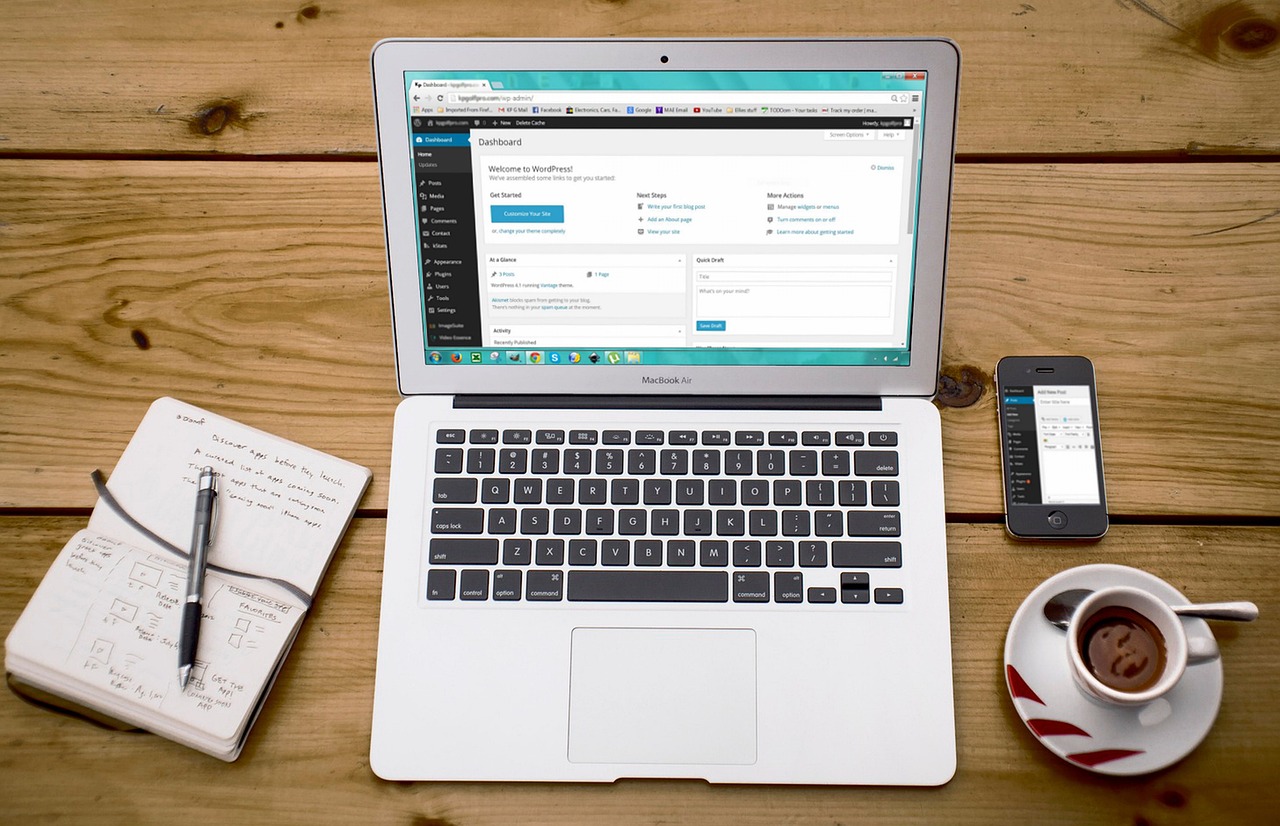
    A laptop showing a WordPress dashboard beside a smartphone on a wooden desk

    Your site has to work well on a mid-range phone on a mobile network, not just on the designer’s laptop. Whatever an agency tells you about its process, make it prove that on a real phone before you sign.

    15. Do you design for phones first?

    Ask to open two or three of their live sites on your own phone, on mobile data, in front of you. Look at how fast the page appears, whether the text is readable without zooming and whether buttons are easy to tap.

    Red flag: Their portfolio only exists as desktop screenshots.

    16. What speed standard do you commit to?

    Google’s published “good” thresholds for Core Web Vitals are Largest Contentful Paint of 2.5 seconds or less, Interaction to Next Paint of 200 milliseconds or less and Cumulative Layout Shift of 0.1 or less, measured at the 75th percentile of real visits (web.dev). A good agency can talk about these without prompting.

    Red flag: “We make fast websites” with no numbers behind it.

    17. What SEO is included, specifically?

    “SEO included” can mean anything from a title tag to a full strategy. Ask for the list: page titles and descriptions, image alt text, site structure, mobile and speed work, schema markup, Google Business Profile setup. Ongoing SEO, such as monthly content and link building, is normally a separate service, and you should know what it costs.

    Red flag: Guaranteed first-page rankings. No one controls Google’s results.

    18. Can I see results from your past sites?

    Ask for live URLs and, ideally, a client you can speak to. Screenshots are easy to fake or cherry-pick. Live sites you can test yourself are not. You can see some of ours on our portfolio.

    Red flag: No live links, or “all our clients are confidential”.

    After Launch and Legal: What Happens Next

    19. What support, backups and security are included once the site is live?

    Websites get hacked, plugins break and hosting fails. Ask how long free support lasts, what the monthly maintenance covers and who restores the site if something breaks. Backups should exist outside the live server.

    Red flag: “The site doesn’t need maintenance.”

    20. How will you handle data privacy and Uganda’s data protection rules?

    Contact forms, newsletter sign-ups and checkout pages all collect personal data. Uganda’s Data Protection and Privacy Act, 2019 provides for a data protection register kept by the Personal Data Protection Office (Section 29 is headed “Data protection register” in the Act’s text). Eagle Online reported in August 2026 that more than 500,000 Ugandan organisations collect personal data without having registered. Check the current registration requirement with the PDPO before you rely on this. A web designer isn’t your lawyer, but they should know the basics, add a privacy notice and consent wording to forms, and tell you honestly what is outside their scope.

    Red flag: They’ve never heard of it, or say “that doesn’t apply to websites”.

    How to Score the Answers

    After the meeting, put each agency’s answers side by side. Here is how to read them.

    TopicA good answerA warning sign
    Domain and hostingIn your name, you hold the loginsKept in the agency’s account
    Code and designOwnership passes to you on full payment, in writingSilent contract, or agency “retains all rights”
    PricingItemised scope, known recurring costsOne lump sum, costs “discussed later”
    PaymentsStaged against milestonesAll upfront, or tied to nothing
    PeopleYou know who builds itUnclear or hidden
    Speed and mobileLive sites you can test; Core Web Vitals discussedOnly desktop screenshots
    After launchDefined support, offsite backups“No maintenance needed”

    Not knowing an exact number, such as the precise page count, isn’t a problem. Being unable or unwilling to answer clearly on ownership, pricing or exit terms is.

    Web Designer Questions: Quick Answers

    What questions should I ask a web designer in Uganda?

    Ask about five things: ownership (domain, hosting, code), pricing and recurring costs, who builds the site and how the process runs, mobile speed and SEO, and what support you get after launch. Get the answers in writing, and treat vague replies on money or ownership as the real warning sign.

    How many of these questions should I ask in one meeting?

    You don’t need all 20 in order. Cover ownership and pricing (questions 1 to 10) first, since those cause the most damage when unanswered. Raise process, performance and SEO once you’re seriously considering a specific agency.

    What if an agency can’t answer some of these confidently?

    It depends which ones. Missing a detail like exact page count is fine. Being unclear on ownership, pricing or what happens if you end the relationship is worth taking seriously. Ask them to follow up in writing and see how they respond.

    Should I ask a web designer for references?

    Yes. Ask for live websites you can test and, if possible, a past client to speak to. A short call with someone who has been through a project tells you more than any portfolio page.

    Is the cheapest web designer in Uganda usually the worst choice?

    Not automatically, but compare like with like. Put every quote against the same scope and the same recurring costs, because a cheap build with expensive recurring fees can cost more over three years than a higher upfront price.

    Which Questions Matter Most Before You Sign

    The best questions to ask a web design company in Uganda are the ones about ownership, money and exit terms, because those are the hardest to fix after you’ve signed. A good agency will be glad you asked, and will already have clear answers. If you want to test us the same way, talk to Kico Web Design and bring this list.

  • Mobile-First Design in Uganda: Why 95% Mobile Traffic Changes Everything

    Mobile-First Design in Uganda: Why 95% Mobile Traffic Changes Everything

    “Mobile-first” gets used in almost every web design pitch in Uganda, usually to mean “the site also works on phones.” That’s not what the phrase means, and in Uganda specifically, treating it that way misses the actual problem. Here, mobile isn’t one audience among several. It’s most of the audience, using a wider range of devices and connections than a responsive layout alone accounts for.

    Key Takeaways

    What the Numbers Actually Say About Uganda

    DataReportal’s Digital 2026 Uganda report puts mobile connections at 40.9 million, equivalent to about 79% of the population, with roughly 95% of internet users going online via a mobile device. If you’re building a business website for Uganda and not designing mobile-first, you are, by definition, designing for the smaller slice of your audience first and hoping the larger slice works out.

    But the more useful number for actually building the site is the one competitors rarely mention: smartphone penetration in Uganda sits at around 35.6%, according to Uganda Communications Commission data reported in August 2026, well behind Kenya (72.6%) and Ghana (over 60%). Of the roughly 58 million devices connected to Uganda’s mobile networks, UCC counts only about 20 million as smartphones. Basic and feature phones still make up the rest.

    That gap matters. It means a meaningful share of “mobile” access in Uganda isn’t happening on a device that renders a modern website the way a designer’s test phone does. And even among smartphone users, the phones in daily use skew toward budget Android models with less memory and slower processors than the devices most web design tutorials are built and tested on.

    Network Speed Is the Other Half of the Problem

    A phone is only half of “mobile.” The connection matters just as much, and in Uganda it varies more than most site owners assume. Nationally, median download speeds sit around 8.4 Mbps. 4G network coverage reaches an estimated 42% of the country, while 3G reaches about 87%. In Kampala and other urban centers, 4G speeds commonly land in the 10-20 Mbps range, with MTN’s fastest recorded average reaching over 50 Mbps in parts of the network. Step outside those areas, and speeds can fall to 1-3 Mbps.

    A website that loads instantly on the office WiFi you tested it on can take genuinely painful seconds to appear for a customer on a 3G connection in a smaller town. If that customer is checking your business hours, your location, or whether you sell a specific product before deciding whether to visit, every extra second of load time is a chance for them to give up and call a competitor instead.

    What Mobile-First Actually Means for the Build

    Mobile-first is a design and engineering approach, not a checkbox. It means the small-screen, slow-connection version of the site is the default you design for, and the desktop version is the enhancement, not the other way around. In practice, for a Uganda business site, that comes down to a handful of concrete decisions.

    Image weight, not just image size

    A responsive image that resizes to fit a phone screen but still downloads a 2MB file behind the scenes hasn’t solved the real problem. On a 1-3 Mbps rural connection, that single image can take 10-15 seconds to load on its own. Modern formats (WebP or AVIF), genuinely compressed file sizes, and serving a smaller image to a smaller screen rather than just scaling it down in the browser make a measurable difference here.

    How much JavaScript actually ships to the browser

    Heavy JavaScript frameworks and bloated page builders push a lot of processing work onto the visitor’s device before anything becomes usable. A mid-range Android phone handles that far worse than the laptop most designers build and test on. Fewer, lighter scripts mean a page becomes interactive sooner, which matters more on constrained hardware than on a high-end device where the difference is barely noticeable.

    Fonts and layout shift

    Custom web fonts that load slowly cause visible text to jump around as the page settles, which is disorienting on a small screen and actively hurts Google’s page experience signals. Loading fewer font weights, or using a well-optimized system font stack, keeps text stable and legible while the rest of the page catches up.

    Forms and buttons sized for a thumb, not a cursor

    A contact form or WhatsApp button that’s easy to tap with a mouse pointer can be genuinely frustrating on a 5-inch screen. Tap targets need real spacing, input fields need to trigger the right on-screen keyboard (a phone-number field should bring up the numeric keypad, not the full alphabet), and forms should ask for the minimum information needed to get a lead, not the maximum.

    Navigation that works with one thumb

    Desktop navigation menus with many dropdown levels tend to become unusable clutter on mobile. A mobile-first build starts from a simple, collapsed menu built for one-handed use and adds complexity for desktop, rather than starting with an elaborate desktop menu and trying to cram it into a hamburger icon afterward.

    Why This Is Also an SEO Issue, Not Just a Usability One

    Google has used mobile-first indexing for years now, meaning it primarily evaluates and ranks websites based on their mobile version, not the desktop one. A site with a strong desktop layout but a cramped, slow, or broken mobile experience is being judged by Google on the weaker version, regardless of how the desktop site looks. In a market where 95% of your visitors are on mobile anyway, the version Google is ranking and the version most of your customers actually see are the same thing. Getting mobile right isn’t a separate task from getting SEO right in Uganda; it’s the same task.

    A Quick Way to Check Your Own Site

    You don’t need special tools to get a rough sense of where your own website stands. A few honest checks:

    • Open your site on an actual phone, not a resized desktop browser window, ideally on mobile data rather than WiFi.
    • Time how long it takes before you can actually read the main content, not just how long until something appears on screen.
    • Try filling out your contact form with one thumb. Notice where you have to pinch, zoom, or correct a misplaced tap.
    • Check whether your phone number and WhatsApp link are tappable, not just visible as plain text.
    • If you can, test it once on a slower connection or in an area with weaker signal, since that’s a more honest picture of what a meaningful share of your visitors experience than testing on fast office WiFi.

    Frequently Asked Questions

    Isn’t a “responsive” website already mobile-first?

    Not necessarily. Responsive design means the layout adjusts to fit different screen sizes. Mobile-first means the mobile experience, including load time, image weight, and how much code the browser has to process, was the starting point for the design, not an adjustment made to a desktop-first build. A site can be fully responsive in layout and still be slow and heavy on a real mobile connection.

    Does mobile-first design cost more to build?

    It doesn’t have to. It’s more a matter of decisions made during the build (image formats, font choices, how much JavaScript is used) than of additional custom work. Retrofitting a slow, heavy site after launch typically costs more than building with these constraints in mind from the start.

    My analytics show most of my visitors on mobile already. Do I still need to worry about this?

    Traffic share and experience quality are different things. Seeing high mobile traffic in your analytics tells you people are reaching your site on mobile; it doesn’t tell you how many gave up while it was loading, or how many left after struggling with a cramped form, since neither of those shows up as a clean number in most analytics dashboards.

    If you’re not sure where your own site stands, our guide to speeding up a slow website in Uganda’s low-bandwidth environment covers the technical side of this in more depth. And if mobile performance turns out to be one of several problems, our signs your website needs a redesign can help you work out whether a fix or a full rebuild makes more sense.

    Web Design Listings

  • How to Audit Your Own Website Before Hiring a Designer (Free Checklist)

    How to Audit Your Own Website Before Hiring a Designer (Free Checklist)

    Before you contact a web design company, it’s worth spending twenty honest minutes looking at your own website the way a stranger would. You don’t need any design training for this. You need a phone, a laptop, and a willingness to actually click through your own site instead of assuming it works the way you remember it.

    Doing this first means you walk into any conversation with a web designer already knowing what’s actually wrong, instead of vaguely feeling like “the site needs updating.” It also means you won’t pay for a full rebuild when a handful of specific fixes would have solved the real problem.

    Key Takeaways

    Step 1: The 5-Second Test

    Open your homepage on your phone. Give yourself exactly 5 seconds to look at it, then close the tab and answer three questions from memory:

    • What does this business actually do?
    • Who is it for?
    • What am I supposed to do next?

    If you can’t answer all three confidently, and you already know your own business, imagine how a stranger who’s never heard of you would do. This is usually the single most valuable five minutes of a self-audit, because a confusing homepage undermines everything else on the site.

    Step 2: Click Everything Yourself

    Go through your site like a customer would, and actually click, tap, and submit everything. Specifically:

    • Click every item in your main navigation menu.
    • Click your logo. It should take you back to the homepage. This sounds trivial, but it’s a widely expected behavior, and it’s surprising how often it’s broken.
    • Fill out your contact form completely and submit it. Confirm you actually receive the message, not just that the form appears to submit.
    • Tap your phone number and WhatsApp link on an actual phone. Confirm they open the dialer or WhatsApp rather than doing nothing.
    • Click through to at least one page from every major section of your site (each service, each product category), not just the pages you personally visit most often.

    A broken link or a contact form that silently fails doesn’t announce itself. You won’t get an error message telling you a customer tried and gave up. You just lose them, quietly, and never know it happened.

    Step 3: Check Your Site on an Actual Phone

    Not a resized browser window on your laptop, an actual phone, ideally on mobile data rather than office WiFi, since that’s a more honest picture of what most of your visitors experience. While you’re there:

    • Notice how long it takes before you can actually read the main content, not just how long until something appears.
    • Try filling out your contact form with one thumb. Notice where you have to pinch, zoom, or correct a mis-tap.
    • Check whether any text is cut off, overlapping, or requires horizontal scrolling to read.

    Our guide to mobile-first design in Uganda goes deeper into why this matters specifically here: most of your visitors are on mobile, and a meaningful share are on budget phones and slower connections, not the fast office WiFi most people test on by default.

    Step 4: Run a Free Speed and Mobile-Usability Check

    Google’s PageSpeed Insights tool is free, requires no account, and takes under a minute. Enter your homepage URL and it will give you a score for both mobile and desktop, along with specific, plain-language issues it found (slow-loading images, render-blocking code, and similar). You don’t need to understand every technical term in the report. You just need to note the overall score and the top two or three flagged issues to mention when you talk to a designer.

    Step 5: Check Your Content, Not Just Your Design

    A surprising number of “we need a redesign” conversations turn out to actually be content problems wearing a design costume. Before assuming the visual design is the issue, check:

    • Is your business information (hours, location, phone number) accurate and current?
    • Are your prices, if listed, still correct?
    • Do your photos actually represent your current work, products, or team?
    • Is there anything referencing a past year, an old promotion, or a service you no longer offer?

    If our signs your website needs a redesign guide describes your situation once you’ve been through this list, you’re likely looking at a genuine design problem. If most of what you found is outdated information, a content update might solve more of the problem than a full rebuild would, at a fraction of the cost.

    Step 6: Write Down What You Found

    Before you talk to anyone, turn what you noticed into a short, specific list. Not “the site feels old,” but “the contact form doesn’t send an email,” “PageSpeed Insights scored us 31 on mobile,” “three of our service pages still show 2024 pricing.” A list like this changes the entire conversation with a designer. Instead of a vague scoping exercise, you’re both starting from the same concrete facts.

    The Quick Checklist

    • [ ] Passed the 5-second test (or noted exactly why it didn’t)
    • [ ] Clicked every navigation link and confirmed none are broken
    • [ ] Logo links back to the homepage
    • [ ] Contact form submitted successfully and the message actually arrived
    • [ ] Phone number and WhatsApp link work when tapped on a real phone
    • [ ] Checked the site on an actual phone, on mobile data
    • [ ] Ran PageSpeed Insights and noted the score plus top issues
    • [ ] Confirmed hours, prices, and contact details are current
    • [ ] Confirmed photos represent your actual current work or team
    • [ ] Wrote down specific findings, not general impressions

    Frequently Asked Questions

    Do I need any technical knowledge to do this?

    No. Every step here only requires clicking through your own site the way a customer would and reading the plain-language summary that a free tool like PageSpeed Insights gives you. None of it requires understanding code or design theory.

    What if I find a lot of problems? Does that mean I need a full rebuild?

    Not necessarily. Broken links, outdated content, and a low PageSpeed score can sometimes be fixed without touching the overall design. A full rebuild becomes the right answer when the underlying structure itself is the problem, not just individual pieces of content or a handful of technical issues.

    How long should this actually take?

    Around 20 minutes for a typical small business site. The 5-second test and clicking through your navigation take a few minutes each; the PageSpeed Insights check takes under a minute to run.

    Should I do this even if I’m not planning to change my website right now?

    It’s worth doing periodically regardless, since broken forms and outdated content can go unnoticed for a long time on a site nobody actively tests. Catching a broken contact form early is worth far more than catching it a year later after wondering why inquiries dried up.

    Once you have your list of findings, our 20 questions to ask a web design company will help you have a focused, efficient first conversation with whoever you choose to work with.

  • Website Migration Checklist: Moving Your Uganda Business Site Without Losing Google Rankings

    Website Migration Checklist: Moving Your Uganda Business Site Without Losing Google Rankings

    If you’ve read our guide on the signs your website needs a redesign, you might already know your site needs to change. What stops a lot of Uganda businesses from actually doing it isn’t the redesign itself. It’s the fear of what happens to the Google rankings and traffic the old site already has.

    That fear is reasonable. A badly handled migration can genuinely tank a site’s traffic. But “badly handled” is the key phrase. A migration that follows a proper checklist rarely loses meaningful ground, and what ground it does lose is usually temporary. This is the checklist we use ourselves.

    Key Takeaways

    What Actually Counts as a “Migration”

    People tend to picture “migration” as moving to a brand new domain, but the term covers a wider set of changes than that. Any of the following puts your existing Google rankings at risk in the same basic way:

    • A full redesign that changes your page URLs, even if the domain stays the same.
    • Switching platforms, for example from a page builder to WordPress, or from WordPress to a custom build.
    • Changing your domain name entirely.
    • Moving from HTTP to HTTPS, or from a non-www to a www address (or the reverse).
    • Restructuring your navigation or URL slugs, even without a full visual redesign.

    If your redesign is only changing colors, images, and layout while every URL stays exactly the same, most of this checklist doesn’t apply to you. The risk shows up specifically when URLs change, because that’s what breaks the connection between what Google has already indexed and what now lives at that address.

    Before You Launch Anything

    1. Get a full list of every URL on the old site

    You can’t redirect what you haven’t accounted for. Pull a complete list from your sitemap, your CMS’s page list, and Google Search Console’s indexed-pages report, since these three sources sometimes disagree, and the gap between them is often where forgotten pages hide.

    2. Check which of those pages actually bring in traffic or rankings

    In Google Search Console, look at which pages get clicks and impressions. These are the pages that need the most careful handling in your redirect map. A page with zero traffic and zero rankings can often be retired without a redirect at all, but a page quietly bringing in steady search traffic needs a direct, accurate 301.

    3. Build a one-to-one redirect map, not a blanket redirect

    This is the step that determines whether a migration goes smoothly or badly. Every old URL should point to its closest topical match on the new site. A page about “website hosting Uganda” should redirect to the new page that covers website hosting, not to your homepage. Redirecting everything to the homepage is the single most common migration mistake, and it throws away most of the ranking value those pages had built up.

    [PERSONAL EXPERIENCE] We’ve done exactly this on our own blog. When we consolidated three older posts that were competing with each other for the same keyword into one stronger article, we didn’t just delete the weaker posts. We set up permanent redirects from each old URL straight to the post that replaced it, so any backlinks or bookmarks pointing at the old pages still land somewhere relevant instead of hitting a dead end.

    4. Use 301 redirects specifically, not 302

    A 301 tells Google “this page has permanently moved, transfer its ranking signals to the new address.” A 302 says “this is temporary,” and Google treats it that way, largely withholding those signals from the new URL. If your developer or platform defaults to 302 redirects, that’s worth catching before launch, since it’s an easy mistake with a real cost.

    5. Avoid redirect chains

    A redirect chain happens when page A redirects to page B, which then redirects to page C. Each hop leaks a little ranking value and slows down how quickly search engines can follow the chain. Point every old URL directly at its final destination in one hop.

    6. Note every page’s title, meta description, and header structure before you tear it down

    If a page currently ranks well, its existing title and heading probably have something to do with that. Carrying the working elements of a high-performing page into its redesigned version, rather than rewriting everything from scratch out of habit, protects rankings you’ve already earned.

    On Launch Day

    7. Submit your new sitemap in Google Search Console

    This tells Google where to find your new page structure without waiting for it to be discovered naturally, which speeds up recrawling.

    8. Use the Change of Address tool only if you’ve actually changed domains

    Google Search Console’s Change of Address tool flags a domain move directly to Google and speeds up recrawling, but it only applies when the domain itself has changed (moving from an old domain to a new one). A redesign or replatform on the same domain doesn’t use this tool. Submitting your redirect map and new sitemap is what matters there instead.

    9. Test a sample of your redirects manually

    Before assuming the redirect map worked, spot-check a handful of old URLs yourself, especially the highest-traffic ones. Confirm each one lands on the correct new page and returns a real 301 status, not a soft 404 that just displays an error page while technically returning a 200.

    10. Update your internal links

    Redirects protect external backlinks and old bookmarks, but they shouldn’t be your permanent internal linking strategy. Go through your own site’s navigation, footer, and in-content links and point them directly at the new URLs. Relying on redirect hops for your own internal links adds unnecessary load and signals a less carefully maintained site.

    After Launch: What to Expect and What to Watch

    Some traffic dip is normal, even when you do everything right

    Search engines don’t instantly transfer rankings the moment redirects go live. Googlebot typically acknowledges a change within one to two weeks, and rankings can fluctuate for several weeks after that while Google re-evaluates the new URLs. A short-term dip somewhere in the 20-30% range that recovers within a few weeks is within the range of normal. It doesn’t automatically mean something went wrong.

    Keep old redirects live for at least 180 days

    Google’s own guidance is to maintain redirects for a minimum of 180 days, longer if you’re still seeing search traffic arrive through the old URLs. Removing redirects too early, because the old hosting contract expired or someone assumed the migration was “done,” is a common way migrations quietly lose ground months after launch.

    Monitor Search Console weekly, not daily

    Checking rankings every day during a migration mostly just adds stress, since normal week-to-week fluctuation can look alarming in isolation. A weekly check of impressions, clicks, and average position in Search Console gives a clearer picture of the actual trend.

    Full recovery is measured in months, not days

    Most well-executed migrations stabilize within a few weeks to a couple of months. Larger or more complex sites can take longer, and Google has described some site moves as a gradual transition that can continue settling for months afterward. Going in with that timeline in mind, rather than expecting an overnight bounce-back, makes the normal dip far less alarming when it happens.

    The Single Biggest Mistake to Avoid

    If there’s one thing worth repeating: don’t redirect your whole old site to your new homepage “to keep it simple.” It feels like the fast option, and it’s the one that does the most damage. Each of your old pages built its own individual signal with Google over time. A blanket homepage redirect throws all of that away at once instead of transferring it to where it actually belongs.

    Frequently Asked Questions

    Will I lose my Google rankings during a website migration?

    You’ll likely see some temporary fluctuation, even with a well-executed migration, but a proper redirect map and correct technical setup should preserve your rankings over the following weeks to months. Losing rankings permanently is usually a sign that redirects were missing, incorrect, or pointed at the wrong pages.

    How long should I keep my old website’s redirects active?

    At least 180 days, per Google’s own guidance, and longer if you’re still seeing traffic coming through the old URLs after that point. After roughly six months without redirects, Google stops treating the old and new sites as related.

    Do I need to use the Change of Address tool for a redesign?

    No. That tool is specifically for a full domain change, old domain to new domain. A redesign or replatform that keeps the same domain doesn’t need it; your redirect map and updated sitemap do the equivalent job in that case.

    Should I redirect low-traffic pages too?

    If a page genuinely has no traffic and no rankings, it’s reasonable to let it 404 or retire it without a redirect. But check Search Console first. A page that looks unimportant in your own analytics can still be quietly ranking for a keyword you’re not tracking closely.

    If you’re weighing whether your site needs this kind of change at all, our guide on the signs your website needs a redesign is the place to start. And if speed or mobile performance is part of what’s driving the redesign conversation, our guide to mobile-first design in Uganda covers what the rebuilt site should get right from day one.

  • What Makes a Website Convert? Lessons from 16 Uganda Projects

    What Makes a Website Convert? Lessons from 16 Uganda Projects

    Most advice about “high-converting websites” is written from general theory or from studies of American shoppers. This article is different. It’s drawn from 16 websites and platforms we’ve built for Uganda businesses and organisations: tour operators, schools, shops, an NGO, a bakery, a farmers’ network, and others. The same handful of changes kept showing up behind the best results.

    A note on honesty before we start: not every one of these projects has before-and-after numbers. Some are recent launches still gathering data, and a few are platforms where “conversion” means something different. Where we quote results, they come from the project’s published case study. And because each redesign changed several things at once, we can’t claim any single change caused a result on its own. What we can say is which patterns appear again and again in the projects that improved most.

    Key Takeaways

    1. Make the Main Action Simple

    Every website has one action that matters most. For a tour operator it’s a booking. For a school it’s an application. For a membership organisation it’s a signup. The projects with the strongest results all made that one action easier.

    The Cattle Farmers Network is the clearest example. Their old multi-step registration process was losing around 60% of people who started it. We replaced it with a single-page form, and monthly member signups rose by 200% within three months. At Kingdom Kids Junior School, adding a clear online admissions and enquiry flow was followed by a 300% increase in parents starting applications online during the first term.

    The lesson: before adding anything to a website, look at the steps between arriving and completing the main action, and remove every one you can.

    2. Speed and Mobile Aren’t Optional

    This showed up in almost every project with measured results. The Cattle Farmers Network’s Google PageSpeed score went from 42 to 95, and mobile visitors grew from 45% to 75% of their traffic. At Uganda Family Tours, mobile bookings went from 15% of all bookings to 62% after a mobile-optimised booking flow. Mutindo Express Cakes saw mobile orders rise by 200%.

    None of this is surprising once you look at how Ugandans get online. Our guide to mobile-first design in Uganda covers the numbers, but the short version is that most of your visitors are on a phone, often on a slower connection. A site that’s slow or awkward on mobile is losing most of its audience before they ever see the offer.

    3. Put Trust Signals Next to the Decision

    Trust signals like reviews, guarantees, and credentials work best where the visitor is deciding, not tucked away on an About page. On Luxoriax Auto Group‘s car hire site, licensed chauffeurs, insured vehicles, and 24/7 support sit directly in the hero section beside the booking button. On New Age Wellness Solutions‘ store, star ratings and review counts appear on every product card. On an e-commerce marketplace we built, four core guarantees (a free delivery threshold, 7-day returns, buyer protection, and 24/7 support) appear throughout the site.

    These are recent projects, so we don’t have long-term figures for them yet. But the pattern matches what we’ve seen elsewhere: a visitor who’s hesitating needs reassurance at that moment, not three clicks away.

    4. Offer More Than One Way to Buy

    Many Ugandan customers would rather confirm an order on WhatsApp than fill in a checkout form, especially for a first purchase from an unfamiliar shop. Several of our e-commerce builds offer both: a standard cart and a direct “order on WhatsApp” option on every product.

    UG Wellness Pro used this dual ordering approach, alongside detailed product pages and trust builders. Within six months, online sales grew by 400%, with a conversion rate of 4.2% and average order value up 85%. The same idea works outside e-commerce. Luxoriax offers two paths from the homepage, “Book a Vehicle” for people ready to commit and “View Our Fleet” for people still researching, so neither group hits a dead end.

    5. Make the Offer Easy to Understand

    People don’t buy what they can’t understand. Uganda Family Tours is the strongest case. Their new site presented each tour package clearly, with itineraries, inclusions, and pricing laid out consistently, alongside an integrated booking system. Their booking conversion rate went from 1.5% to 6.8%, and monthly online bookings rose from an average of 8 to 36 within six months. Adventures and Hikes, another tourism client, saw booking enquiries rise by 250% after a similar focus on clearer package presentation and stronger calls to action.

    For a visual product, clarity means good photos, well organised. Mutindo Express reorganised its cake galleries so customers could quickly find the birthday and wedding cakes they were looking for, paired with a simpler ordering flow, and saw order enquiries rise by 300%.

    6. Answer Questions Before They’re Asked

    One of the less obvious results came from Kingdom Kids. After launch, calls to the school office dropped by 35%, because parents could find curriculum, fees, and school life information on the website instead of phoning. Parents also spent more time on those pages and arrived at enquiries better informed. A website that answers common questions doesn’t just convert better. It saves your staff time and brings you more serious leads.

    7. Show Real Impact

    For organisations asking for support rather than selling a product, proof of impact does the converting. The Dare4TheFuture Initiative website was built around impact stories, clear programme pages, and simple giving options. Online donations rose by 400%, volunteer signups by 220%, and recurring donors by 160%. Our guide to NGO website design in Uganda goes into this in more depth.

    What Didn’t Matter as Much as People Expect

    Clients often arrive expecting that visual polish, animations, or extra features will drive results. In our projects, the improvements that lined up with better numbers were mostly practical: fewer steps, faster pages, clearer information, and reassurance at the right moment. Good design still matters, because it builds credibility. But a beautiful site that’s slow on a phone or confusing to book through still underperforms.

    Frequently Asked Questions

    What is a good website conversion rate in Uganda?

    It depends on what counts as a conversion and where your traffic comes from. In our projects, UG Wellness Pro’s store converts at 4.2%, and Uganda Family Tours’ booking conversion reached 6.8%. Compare your site against its own past performance first, rather than against a general benchmark.

    What’s the quickest improvement most sites can make?

    Simplify the main action and check it on a real phone. Removing unnecessary form fields and steps is usually the fastest win. Our website self-audit checklist walks you through checking this yourself.

    Does adding WhatsApp ordering really help?

    For many Uganda businesses, yes, especially for first-time buyers who want to ask a question before paying. It works best alongside a normal checkout rather than replacing it, so customers can choose.

    You can see all of these projects in our portfolio. And if your current site isn’t converting, our guide to the signs your website needs a redesign can help you decide whether it needs fixing or rebuilding.

  • Before & After: 5 Uganda Website Redesigns That Increased Leads

    Before & After: 5 Uganda Website Redesigns That Increased Leads

    It’s easy to say a website redesign in uganda “increases leads.” It’s more useful to see what a real site looked like before, what actually changed, and what happened afterwards. Here are five redesigns we’ve done for Uganda organisations: a safari company, a farmers’ network, a primary school, an education NGO, and a hiking tour operator.

    Each had an existing website that wasn’t working. The results below come from each project’s published case study. Because every redesign changed several things at once, we describe what changed alongside the results rather than claiming any single change was responsible.

    Key Takeaways

    1. Uganda Family Tours: From Enquiries to Direct Bookings

    Before: Only 1.5% of visitors booked a tour. Most needed several emails and phone calls first. Packages were hard to compare, with pricing, inclusions, and duration scattered across pages. There was no online payment, so customers had to arrange bank transfers by email. The mobile experience frustrated international travellers researching on their phones, and the site wasn’t ranking for the searches that matter most, like “Uganda gorilla trekking tours.”

    What changed: Tour packages were restructured so each one showed itinerary, inclusions, and pricing the same way. We added an integrated booking system with payment processing, a mobile-optimised booking flow, destination guides, and international SEO aimed at travellers in the US, UK, and Germany.

    After (within six months):

    • Booking conversion rate up from 1.5% to 6.8%
    • Monthly online bookings up from an average of 8 to 36
    • Mobile share of bookings up from 15% to 62%
    • Average booking value up 45%
    • Top-three rankings for key terms including “Uganda gorilla trekking tours” and “Bwindi gorilla tours”

    “We went from struggling to convert online inquiries to having travelers book full safari packages directly through our website,” says the company’s Managing Director. Read the full case study.

    2. Cattle Farmers Network: Fixing a Signup Form That Lost 60% of People

    Before: The network’s website looked dated and didn’t inspire confidence, especially among diaspora investors. Most farmers go online by phone, but the site wasn’t mobile-friendly. The membership signup was a confusing multi-step process that around 60% of people abandoned, and online signups were falling month after month. Its Google PageSpeed score was 42.

    What changed: A mobile-first rebuild, a single-page registration form, dedicated pages for each of the network’s nine services, a project gallery, a blog for farming knowledge, and a site structure built for search.

    After:

    • Member registrations up 200%, tripling within the first three months
    • PageSpeed score up from 42 to 95
    • Mobile share of traffic up from 45% to 75%
    • Bounce rate down from 68% to 37%
    • Average time on site up from 1.5 to about 4 minutes

    “The mobile experience is exceptional, which is critical for reaching farmers in rural areas,” says the network’s Director of Operations. Read the full case study.

    3. Kingdom Kids Junior School: Admissions Without the Phone Calls

    Before: The school’s website used an outdated template that didn’t reflect its lively atmosphere. There was no online admissions process, so parents had to visit or call several times just to get basic information. Fees, curriculum, and admission requirements were hard to find, which meant a steady stream of repetitive calls to the office. The site was hard to use on a phone and didn’t appear for searches like “primary school Kampala.”

    What changed: The site was reorganised around what parents actually want to know, with clear fees, curriculum, and school life pages, an online enquiry and admissions flow, a mobile-first design, and local SEO for education searches in Kampala.

    After:

    • Online applications up 300% in the first term after launch
    • Website visitors up 250%
    • Calls to the school office down 35%
    • 72% of visitors now browsing on mobile

    “Parents now tell us they chose to visit the school because of how clear and professional our website is,” says the Head Teacher. Read the full case study.

    4. Dare4TheFuture Initiative: Making It Easy to Give

    Before: The NGO’s basic web presence didn’t show the impact of its education work. Supporters could only give by manual bank transfer or cash, which made recurring donations difficult. Programmes weren’t clearly presented, would-be volunteers had no obvious way to sign up, and the organisation didn’t appear for searches like “education NGO Uganda.”

    What changed: A site built around impact stories and clear programme pages, online giving with one-time and monthly options, pathways for volunteers and partners, and SEO for education and NGO searches.

    After:

    • Online donations up 400%
    • Volunteer signups up 220%
    • Recurring donors up 160%
    • More than 10,000 visitors, including supporters outside Uganda

    “Donors tell us they feel more confident giving because they can see our programs and impact clearly,” says the Founder and Executive Director. Read the full case study.

    5. Adventures and Hikes: From Brochure to Booking Engine

    Before: The site worked like a brochure. Visitors struggled to compare hikes and packages because information wasn’t structured consistently, calls to action were scattered, and first-time visitors had little to reassure them before enquiring. Most people were browsing on their phones.

    What changed: Tours were reorganised into clear sections for comparing by destination, experience level, and value. Credibility signals moved into high-visibility places, the layout was rebuilt for phones with one-tap enquiries, and calls to action followed a consistent pattern throughout.

    After:

    • Online bookings and enquiries up 250%
    • Organic traffic up 180%
    • Site performance score of 94/100

    Read the full case study.

    What the Five Old Sites Had in Common

    Problem on the old siteFamily ToursFarmers NetworkKingdom KidsDare4TheFutureAdventures & Hikes
    Poor mobile experienceYesYesYes—Yes
    Confusing path to the main actionYesYesYesYesYes
    Key information hard to find or compareYesYesYesYesYes
    Weak Google visibilityYesYesYesYes—
    Looked outdated or didn’t build trustYesYesYesYesYes

    If your current site has several of these problems, you’re in a similar position to where these organisations started. Our guide to the signs your website needs a redesign can help you check. For the patterns behind these results across all our projects, see what makes a website convert.

    Frequently Asked Questions

    How long after a redesign do results show up?

    In these projects, changes in behaviour such as signups, applications, and bookings appeared within the first few months, while search ranking gains built up over a longer period. Uganda Family Tours’ figures cover the first six months, and Kingdom Kids’ applications rose within the first term.

    Will a redesign hurt my Google rankings?

    Not if it’s handled properly. Several of these sites improved their rankings after redesign. The key is managing URL changes with proper redirects, which our website migration checklist covers step by step.

    Do I need a full redesign, or can I fix parts of my site?

    Sometimes targeted fixes are enough, such as simplifying a form or reorganising key pages. A full redesign makes sense when problems run through the whole site, as they did in all five of these cases. Our website self-audit checklist helps you tell the difference.

  • 10 Signs Your Uganda Business Website Needs a Redesign (2026)

    10 Signs Your Uganda Business Website Needs a Redesign (2026)

    Your website still works. It loads, eventually. People can find your phone number, more or less. So why does it feel like it is quietly costing you customers?

    A website rarely fails all at once. It fails a little at a time a slow homepage here, a broken layout on someone’s phone there until one day you realize it has been months since it brought in a lead that wasn’t a referral. This guide walks through the specific, checkable signs that your website needs a redesign, not on a fixed schedule, but because the evidence says so.

    There Is No Fixed “Redesign Every X Years” Rule

    You will see “redesign every 2 to 3 years” repeated across web design blogs. Treat it with caution. There is little solid evidence behind that specific number, and plenty of websites run well past five years without needing a rebuild, while others need one after eighteen months because the business itself changed faster than the site did.

    The more reliable approach: watch for specific, measurable signals — rising bounce rate, falling conversions, poor Core Web Vitals scores, declining search visibility rather than counting years on a calendar. One weak sign on its own usually isn’t decisive. Three or more, across different categories, is a strong case.

    10 Signs Your Website Needs a Redesign

    1. It Takes More Than 3 Seconds to Load on a Phone

    This is the single most measurable sign on this list, and one of the most damaging. 53% of mobile visitors abandon a page that takes longer than 3 seconds to load. Across the wider web, the average desktop page loads in about 2.5 seconds the average mobile page takes 8.6 seconds, nearly 71% longer. If your site falls into that mobile gap, you are very likely losing more than half of the people who click through to it before they ever see what you offer.

    Test it yourself: open your site on your own phone using mobile data, not office WiFi, and time how long it takes to become usable. If Uganda’s mobile networks are involved and it still takes more than 3 seconds, this alone is reason enough to act. Our guide on speeding up a slow website in Uganda’s low-bandwidth environment covers quick wins if a full redesign isn’t yet on the table.

    2. Your Site Isn’t Genuinely Mobile-Responsive

    This one isn’t just a UX complaint anymore it’s an indexing problem. Since July 2024, Google indexes and ranks the mobile version of your site by default, for every domain, with no exceptions. If your site’s content is not fully viewable and functional on a phone text too small to read without zooming, buttons too close together to tap accurately, layout that breaks or requires horizontal scrolling Google is evaluating your site by that broken mobile experience, not by how it looks on your office desktop monitor.

    A site that “sort of works” on mobile, where you have to pinch and zoom to read anything, functionally does not meet the bar Google now applies to every website it ranks.

    3. Visitors Land and Leave Without Clicking Anything

    A rising bounce rate is one of the clearest behavioral signals that something about the first impression no longer matches what visitors expect. Mobile visitors bounce at a slightly higher rate than desktop on average (around 57% versus 50%), so some bounce is normal what matters is the trend. If your analytics show bounce rate climbing over the last several months while nothing else about your traffic sources changed, that is the site itself losing people, not a fluke.

    4. Your Browser Shows a “Not Secure” Warning

    If Chrome or any modern browser flags your site as “Not Secure,” that warning appears before a visitor reads a single word of your content. It usually means one of three things: no HTTPS enforced at all, an expired or misconfigured SSL certificate, or “mixed content” — a secure page that still loads an image, script, or stylesheet over an old, unsecured http:// link. All three are fixable, but none of them should still be happening on a business website in 2026. See our guide on why SSL certificates matter for Uganda websites for how to check which one applies to you.

    5. You Can’t Update It Yourself Without Calling Someone

    If changing a phone number, adding a new product, or updating your hours requires emailing a developer and waiting days, the site is quietly costing you every time your business changes. A modern CMS-backed site should let a non-technical staff member make basic content edits directly.

    6. Your Design Doesn’t Match Your Current Brand

    Logos get refreshed, offerings expand, and target customers shift — but the website often stays frozen in an earlier version of the business. A visitor who sees a design that clashes with your current signage, packaging, or social media presence gets a subtle but real signal that something is out of date, even if they can’t name exactly what feels off.

    7. Competitors’ Sites Now Look Noticeably More Current

    Design conventions around navigation, typography, and layout shift over time to match how people actually browse. A site that hasn’t moved with those conventions can unconsciously signal to visitors that the business behind it is similarly behind the times — even when the products or service haven’t changed at all. If you’re regularly losing quote requests to competitors whose sites simply look more current, that’s worth taking seriously.

    8. Search Traffic Has Been Quietly Declining

    Following Google’s March 2026 core update, pages sitting in position 1 show roughly a 10% higher Core Web Vitals pass rate than pages sitting around position 9. Core Web Vitals (loading speed, responsiveness, visual stability) aren’t the primary thing that decides rankings — content quality and relevance still lead but they function as a tiebreaker when two pages are otherwise similar in quality. If your organic traffic has been sliding for months and your content hasn’t materially changed, a technically outdated site is a plausible contributing cause worth ruling out.

    9. You Don’t Actually Know What Content Management System It’s Built On

    This sounds minor until something breaks. If nobody currently at the business knows what platform the site runs on, who has admin access, or where the domain and hosting are registered, you have an operational risk, not just a design one. A redesign is a natural point to consolidate that information and make sure you, not a developer who left years ago, actually control your own website.

    10. It Doesn’t Reflect What You Actually Sell Anymore

    Businesses evolve faster than their websites. If you’ve added services, dropped others, or shifted who you primarily serve, and the homepage still describes the business as it was two or three years ago, the site is actively working against new inquiries rather than for them.

    How Many of These Signs Is “Too Many”?

    One sign on its own is rarely conclusive a single slow page, or one competitor with a nicer site, doesn’t mean you need a full rebuild. Three or more signs, especially when they span different categories (technical, like speed or mobile-friendliness; behavioral, like bounce rate; and strategic, like an outdated brand or offering), is a much stronger case. If you’re not sure where you stand, a short audit against your own analytics and a mobile device is worth doing before committing to anything.

    What a Redesign Actually Involves (So You Know What to Expect)

    A proper redesign is not “delete the old site and put up something new.” Done correctly, it follows a sequence that protects what’s already working while fixing what isn’t:

    • Audit first. Performance, UX, SEO, and conversion analysis on the current site, so the redesign fixes what’s actually broken rather than guessing.
    • Design before building. Wireframes and mockups you can review and approve before any development starts — no surprises at launch.
    • Build on staging. The new site is built and tested on a separate server while your current site stays live and unaffected.
    • Map every URL to its 301 redirect. This is the step that protects your SEO rankings. Every old URL should point to its closest new equivalent, individually mapped, not blanket-redirected to the homepage. A 301 (permanent) redirect, not a 302 (temporary), is what actually transfers ranking signals to the new page.
    • Launch with monitoring. Go live, submit the new sitemap to Search Console immediately, and watch traffic and indexing closely for the following weeks.

    At Kico, this process typically runs 6–10 weeks depending on site size, and includes 30 days of post-launch support to catch and fix anything that surfaces after go-live. Most sites we redesign see load times improve by roughly 2–3x, simply from modern hosting, image optimization, and cleaner code replacing whatever the old build was carrying.

    The Biggest Fear: “Will I Lose My Google Rankings?”

    This is the question that stops most businesses from redesigning a site that clearly needs it. The honest answer: rankings are lost through redesigns that skip the redirect-mapping step, not through redesigns in general. If every URL that currently ranks gets a proper 301 redirect to its equivalent page on the new site, and the content that ranks is preserved in substance even if the wording is refreshed, Google generally carries the ranking signal across to the new URL. The risk isn’t the redesign itself it’s doing it without a URL map.

    Frequently Asked Questions

    How do I know if it’s a redesign problem or just a content problem?

    If the issues are about what the site says (outdated service list, old pricing, missing testimonials), that’s usually a content update, not a redesign. If the issues are about how the site performs or looks (slow load times, broken mobile layout, dated design, security warnings), that points toward a redesign.

    Can I keep my existing domain during a redesign?

    Yes. Your domain stays exactly the same. Only the design and the technology behind the site change.

    How much does a website redesign cost in Uganda?

    It depends on the size and complexity of the existing site and how much content needs to migrate, so most agencies quote after a short discovery call rather than a flat rate. See our pricing page for standard package ranges as a starting reference point.

    Will the redesign process take my site offline?

    It shouldn’t. A properly run redesign builds the new site on a staging server, separate from your live site, so your current website stays up and unaffected until the new one is ready to launch.

    Final Thoughts

    A website redesign isn’t something to schedule by the calendar. It’s something the evidence tells you when it’s time for: a slow mobile load, a browser security warning, a bounce rate that keeps climbing, a design that no longer matches the business you’ve become. One or two of these signs might just need a fix. Three or more, across different categories, is usually the site telling you it’s time for more than a patch.

    If you’re weighing whether your site needs a full rebuild or just some targeted fixes, our web design checklist for Uganda businesses is a useful next stop, and our complete guide to web design in Uganda covers the fundamentals if you’re starting further back than a redesign.

  • Why Your Business Emails Go to Spam: SPF, DKIM and DMARC Explained

    Why Your Business Emails Go to Spam: SPF, DKIM and DMARC Explained

    If customers say your invoices or replies “never arrived,” and they aren’t in your sent folder issue, the problem is often three DNS records you’ve probably never heard of: SPF, DKIM, and DMARC. Without them, Gmail, Yahoo, and Outlook increasingly treat your business email as suspicious by default, and since Google tightened enforcement in late 2025, missing these records can mean your emails are rejected outright, not just filtered to spam. Here’s what they actually do, and how to fix it.

    Key Takeaways

    Why This Suddenly Matters More

    Email spoofing, where someone sends a message that looks like it’s from your business, has always been a security concern. In response, Google, Yahoo, and Microsoft have progressively tightened what they require from senders before trusting a message. As of late 2025, Google enforces these checks more strictly, and non-compliant email can now be rejected at the point of sending, not just flagged as spam once it arrives. If you send even a moderate volume of email to Gmail or Outlook addresses, which covers most of your customers, this isn’t optional anymore.

    SPF: Sender Policy Framework

    What it does: SPF is essentially a whitelist. It’s a DNS record that lists exactly which mail servers are allowed to send email on behalf of your domain. When someone else’s server tries to send email pretending to be “you@yourbusiness.co.ug,” the receiving mail server checks your SPF record, sees that server isn’t on the approved list, and treats the message with suspicion.

    In plain terms: It’s like a guest list at the door. Only servers on your list get to say they’re speaking for your business.

    DKIM: DomainKeys Identified Mail

    What it does: DKIM attaches a digital signature to every email you send, generated using a private key only your mail server has. The receiving server checks that signature against a public key published in your DNS. If the message was altered in transit, or wasn’t actually signed by your server, the signature fails to verify.

    In plain terms: It’s like a wax seal on a letter. If the seal is broken or doesn’t match, the recipient knows something’s off.

    DMARC: Domain-based Message Authentication, Reporting and Conformance

    What it does: DMARC ties SPF and DKIM together and tells receiving mail servers what to actually do when a message fails those checks: let it through, send it to spam, or reject it outright. It also gives you reports showing who is sending email using your domain, which is often how businesses first discover someone has been spoofing their brand.

    In plain terms: SPF and DKIM check identity; DMARC decides the consequence when identity can’t be confirmed, and reports back to you on what’s happening.

    Email authentication and verification concept representing SPF DKIM and DMARC
    Authenticated email is the difference between landing in the inbox and disappearing into spam.

    How to Set Them Up

    1. Get the exact values from your email provider. Google Workspace, Zoho Mail, and most hosting providers give you the specific SPF, DKIM, and DMARC record values to use, usually in their admin dashboard or setup documentation. Don’t guess these values yourself.
    2. Log into your domain’s DNS management. This is usually through your domain registrar or hosting control panel, wherever you manage your domain’s other DNS settings.
    3. Add the SPF record as a TXT record, following your provider’s exact syntax. If you use more than one service to send email (for example, both Google Workspace and a separate marketing tool like Mailchimp), your SPF record needs to include all of them, or the ones you leave out will fail.
    4. Add the DKIM record as a TXT record, again using the exact value your provider gives you. This is usually a long string of characters.
    5. Add a DMARC record as a TXT record. Start with a monitoring-only policy (p=none) so you can see the reports without risking legitimate email being blocked, then tighten it to p=quarantine or p=reject once you’ve confirmed everything passes correctly.
    6. Wait for DNS propagation, usually a few hours, then use a free checking tool (search “SPF DKIM DMARC checker”) to confirm all three are correctly set up.

    If you’re not comfortable editing DNS records, this is a quick task for a developer or your hosting provider, usually well under an hour once they have the values from your email provider. See our guide on setting up professional business email in Uganda if you haven’t chosen a provider yet.

    Frequently Asked Questions

    Do I need all three, or is one enough?

    All three, ideally. SPF and DKIM alone verify identity but don’t tell receiving servers what to do about failures. DMARC is what actually enforces the policy and gives you visibility into abuse. Setting up only SPF or only DKIM leaves gaps that DMARC is specifically designed to close.

    Will this cost me anything?

    No, SPF, DKIM, and DMARC are free DNS records. There’s no subscription or license fee. The only cost is the time to set them up correctly, or a small one-time fee if you pay a developer to do it for you.

    How do I know if this is actually why my emails are going to spam?

    Use a free SPF/DKIM/DMARC checking tool and send a test email to a service like mail-tester.com, which shows exactly which checks pass or fail. If any of the three are missing or misconfigured, that’s very likely at least part of your deliverability problem.

    For the full picture of setting up reliable business communication, see our guide on business email setup in Uganda, and for everything else your website needs, start with our complete guide to web design in Uganda.

  • How to Set Up Professional Business Email in Uganda: Google Workspace vs Zoho vs Hosting Email

    How to Set Up Professional Business Email in Uganda: Google Workspace vs Zoho vs Hosting Email

    If your business email is still a free Gmail or Yahoo address, or worse, it doesn’t exist as a proper “yourname@yourbusiness.co.ug” account, you’re leaving trust on the table. A professional email address is one of the cheapest credibility signals a small business can buy. Here’s how to set one up in Uganda, and which option actually fits your budget and needs.

    Key Takeaways

    Why a Free Gmail Address Hurts Your Business

    An email like “mybusiness2024@gmail.com” on an invoice or business card signals, fairly or not, that the business is informal or new. A matching address like “sales@mybusiness.co.ug” does the opposite: it reinforces that your domain, your business, and your communication are all one consistent, established thing. It costs very little and takes under an hour to set up properly.

    Option 1: Email Bundled With Your Web Hosting

    Most Ugandan hosting plans (cPanel-based hosting is the most common locally) include email accounts at no extra cost. If you already have hosting for your website, this is the fastest and cheapest way to get a working “@yourdomain.co.ug” address.

    Good for: Very low email volume, tight budgets, or businesses that mostly use email for occasional customer replies rather than daily high-volume communication.

    Trade-off: Shared hosting email generally has weaker spam-filtering and deliverability infrastructure than a dedicated email platform, meaning a higher share of your outgoing emails can land in recipients’ spam folders, especially to Gmail and Outlook addresses. See our guide on web hosting providers for Ugandan websites if you haven’t chosen a host yet.

    Option 2: Zoho Mail

    Zoho Mail is a dedicated business email platform built specifically for professional use, separate from Zoho’s wider business software suite. Pricing typically runs from around $1 per user per month for a basic plan up to about $6 for a fuller productivity plan, making it one of the more affordable dedicated options.Most of our clients like zoho mail because they offer a free tier with one professional email for free!

    Good for: Businesses that want dedicated, reliable email with better deliverability than hosting-bundled email, but don’t need Google’s full suite of Docs, Sheets, and Meet.

    Trade-off: Less familiar interface for staff used to Gmail, and a smaller ecosystem of integrations than Google Workspace.

    Option 3: Google Workspace

    Google Workspace gives you Gmail’s familiar interface on your own domain, plus Google Drive, Docs, Sheets, and Meet. In Uganda, pricing generally runs from roughly UGX 27,000 per user per month for the Business Starter plan up to around UGX 84,000 for Business Plus, though some local resellers offer bundled rates closer to UGX 25,000/month per mailbox, so it’s worth comparing a couple of providers.

    Good for: Teams that already think in Gmail, need reliable video calls and shared documents, or want the strongest deliverability and uptime.

    Trade-off: The most expensive of the three options, particularly as your team grows, since pricing is per user per month.

    Quick Comparison

    OptionTypical CostBest ForMain Trade-off
    Hosting-bundled emailUsually free with hostingLow email volume, tight budgetWeaker deliverability
    Zoho Mail~$1-6/user/monthDedicated email without the full suiteSmaller ecosystem, less familiar UI
    Google Workspace~UGX 27,000-84,000/user/monthTeams wanting Gmail plus Docs, Drive, MeetHighest ongoing cost
    Professional email inbox interface showing organized business messages
    A branded inbox on your own domain, however you set it up.

    Setting It Up: The Part That Actually Matters

    Whichever option you choose, the setup itself follows the same basic pattern:

    1. Sign up for the email provider and choose your plan.
    2. The provider gives you DNS records (usually MX records, and often a TXT record for verification) to add to your domain.
    3. Log into wherever your domain’s DNS is managed, usually your registrar or hosting control panel, and add these records exactly as given.
    4. Wait for DNS propagation, typically a few hours, sometimes up to 48 hours.
    5. Once active, set up SPF, DKIM, and DMARC records too. These aren’t optional extras: without them, your emails are far more likely to be marked as spam, whichever provider you use. See our guide on why business emails go to spam for exactly what these do and how to set them up.

    If you’re not confident editing DNS records yourself, this is a quick, low-cost task most web developers or hosting providers can do for you in under an hour.

    Frequently Asked Questions

    Can I use my hosting email and Google Workspace at the same time?

    Not on the same address at the same time. Your domain’s MX records point to one provider at a time, so switching means redirecting those records. You can, however, keep hosting email as a backup and only route specific addresses (like sales@ or info@) through Google Workspace while keeping others elsewhere, though this adds complexity most small businesses don’t need.

    How many email addresses do I actually need?

    Start with the essentials: info@ or hello@ for general inquiries, and individual addresses for staff who handle customer communication directly, like sales@ or a named address for your main point of contact. Most small businesses don’t need more than 2 to 5 mailboxes to start.

    Will switching email providers affect my old emails?

    Old emails stored with your previous provider generally stay there unless you export and migrate them. Most providers, including Google Workspace and Zoho, offer migration tools to import existing mail, though this is an extra step worth planning for rather than assuming happens automatically.

    Once your email is set up, make sure it’s actually reaching inboxes. See our guide on why business emails go to spam, and for the full picture of running a professional Uganda business website, start with our complete guide to web design in Uganda.

  • Best Payment Gateways in Uganda (2026): MarzPay, Pesapal, Flutterwave & DusuPay Compared

    Best Payment Gateways in Uganda (2026): MarzPay, Pesapal, Flutterwave & DusuPay Compared

    Uganda’s digital economy is growing fast. According to 2024 Central Bank data, mobile money accounts for over 70% of financial transactions in Uganda, making it the backbone of digital commerce. For businesses operating online  whether you run an e-commerce store, a service portal, a school, or an NGO  having the right payment gateway is no longer optional. It is the difference between a customer completing a purchase and abandoning your checkout. Getting that integration right is a core part of how we approach e-commerce development.

    This article breaks down four of the best payment gateways available to Ugandan businesses in 2026: MarzPay, Pesapal, Flutterwave, and DusuPay  covering what each one does well, who it is best for, and how to choose.

    What Is a Payment Gateway?

    A payment gateway is the technology that sits between your customer and your bank account. When a customer clicks “Pay Now,” the gateway encrypts their payment details, verifies funds, and confirms the transaction  all within seconds. It is the virtual equivalent of a cash register, allowing financial data to be transferred securely between the buyer, the seller, and the financial institutions involved.

    In Uganda, the most commonly supported payment methods are MTN Mobile Money, Airtel Money, Visa, and Mastercard. Ugandan customers prefer mobile money, mainly MTN MoMo and Airtel Money, while corporate and international buyers often pay by Visa and Mastercard. The right gateway depends on which of these your customers use most.

    MarzPay  Best for Ugandan SMEs and Startups

    Website: wallet.wearemarz.com

    MarzPay is one of Uganda’s emerging homegrown payment solutions, purpose-built for local businesses that want a fast, modern, and straightforward way to accept payments online.

    What MarzPay Offers

    MarzPay supports mobile money, bank transfers, card payments, and bill payments, with tools including payment links, collections, disbursements, and APIs for both MTN and Airtel across Uganda.

    Key features include:

    • Live dashboards and transaction tracking  businesses can monitor performance with real-time dashboards, transaction tracking, and comprehensive reporting tools. 
    • Bank-grade security  MarzPay uses encryption, fraud detection, and compliance with international payment standards.
    • Simple developer API  clear documentation and APIs that are easy to work with, allowing businesses to connect payment tools to their website or app quickly.
    • Flexible use cases  from payment links and invoicing to subscription billing, split payments for marketplaces, and donation pages.
    • KYC tools  MarzPay can verify Uganda mobile numbers and retrieve associated user information for enhanced KYC processes, fraud prevention, and customer authentication.

    Who MarzPay Is Best For

    MarzPay is ideal for Ugandan startups, freelancers, small businesses, and online stores that need a quick setup and a locally supported team. If your customers are primarily based in Uganda and pay via MTN or Airtel, MarzPay offers a focused, no-fuss solution with a clean merchant dashboard. It is also well suited to subscription businesses, service providers, and anyone who needs to send professional invoices and collect payments digitally.

    Pesapal  Best for East African SMEs and E-commerce

    Website: pesapal.com

    Pesapal is one of the most widely recognised payment gateways in Uganda and across East Africa, with a strong track record serving businesses of all sizes from small shops to hotels and schools.

    What Pesapal Offers

    Pesapal offers a comprehensive suite of payment solutions, including online payments, mobile money integration, and in-store payments. It supports multiple payment methods, including Visa, Mastercard, AMEX, and popular mobile money services.

    Key features include:

    • Multi-method checkout  customers can pay by card, mobile money, or bank transfer in a single checkout experience
    • East Africa coverage  active in Uganda, Kenya, Tanzania, Rwanda, Zambia, and Zimbabwe, making it useful for businesses serving the wider region
    • Simple merchant onboarding  Pesapal’s strength lies in its simplicity and familiarity, making it a good starting point for local businesses that want a reliable and simple payment gateway
    • POS integration  in-store payment terminals are available for physical retail businesses
    • WooCommerce and website plugins  easy integration with WordPress-based online stores

    Who Pesapal Is Best For

    Pesapal is the go-to choice for Ugandan SMEs, hotels, schools, NGOs, and e-commerce businesses that want a trusted, East Africa-focused payment solution that handles both mobile money and cards without complex technical setup. It is particularly strong for businesses that serve customers across multiple East African countries.

    Flutterwave  Best for Pan-African and International Reach

    Website: flutterwave.com

    Flutterwave is Africa’s leading payment infrastructure company, now active in over 34 African countries. It has become a major player in Uganda for businesses that want to collect payments locally and grow internationally.

    What Flutterwave Offers

    Flutterwave supports a wide array of payment methods, including credit and debit cards, mobile money, and bank transfers. Its low transaction fees and easy setup process make it an advantageous choice for businesses, individuals, and non-profits.

    Key features include:

    • Multi-currency support  accept payments in UGX, USD, KES, NGN, GHS, and dozens of other currencies
    • Payment links  generate and share payment links without needing a website
    • Storefront  built-in online store feature for businesses without a website
    • Bulk payouts  pay multiple recipients (staff, vendors, suppliers) in one batch
    • Recurring billing  subscription and instalment payment support
    • Developer-friendly API  well-documented REST API compatible with WooCommerce, Laravel, React, and mobile apps
    • Flutterwave supports cards, mobile money, bank transfers, and USSD across multiple African markets, making it an essential gateway for any business looking to tap into Africa’s growing digital economy

    Who Flutterwave Is Best For

    Flutterwave is best for Ugandan businesses with regional or international ambitions, tech startups, e-commerce platforms, NGOs receiving donor funding from abroad, travel companies, and marketplaces. If you need to collect payments from customers in Kenya, Nigeria, Ghana, and beyond while also serving Ugandan customers on MTN and Airtel, Flutterwave handles it all under one integration.

    DusuPay  Best for Cross-Border and Multi-Country Businesses

    Website: dusupay.com

    DusuPay was founded in 2014 and positions itself as the bridge between Africa and the global economy. It is built specifically for businesses that need to collect money from Uganda and other African countries while also making payouts across borders.

    What DusuPay Offers

    DusuPay distinguishes itself as a leading payment gateway in Uganda, especially for businesses with an international footprint. Its powerful API integration makes it a seamless addition to any enterprise’s existing systems. DusuPay’s support for multiple currencies is a boon for cross-border transactions, offering businesses an expansive market reach.

    Key features include:

    • Multi-country coverage  active across Uganda, Kenya, Tanzania, Ghana, Nigeria, and other African markets, reducing the need for separate providers in each country 
    • Mobile money and card collections  MTN MoMo, Airtel Money, Visa, Mastercard, and bank transfers
    • Payouts and disbursements  send money to mobile wallets and bank accounts across Africa from one dashboard
    • Cryptocurrency payout support  DusuPay has extended its services to include a solution tailored for cryptocurrency companies making payouts to Africa 
    • Volume-based pricing  businesses with higher volumes generally receive better rates
    • Enterprise API  deep integration capability for complex business systems

    Who DusuPay Is Best For

    DusuPay is best for businesses that think beyond Uganda and need a gateway that grows with regional ambitions. It is particularly suited to international companies entering the Ugandan market, fintech businesses, remittance platforms, global NGOs, and any enterprise that needs reliable cross-border payment collections and disbursements across multiple African countries simultaneously.

    Side-by-Side Comparison

    FeatureMarzPayPesapalFlutterwaveDusuPay
    MTN & Airtel MoMo✅✅✅✅
    Visa / Mastercard✅✅✅✅
    Multi-countryUgandaEast Africa34+ countries20+ countries
    Cross-border payoutsLimitedLimited✅✅
    Best forSMEs, startupsSMEs, schools, hotelsRegional/global growthCross-border enterprises
    Setup complexityEasyEasyModerateModerate
    Local supportUganda-basedEast Africa-basedPan-AfricanPan-African

    How to Choose the Right Gateway for Your Business

    When selecting a payment gateway, consider: local payment support (MTN MoMo and Airtel Money), international compatibility for businesses targeting global customers, transaction fees, PCI DSS security certification, ease of API integration, and scalability for future growth.

    As a quick guide:

    • Choose MarzPay if you are a Ugandan startup or SME that wants a fast local setup with clean dashboards and Uganda-focused support.
    • Choose Pesapal if you serve customers across East Africa and want a trusted, familiar brand that handles mobile money and cards with minimal technical work.
    • Choose Flutterwave if you are building for growth beyond Uganda and need multi-currency support, a developer-friendly API, and pan-African reach.
    • Choose DusuPay if your business operates across multiple African countries, needs cross-border payouts, or handles international collections at scale.